

![[?]](https://romanzolotarev.com/logo.png)
https://romanzolotarev.com/about/
Alt...
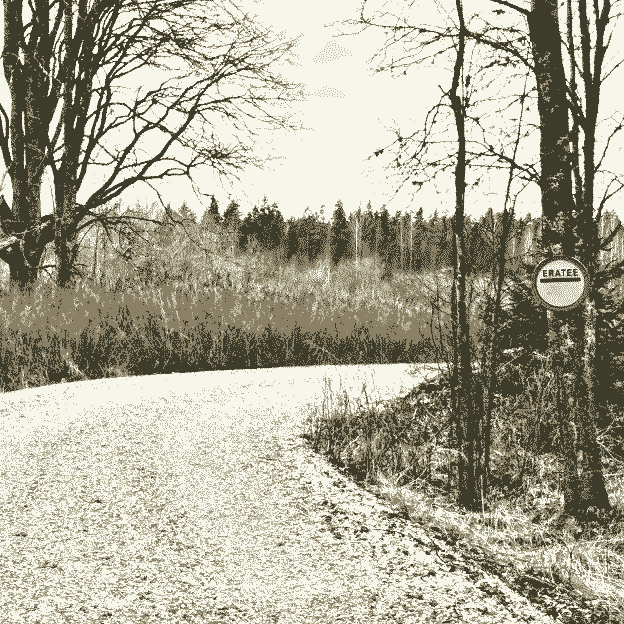
a gravel road winds through the forest. on the right, a "private road" sign reads "eratee" (est.)
![[?]](https://media.exquisite.social/exquisite/accounts/avatars/110/326/591/179/948/352/original/99fcf794b9e7ae00.jpg)
![[?]](https://media.mathstodon.xyz/accounts/avatars/000/075/792/original/c2b4b048cd0afbaa.jpg)
![[?]](https://media.exquisite.social/exquisite/accounts/avatars/112/740/281/679/421/243/original/8db2f712b2396f11.jpg)
![[?]](https://media.toot.pouyan.net/media/94f2e9df18a60aab564b4318ce628ca924c7defe5afa3317aba90e7e80e175b8.png)
![[?]](https://files.shakedown.social/accounts/avatars/110/316/047/682/316/952/original/b2797e83811476ef.png)
![[?]](https://files.mastodon.social/accounts/avatars/108/221/293/645/539/654/original/eca7783b562922ef.gif)
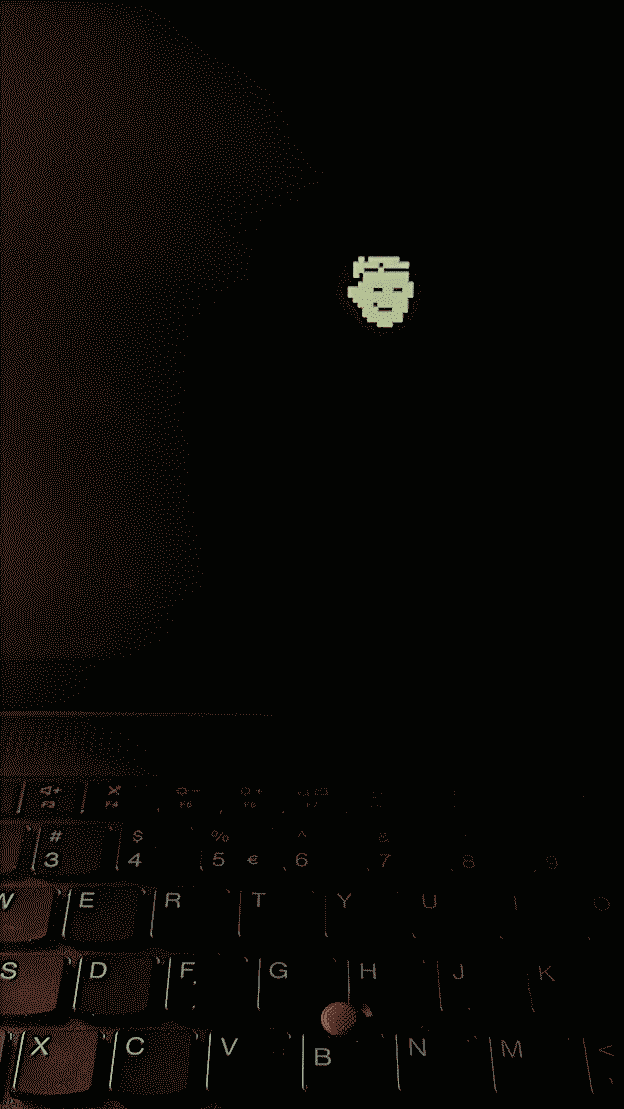
/FLASH/LOGO.* on the usb drive.i don't think you can see any other during boot.
you may want to check your model here:
https://wilkgr76.github.io/tp_logo/
also i'd recommend to check official documentation on lenovo site.
![[?]](https://files.mastodon.social/accounts/avatars/109/206/281/622/689/535/original/c39008004a5fc397.jpg)
I made an online bitmap font editor (monospace only for now) that can import and export a bunch of formats including TTF/WOFF.
damieng.github.io/ch8ter/
Source up at github.com/damieng/ch8ter

Alt...
A screenshot of my bitmap font editor showing the letter E being edited.
![[?]](https://media.bsd.cafe/bsdmmedia01/accounts/avatars/110/758/081/036/599/424/original/de5b9aa6e81aabc8.jpg)
OpenBSD -current moves to 7.9-beta https://undeadly.org/cgi?action=article;sid=20260311062921
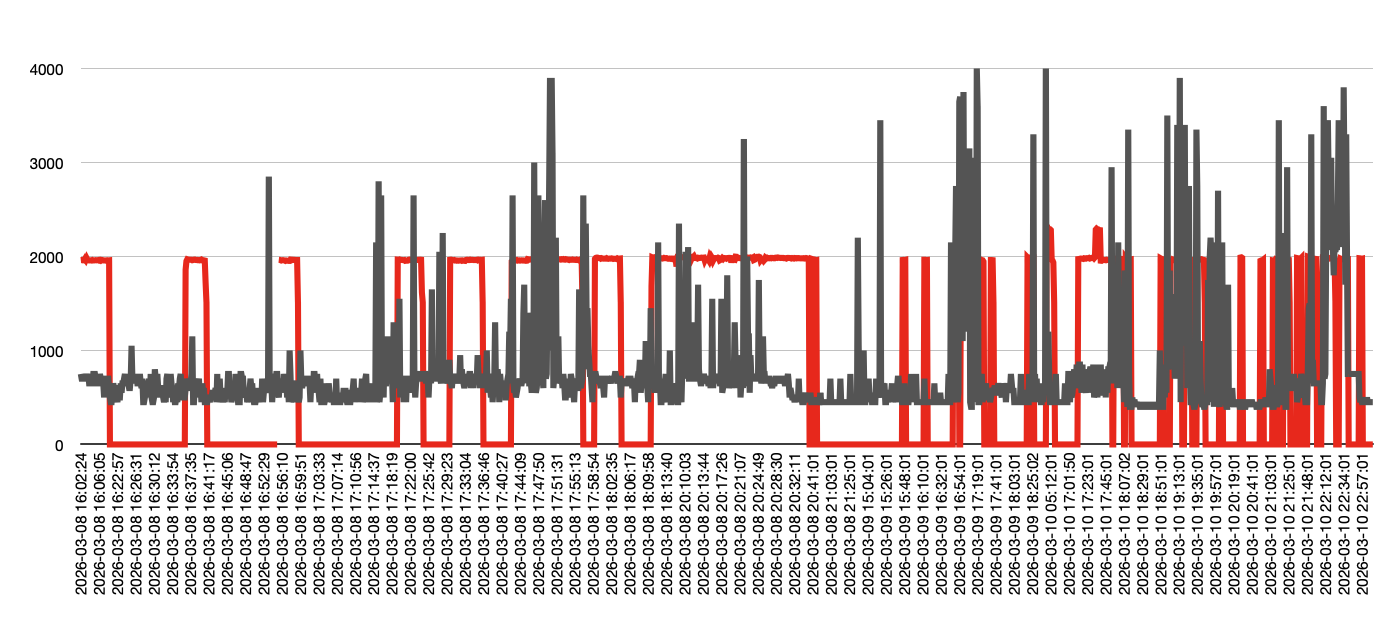
the fan still kicks in under the load, but at least when cpu frequency is low, the fan is off
Alt...
red: fan off or 2000 rpm, gray: cpu 400-4000mhz
...
#!/bin/shoutput looks like this:
b=$(apm -b) # 0 high, 1 low, 2 critical, 3 charging
l=$(apm -l) # %
m=$(apm -m) # minutes
if test "$m" = 'unknown'; then mm='-'; else mm="${m}m"; fi
p=$(apm -P) # 0
d=$(date +%Y%m%d-%H%M%S)
t=$(sysctl -n hw.sensors.acpithinkpad0.temp0 | cut -d. -f1)
f=$(sysctl -n hw.sensors.acpithinkpad0.fan0 | cut -d' ' -f1)
c=$(($(sysctl -n hw.sensors.cpu0.frequency0 | cut -d. -f1) / 1000000))
echo "$d ${c}mhz +${t} ${f}rpm $b ${l}% $mm"
20260310-233201 450mhz +42 0rpm 0 74% -running this script with crontab every minute:
* * * * * /bin/sh heat.sh >> /var/log/heat.log
haven't added myself to _seatd, but let me try next time...
editing fbtab and running from tty0 helped
browsers are 2-3% faster than in #xenocara
trackpad and trackpoint are not working as expected
whole setup a bit more complicated (starting from tty0, installing extra packages, extra line in fbtab, etc)
for this week at least i'm switching back to good old #x11 and #cwm :)
...
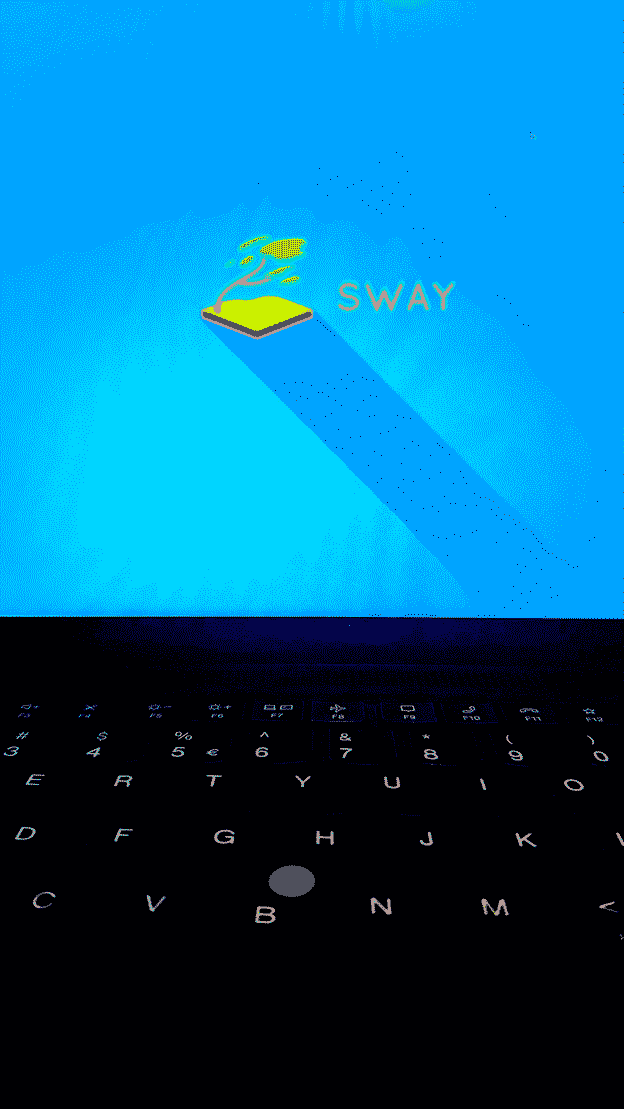
startsway.sh as root, but when i run it as myself, getting this error:00:00:00.020 [ERROR] [wlr] [libseat] [libseat/backend/noop.c:57] Failed to open device: Permission deniedalso trackpad scrolling doesn't work (tested in firefox, which runs as root)
00:00:00.020 [ERROR] [wlr] [backend/session/session.c:331] Failed to open device: '/dev/dri/card0': Permission denied
00:00:00.020 [ERROR] [wlr] [backend/session/session.c:424] Unable to open /dev/dri/card0 as KMS device
00:00:00.020 [ERROR] [wlr] [backend/backend.c:245] Found 0 GPUs, cannot create backend
00:00:00.020 [ERROR] [wlr] [backend/backend.c:420] Failed to open any DRM device
00:00:00.021 [ERROR] [sway/server.c:247] Unable to create backend
![[?]](https://files.mastodon.social/accounts/avatars/109/237/638/243/937/525/original/adf08a05ecb50e0f.jpeg)
Talking w/ friends about shortwave recently and was reminded as a 1980s kid I was able to RECEIVE PICTURES FROM SPACE SATELLITES on my Apple ][ w/ a simple circuit & assembly code from a magazine. I found it! BYTE June 84: https://www.worldradiohistory.com/Archive-Byte/80s/Byte-1984-06.pdf On perfboard into joystick port! #appleii

Alt...
"FAX Converter" circuit schematic going from shortwave receiver output to Apple II game controller port. It's just a transformer to half-wave rectifer to a transistor to make clean digital edges

Alt...
Example "fax" image output from satellites that the Apple II was receiving
![[?]](https://assets.merveilles.town/accounts/avatars/116/049/287/849/008/833/original/593ba08bcce3907d.jpg)
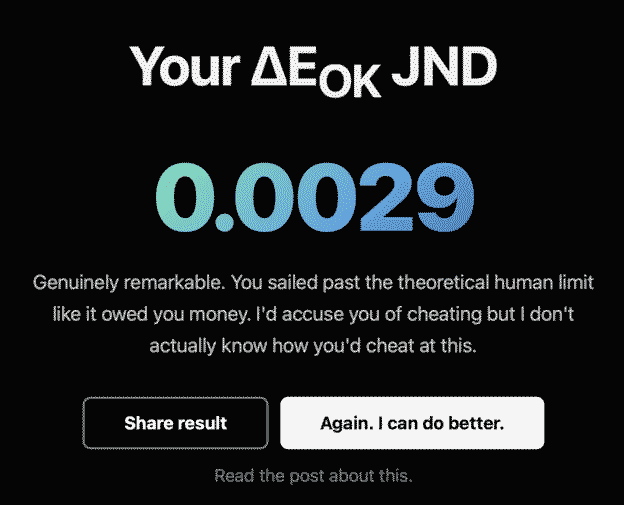
Okay this is doing the rounds and it's fun and infuriating. My advice: if you hit one you can't do, just guess and keep going. There are certain hues I struggled with more than others.
FWIW, I got 0.0050
pink is the hardest for me... also this test works the best on iphone, not so good on google pixel.
edit: the best results on macbook :)
cc: @rek@merveilles.town @spiralganglion@merveilles.town
also curious if recent changes help in any way...
uname -sr
sysctl hw.versiontime (x11perf \
-dot \
-create \
-destroy \
-map \
-rect500 \
-aa24text \
-copywinwin100 \
-f8text \
-fitext \
-gc \
-getimage500 \
-pcircle100 \
-polytext \
-putimage500 \
-rect500 \
-resize \
-scroll100 \
-tileftext \
-tr10text \
-triangle100 \
-repeat 2 \
-time 1 > /dev/null)
![[?]](https://media.bsd.network/accounts/avatars/000/073/701/original/682b6f16fc9d475f.jpeg)
![[?]](https://digipres.club/system/accounts/avatars/110/971/330/089/895/642/original/3cf9b8d98b085c1f.png)
Proof of concept: A servo motor, a little platform with an opposing wheel, and two TPU tyres with a tiny groove down the middle will very capably grab a length of solder and push/pull it.
This is part 1 of the next addition to my soldering station: a pen that precisely pays out solder wire as it's needed.
I have some continuous rotation servos and some 1mm ID PTFE tubing in the mail. This should be a quick, fruitful project. #3DPrinting #Arduino #maker #SolderingStation
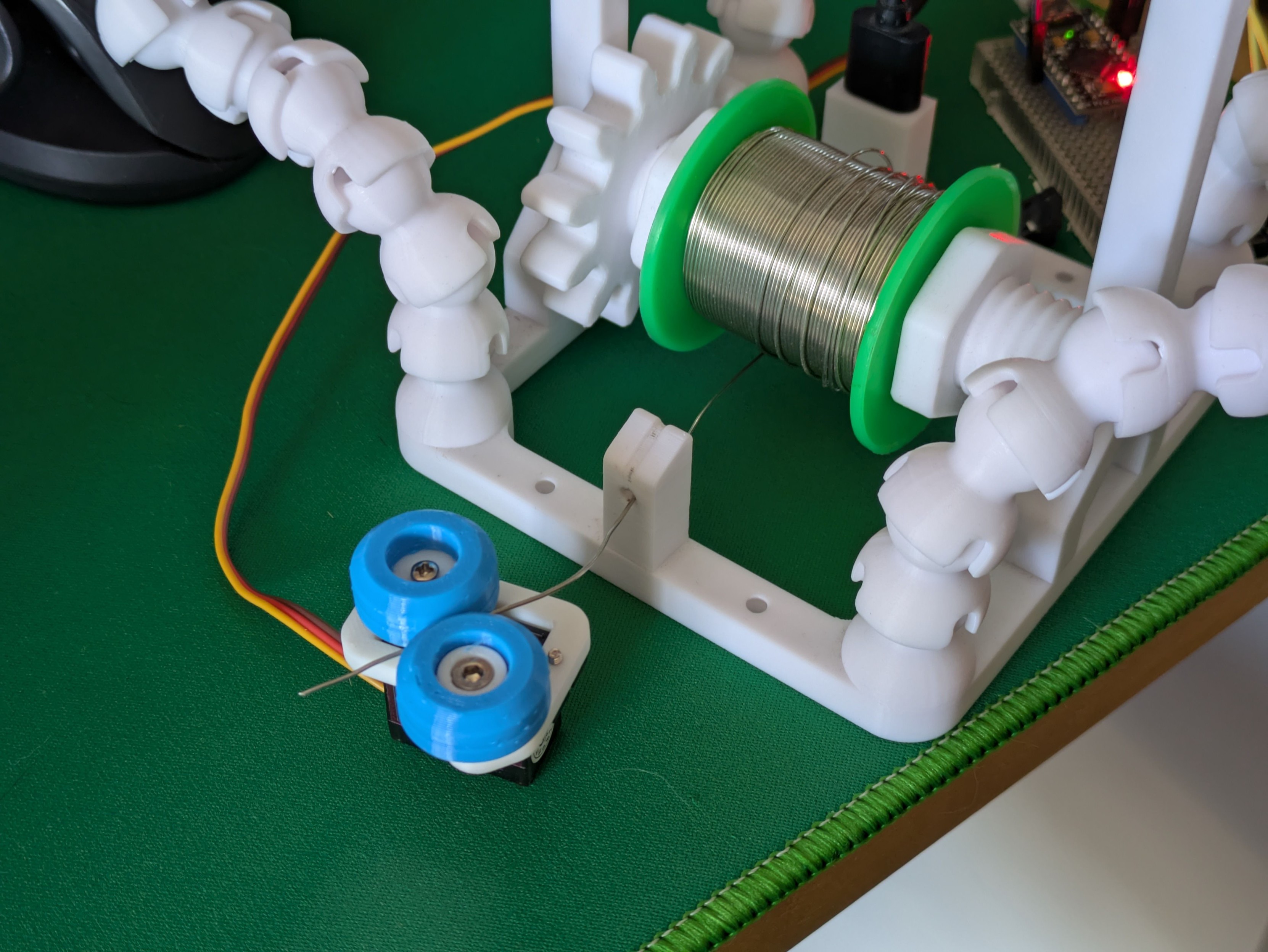
Alt...
A photo of mostly 3D printed parts on a desk. A small servo motor with two blue rubber wheels has gripped a length of soldering wire which has been dispensed from a larger roll of it.
...
Using the same principle as a bowden tube on a 3D printer, I can easily push 0.8mm solder through a PTFE tube with an inner diameter of 1mm. This is super flexible and movable and should flawlessly transport solder from the reel to the solder pen at the other end of the tube.
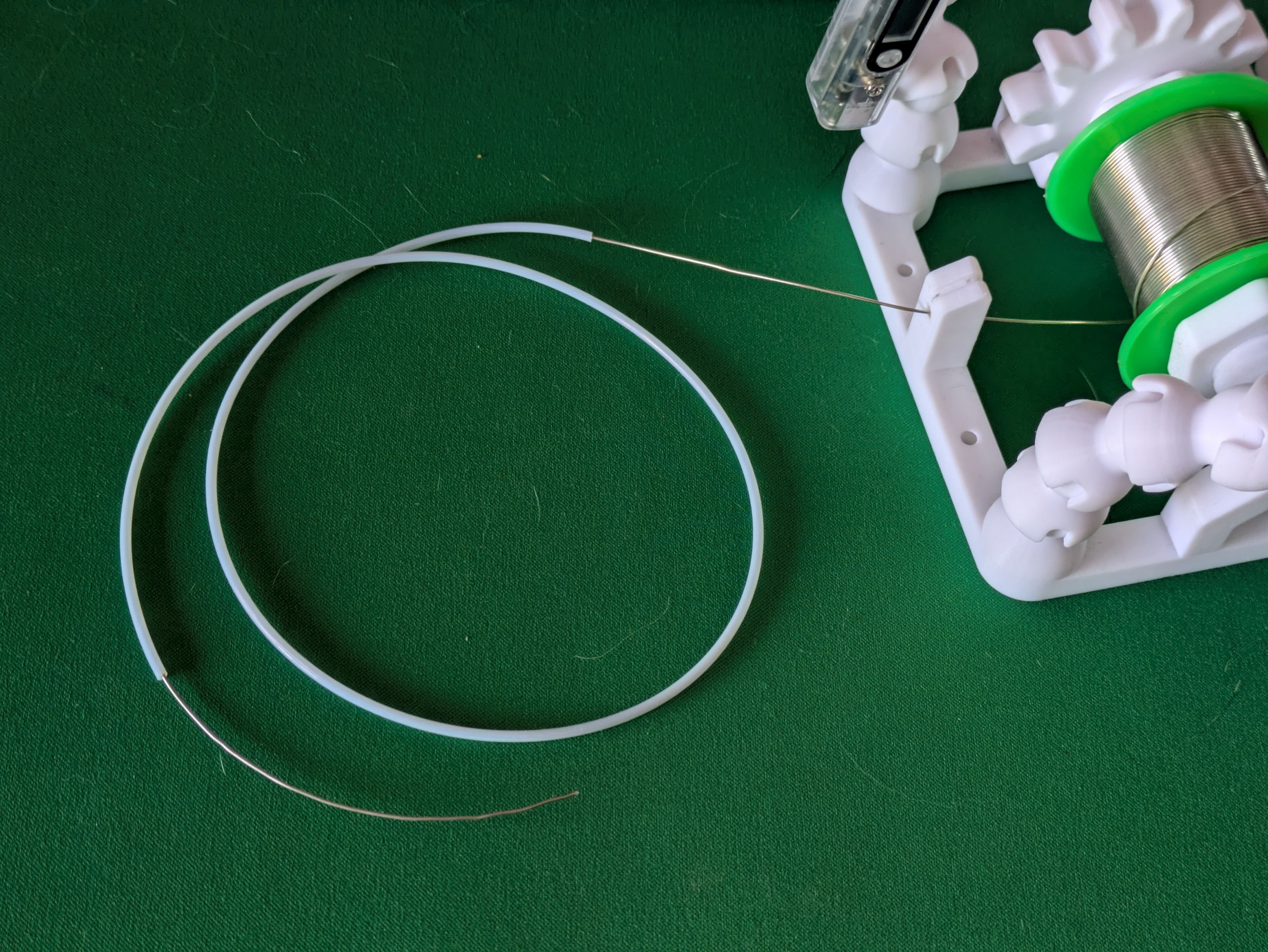
Alt...
A photo of a thin solder wire that's been threaded through a thin white plastic tube.
...
And a first go at lining up the tube with the rollers on the platform to help me think about the best way to do that bit. I won't go any further on this iteration since the continuous servos are actually due to arrive today and I expect them to have slightly different proportions so I will need to remake the whole platform soon anyway.
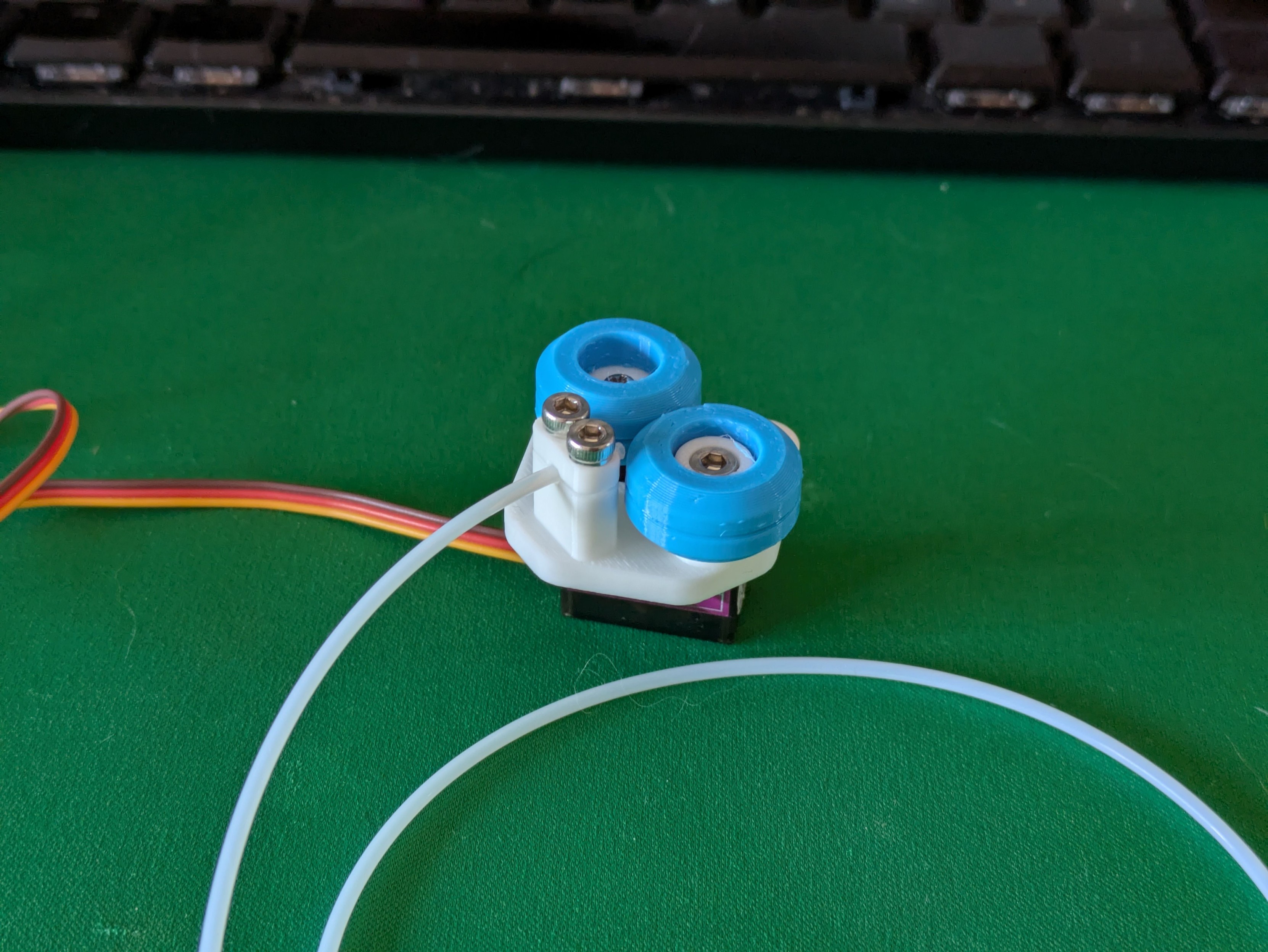
Alt...
A photo of a small 3D printed object attached to the top of an electronic servo motor. There's two blue horizontal wheels which are designed to feed a wire sideways into a thin tube.
...
Tiny robot makes a whining sound and smoothly extrudes a length of solder wire (and then falls over because it doesn't have enough weight to pull on the spool and just pulls itself over instead).
That I think is the proof-of-concept for the base done - there are tweaks to make and some more electronics to stuff inside but those are details.
Should I design a little cover to snap/screw on top of this or should the wheels stay visible like this?
...
Continuous rotation servo + a 608 size bearing and TPU wheels + PTFE tubing + fewer 3D printed parts than you'd think + actually securing this contraption to my soldering station = a computer-controlled power feed for solder wire, for those long electronics assembly sessions.
Even before starting on the second part (the actual pen with buttons you hold at the other end of the tube) this is a serious project milestone and I'm very happy with it. #maker #3DPrinting #SolderingStation
...
A first pass at the shape of the solder pen itself. A 1.25mm diameter pipe through the body of the pen allows for the PTFE tube to be threaded in easily.
A cutout for a very slim PCB with two tactile buttons and a 3-pin header will also run through most of the pen - currently the buttons are just solid to get a feel for it in the hand.
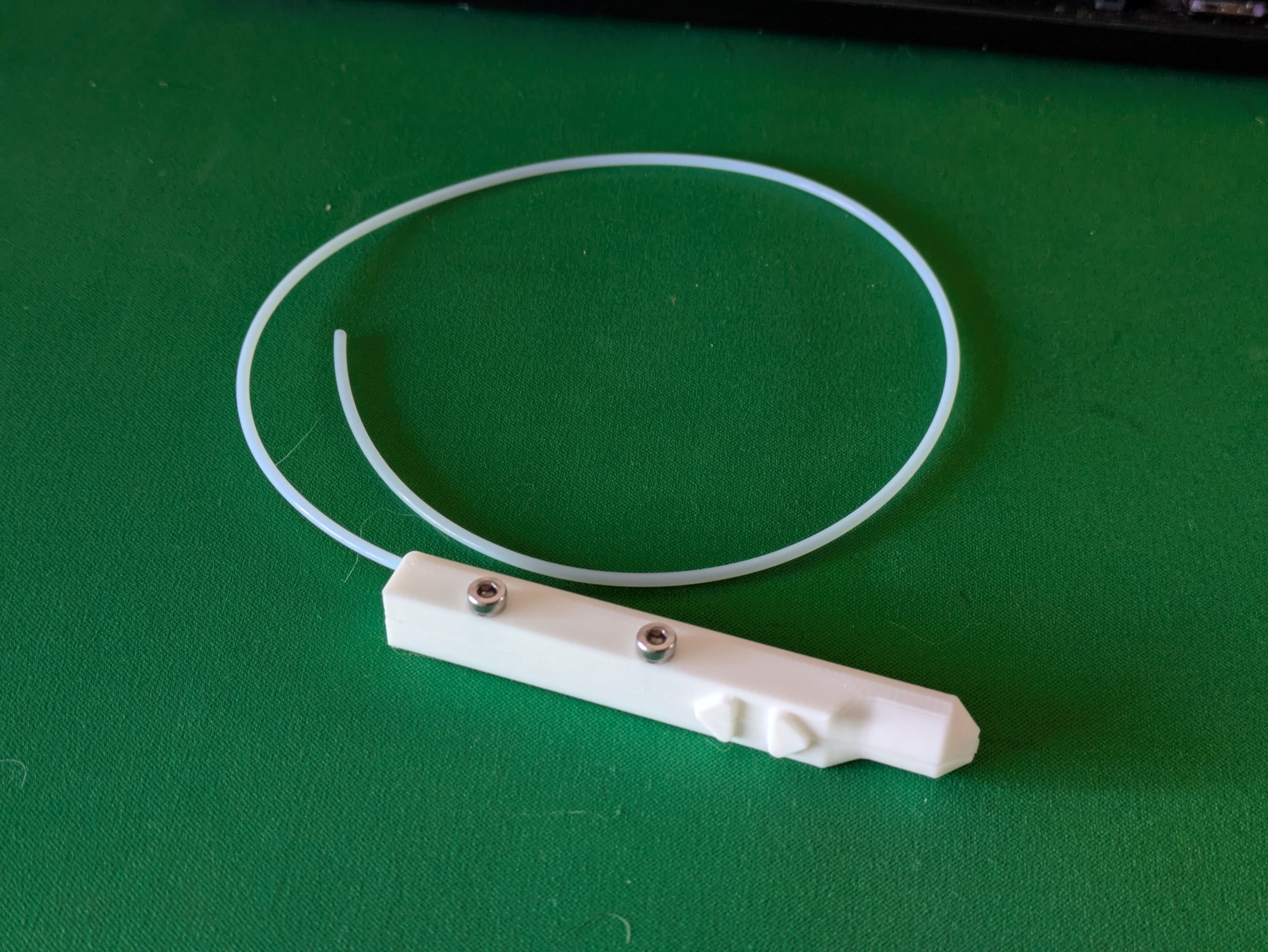
Alt...
A photo of a prototype 3D printed tool on a desk. It's roughly pen shaped with a long rectangular body, a rounded nose, and two arrow shaped buttons on one side. A long, thin plastic tube extends from the back.
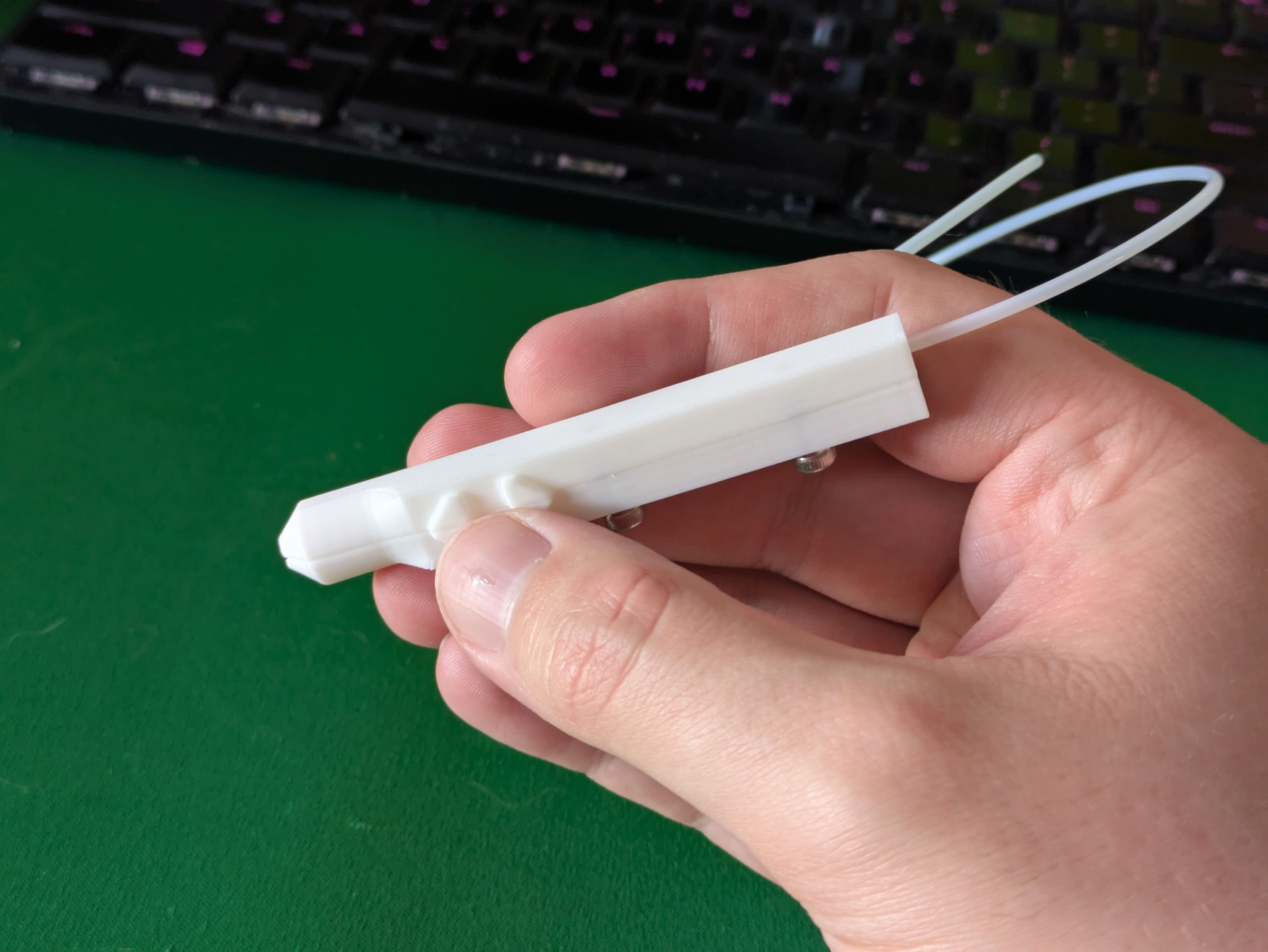
Alt...
A photo of the same prototype held in hand, showing the two buttons falling naturally under a thumb.
...
Behold: the prototype solder feeder pen, and the parts it's made up of. The grey bit is a facsimile of the circuit board I've designed to slot in here - it just routes two tactile buttons to a three pin socket (one to each button with a pullup resistor in the microcontroller, and a common ground).
The thinnest PCB that JLC will sell me without charging me more is 0.8mm, so there's a 1mm clearance in the print for it to slot in securely.
Time to order some electronics!
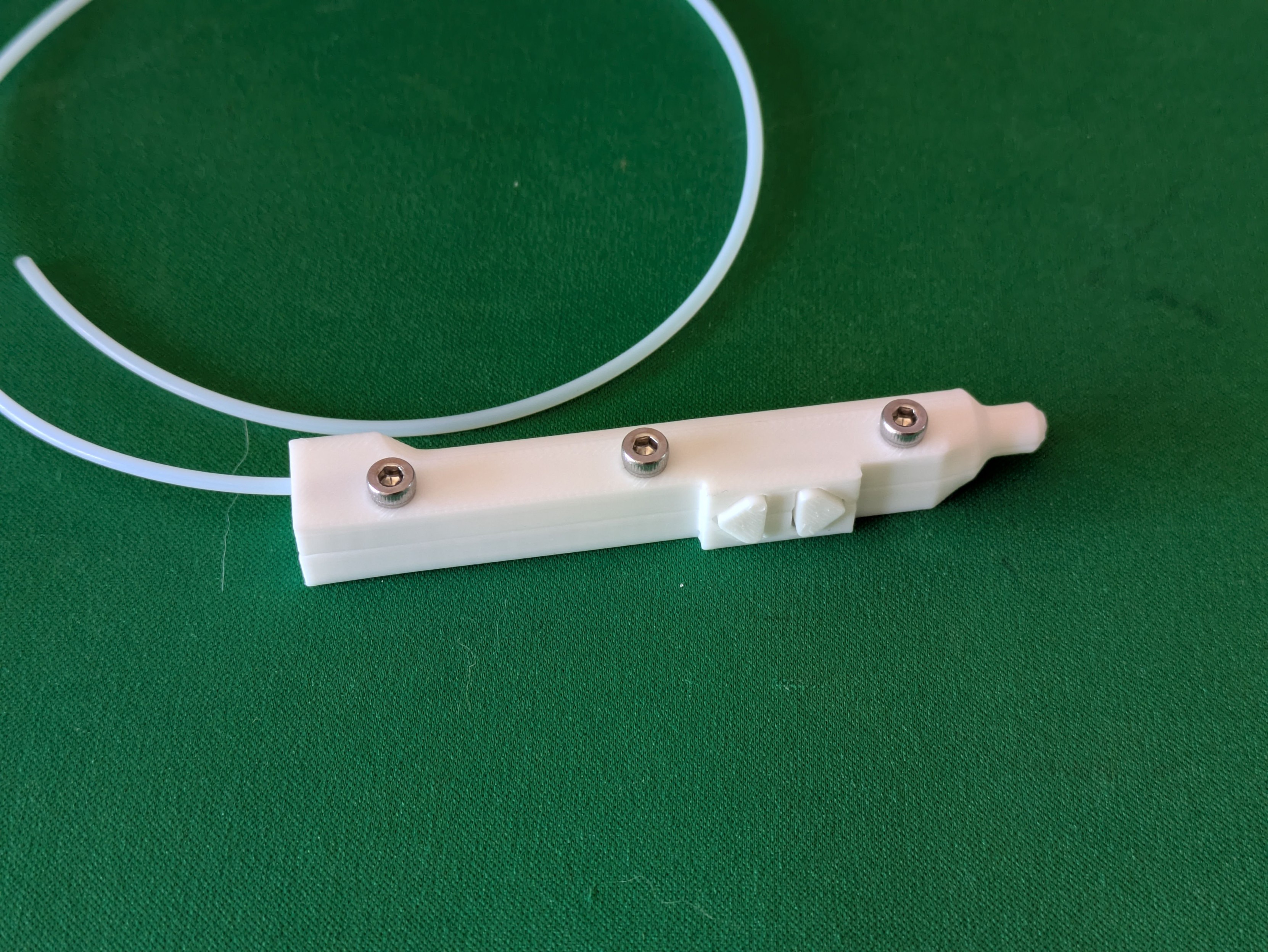
Alt...
A photo of a 3D printed tool. It's a stubby, boxy pen shape with a thin plastic tube running out the back and two arrow buttons on one side. It is held together with three short screws.
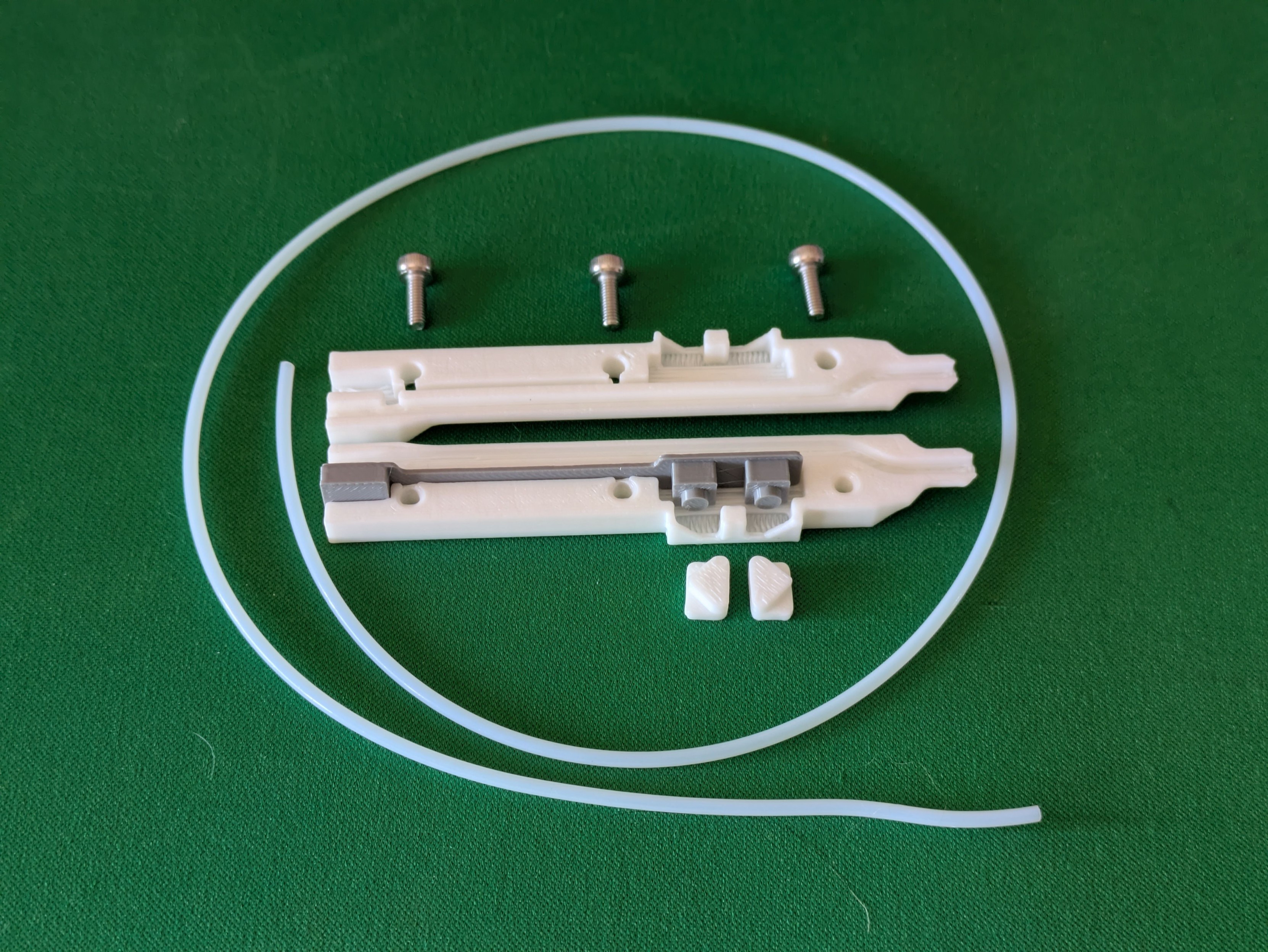
Alt...
A photo of the same part disassembled. It's made up of two halves, with two separate button pieces that slot in, and a printed simulation of a circuit board that will also slot into the inside of the part.
...
Printed another simulacra, this time of what I think the mainboard in my solder feeder will look like, and test-fitted it in an experimental base.
I need to squish a Pro Micro clone, two tactile buttons, a connector for the pen electronics and another one internally for the servo into one half of the base (the other half is mostly servo body) - I'm pretty happy with how this prototype slots and locks in.
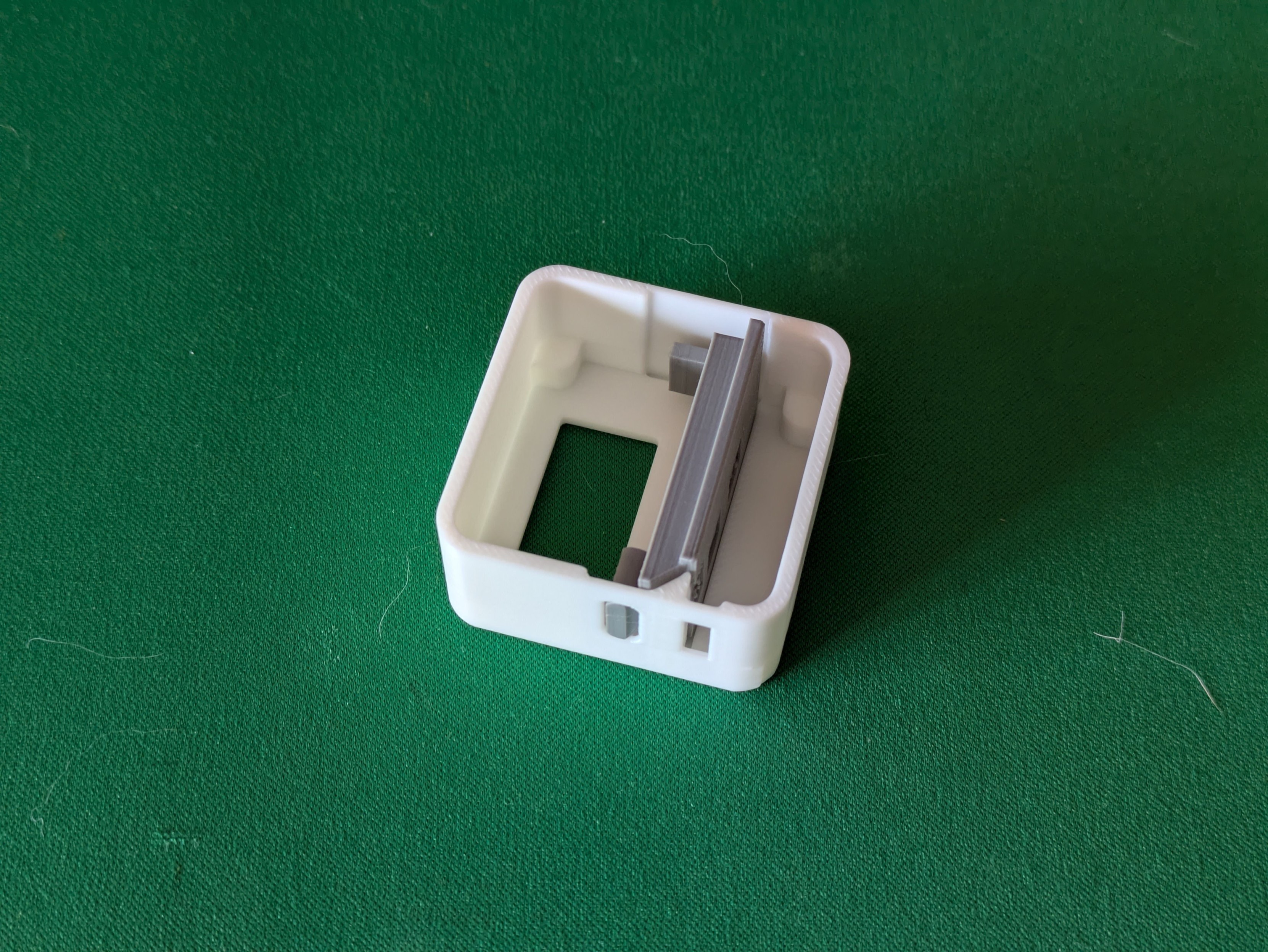
Alt...
A photo of a small, squareish 3D printed case for a project. Inside the case is another 3D print which roughly resembles some electronics soldered together. The purpose is to check the fit of the electronic part inside the case.
...
Have now designed and ordered the main PCB for my solder feeder. It's entirely unlabeled because my SVG outline didn't appear for some reason but that won't stop this prototype from happening.
This PCB layout looks chaotic as hell, but it'll make sense once stuff's been soldered to it - it's double-sided and has to situate stuff in precise places in a very small box.
For my own benefit in a couple of weeks: Pen buttons are pins 2/3, main buttons are pins 4/5, servo is on pin 6.
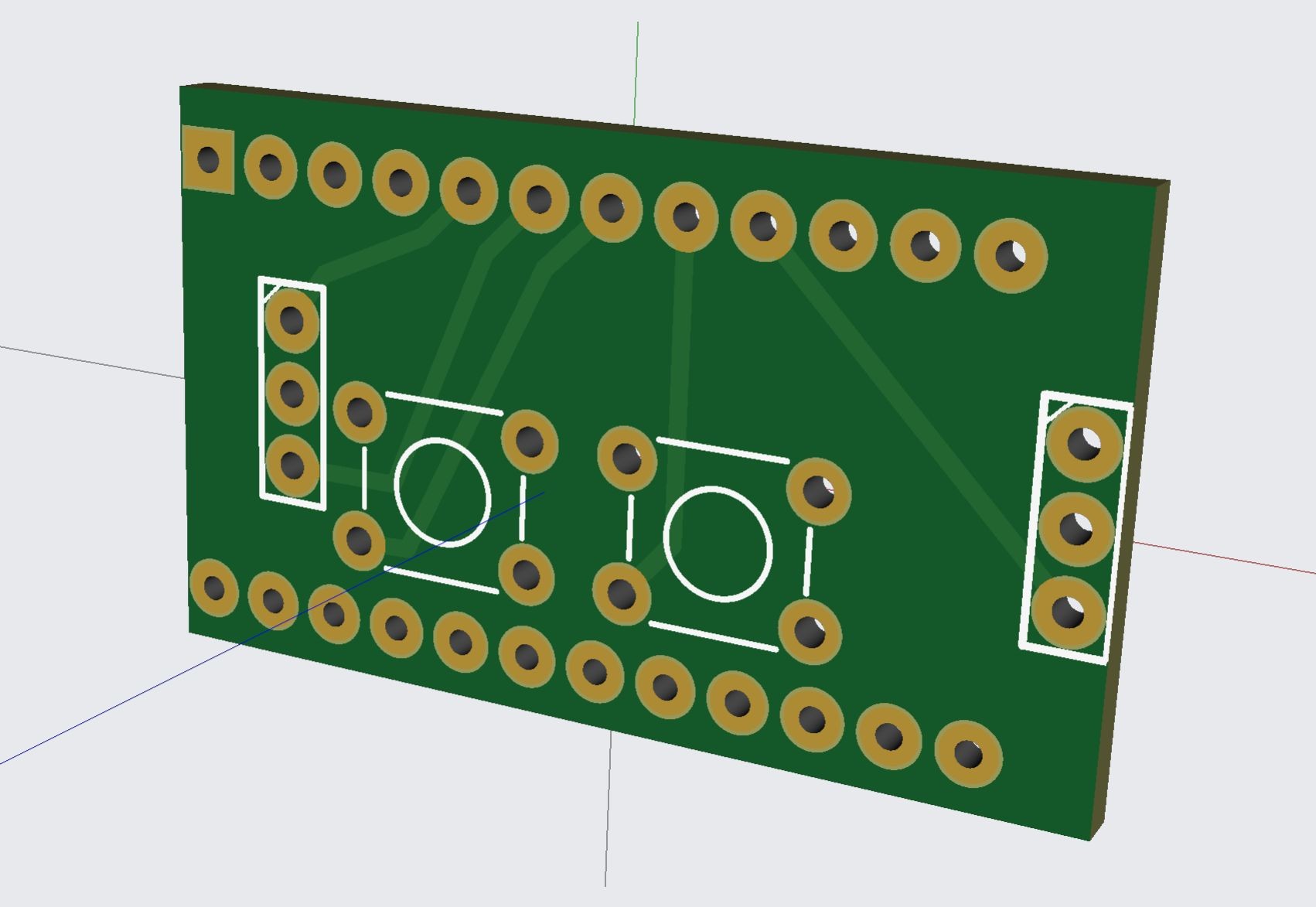
Alt...
A screenshot of a 3D model of a small circuit board. Lots of small holes are in rows but in strange unaligned places.
...
I appear to have ordered some PCBs exactly at Chinese new year. I absolutely cannot begrudge them that so I guess this project gets shelved for a while longer than planned.
...
Both sets of PCBs for this project are now in the mail. Might have to remember not to have any bright project ideas in February in future to avoid getting stymied by the Spring Festival.
...
Success! Very small PCBs have arrived.
The long ones are 0.8mm thick - I think I could snap one if I wanted, but it's not going to happen by accident.
Also there are five of each and I bought plenty of everything else, so if anyone else in Australia thinks they might like a solder feeder pen, sing out.
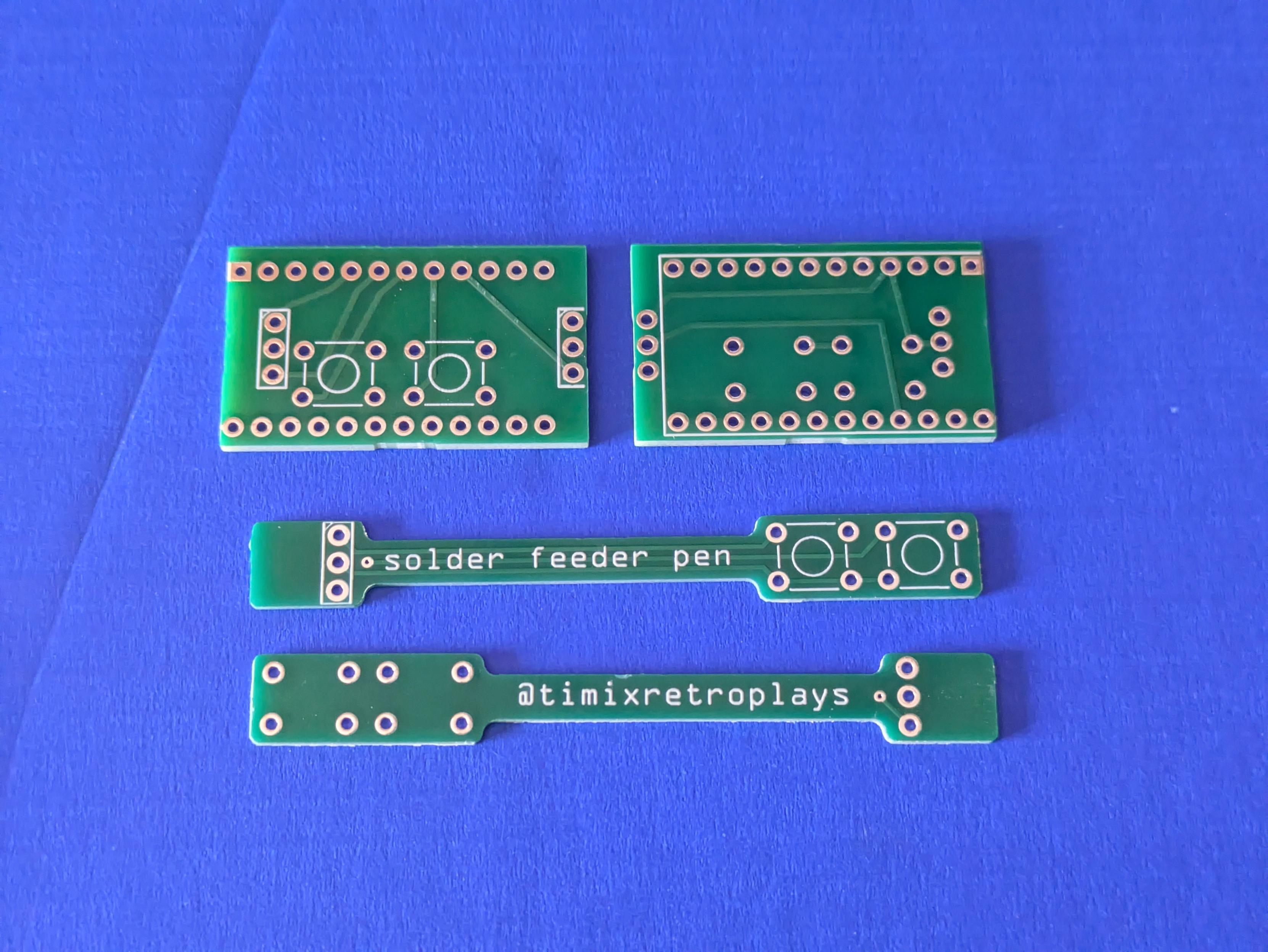
Alt...
A photo of some very small circuit boards on a desk. There are two different designs, a rectangular one and then a long skinny one. The long ones say "solder feeder pen" and "@timixretroplays".
...
That moment you realise, just as the solder is cooling down on the very last component, that you made a mistake weeks ago and put the pad for a component on the wrong side of the board and prototype #1 is garbage without rework
...
Not my best, not my worst - but for a V1.000 of something that is unreasonably crammed into as tiny a space as I could imagine, it's come together pretty well.
This is the mainboard for my solder feeder - the 3-pin socket near the Pro Micro's USB port is the connection out to the pen itself, the 3 pins at the back end go to the continuous rotation servo that actually moves stuff, and there are four buttons - the two on the main body will be for fast feeding, the two on the pen for slow.
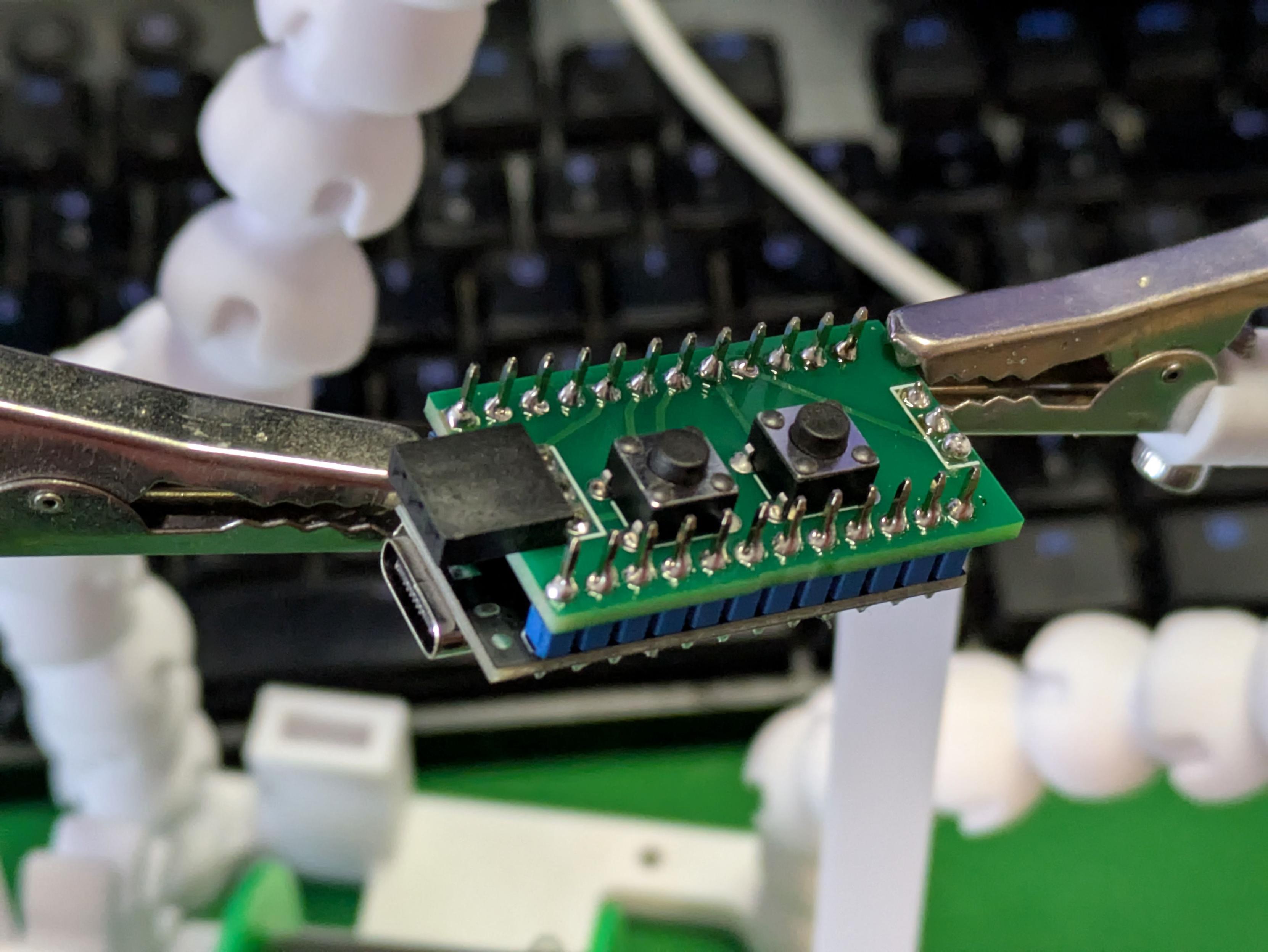
Alt...
A close-up photo of a small circuit board with some components soldered to it. There's a 3 pin connector at both ends, two buttons in the middle, and a microcontroller with a USB port is soldered to the opposite side.
...
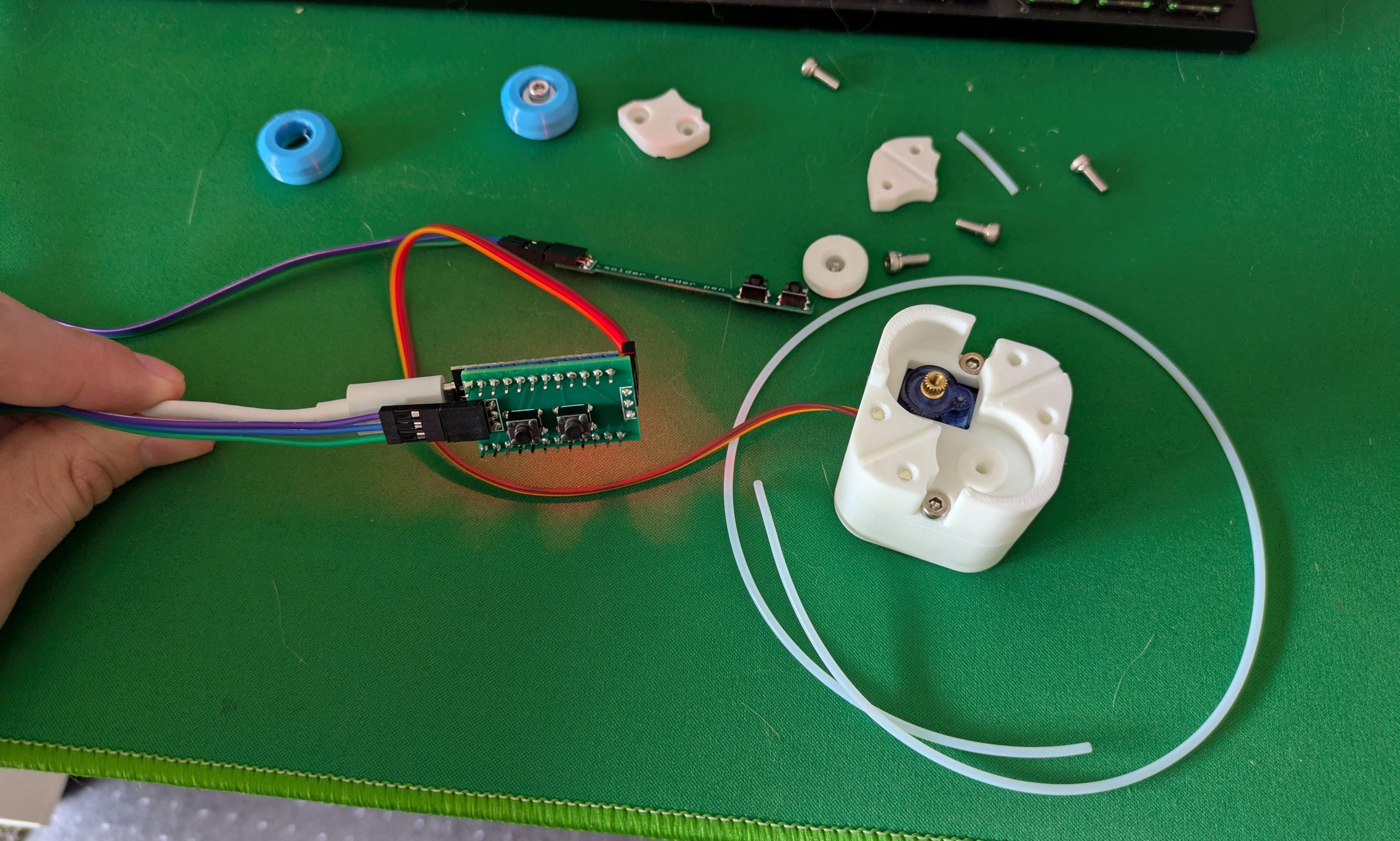
Well, the electronics seem to work correctly - all four buttons can make the servo run back and forth - but now there is a new problem: the servo suddenly looks and sounds underpowered, moving much more slowly than it did when everything was on the breadboard.
No code changes, and the extra electronics are just input-pullup buttons. Not sure why it'd behave differently now. A new spare servo acts exactly the same, and it's the same whether powered from VCC or RAW.
Alt...
A photo of some electronics and 3D printed parts on a desk. A hand is holding the USB cable for a microcontroller with an extra board and some push buttons on it, and a cable runs to a 3D printed mount for a servo motor.
...
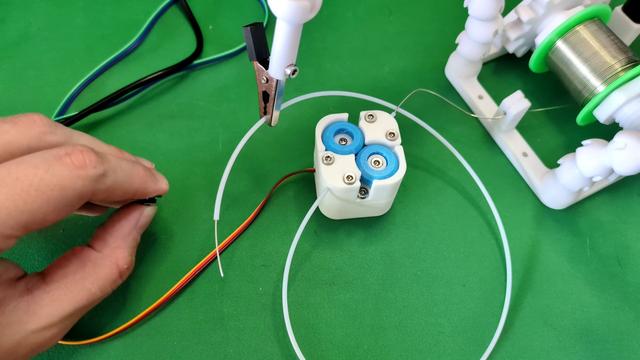
Now witness the power of this fully armed and operational solder feeder!
The power issue I think came down to a crappy Pro Micro clone board - another successfully flashed once and then permanently died, so the one in this short clip is actually the third one I've tried. It also sometimes cuts out until it's power cycled - I think it's overloading a cheap 5V regulator, version 2 will be powered from RAW rather than VCC.
This Works. Time to finish the enclosure. #3DPrinting #Electronics
Alt...
A short video of an electronics project on a desk. A hand picks up a small control board and presses and holds a button; a mechanism spins and a thin solder wire slowly extends from a plastic pipe. The hand presses a second button, the mechanism spins in the opposite direction and the solder retracts out of view.
...
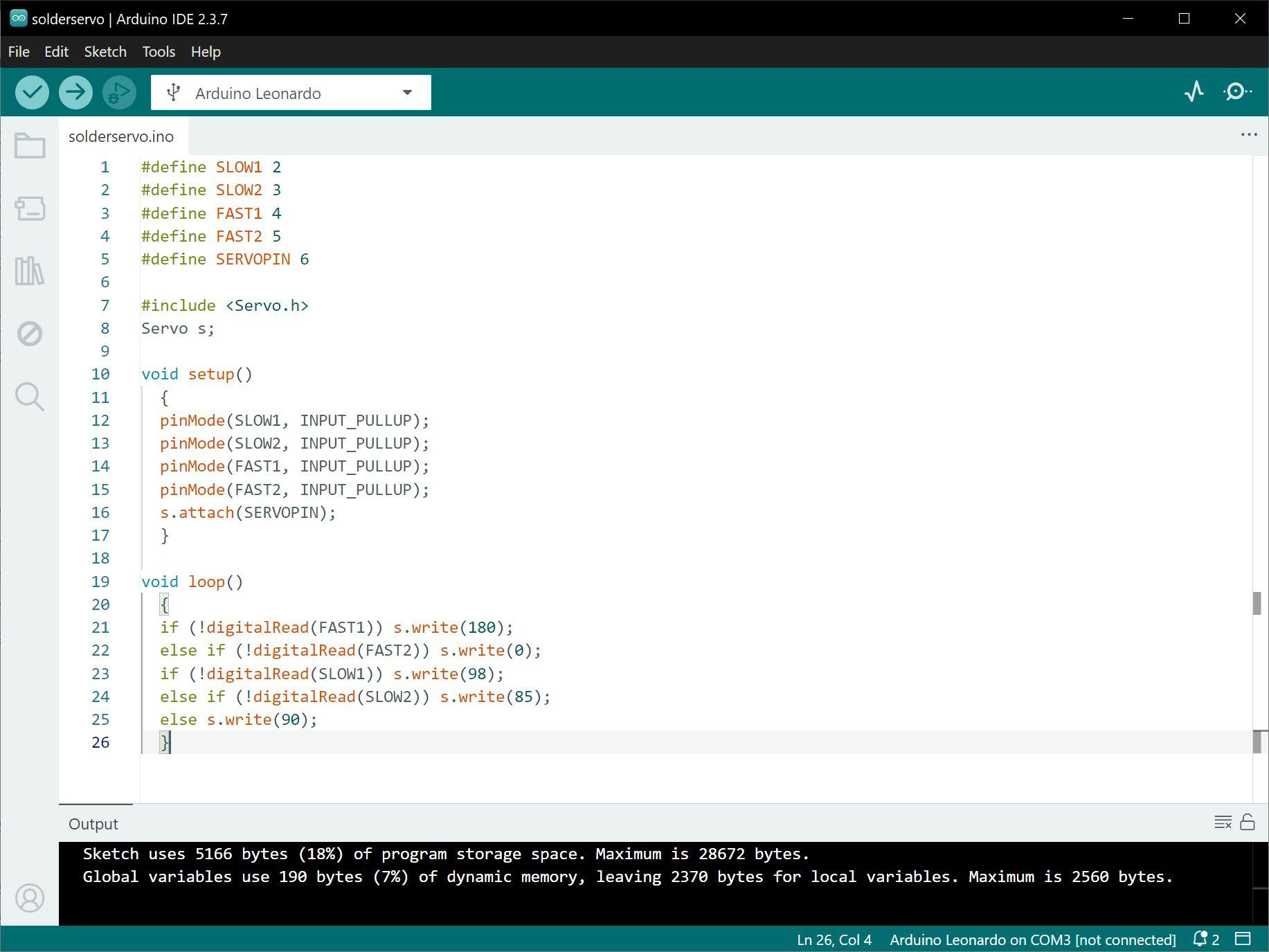
The code for this thing is dead simple - it reads from four buttons, then an if-then-else tree says what the servo does.
A regular servo gets commanded to positions expressed in degrees - 0 is fully one way, 90 centred, 180 fully the other. A continuous rotation servo like this one takes the same commands, but those values become relative speeds - so zero and 180 are full speed one way or the other, and 98 and 85 are the closest values I could get working for the slow feed option. #Arduino
Alt...
A screenshot of some computer code for the solder feeder being developed in this thread. There are three main sections - one defining the pins for the four buttons and the servo, a second setting the button pins to input and setting up the servo library, and then a decision tree commanding the servo to different directions and speeds based on which button is being pushed.
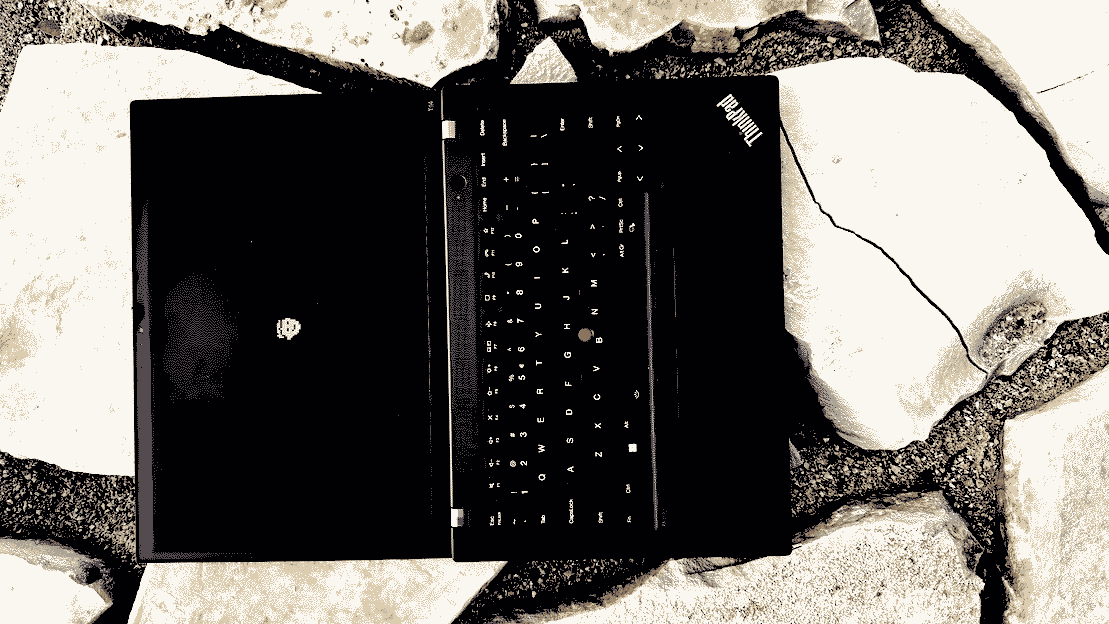
tl;dr: charge your battery before bios update. keep connected to ac power, don't turn off, don't unplug the usb drive during bios update.
warning! this may brick your thinkpad:
https://romanzolotarev.com/tp/boot.sh
https://sites.google.com/a/bostic.com/keithbostic/the-berkeley-vi-editor-home-page
snac stats [SENSITIVE CONTENT]
snac version: 2.91-devdisk: 90 mb, 24170 files
ram snac: 16 mb
ram total: 162 mb
following: 176
relays: 0
openbsd version: 7.8-stable
core dumps since last update: 0
![[?]](https://files.mastodon.online/accounts/avatars/109/300/712/501/360/170/original/87f83532bca1801b.jpg)
Do we need yet another person crashing out about Apple’s design decisions? Am I doing it only because it’s fashionable to be on Apple Design Hate Train these days? I’ll be honest: I don’t know. But I have been bothered by Apple’s approach to some of its keyboard design for a while.
Even if you don’t care about any of this, it might be a fun visual history of the most tricky of modern modifier keys: the [Fn] key. Hope you like it!
ssh -C is quite much faster... (time in seconds, smaller is better)2.006 ssh -C s1 find /
2.672 ssh s1 find /
gsettings set org.gnome.desktop.interface cursor-size 24doesn't help :(
4.32 vimb
7.36 qutebrowser
7.96 firefox
9.76 iridium
9.78 ungoogled-chromium
notes: when i re-run the tests scores are changing (just slightly); at some point openbsd frozen during vimb test (just once, couldn't reproduce, worked well after reboot)
o_O
i'm trying to switch from #neovim to vi, but feel sad missing some awesome plugins... :(
and most of all the best file manager for vim ever
...
Older...
![[?]](https://media.bsd.cafe/bsdmmedia01/accounts/avatars/113/407/688/140/177/903/original/de6c43fbc2be3c55.jpg)
I find that a lot of things people try to wedge into vim have perfectly cromulent alternatives outside vim. If you want a file-manager, there's mc, nnn, ranger, and likely a dozen others…that said, most of the time I just use the classic Unix commands like mv/cp/cd/ls/etc to manipulate files.
I find it's more a mindset thing (vi/vim is for editing, let other tools do other specialized tasks rather than wedge them into vim) than anything else.
![[?]](https://assets.merveilles.town/accounts/avatars/000/000/005/original/edce181033892827.jpg)
/dev/mouse...i prefer using computers via command line and text files (sed, cut, grep, vi). i like typing and i avoid pointing devices or touch screens for two reasons:
(1) moving my fingers away from home row feels like too much work (can be addressed by svalboard or some other ergonomic devices).
(2) i can easily automate what i type and it's much harder to automate graphical interfaces.
of course for drawing or 3d modeling i use a mouse and on my phone i use touch screen, but if i can produce svg or png file by editing a text file i do just that...
![[?]](https://comam.es/snac/susie.png)
spent most time changing settings in bios, configuring new hardware and new software.
once configured my shell script deploys everything in a few minutes.
![[?]](https://mammothcirc.us/fileserver/01PESQ1H7D21CE2G9PZ6H0ASP5/attachment/original/01EYK16D0ZZYS9C2FKVYB488PD.png)
![[?]](https://yeg.bike/system/accounts/avatars/110/517/023/545/945/527/original/e0f58cd88058987d.jpeg)
Ok so. Been using #RSS readers for a long time. Mostly #Thunderbird and some #FOSS Android apps.
Annoying to me has always been that the two don't talk to each other, and some QoL features missing. So now I am exploring #NewsBlur and #InoReader after reading that Pluralistic article. So far so good.
WHICH IS YOUR RSS READER OF CHOICE? Must work on Android & sync to an interface I can access through a browser.
Update, thank you all for the slew of responses and suggestions!! 🙏🏼
| NewsBlur: | 0 |
| InoReader: | 1 |
| a different one! I'll comment: | 2 |
Closed
windows and linux.iirc switching to
linux s3 didn't help.i disabled something else and it helped.
i disabled everything i could :)
will reset bios to default settings and change it one by one to see what it is.
I took some old pixel fonts, turned them into vector fonts, but normalized their cap height… so the original pixel size is now serving as this new strange property – kind of like “pixel resolution.”
It’s kind of interesting to play with! I made a little playground and you can also download all the fonts I made there: https://aresluna.org/pixel-fonts/
this time around i feel like i'm ready. don't have a mouse nowadays
ᘛ⁐̤ᕐᐷ
network also comes back on by itself after hibernation and after resume.
everything what i need is tested and working.
(haven't tested: fingerprint sensor)
(work in progress: microphone)
\o/
...
Older...
- camera(ok)
- audio(ok) --- can play youtube
- microphone(not ok) --- aucat -o file.wav records no sound, can't figure out yet...
sysctl kern.audio.record=1then
rcctl start sndiod
# cat > /dev/audio0 < /dev/zero &all inputs and outputs are not muted...
[1] 9926
# audioctl play.{bytes,errors}
play.bytes=3312000
play.errors=0
# audioctl play.{bytes,errors}
play.bytes=7065600
play.errors=0
# audioctl play.{bytes,errors}
play.bytes=9379200
play.errors=0
# kill %1
# fg %1
cat > /dev/audio0 < /dev/zero
Terminated
(if you are ok with some fan noise)
one day i'm going to try x13s (iirc it's fanless)
![[?]](https://cdn.masto.host/mastodongamedevplace/accounts/avatars/115/384/120/109/634/520/original/bacf97ef52fd24a8.png)
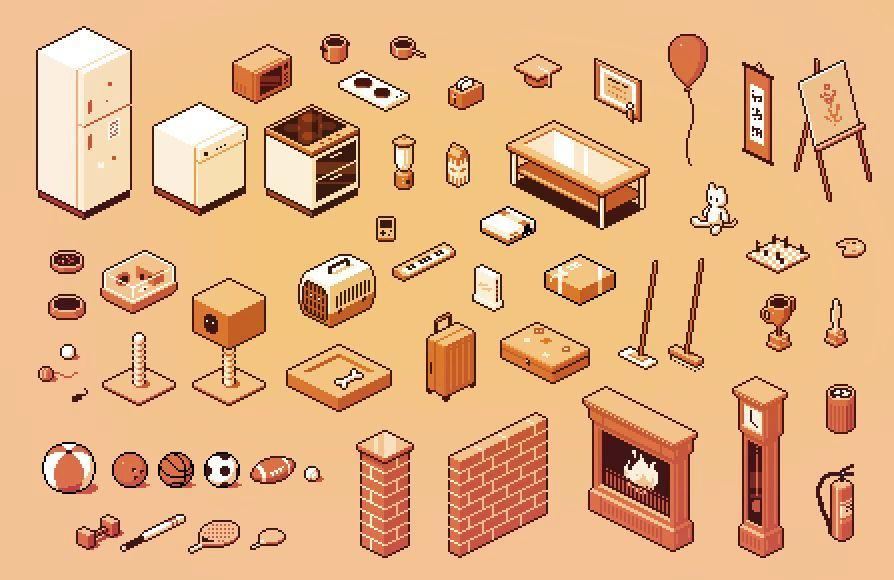
I've been working on Pixel Room Creator this week. Here are some half-finished assets that will be in the 1.1 update. I will create some more when I have time. Currently aiming at getting the update done for the one year anniversary, June 1.
#ScreenshotSaturday #IndieGame #IndieDev #PixelArt #Isometric
Alt...
An image in isometric pixel art style, depicting many different objects - kitchen things, toys for pets, sports gear, decorations, etc.
...
![[?]](https://assets.merveilles.town/accounts/avatars/000/042/155/original/d52b27671bdc331e.jpg)
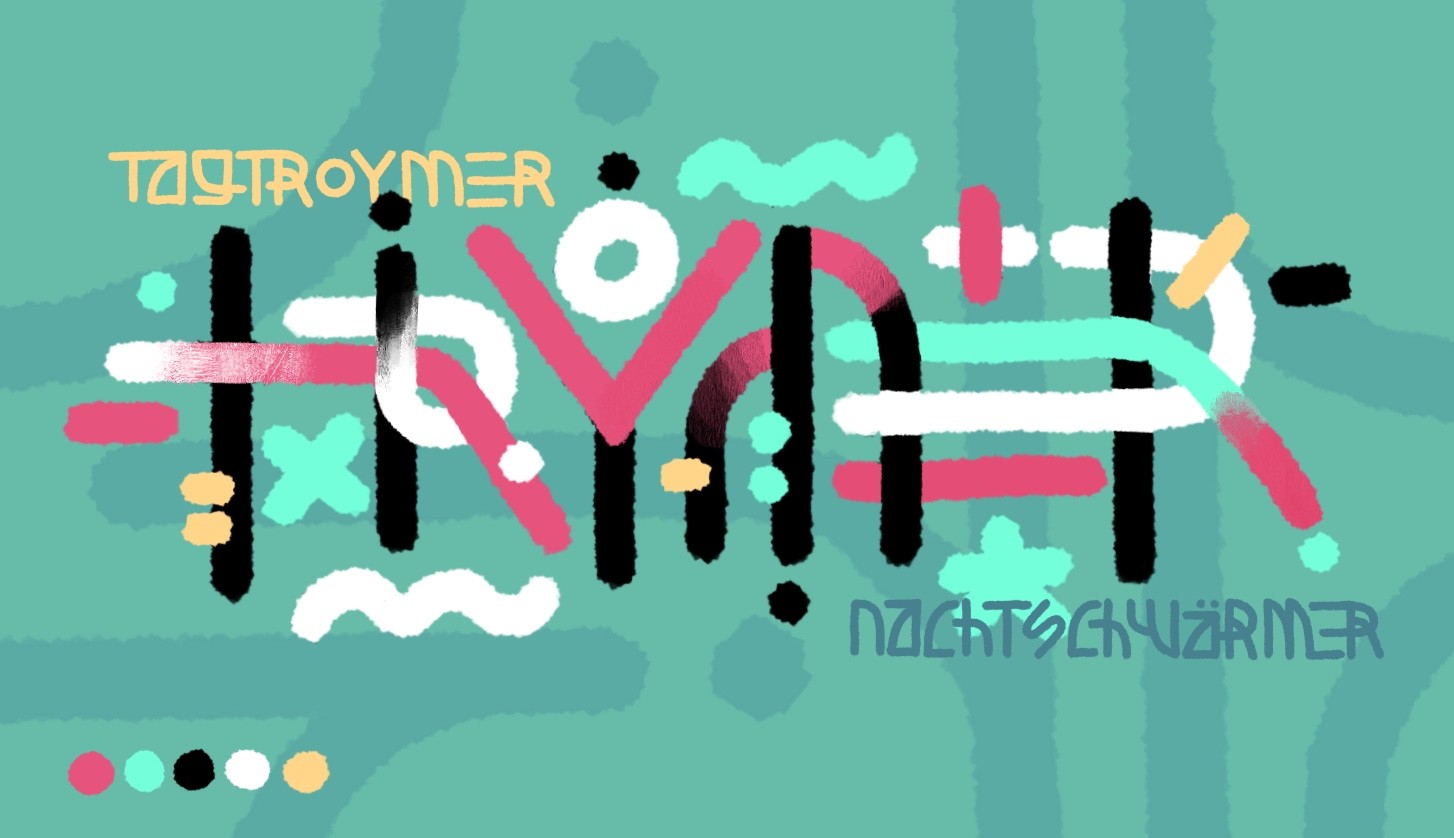
Entertaining the idea of creating a digital font based on the design language of the abstract paintings I did a while ago. #theWorkshop
Alt...
An abstract font spelling TROYMER. It has two smaller words on top and bottom spelling TAGTROYMER and NACHTSCHWÄRMER
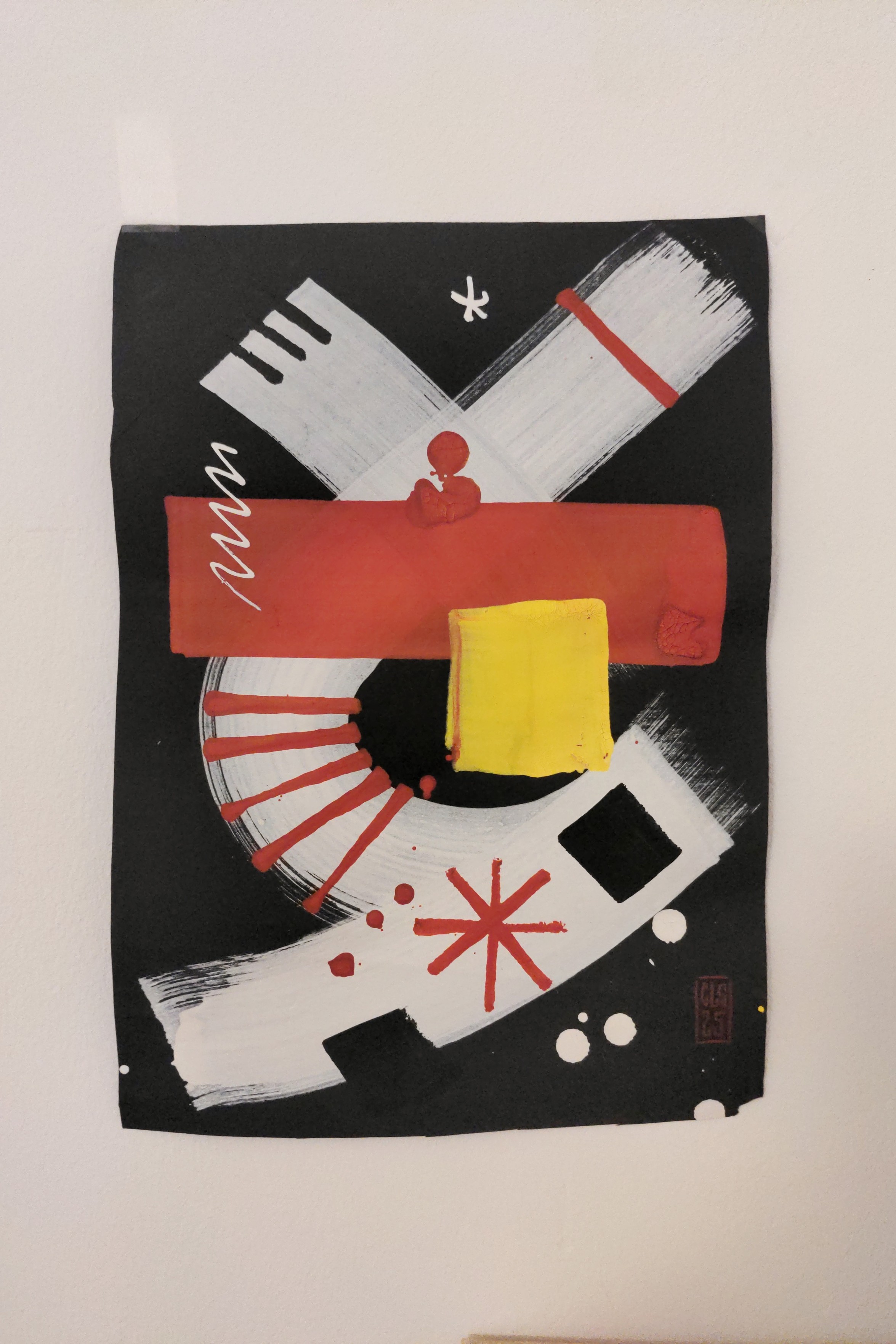
Alt...
An abstract painting with few bold brush strokes
...
Here's a quick sketch in the same style I did today. Neat what you can do with three colors.
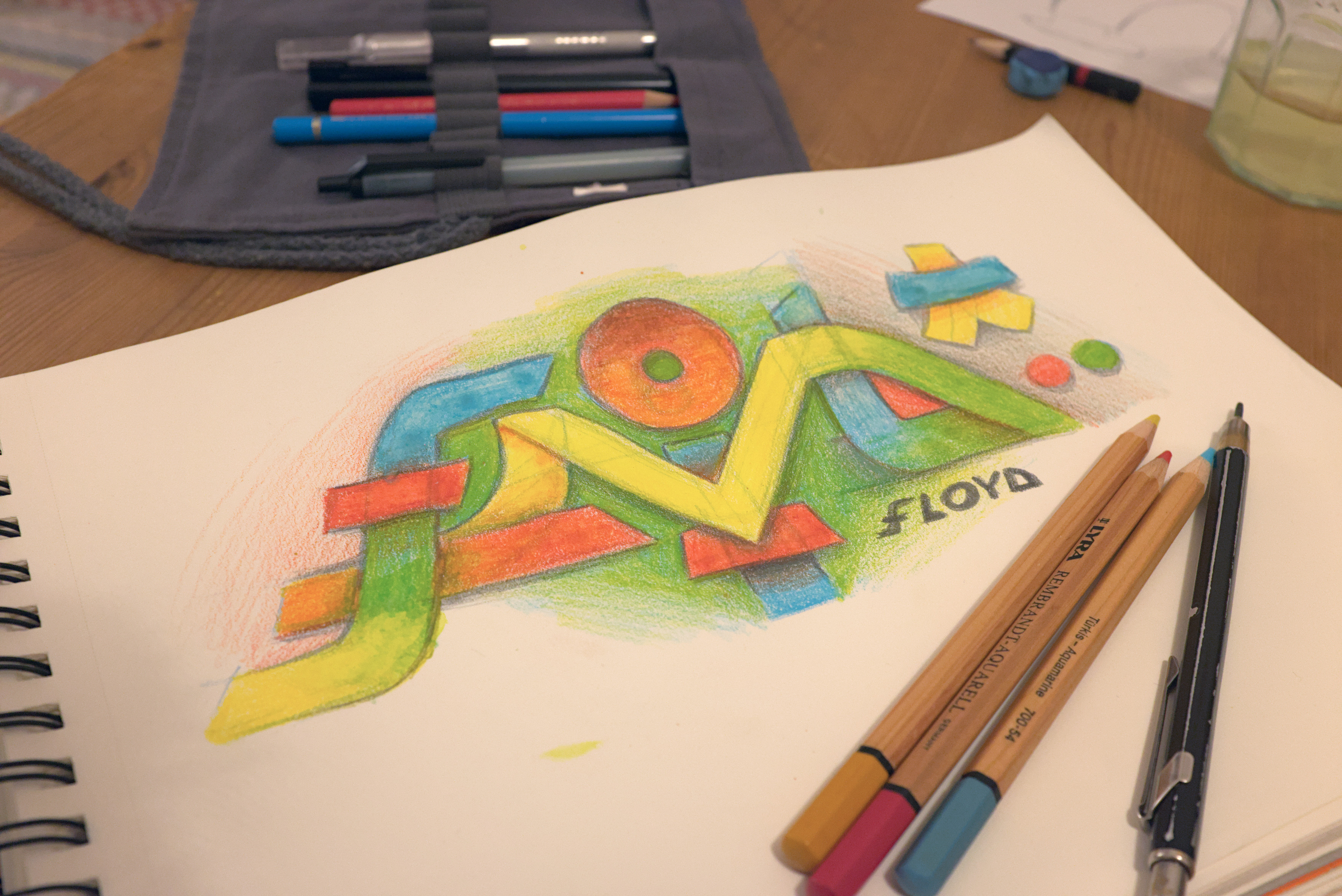
Alt...
A sketch block on a wooden table. The sketch somehow spell the letters FLOYD in gradient colors of blue, red, green, yellow orange and purple.
...
New nchrs logo type? #theWorkshop

Alt...
A black and white image of a typeset spelling nchrs
![[?]](https://cdn.masto.host/socialwakest/accounts/avatars/000/000/001/original/de767816304201c0.png)
- facename spleen-6
- scaled up to 18px
- no antialiasing
battery life is 380 minutes
- minimal cpu freq (400 mhz)
- minimal backlight (level 1)
- wifi on, but inactive
- bluetooth off
- xenodm on, but inactive (no windows open)
- only default services running
- single shell script running (calling apm every minute and writing a few lines into to a file)
- nothing else connected (no exteral displays, no usb, no ethernet)
...
...
Older...
loved the colors and the pixels.
took me over three decades to see it on my screen :)
• audio(ok)
• battery(ok)
• display port(ok)
• ethernet(ok)
• ssd(ok)
• trackpad(ok)
• trackpoint(ok)
• usb(ok)
• video(ok)
• wireless(ok) --- after fw_update
• hibernation(ok)
• suspend/resume(ok)
• bluetooth(no)
• fingerprint(not tested)
• microphone(not tested)
• webcam(not tested)
everything is okay, but even while idle the fan is at ~2000 rpm and temperature is about +40ºC...
after silent macbook air m1 it's just too noisy :)
...
Older...
\o/
so solution is to work in a cold room and don't stress cpu too much :)
![[?]](https://h.x61.sh/meme/puffy.png)
I moved all my repos to #GotHub:
And you can do the same! Go to https://gothub.org/ and check it out!
Maybe you are interesting on this one too:
why some of the files listed twice? o_O
#openbsd
...
![[?]](https://files.mastodon.social/accounts/avatars/109/769/076/265/344/791/original/8ced8542205417cf.jpeg)
Nobody on LinkedIn has ever had a bad day. Every setback is a "growth opportunity." Every firing is a "new chapter." Every complete professional disaster is framed as "excited to announce." These people would describe the Titanic as "a bold pivot to submarine operations."
![[?]](https://nfts.freeradical.zone/accounts/avatars/108/692/360/716/825/477/original/75a75088043b6d91.png)
I’m launching my “unreliable timecapsule” website that is stored in a 1.44mb floppy and running on a raspberry pi. If you feel like, leave a message to the future, as long as the floppy lives! Once it gets filled, that’s it. Check it out at https://floppy.loop0.sh
And be kind.
![[?]](https://media.bsd.network/accounts/avatars/000/078/700/original/246819c6a79294ef.jpg)
Anyone out there running wayland on #openbsd, as a daily driver that have written anything about it?
...
If you need it outside of vim, there's expand(1) and unexpand(1)
$ expand -t4 file_with_tabs.txt > file_with_spaces.txt
$ unexpand -t 4 has_spaces.txt > now_with_tabs.txt
https://support.apple.com/guide/music/intro-to-the-itunes-store-mus3e2346c2/mac
All songs offered by the iTunes Store come without Digital Rights Management (DRM) protection. These DRM-free songs, called iTunes Plus, have no usage restrictions and feature high-quality, 256 kbps AAC (Advanced Audio Coding) encoding.CC: @kayserifserif@sunny.garden
![[?]](https://assets.merveilles.town/accounts/avatars/107/512/420/618/995/645/original/751dfaab486a1850.png)
Here's echo.html [1], a project I've been working on for almost a year! It's a tool to take notes, connect them, and save/share them as a single file. Imagine a mix between Feather Wiki and Roam but with commands like on emacs. Feels strange, and exciting, to call it done. :) Hope you like it!
one ethernet port and one console is all i need
i'm looking for some boards that already supported by openbsd
i've been thinking to try what is already supported and maybe rk3588 based computers
...
15th gen has stability issues
13/14th gen—stability issues and possible cpu damage
o_O
luckily i'm ordering 12th gen... should i stock up more thinkpads with 12th gen cpus just in case we completely lost the art of build reliable hardware? or should i try #riscv?
![[?]](https://files.mastodon.social/accounts/avatars/000/035/156/original/edc5ed144e346235.png)
for whoever needs to hear this: you're not alone. i'm not vibecoding any of the software i write. i'm writing it by hand, but i've leveled up my emacs with eglot/lsp. i'm modernizing my stacks and use languages with excellent compilers. i think about how to do more with less. i'm trying to combine the best human-written libraries and modules and assemble them with minimal boilerplate. i enjoy reading your manuals and references. i believe in robust, secure, human-written software.
![[?]](https://media.bsd.cafe/bsdmmedia01/accounts/avatars/111/360/189/352/809/556/original/1973f72f1b36f2b3.png)

Finished up my post:
"DIY Home Network with OpenBSD, OpenWrt, and Pi-hole"
https://btxx.org/posts/diy-home-network/
#openbsd #router #openwrt #pihole
(PS. sorry for spamming my RSS readers! Had an odd sync issue with my host)
I've finally finished re-written my website generator in Lua. It's a lot more forgiving than C and hopefully more fun and easy to maintain in the future.
![[?]](https://files.mastodon.social/accounts/avatars/109/434/496/883/816/897/original/592c6c82baa8ebfb.jpg)
Kicking off #MARCHintosh with the smallest Mac ever: the Pico Micro Mac!
Check out the video on Level 2 Jeff: https://www.youtube.com/watch?v=-gOS22wEpmU

![[?]](https://files.mastodon.social/accounts/avatars/116/147/599/667/688/732/original/7166eebcdca51d77.png)
A little game I'm working on. i'm new to this platform, so using the opportunity to figure out how it all works.
![[?]](https://cdn.masto.host/mastodongamedevplace/accounts/avatars/113/341/084/533/711/608/original/0be278ac8aa65f94.png)
#Picotron is my game engine of choice and my favorite computer. I'd love for more people to try it, and I hope that creating little tutorials will lower the boundary.
This video is about creating your very own desktop background, feel free to let me know what other stuff you'd like to see. Maybe I'll do a survivorslike next :)
encapsulated rant [SENSITIVE CONTENT]
docker containers should not be the default way to run your open source software.it's like asking contributors to edit files in your favorite text editor only... and your text editor is microsoft word
i don't know what happened recently, but all new thinkpads got that camera bump...
#thinkpad classic look is gone completely
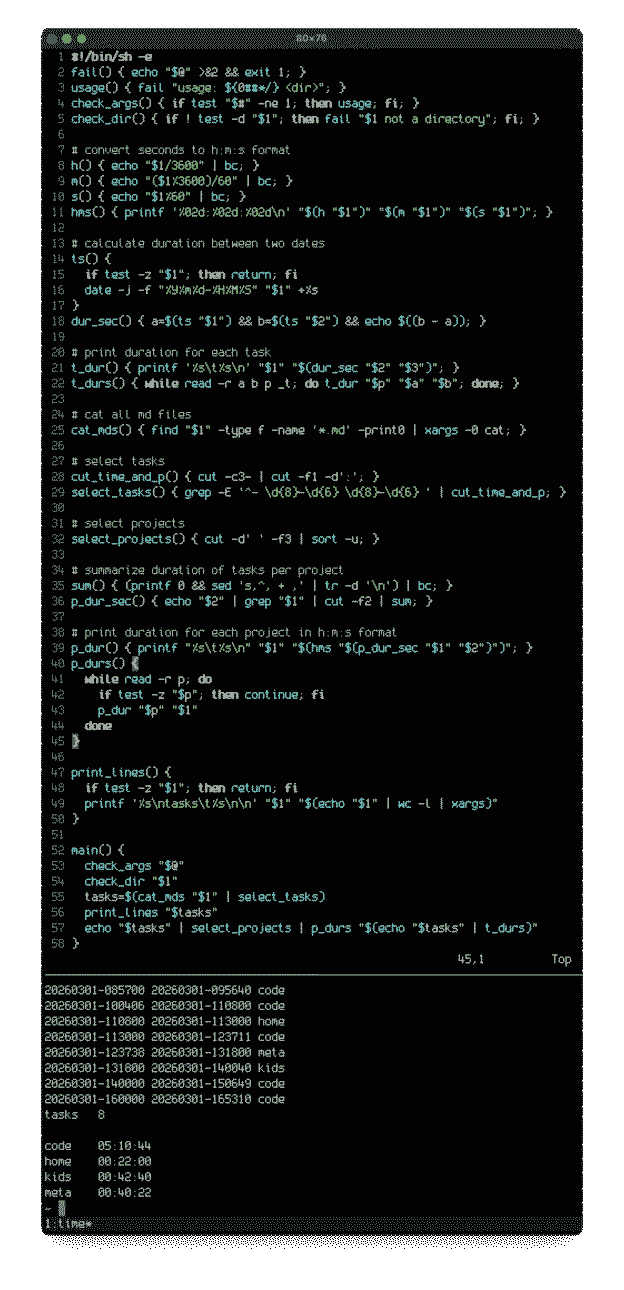
i wrote a little time log parser in posix shell. it collects from all the files in my todo directory, selects all the lines formated like this...
# start-time stop-time project: task description...and outputs logged time grouped by projects
- 20260301-085700 20260301-095640 code: add log.sh
code 05:10:44#shell #journal
home 00:22:00
kids 00:42:40
meta 00:40:22
...
![[?]](https://media.tilde.zone/accounts/avatars/109/384/960/861/635/737/original/b25b7211f983292e.png)
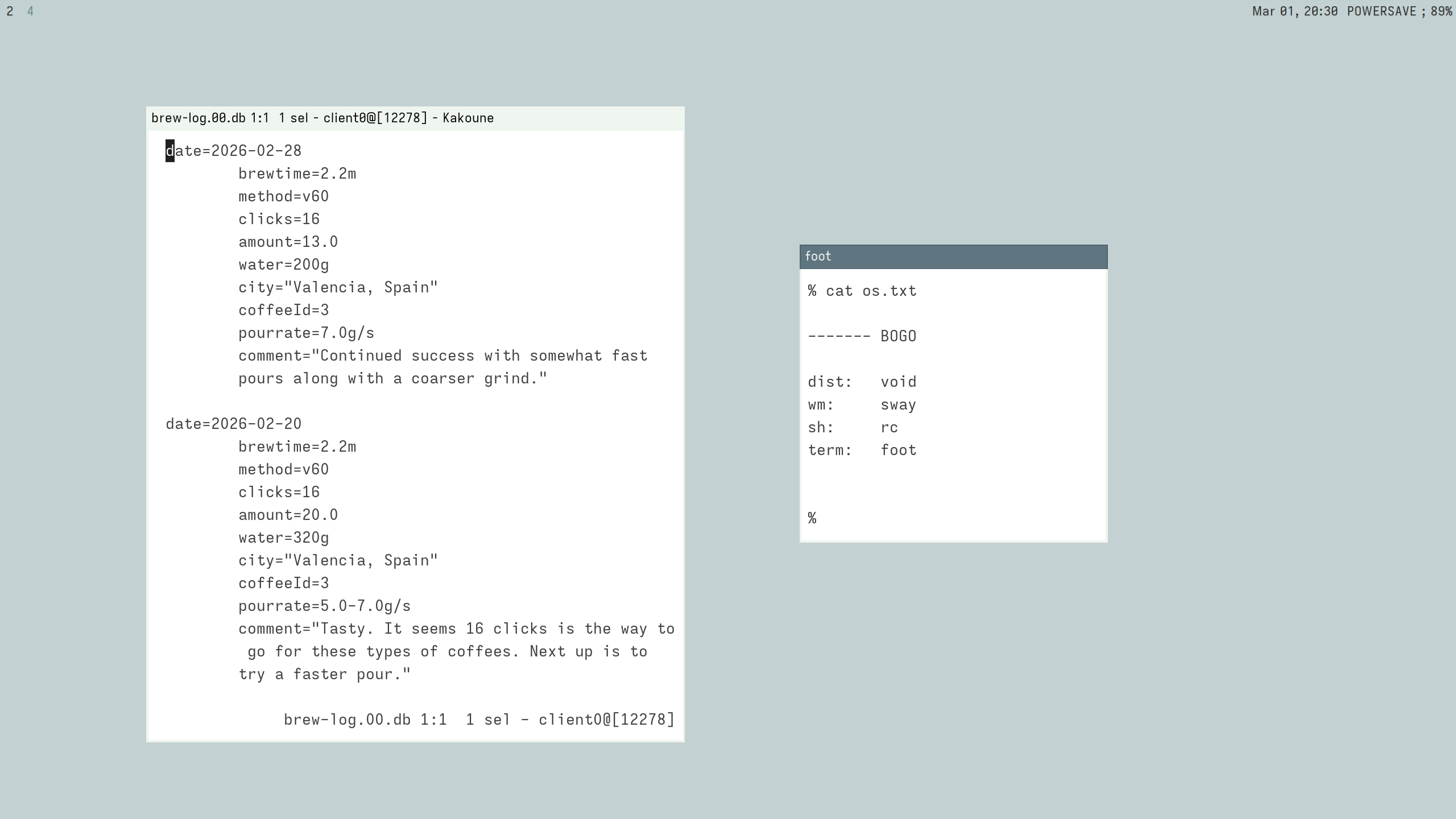
@hi This might not be exactly the same as what you are doing. But I've been using a go script I wrote for the past 5 years to keep track of how long I do things on my computer.
https://github.com/alanxoc3/ttrack
I have it integrated as a hook with my editor (kakoune) as well as tmux, and various other programs.
Just recorded a short vid to show it off.
...
![[?]](https://grapheneos.social/system/accounts/avatars/109/415/078/265/909/169/original/c74b93c7870e37a0.png)
We're happy to announce a long-term partnership with Motorola. We're collaborating on future devices meeting our privacy and security standards with official GrapheneOS support.
https://motorolanews.com/motorola-three-new-b2b-solutions-at-mwc-2026/
...
Older...
![[?]](data:image/png;base64, iVBORw0KGgoAAAANSUhEUgAAAEAAAABAAQAAAACCEkxzAAAAV0lEQVQoz43RwQ3AMAwCQDZg/y3ZgNqo3+JaedwDOUQBQFHYaTB8wTM6sGl2cMPu+DFzn+ZcgN7wF7ZVihXkfSlWIVzIA6dbQzaygllpNuTXZmmFNlvxADX1+o0cUPMbAAAAAElFTkSuQmCC)
@GrapheneOS Great job!
Btw you can get ready for answering flood of questions about why Motorola smartphone department belongs to a Chinese company called Lenovo.
...
![[?]](https://files.mastodon.social/accounts/avatars/116/044/233/446/975/636/original/182dd6c509275e96.jpg)
@a53bdb @GrapheneOS https://en.wikipedia.org/wiki/Lenovo but its chinese-american not chinese.
...
Sorry, but despite US offices and staff, the company is 100% Chinese.
Here is why:
-> Acquisition: Bought Motorola from Google in 2014 for $2.91B.
-> Headquarters: Global HQ is in Beijing.
-> Shareholders: Parent company Legend Holdings is Chinese.
-> Leadership: CEO Yang Yuanqing is Chinese.
-> Origins: Born from a state-owned research institute.
What might be cause for concern is if the ‘blond’ driving the world crazy were to target Motorola or Lenovo, causing them to pull out of the US market, or if, like Huawei, they were to have Android stripped away from them. At that point, they might decide on one of two things: either ‘steal’ the GrapheneOS technology, or strengthen their partnership with Graphene and make Graphene the primary software for Motorola/Lenovo. It could be an interesting development, but I imagine it would be stressful for the creators of Graphene
...
@anon_4601 @joonq @a53bdb Lenovo is a publicly traded company with 31% of the shares are owned by Legend Holdings.
Legend Holdings is a publicly traded company with 29% of the shares owned by the Chinese Academy of Sciences.
That works out to the Chinese Academy of Sciences owning around 9% of Lenovo. They're far from owning the majority of it.
We're continuing to support Pixels which are the only Android devices from a major OEM based in the US. Smaller brands are white labelled ODM phones.
![[?]](https://assets.merveilles.town/accounts/avatars/114/414/440/371/766/516/original/e51de35e36493a73.jpg)
sooo this weekend I finally flashed #Meshtastic onto the #pager 🙌
HOT TIP, when they say "check that your cable isn't power-only", THERE'S A REASON THEY SAY THAT. if it doesn't work, check your cable.. swap it out.. try a different one... Ask me how I know 🙃
Anyway, once that was done, I was shocked to find that I was able to see 4-8 nodes online at any given point!
There's still SO much I don't know, but this is a fun little starter device IMHO.
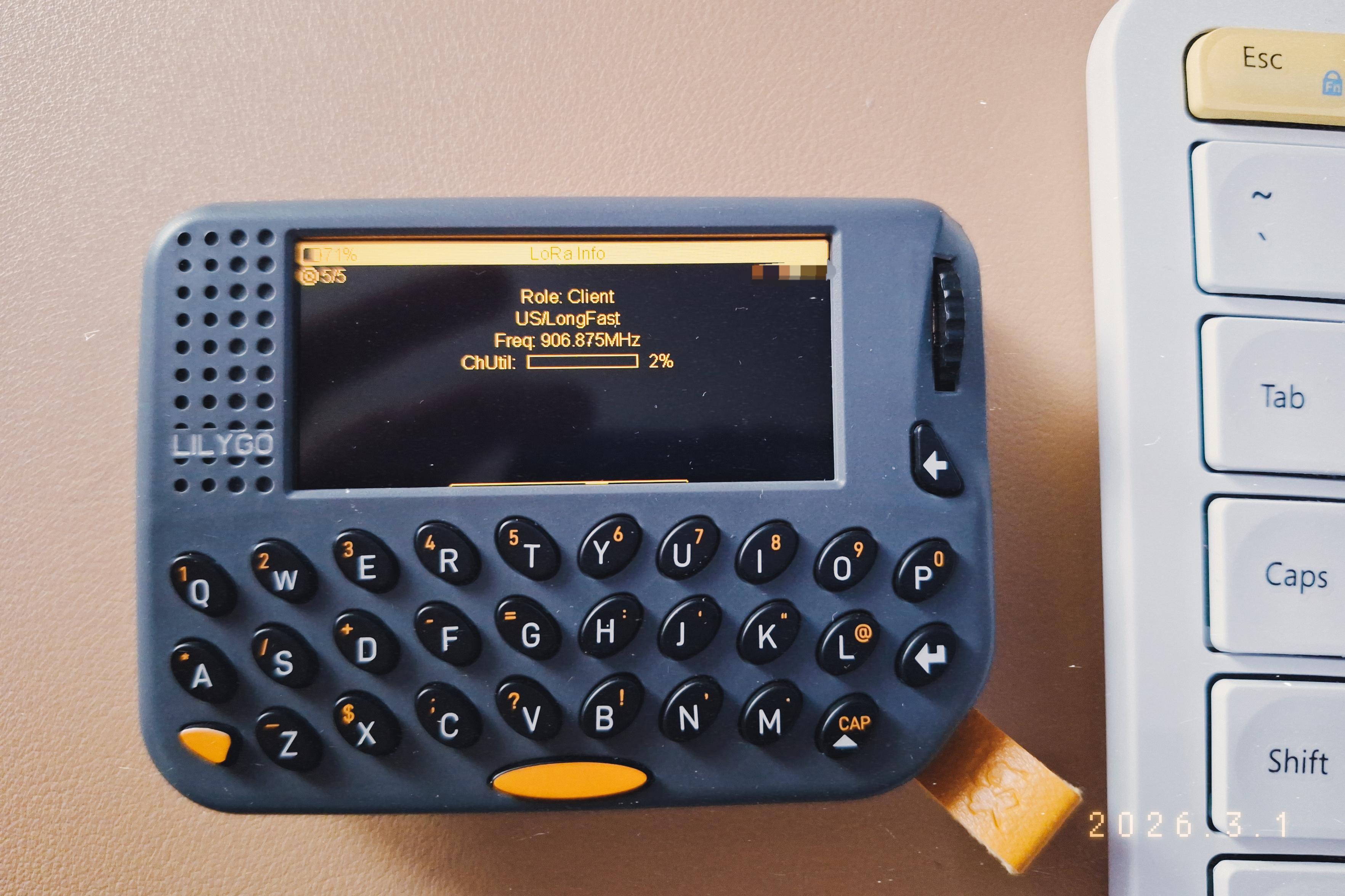
Alt...
A Lilygo T-Lora Pager, which is a small rectangular device that looks like, well, a pager, placed on a beige/orange desk mat. It has a gray case, black keys, and orange accents.
I made the display colour be orange too, to match. 🤓
The device is showing a base Meshtastic screen:
5/5
Role: Client
USA LongFast
Freq906.875MHz
ChlUtil 2%
To the right, a light coloured keyboard.
...
Older...
![[?]](https://static.mamot.fr/accounts/avatars/000/014/458/original/520fdc137b357c73.jpg)
I am always amazed by the expert mode of the SQLite CLI.
You type .expert
Then you paste your SQL query.
And #sqlite tells you which indexes you should create to speed up your query.
No AI, no complex program to install. No expensive database architect to pay for. It's just clever programming.
To my knowledge this is the only database in the world to have this feature.
https://sqlite.org/cli.html#index_recommendations_sqlite_expert_
https://sqlite.org/src/dir?ci=trunk&name=ext/expert
![[?]](https://cdn.masto.host/mastodongamedevplace/accounts/avatars/000/003/369/original/8da965b28dde689b.png)
new sale, my biggest yet.
"Ok then: 50 pixel fonts for 50 dollars. How about that?"
https://itch.io/s/181080/ok-then-50-pixel-fonts-for-50-dollars-how-about-that
![[?]](https://assets.merveilles.town/accounts/avatars/000/000/248/original/f47cd5114fbe09bc.png)
Just published the list of changes to the Hundred Rabbits projects for February!
https://100r.ca/site/home.html#feb2026
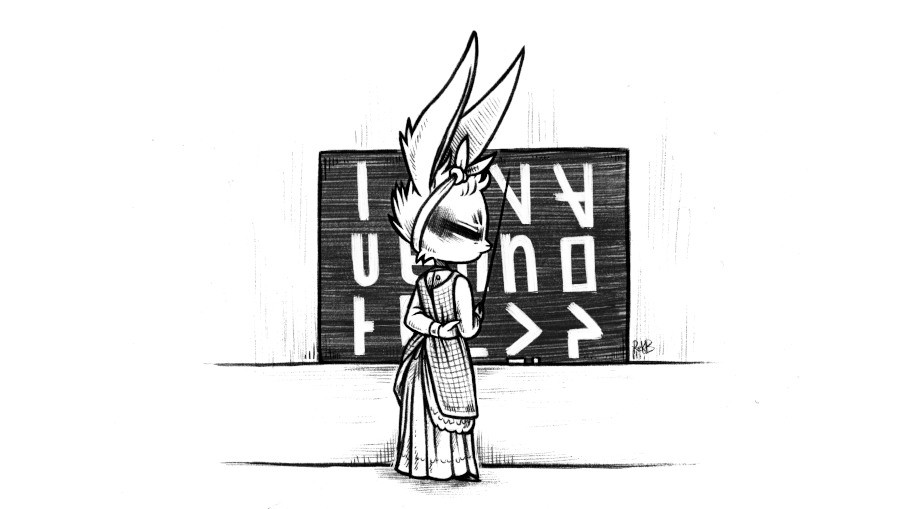
Alt...
a rabbit in a dress standing in front of a black board covered with Uxntal glyphs. An hommage to the painting Blackboard by Winslow Homer(1877)
unfortunatelly, i don't have lua in #openbsd base and want to keep number of dependecies low. also imagemagick7 hasn't been ported to openbsd and building imagemagick7 from source is a bit tricky.
thinking to write something like ocular in posix shell or c99 with imagemagick6
![[?]](https://media.mastodon.sunny.garden/accounts/avatars/114/293/475/139/384/681/original/9ade1248257cc4a2.jpg)
Okay, it's out.
Lena is a handmade framework for making tiny games with palette graphics.
It's software-rendered, cross-platform and comes with constraints that challenge your creativity without limiting your game's size and scope. It comes with batteries-included palette graphics, some novel palette-blending and drawing effects, a simple audio interface, text rendering, and loaders and decoders for assets. It also compiles and runs on:
🪟 Windows (Native)
🍏 macOS (Native)
🐧 Linux (via SDL3)
😖 WebAssembly (Native)
The core functionality of Lena is implemented from scratch in almost exactly 2,000 lines of Odin, and while I designed it as a fun little game jam framework for myself, I hope it can also serve as an interesting learning tool for people looking to delve deeper into low-level system and engine programming for video games.
🕹️ https://github.com/lichendust/lena
I'm releasing this as a version v0.0.0 on GitHub right now, with the hope of getting some feedback before declaring a truly API-stable 1.0.0 release.
![[?]](https://cdn.masto.host/mastodongamedevplace/accounts/avatars/109/313/761/587/081/041/original/389c12c35b0ebf92.jpg)
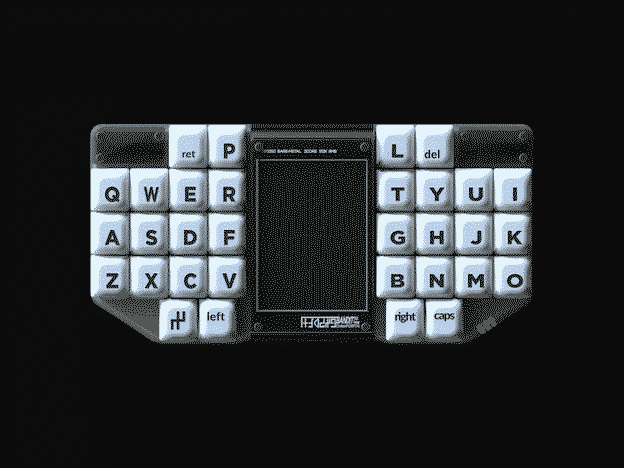
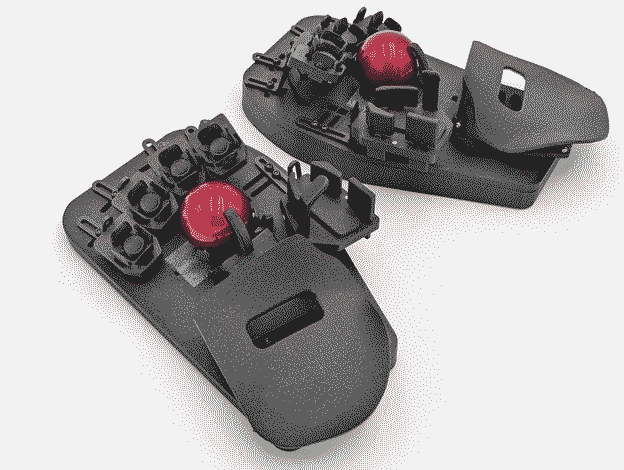
it's so touching to see real people make magic happen ❤️
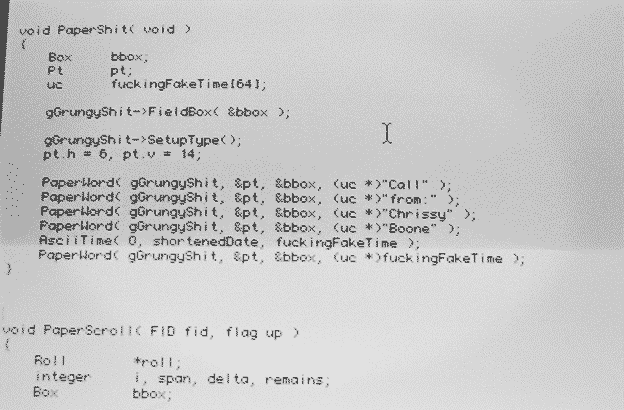
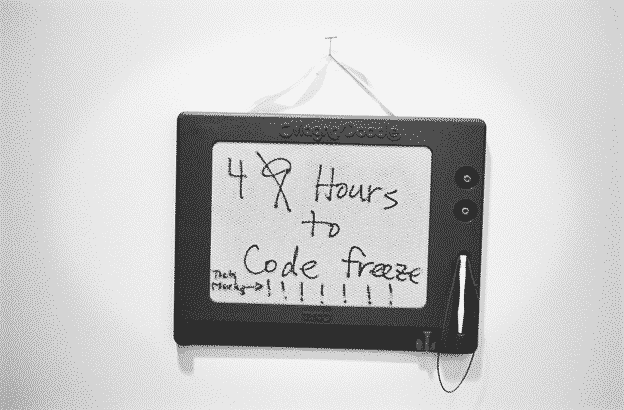
see also
x1 carbon gen 11 by reyk
x1 carbon gen 9 by xosc
x1 nano gen 1 by jcs
i found a thread on community.mnt.re about openbsd status, but not sure if it is still valid.
thank you!

![[?]](https://assets.merveilles.town/accounts/avatars/111/961/634/969/430/067/original/ae50d7335e9407ee.jpg)
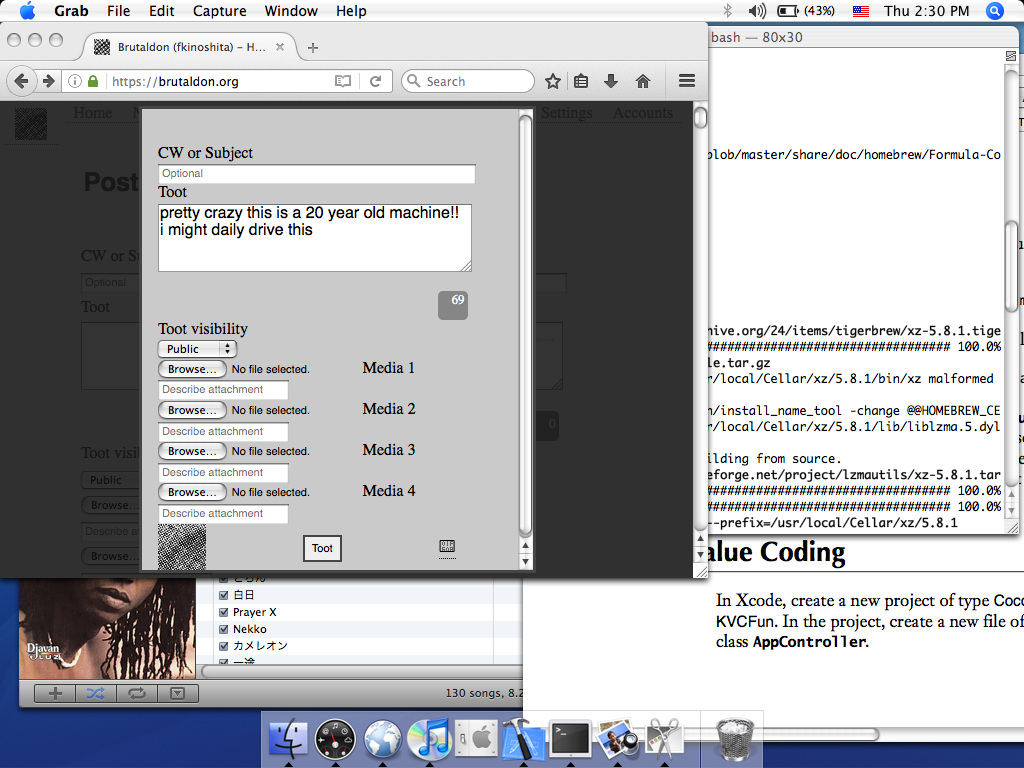
pretty crazy this is a 20 year old machine!! i might daily drive this
Alt...
Screenshot of mac os x tiger running a bunch of applications and mastodon written this very post
...
🌱 Little AND gates and a flip-flop in #wireworld.
https://wiki.xxiivv.com/site/wireworld