Search results for tag #openbsd
 boosted

If any of my work on #OpenBSD, or my highlight posts here (or elsewhere) has been helpful in the past, a small recurring monthly donation would be extremely appreciated. 
https://brynet.ca/wallofpizza.html
https://dir.floss.fund/view/@brynet.ca
https://bsd.network/@brynet/114458997143046937

Hope my fellow #OpenBSD developers have a great time this week in Krk, Croatia at the #h2k26 #hackathon! 


Alt...
h2k26 "artwork"
"Bez Majice"
RE: https://ruby.social/@passthejoe/117553553535787472
OpenBSD day 1: Installing packages gnome and gnome-extras right now, I wonder they have version 49, since this version is already practically "unusable" on Guix (no auto-suspend, no screen turning off, etc.) due to systemd dependencies, so I'm (naturally) expecting an even worse experience on OpenBSD. Stay tuned.
#BSD_adventures #OpenBSD #guix
It's stunning how well #OpenBSD is running -- with full #GNOME -- on this 9-year-old HP laptop.
Thanks to Bradley for this tutorial: It's all pretty easy and straightforward, and he's just making things easier. It's all in the package read-me if you want to go straight to the source (/usr/local/share/doc/pkg-readmes/gnome).
But you don't have that until you do the install, so it's nice to see it laid out at https://btxx.org/posts/openbsd-gnome/ before you start.
@alienghic I haven't tried Wayland in #OpenBSD. I did try it in #FreeBSD last week. Not a success for me.
The only negative so far on this 2017 HP Pavilion laptop is that it suspends but doesn't resume and messes up the filesystem during the hard shutdown. All the file issues are fixed automatically on the next boot.
This is the first laptop where #OpenbSD suspend/resume hasn't worked for me in some time.
I think the issue on this laptop is that the keyboard is not "listening" for a key press to go from suspend to resume, it's just dead, and the power button won't do it either.
So many people ask, "What should I run, and does it work on x, y, z?"
The answer is almost always, "There aren't enough of us with the same exact hardware and use cases to tell you."
If you're not in a position to do a bunch of installs of all the OSes you're considering, be they #BSD or #Linux, it's pretty hard to figure out what's going to work.
I probably did 15 #NetBSD, #FreeBSD and #OpenBSD installs in the past couple of weeks to get here.
It's stunning how well #OpenBSD is running -- with full #GNOME -- on this 9-year-old HP laptop.
Thanks to Bradley for this tutorial: It's all pretty easy and straightforward, and he's just making things easier. It's all in the package read-me if you want to go straight to the source (/usr/local/share/doc/pkg-readmes/gnome).
But you don't have that until you do the install, so it's nice to see it laid out at https://btxx.org/posts/openbsd-gnome/ before you start.


I'm writing this from my new GNOME-running #OpenBSD laptop. Everything works so well.
I can't remember if I ever ran #GNOME before in OpenBSD. I might have done it briefly a number of years ago.
Given the touchpad issue in #NetBSD where my cursor was jumping all over the place, highlighting and deleting text at random, in OpenBSD touchpad tapping is off by default.
I turned it on with wsconsctl and am testing how well I can type with it.
So far it's a lot less sensitive (in a good way).

Are you running Minecraft versions 1.13 through 1.19.2 on OpenBSD?
It seems the version I just committed that gets Minecraft 26.x running on OpenBSD breaks those earlier versions. Will any of you care?
My "home" #BSD has always been #OpenBSD, in large part because it has done the best job on my hardware over the years.
After trying for a couple weeks to get a fully functioning GUI with #NetBSD or #FreeBSD onto my current daily driver laptop, I'm going to do a quick/dirty OpenBSD install and attempt to get GNOME running.
With #BSD, you gotta love the tinkering. Luckily I do.
I just had a huge #FreeBSD breakthrough on my 2017 HP Pavilion (Intel/Nvidia) laptop.
For the longest time, I couldn't get X to work.
Well I just tried to use the Nvidia GPU instead of the Intel (which is what Linux, #NetBSD and #OpenBSD use).
The Nvidia works. I now have X in FreeBSD on a USB-connected HDD.
I found out for sure by booting the NetBSD kernel with the -x switch, which told me that my touchpad was NOT synaptics.
Then I booted into Debian and found out from its dmesg that I have an Elantech touchpad.
So it's kind of the end of the line for this laptop and NetBSD. I never got far enough with #OpenBSD to see if I can stop touchpad tapping (which I was able to do on my now-dead 2017 HP Envy) ... and I wonder how #FreeBSD will treat it.
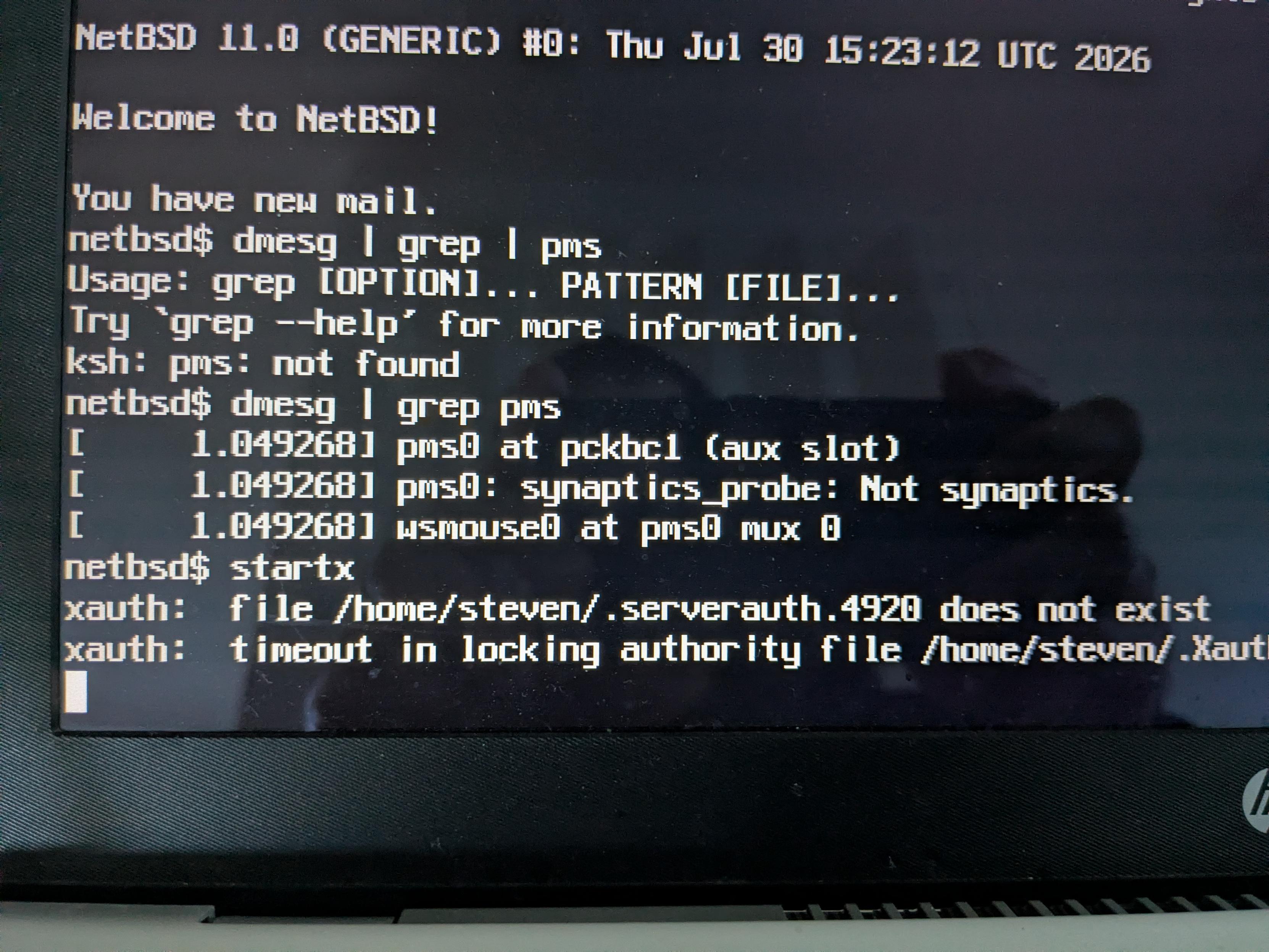
Alt...
The dmesg in NetBSD on a 2017 HP Pavilion laptop when booting the kernel with the -x switch. The relevant line is: "pms0: synaptics_probe: Not synaptics"
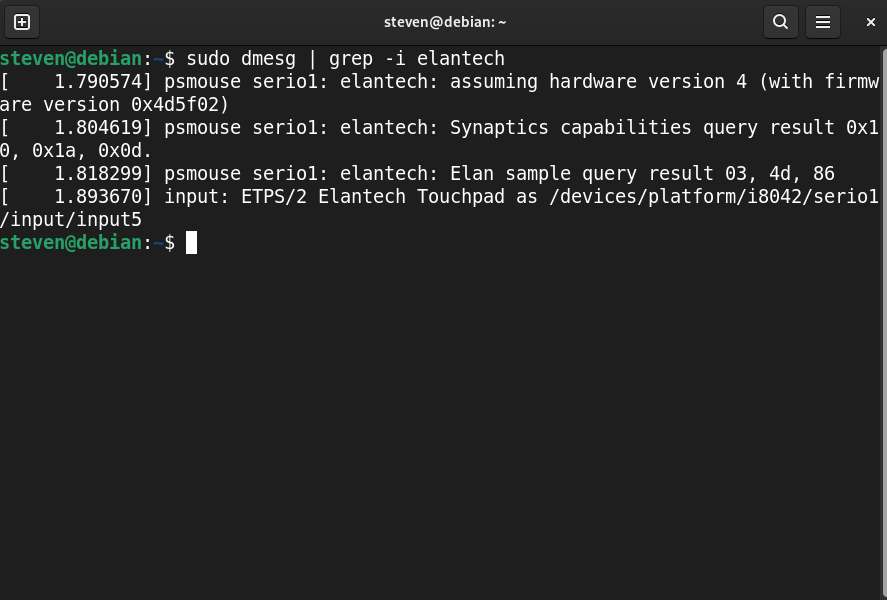
Alt...
The dmesg from Debian 13 on the 2017 HP Pavilion laptop. It says this laptop has an Elantech Touchpad.

Lost Tech
#technomage #unix_surrealism #openbsd #css #ui #webdev
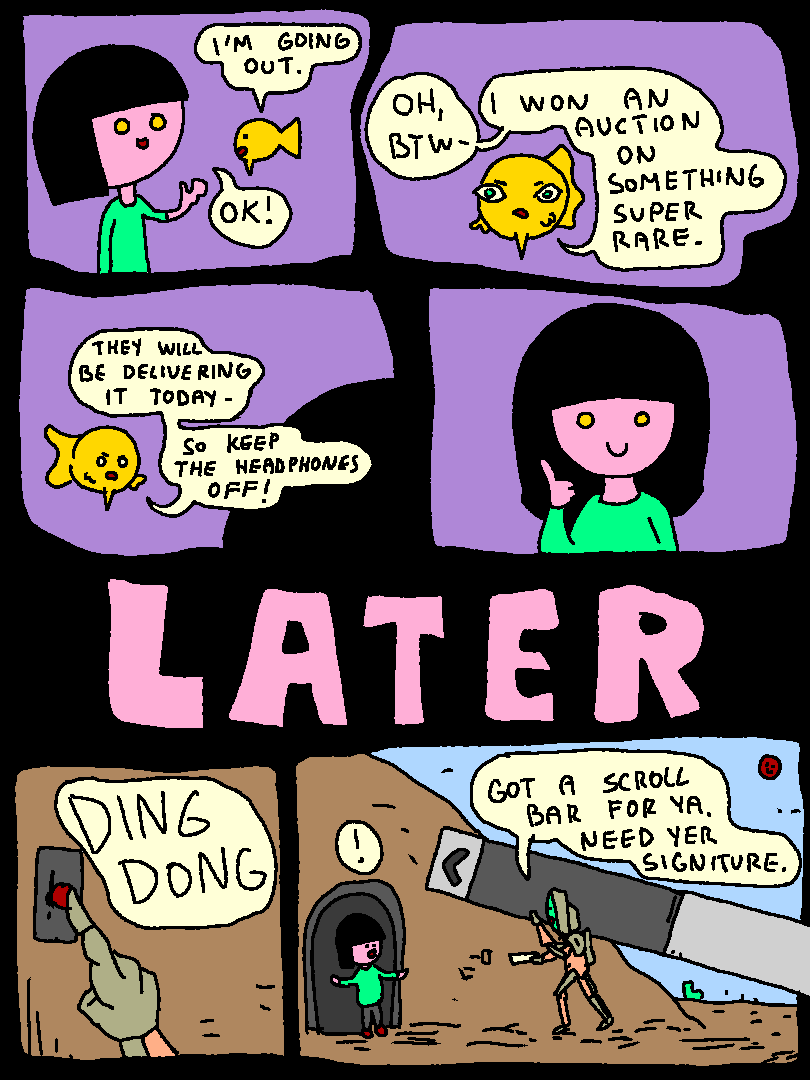
Alt...
fish: "i'm going out"
girl: "ok!"
fish: "oh and btw, i won an auction on something super rare. they will be delivering it today - so keep the headphones off!"
girl thumbs up
*ding dong*
girl: !
delivery-bot: "got a scroll bar for ya. need yer signiture"


the slopbots have defeated me 😡 😭 [SENSITIVE CONTENT]
i feel disconsolate & shellshocked, but here it is... this is me now giving up the fight... resistance really was useless
i loathe the scourge of gen-ai/LLMs, for the four dot-points i have repeatedly posted over recent months:
- largest theft of private IP in human history
- massive water + energy demands as climate crisis intensifies
- authoritative bullshit generation via unsolvable hallucinations
- whole-internet continuous DDoS attacks by web-scraping AI-feeding bots
and so i have felt increasingly bereft as one by one important pillars of gnu/linux have fallen, indeed, eagerly given themselves over to slopbottery
i've loved linux since my belated discovery of it in dec 2013, but so aghast have i been at the ingress of slopbottery that in recent months i began contemplating possible escape routes, including:
already by now from actual VM usage &/or research i'd eliminated the first three, am badly struggling with the fourth in VMs, with the others still ahead
tbh i was not enjoying it... i am now too old, fat, lazy, & stupid to cope with the extreme level of new learning needed, & i suspected that even if i managed it, my new UX would be full of unpleasant compromises & omissions i simply do not have in linux. yet, i deplore slopbottery, & so tried to make myself continue
until now
coz now, i have closely examined https://codeberg.org/ethical-foss/ai-free-foss-alternatives
and so i despair
even if i were able to come to terms with one of the BSDs, & get a viable desktop going [coz that is mandatory; i am a GUI user, not a server admin], then what? my desktop [though i delight in fiddling with its bells & whistles] is extant simply for me to run my preferred GUI apps... that's the whole point
but that link, those lists of systems & apps... it is brutal, & it has crushed me. almost all my preferred apps, across a range of genres, appear in that list, as being at the very least slop-permissive, or worse. in several of the cases even my second-preference alternatives are ditto
so, what's the point? what possible fucken benefit would i get in continuing this quixotic quest? i would [at best] end up in a new OS & desktop with multiple compromises & omissions, a huge learning curve having been needed [that i am not capable of anymore], running apps [if they even exist in the chosen BSD] that are slop-tolerant or already slopped. it took me many years to curate my present wide suite of apps, predicated on fitting me well re functionality, practicality, aesthetics... & along the way i tried & rejected very many.
so... i would endure a large amount of pain, to emerge on the other side... still slopbotted anyway
per that list, the fucken slopbots & their acolytes have won. i am so very pissed off. it's over now
fuck it 😡 😭
#DropbearPooterising #Linux #LinuxWomen #FOSS
#FuckGenerativeAI #FuckSlopbots #AntiAI #NoAI #NoSlopJockeys #EscapeFromLinux

 boosted

It's been a while since the last update!
The HDD live image of #OpenBSD/luna88k is now updated to the 8.0 release.
Great for LUNA-88K compatible emulators like nono and GXemul. Check the README for details.

OpenBSD 8.0 was released!! Also important, all hosts are upgraded!
27 new VMs were added and 60 VMs were renewed.
We donated €1170 to the #OpenBSD Foundation, €73010 since we started.
Thank you, our users, and OpenBSD developers for an awesome OS!
Stay safe, healthy & sane!
#RUNBSD in 2026
Alt...
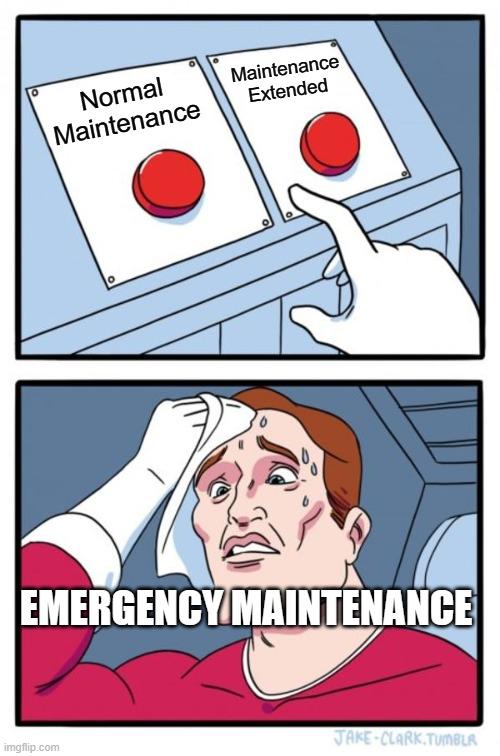
"Daily Struggle" meme, is a comic featuring a character attempting to push one of two red buttons labeled with contradicting statements.
The top panel says:
Normal maintenance, under the first button
Maintenance extended, under the second
The bottom panel has the character sweating and wiping is his not knowing what to do. It has the text: Emergency Maintenance.
Alt...
Paypal receipt for €1170
Good morning! Part 00000010!
We are about to start (2026-11-01 @ 09:00 UTC) the planned maintenance window for all odd numbered hosts.
Upgrading from #OpenBSD 7.9 to 8.0
Good morning!
We are about to start (2026-11-01 @ 08:00 UTC) the planned maintenance window for all even numbered hosts.
Upgrading from #OpenBSD 7.9 to 8.0


Ori Bernstein (ori@) has sent a follow-up mail about his experimental #GEFS port to #OpenBSD tech@, including a updated diff with newfs_gefs(8) utility, and more error handling.
[...]
First off, thanks to Martijn, and everyone else who tried it out and sent patches.Everything is updated and rebased, and the diff has been regenerated with all of the lastest.
I've gone through a the error handling code. In theory the filesystem will handle errors mostly correctly. There are probably still places where theory diverges from reality. I've also forward ported most of the important bugfixes from 9front.
[..]
Some userspace tools have been done (you can now mkfs on openbsd!), but snapshot control hasn't.
Very much looking forward to Ori Bernstein (ori@)'s #EuroBSDCon 2026 talk "GEFS: The File Shredder of the Future" 
Ori Bernstein (ori@) has sent an "early preview" diff for GEFS, the "Good enough file system" to #OpenBSD tech@.
GEFS is a new crash-safe, snapshotting, copy on write [filesystem]
https://marc.info/?l=openbsd-tech&m=178948744271633&w=2
While still experimental, GEFS has been used in production on 9front/plan9.
Parents, please check your kids’ candy this #halloween. I just put this #OpenBSD 8.0 usb inside this candy bar. Be safe. 😔

Alt...
A snickers bar with a USB flash drive (with OpenBSD's puffy mascot) inside it.

I greatly lowered my AI attack surface this weekend. No more Linux kernel on my computers.
Sure, #GraphineOS on my cell phone has the Linux kernel, but things are changing fast...
I have only had Linux in this house since 1997, but now it is only #NetBSD and #OpenBSD
Amazing how much more memory is free and faster things are...

@JaxVent fwiw, many of us are currently exploring viability of the #BSDs, with a desktop.
in my case i am testing #GhostBSD + MATE, & #OpenBSD + MATE, in #qemu VMs initially. i know next to nothing about BSD so atm it's all feeling totes foreign & intimidating.
fwiw atm i run the penguins named below, with Plasma, so my BSD preference then for MATE might seem weird, but my logic if even fair to call it that, is coz:
- KDE's current policy on AI is highly unclear to me, but afaict with worrisome inclinations towards the dark side
- afaict Plasma in BSD is likely older versions only, & as a KDE fan since 2014 i can't stand using old versions when latest versions have fixed bugs & brought new features, so i'd rather have no Plasma than old Plasma
good luck!
#DropbearPooterising #Linux #LinuxWomen #FOSS
#FuckGenerativeAI #FuckSlopbots #AntiAI #NoAI #NoSlopJockeys #EscapeFromLinux
 #KDELinux |

 #ArchLinux #KDEPlasma
There is nothing about Synaptics in the dmesg, so any hints that reference hw.synaptics will not work.
Turning off tap-to-click just while typing is ideal, but being able to toggle it is acceptable. That's what I do in #OpenBSD, and when I used that OS, I had scripts that turned the touchpad tapping on and off. Is that possible in NetBSD?
Overall I was fairly impressed with how many things I could run (with 16GB RAM) and still have it feel pretty good.
I did enjoy CTWM as well.
Networking solution for #NetBSD
I set up my FreshTomato router (old Netgear R7000) as a wireless bridge and am using an Ethernet cable to feed the laptop. It's working great with #OpenBSD 8.0 (which is what I have on the test drive right now).
(I could plug straight into the "main" router, but it's in a closet and I don't have the house wired for Ethernet.)


 🍵
 [
soft hyphen is c2 ad, this is giving me c2 ad 2d, somehow. Both on #NetBSD and #OpenBSD
Also, the hyphen looks weird, both in net and open, both (and differently) in alacritty and xterm. 🤷♂️

Alt...
A screenshot of alacritty in openbsd i3wm after typing (i.e. compose key), -, -, -

Alt...
A screenshot of xterm in openbsd i3wm after typing (i.e. compose key), -, -, -

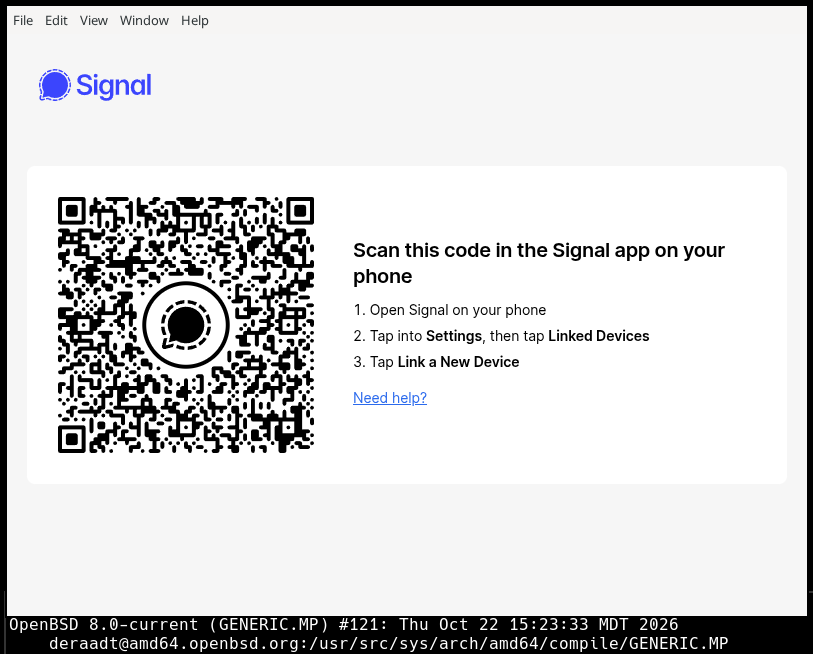

#OpenBSD Jumpstart is now on 8.0 🐡
📖 Read the whole guide on a single page, or 🎞️ present it in 64 slides.
Two new chapters: 🔒 HTTPS with httpd and acme-client, and 🖥️ VMs with vmm.
Thanks, OpenBSD devs, for another great release ❤️

Alt...
Now one single page available by default!
You can now run the 64-bit Windows Steam client on #OpenBSD -current, a wine-steam downloader/launcher script has been provided as part of the new wine-extras port.
Be sure to read the pkg-readme. 
https://marc.info/?l=openbsd-ports-cvs&m=179319000560284&w=2
@release_candidate I just did an #OpenBSD install, and encryption is right there in the installer. I remember it being there in the #FreeBSD installer as well. It's definitely something I want.

@netbsd This is great for people who have some familiarity with Emacs keybindings, or who want to gain that knowledge. It reminds me of mg in #OpenBSD in that regard.
For new users, I think the micro editor is the way to go. It uses the keybindings that most GUI programs use, so there's very little learning curve.

Update:
I did an #OpenBSD install, and after getting the firmware for iwm, I was able to get 58.7 Mb down.
Without any tuning, OpenBSD is 380% faster than NetBSD. And Debian is 900% faster than OpenBSD.

"Among Us" game on #OpenBSD -current via the new Wine port, including online play. 
Requires "legendary" launcher, also in ports.

Alt...
Main menu

Alt...
Practice mode

Alt...
Online lobby w/ in-game chat


OK #BSD family whose going to tell them how much sense it makes first? 😉 
I did a bare-metal install of #NetBSD today on my 2017 HP Pavilion (Intel/Nvidia) laptop using a USB-connected 500 GB HDD.
It took a couple passes before I figured out that I had to manually remove the MBR on the target drive for the installation to boot.
Then it was easy because I've done a bunch of practice installs.
On this laptop, everything works:
WiFi
X11
Sound (and volume buttons)
Brightness buttons
YouTube video plays great
I'm sticking with CTWM for now. Nice to see that most GUI apps are automatically added to the menu (and show after a CTWM restart). I added some of the stragglers to a local .ctwmrc.
Browsers Firefox and Chromium did appear in the menu automatically. So did htop and Geany. Gvim and ROX did not.
So far, everything is very responsive. This COULD be a daily driver. More testing needed.
Next thing: Power management. #OpenBSD is great at this. Hope #NetBSD will bring it.
🐡 Hello server30! A brand new machine just joined the fleet.
Dell PowerEdge R630 with 2× Xeon E5-2690 v4, a comfy 256G of RAM, and a PERC H730 Mini herding 2x146GB 15K SAS + 2x900GB 10K SAS disks.
That is 30 servers, actually 32. :)
Thanx for all the support!
Grab your VM here https://openbsd.amsterdam 🎉
I use all three BSDs. I got into it because I was looking for something more unixy, and I was aggravated by the constant, pointless churn of things in Linux: systemd taking over all of userspace, things I'd used for decades becoming deprecated either because someone didn't feel like maintaining it anymore, or because someone else felt like reinventing the wheel was more fun, the absolute dearth of documentation (becuase it's such a moving target), etc.
I still use Linux on about half of my machines, and the three major BSDs on one each of the rest.
#OpenBSD is probably the best starting point for learning #BSD (and #unix), although #FreeBSD (which I'm running on this laptop here) has the most features and is the most Linux-ish. #NetBSD is probably the most pure, unix-wise, and has the advantage of being a fairly anti-AI OS project.

Alt...
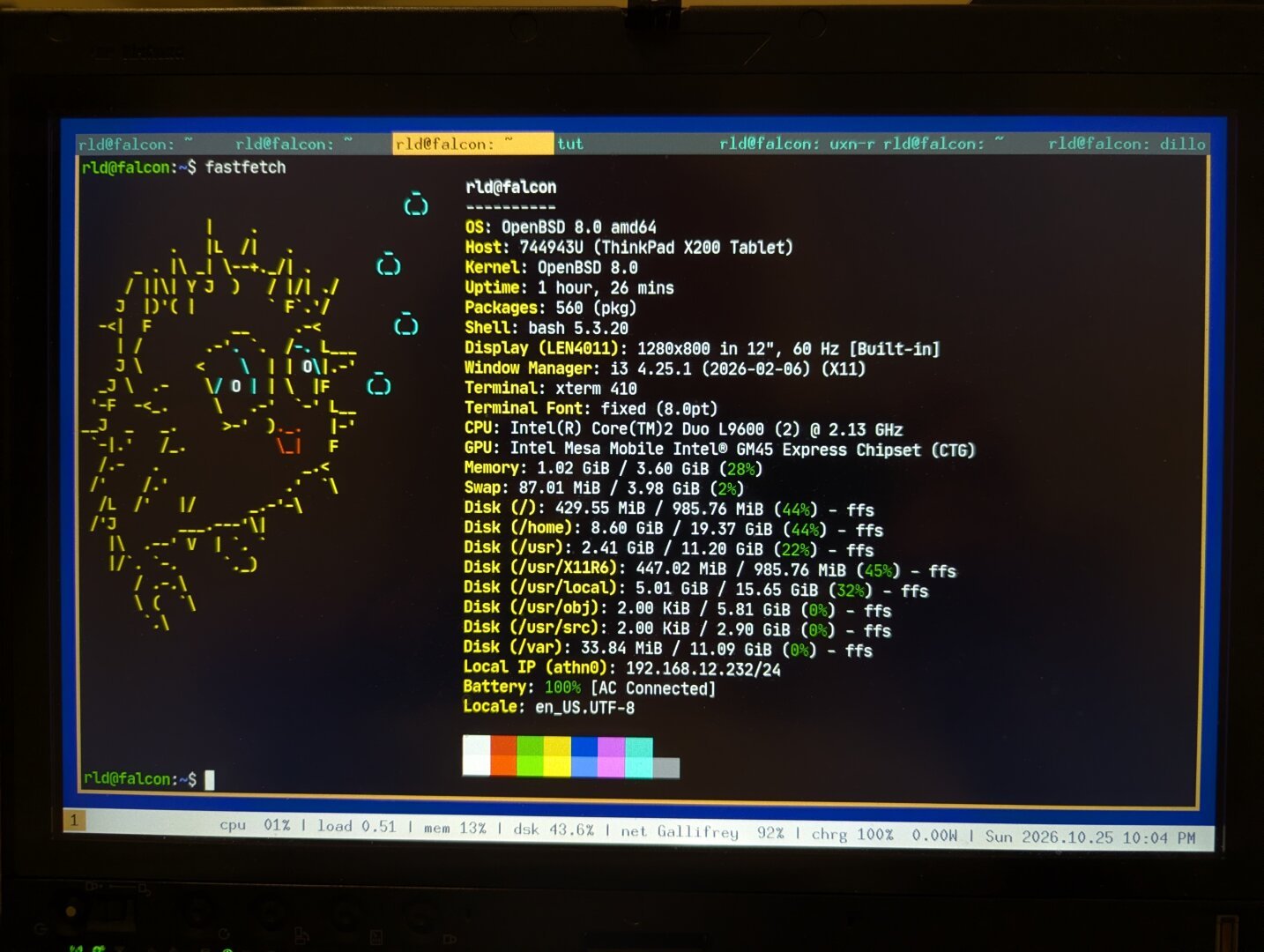
fastfetch output
Alt...
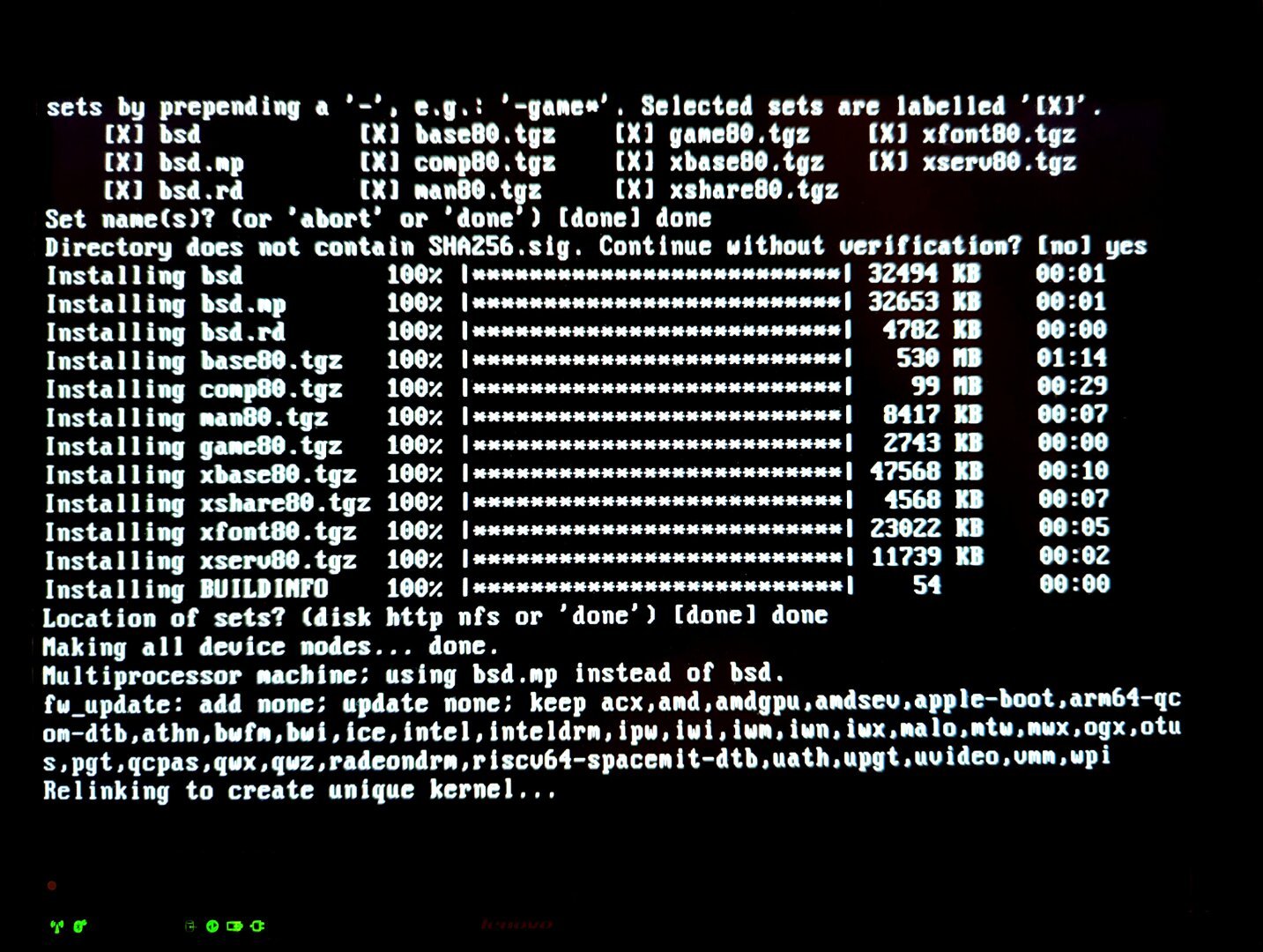
Picture of console while unpacking upgrade and re-linking kernel
Alt...
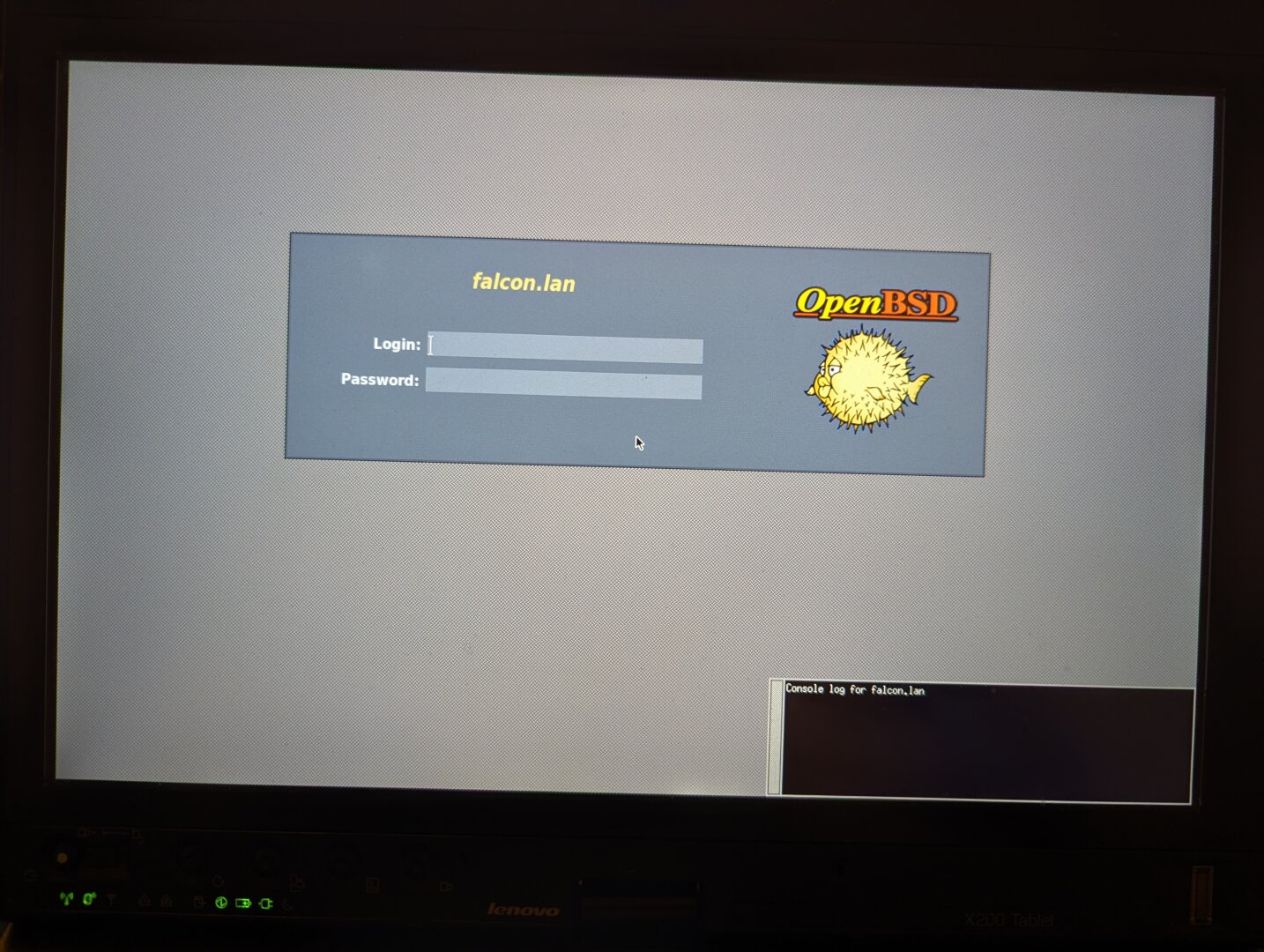
xenodm login screen

While experimenting alternatives for #vim, I stumbled upon #EVi (https://codeberg.org/evi-editor/evi)
a hard-fork of Vim v9.1.0 (Jan 2024) before AI was used in the project.
It looks like vim-static but based on the 9.x branch, which allows some of my stupid customizations (that 8.x does not support).
It compiles and runs on #OpenBSD. Currently running make test...
Any thoughts on this fork?
12 years on, #OpenBSD's port of #nginx still maintains its default chroot(2) patch.
https://raw.githubusercontent.com/rnagy/nginx_chroot_patch/master/nginx-1.30.0-chroot.patch
Reyk Floeter attemped to clean up nginx, wrote a large patch replacing all risky malloc calls w/ reallocarray(3), but upstream gave no indication they would accept, it was eventually discarded due to difficulty maintaining it.
https://www.openbsd.org/papers/httpd-asiabsdcon2015.pdf
After ~3 years in base, & the subsequent discovery of multiple "Heartbleed accelerating custom allocators", ngnix had outlived & outgrew its welcome.
 p » 🌐
@p@hj.9fs.net
They made the computer speak to divide us! It's time to love each other again!
hj.9fs.net is presenting: THE NEW UNIVERSAL LOVE/HATE AI LOGO! It doesn't matter what side you're on!!!
❤️
#unix_surrealism #neverslop #claude #programming #linux #runbsd #openbsd #netbsd #chatgpt

Alt...
I FREE AI FREE AI FREE AI FREE AI FREE A


I've given up on #OpenBSD already. Simple install, X works with #twm and #xfce but is a bitch with #plasma . No configurations work even with the kde-plasma hints for .xinitrc and .xsession. Just a grey launch screen with a mouse pointer in middle of the screen. This is in version 7.9 and also 8.0
ulimits, kernel file handlers, locale changes made. nothing works.
Has anyone a working .xinitrc file?
Works perfectly on #FreeBSD 15.1
This is now resolved, I have written a quick blog post with the outcome. I hope this helps. Drop me a message if I can help further. Thanks everyone who has contributed.

Testing the new #OpenBSD dbupdate(8) command, it seems to require root privs even if you're only doing a dry-run:
gumnos@openbsd$ dbupdate -n
dbupdate: need root privileges
It looks like it might just be a matter of tweaking the "am I root" test to "am I root or doing a dry-run".