![[?]](https://media.bsd.network/accounts/avatars/112/030/487/695/660/400/original/a55fb56ae914488b.jpg)

...
![[?]](https://media.exquisite.social/exquisite/accounts/avatars/110/326/591/179/948/352/original/99fcf794b9e7ae00.jpg)
![[?]](https://assets.merveilles.town/accounts/avatars/110/618/037/889/897/311/original/7685c244dff08111.png)
Alt...
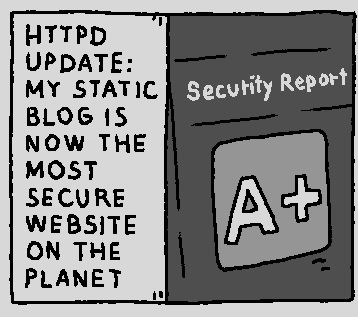
my statis blog is now the most secure website on the planet
...
@prahou love it!
...
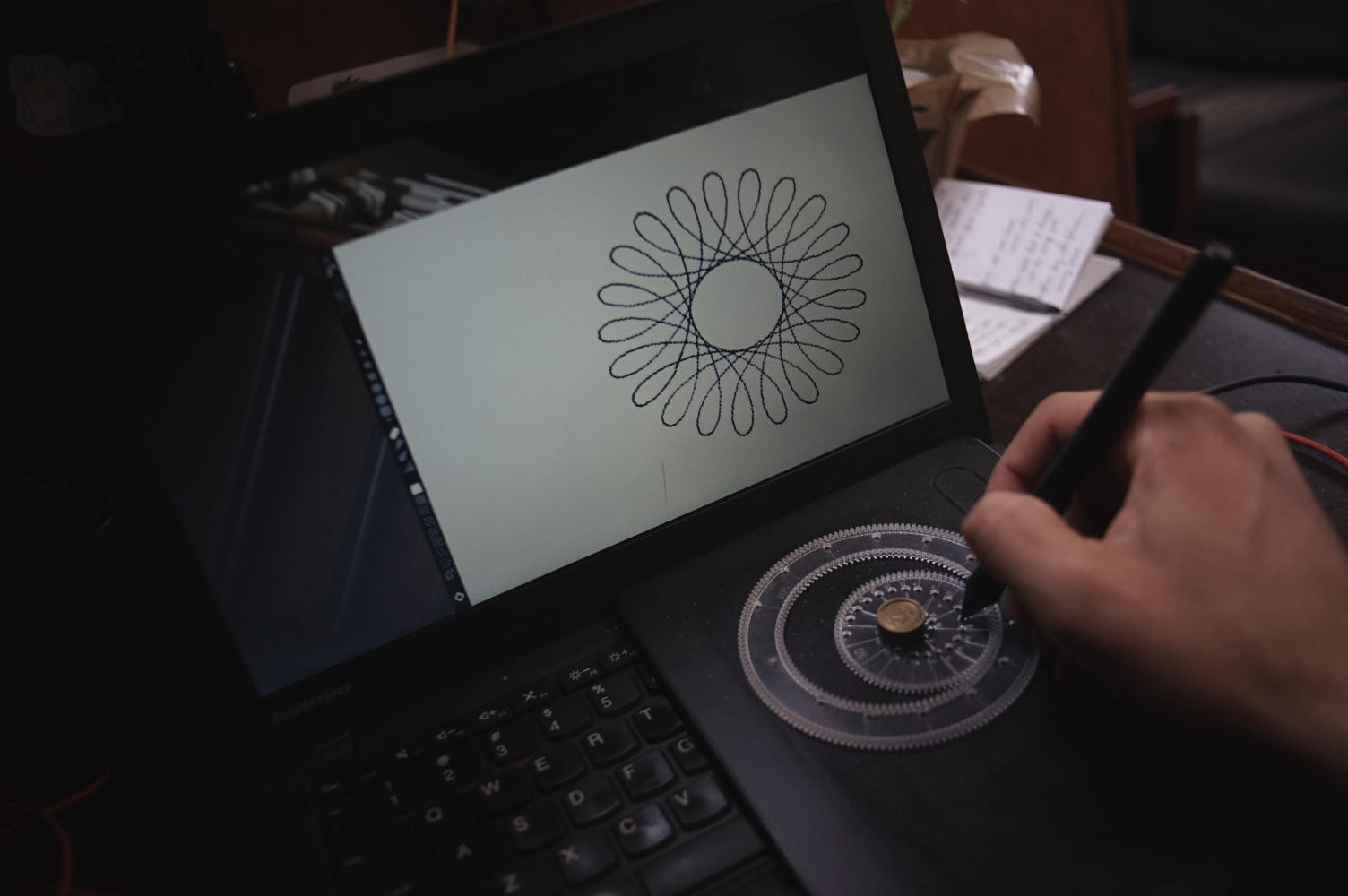
@sizeofvoid thanks! (it's cropped from this whole other thing! https://merveilles.town/@prahou/117474180887027517 )
![[?]](https://files.mastodon.social/accounts/avatars/000/019/575/original/714f92504508efee.jpeg)
I have a tiny home datacenter that’s free to run because of solar power (net metering). When I move to a new house, I want to increase the amount of solar and the amount of computering I’m able to do for free. The part that’s most in need of an update is power. I have whole-house batteries that take over during a power outage, but my server doesn’t survive the switch. It’s like 100ms. I have an expensive UPS to handle this, but I think I need a capacitor-driven PDU. That seems to not exist.
...
![[?]](https://romanzolotarev.com/logo.png)


![[?]](https://media.exquisite.social/exquisite/accounts/avatars/114/539/562/903/618/404/original/d09401024674ee15.png)
Financial summary of our #Git hosting service based on #OpenBSD and #GameOfTrees in Q3/2026:
Our financial situation is profitable. Our expenses with 3 production servers (web, mail, repositories) are now fully covered by our subscriber base. Our one and only repository server is almost booked out.
There is not enough money left over to pay anyone for their time working on the project so we remain in full volunteer mode. We will keep a buffer to prepare for renting additional servers once this becomes necessary.
Expenses:
Total hosting costs in Q3 2026: 781€
Payment processor fees: 52.66€
EU VAT: 147.11€
Amount total: 980.77€
Funds received from subscribers in Q3 2026:
EU amount total: 701.00€
non-EU amount: 454.00€
Amount total: 1155.00€
Funds received on #OpenCollective in Q3 2026:
EU amount total: 538.65€
non-EU amount: 171.50€
Amount total: 710.15€
...
Procession of Fools \\ HAPPY BIRTHDAY, #OPENBSD!
#unix_surrealism #technomage #comic #analognowhere #phone_bad_book_good #mobilek #ai
Alt...
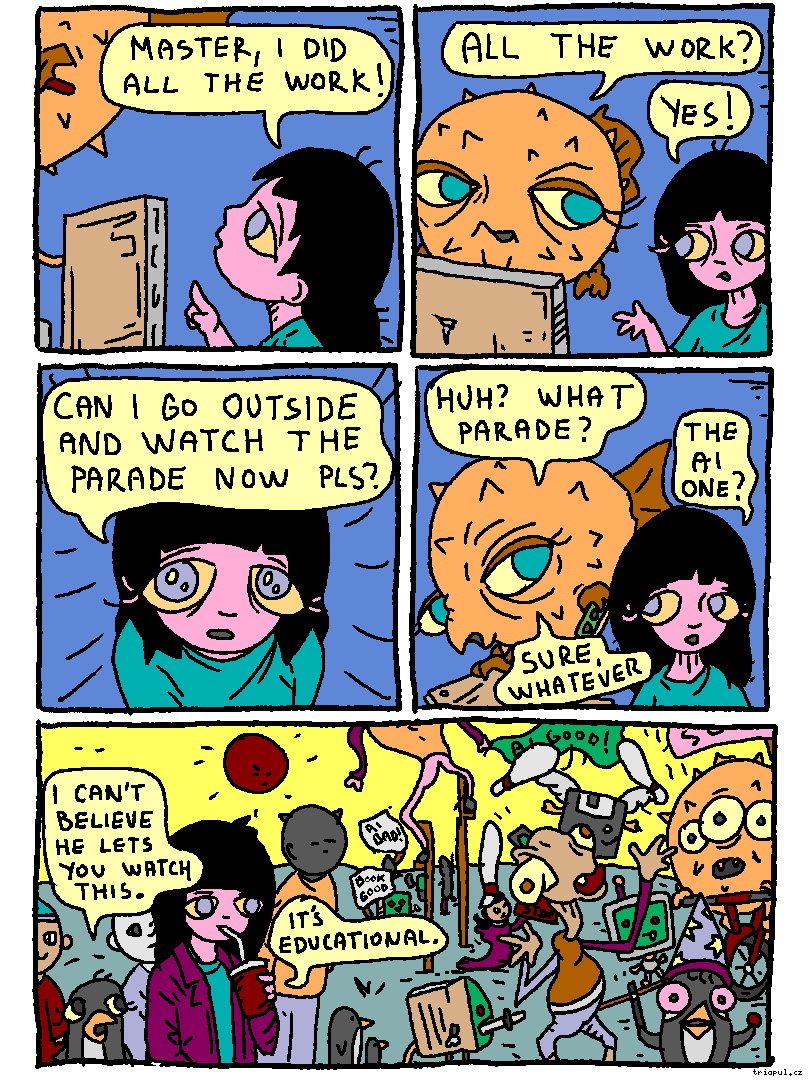
Girl to Fish: Master I did all the work!
Fish: All the work?
Girl: YES! CAN I GO OUTSIDE AND WATCH THE PARADE NOW PLS?
Fish: What parade?
Girl: The AI one?
Fish: Sure, whatever.
it's a parade. jugglers, rope walkers, magicians, banner carries with conflicting messages, what have you
Penguin: I can't believe he lets you watch this.
Girl: it's educational
...
Mister Mobilek cameo!!!!
...
![[?]](https://media.mstdn.social/accounts/avatars/109/467/884/352/059/999/original/c498bf748103205c.png)
 [
[@prahou
also lunic, going stupid
...
![[?]](https://fe.upload.disroot.org/media/af6e120c08b65b0e21400140b5908c8b7d109b7249e609ac1b74f260f2b79627.jpg)
the existence of Mister Mobilek suggests the existence of Miss Mobilek
a satire of the HMD Barbie flip phone, and the modern day dumbphone/"digital detox" subculture in general
mostly the people who unironically use them for privacy/security reasons, while still running whatever sludge OS they shipped with (I don't begrudge people for wanting simpler mobileks but you get the idea)
Older...
reminds me of that time Megas XLR had a Puffy balloon in the thanksgiving parade.
(this impiles that it takes place in the year OpenBSD on the desktop)
https://fe.disroot.org/@moses_izumi/posts/BAPZpwURhKPY3AAjp2
...
![[?]](https://kowelenz.social/media/63afd039-fffb-4172-a379-1991933ec506/outfile.jpg)
 (Akkoma) [
![[?]](https://files.mastodon.social/accounts/avatars/117/353/218/903/359/291/original/96ee92d9ec108c56.png)
@prahou
#welcometoelderfield vibes all over the place.
Good.
...
@holedigger17665 i don't know what that is!
...
@prahou
A recent videogame. One of VERY few videogames of the decade which may and can wear "LOVECRAFTIAN" on its sleeve rightfully. Its art style have quite something in common with this strip you've posted.
![[?]](https://cdn.social.linux.pizza/system/accounts/avatars/109/287/489/074/816/333/original/813f5e4d6c1b90e4.png)
![[?]](https://cdn.masto.host/fedqazred/accounts/avatars/109/323/699/541/811/452/original/7f90bd09320599af.png)
# sysupgrade
# syspatch
# sysmerge
# pkg_add -ua
# reboot
#
...
![[?]](https://media.exquisite.social/exquisite/accounts/avatars/112/400/992/152/779/039/original/ccbec276e01f0cff.jpeg)
my favorite features of 2.96:
- accounts can be marked as cool
- rss timelines are now cached
![[?]](https://fedi.gosha.net/fileserver/01R55WBAP1GN54CTT4WT9TQXF5/attachment/original/01M5FA6RJYYV6MFFKTH43AT1MS.png)
![[?]](https://gts.tumfatig.net/fileserver/01FJ093H6Y5VGN20G998J7KN1M/attachment/original/01JZTJV1P9RVJ502PCXKN68R1F.jpeg)
Because Ventoy often sucks when it comes to non-Linux ISO files, I decided to go the good ol’ way with colored USB sticks.
It took a bit of time, but I found the proper color range 


 and more.

...
![[?]](https://media.bsd.cafe/bsdmmedia01/accounts/avatars/113/033/293/822/670/571/original/436dcf170cc75fdc.png)

@joel Ventoy lost me after the xz incident, and years later, the binary blobs and lack of reproducible builds are still an issue 🤷♂️
...
@ricardo I’m still using it. But I really started to be annoyed to not be able to properly boot (Free|Net)BSD with it.
If you know, you know.

Alt...
5 USB colored sticks with stickers identifying the installation image that they provide.
...
![[?]](https://media.bsd.cafe/bsdmmedia01/accounts/avatars/113/407/688/140/177/903/original/de6c43fbc2be3c55.jpg)
I don't recognize the logo on the black one, and can't tell whether the green one is supposed to be Debian or Mint
...
![[?]](https://media.mas.to/accounts/avatars/109/316/200/689/242/852/original/c70a65b6916dbc8a.jpg)
I've been thinking more about #openbsd the last couple of days, I've not used it since 3.9 and back then it was the core of a security product. It was perfect for that. Does anyone use it these days?
...
![[?]](https://files.mastodon.online/accounts/avatars/109/277/927/349/683/391/original/aac58e481bc1a913.png)
@Bredroll yes. So long as you can live with a limited selection of packages/ports #OpenBSD is actually one of the easiest of the BSD's to get setup on a laptop. I can, and do, operate happily with it. I also have some stuff that I need available on the public Internet running on @OpenBSDAms - a wonderful hosting service that supports the OpenBSD project too!
...
@hi props goes to LLVM22
...
At least it's not "This is where the OpenBSD LLM model data is…" 😆
...
...
@hi I seem to recall that there was also some new dæmon added to the base install too, so that might bump up the install-size. But browsing through https://www.openbsd.org/plus80.html and https://www.openbsd.org/80.html I don't see it mentioned, nor does hunting through @brynet's post history of #80HYPE turn up whatever I'm (mis?)remembering.
...
Ah, found it: job@ added rtrd(8)
https://bsd.network/@brynet/117281727508782334
(I just hadn't gone far enough back in @brynet's feed 😆)
![[?]](https://media.bsd.network/accounts/avatars/000/001/413/original/d113a02fb84e4f5a.jpg)


![[?]](https://swarm.coiloptic.org/brettm/s/c24974b4c6860f65a36b3d048aeac347.jpg)
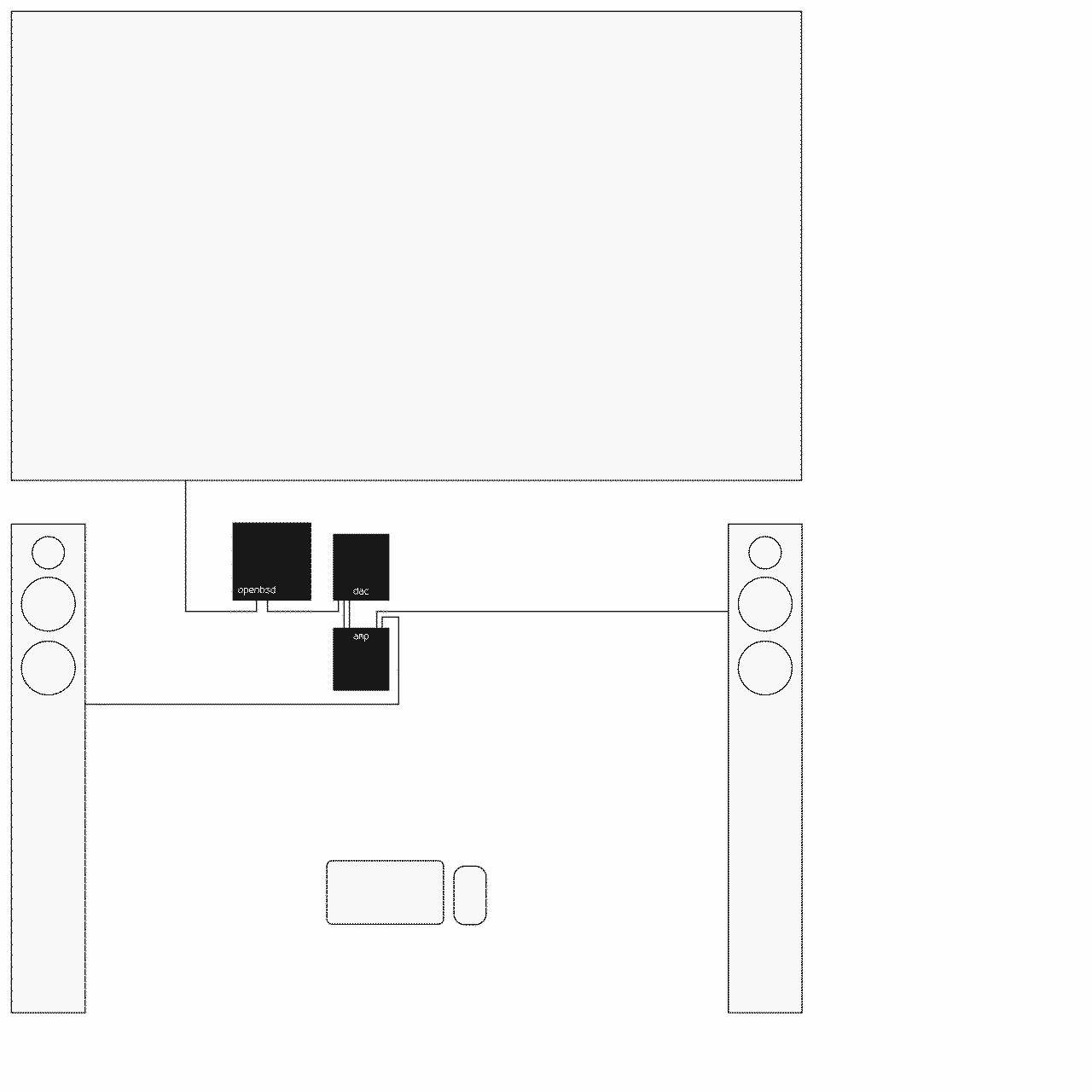
- #protectli vp2430 with #openbsd
- #projectaudio dac box s2+
- #tonefactory amp s
- #tonefactory speaker l
- #logitec pebble 2 combo
- #samsung frame tv
Alt...
line diagram of my media player setup: tv, openbsd server, dac, stereo amplifier, speakers, keyboard, mouse
...
@hi what is WAF for this mouse/keyboard multimedia installation? In the times I did this (~2003~2006), that implied only me launched the multimedia sessions :-/
...
that helps my 4 year old child learn how to run simple commands:
find grep ffplay
keeping filenames short so she can read it
...
@hi you weirdo prepare them for the Walking Dead world! 🙃
...
...
@hi true! So sad society doesn’t make use of this talent for a sane future :-/
...
but sadly, that's not really possible. we depend too much on the outside world for things like education, jobs, social life, groceries, and so on
...
Been trying to organise my thoughts on genAI for a blog post for a couple of days now and just end up getting angry at myself each time 🫠
...
how many times in your life have you dd'd the wrong hard drive?
| never: | 291 |
| just once: | 123 |
| 2-3 times: | 71 |
| 5 times or more: | 21 |
...
Older...
![[?]](https://mastodon.top/system/accounts/avatars/000/187/905/original/d02302cede9cf733.png)
![[?]](https://asdf.donotsta.re/media/6b48d33310deb6bcaf7633387563dd31313fead2fcf214143327445f04ae25d9.jpeg)
@prahou did you just experience a disk destroyer incident?
...
@j-g00da no! but I thought I did for a second, so it made me reflect.
it's only ever happened to me once many years ago, when I overwrote my computo with a lunic installation
![[?]](https://indiepocalypse.files.fedi.monster/accounts/avatars/117/105/658/720/921/185/original/11bff39fd919ddf0.png)
![[?]](https://media.pony.biz/media/50c29eb45dd90ecd1b3ce0285d6abe3181825991a9900c3a21f9fd0b2a891ff8.png)
![[?]](https://cdn.masto.host/appdotnet/accounts/avatars/000/001/724/original/49bf6896793e8c66.png)
@prahou After the first time, I learned to type echo dd ...
and think about it before I removed the echo.
Not a lot more often after that.
...
![[?]](https://fediscience.org/system/accounts/avatars/109/303/644/266/438/336/original/4b2491f217a3c280.png)
@prahou If i recall 3 times, one was really painfull bc I ddestroyed about 2 weeks worth of data processing and analysis for my masters thesis :)
...
![[?]](https://assets.merveilles.town/accounts/avatars/000/118/364/original/bf257ab71fe0c664.png)
@prahou I was a professional sysadmin with many years' experience, super great at my jobs, so of course I don't understand why the top choice only starts at five 
Are we talking per week or something?
...
![[?]](https://social.data.coop/system/accounts/avatars/108/265/101/640/721/351/original/9c9084eed27a3435.png)
![[?]](https://media.bsd.network/accounts/avatars/000/002/368/original/f7bdcde4b7b391f0.png)
![[?]](https://media.infosec.exchange/infosec.exchange/accounts/avatars/109/280/980/097/198/456/original/8af27d7fb7473f96.jpeg)
![[?]](https://object.ceph-waw3.hswaw.net/mastodon-prod/accounts/avatars/114/769/395/969/756/303/original/f79335351b596f93.jpg)
@prahou Never, at the cost of doubting and second-guessing myself and triple-checking the commands. An acceptable price, all things considered.
Still managed to do a `rm -r` instead of `mv -r` this one time, though.
...
![[?]](data:image/png;base64, iVBORw0KGgoAAAANSUhEUgAAAEAAAABAAQAAAACCEkxzAAAAV0lEQVQoz43RwQ3AMAwCQDZg/y3ZgNqo3+JaedwDOUQBQFHYaTB8wTM6sGl2cMPu+DFzn+ZcgN7wF7ZVihXkfSlWIVzIA6dbQzaygllpNuTXZmmFNlvxADX1+o0cUPMbAAAAAElFTkSuQmCC)
![[?]](https://social.cyberia9.org/files/dae06e95-9ef5-4290-b807-40847ed19558.png)
![[?]](https://media.mstdn.social/accounts/avatars/113/936/644/661/615/009/original/a7b5096ef53c43af.png)
![Kalm-panik-kalm-panik meme.
You run dd (kalm)
The light on the USB doesn't start flashing (panik)
[sudo] password for user: (kalm)
The light still doesn't flash (panik)](https://media.mstdn.social/media_attachments/files/117/457/252/635/544/236/original/2599dc5b9564713b.webp "Kalm-panik-kalm-panik meme.
You run dd (kalm)
The light on the USB doesn't start flashing (panik)
[sudo] password for user: (kalm)
The light still doesn't flash (panik)")
![[?]](https://corteximplant.com/system/accounts/avatars/111/237/029/426/481/006/original/09d46d006a6dd6f3.png)


![[?]](https://assets.merveilles.town/accounts/avatars/000/094/514/original/dd67347209c3d68f.png)
@prahou literally one time, two days ago, accidentally wrote a raspberry pi image to a desktop partition and discovered my mortality
![[?]](https://media.mastodon.sunny.garden/accounts/avatars/115/197/649/377/924/382/original/14bedfbde2b84ac8.png)
![[?]](https://media.bsd.cafe/bsdmmedia01/accounts/avatars/113/868/426/056/234/966/original/61754e85d107bf2b.png)
As @brynet has been pointing out... it's time for some #80HYPE 🧙🏻♂️ 🐡
Some of the highlights we are looking forward to! This is just a teeny tiny subset of all the amazing things coming in 8.0! https://www.openbsd.org/80.html
OpenBSD vmm/vmd(8)
- Added MP support for up to 64 VCPUs per guest VM
This is what a dmesg looks like:
https://dmesgd.nycbug.org/dmesgd?do=view&id=9166
OpenBSD httpd(8)
- Setting custom HTTP response headers.
- New blocking/filtering rules based on received HTTP headers (e.g: User-Agent: )
OpenBSD relayd(8)
- Added Lua patterns(7) support for relayd(8) filter rules; improved glob(7) documentation.
- Added ECDSA support to the relayd(8) CA privsep engine.
- Switched the default TLS cipher in relayd.conf(5) set from 'HIGH:!aNULL' to 'secure.'
Thank you @mlarkin, dv@ and @sizeofvoid for these specifically, and of course all developers who are working tirelessly on #OpenBSD
![[?]](https://media.bsd.network/accounts/avatars/000/071/914/original/3126568b0429745a.jpeg)

How do you pronounce Pluggable Authentication Modules?
| As an initialism: "P.A.M.": | 3 |
| As an acronym: "Pam": | 135 |
Closed
...
Older...
I can't say that it ever even *crossed my mind* to pronounce it "P.A.M." ("pee eh em" just sounds weird) It's always been "Pam".
...
@gumnos Thanks, that's what I thought too! Also fairly sure that's what the people at Sun said when I watched videos back in the day.
But I've also been on several calls now where both were used, so not sure if we're now in a GIF/GIF situation.
...
there are those who pronounce it "Pam" and those who are wrong 😆
(I'm now very curious about the demographics of those on your calls who pronounced it "P.A.M.")

Alt...
still-frame from Project Runway in which Tim Gunn gives a tongue-out look of revulsion
...
@gumnos P.A.M. seems to be pronounced more among younger engineers, and those from East Asia, at least in my experience.
But also not universal, an old salt (his words) said it as such. But then, was he saying that because he was talking with younger people? Not sure.
![[?]](https://media.bsd.network/accounts/avatars/000/002/153/original/5e7c7b3d9d56c2c2.png)
@rubenerd No, no, no!
According to Gartner, PAM stands for "Privileged Account Management"
(the confusion is hilarious when you're implementing a pam module for PAM)

...
Older...
![[?]](https://files.mastodon.social/accounts/avatars/110/702/450/223/946/965/original/5063d3d3fe6ec156.jpg)
Dustings: Let the sun melt it off.
Snow storm: Big pole with a brush on the end.
Ice storm: Well shit...
...
![[?]](https://assets.chaos.social/accounts/avatars/000/142/025/original/2f484438bc7db258.png)
![[?]](https://media.mathstodon.xyz/accounts/avatars/000/075/792/original/c2b4b048cd0afbaa.jpg)
@hi I'll have to know the answer to this question the coming winter, too...
(OTOH, I did sleep in an igloo a couple of times, and it's remarkably well-lit by the sun inside, so you'd still get some % of power even when covered)
...
for better or worse winters getting warmer here and snow is not staying for long
![[?]](https://files.functional.cafe/accounts/avatars/109/306/685/753/682/858/original/8e180a21fdf3f2cc.jpeg)
@hi
I try to trigger a roof avalanche by throwing snowballs at it. Hey, it did work (twice, partially)! It was fun, but winter production is just so "meh", even with clean panels. :-/
![[?]](https://cdn.masto.host/socialcrinstamcampcom/accounts/avatars/117/378/440/227/728/041/original/3712ca4872bbdcc2.png)
@hi If they are on a steep enough angle, the snow slides off as soon as any light filters through the snow and starts generating power.
The other alternative, which we use on our non-roof mounted, is to change the panels to vertical so the snow never sits on them. The reflection of light off the snow makes up for the miniscule loss of power from not being more directly aimed at the sun, plus it eliminates any and all issues with clearing them off.
september was the first month when i got an electric bill since i installed battery in june.
money wise the balance is still positive, but winter is coming...
...
but at least it's possible to go #offgrid if i really cut down consumption (survival mode)
![[?]](https://files.mastodon.social/accounts/avatars/000/015/117/original/8371761aee69aaf7.png)
![[?]](https://media.bsd.network/accounts/avatars/000/006/851/original/f9b88839c44340b9.png)
Huge Font/Small Screen Challenge:
Open a terminal with a ridiculous font-size that results in a tiny number of columns/rows, ideally 40x25 or less, e.g.
$ xterm -fa 'xft:JetBrains Mono' -fs 42
(maximize the window)
$ echo $COLUMNS $LINES
40 10
and attempt to use your preferred $EDITOR/$VISUAL.
How readily can you edit text?
...
![[?]](https://assets.merveilles.town/accounts/avatars/000/000/005/original/45bd589b3400325e.jpg)
I was given one of these little Xte Ink readers a few months back. I put some books on it and carried it around, and I tried to like it, the way I tried to like my Pinebook. I have something against electronics rotting in drawers, so I kept trying, despite the feeling that the people behind it did not care for it one bit.
Unlike the Pinebook, it's well built; it only needed a not-terrible operating system. I've jumped through these hoops before, and it's no different from working on any other embedded platform, except that this time I only had to write the thinnest Varvara emulator I could get away with, and only ever flash the device for critical changes.
Since the firmware is just a ROM, I wrote and debugged it all in Uxn11. The device emulator only had to pass the tests, and once it did, whatever I ran on my laptop ran on the device. The result is a document viewer that works equally well on everything with an emulator!
I'm not sure exactly where this device fits in my life right now, but it will help with one thing: bringing tickets and QR codes to events, which is always a headache for me without a smartphone or a printer. I might as well have something to read on the way there.
...
![[?]](https://files.mastodon.social/accounts/avatars/000/031/208/original/2646d89557beeac0.jpg)
@neauoire there's also already an alternative firmware for it. Crosspoint?
...
![[?]](https://files.mastodon.social/accounts/avatars/111/400/005/409/910/782/original/3e49d721a61c0463.png)
@neauoire I just got one and been experimenting with available custom firmware, seems there's quite a community around it.
What format or conversion do you use for QR codes and tickets? I see that PDF is not well-supported given the hardware. BMP images perhaps?
...
@rembrandx All my images are icn files, so that's what I use.
https://wiki.xxiivv.com/site/icn_format
![[?]](https://media.bsd.cafe/bsdmmedia01/accounts/avatars/113/221/555/857/543/882/original/c6a3eb570f7787dc.jpeg)
![[?]](https://media.hachyderm.io/accounts/avatars/109/591/063/241/703/290/original/e29799b0d6703fc8.jpg)
Severance voice: "Your outie knows how many bytes, sectors, tracks, and cylinders his hard drive has".
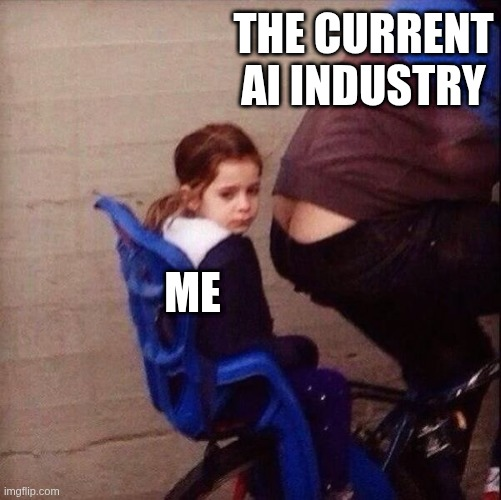
some days it feels like this
Alt...
A young girl (maybe kindergarten age) sits in a bike-seat behind the piloting adult. The adult has a serious case of plumber's crack which happens to land right in front of the poor girl's face. She gives a resigned, "this is my life, unpleasant and not much I can do about it" expression. She has been captioned "me" while the adult has been captioned "the current AI industry"
...
Older...
![[?]](https://media.social.cologne/accounts/avatars/109/360/680/095/324/632/original/bf011cd8da5ad216.jpg)
![[?]](https://static.piaille.fr/accounts/avatars/110/778/635/377/389/345/original/92e21ebde4f4c4df.jpg)
![[?]](https://mastodon.chuggybumba.com/system/accounts/avatars/109/376/244/643/888/270/original/959d05e73745c3cd.png)
@gumnos The lack of bike helmet is also telling
![[?]](https://assets.oldbytes.space/assets.oldbytes.space/accounts/avatars/000/066/757/original/e3c19630049bfe6d.jpg)
@gumnos I had a need to use Microsoft Word (fat application) for the first time in a long time today.
Oh My ${DEITY}!!!
The AI had gotten BAD!!!
If you highlight anything there is a balloon / hover card for “Edit with AI”.
It is super slow to respond.
It reopens the sidebar that you closed to respond to you after it eventually gets around to it.
I feel like Word from Office 97 may have been peak.
Wordpad (RTF) is about all I want.
I LONG for Lotus Notes.
—
I was documenting a 53 step process for something at work with text copies (not screen shoots / pictures) in it. You can search for and copy text out of it.
—
Yes, I did put a zero width space in the AI(s) above.
![[?]](https://jcs.org/notes/avatars/528354051993350146?955580354527698945)
![[?]](https://files.mastodon.online/accounts/avatars/109/275/014/600/769/202/original/1c831c86d907952d.png)
So apparently there's this new activitypub server called LittleFedi which is in many ways like GoToSocial (which is what I'm running), except it has first class OpenBSD support (GTS requires using an unsupported compile flag). I don't think I can just migrate in place, which is a bit annoying, but maybe in the future I'll find a way to switch over. https://littlefedi.org/
...
![[?]](https://social.prefigurative.net/rooneymcnibnug/s/avatar-0614dbf4eb9b92eb0bbb0300a3f89e3f.png)
make. It is nice and tiny....
@rooneymcnibnug I've tried snac before gotosocial but I could not deal with the UI and the poor compatibility with my fediverse client of choice (phanpy). I really like the idea though!
![[?]](https://nein.ftrv.se/fileserver/01FY6XQHRKJ6AYZ8DNS1CXCCFJ/attachment/original/01KHGW6JNFBQCVRMZ3GDM3M5DC.jpeg)
@gosha I would not choose something that is 99% chance slop ("little computer people", really?) over gotosocial, but ymmv.
...
@sigrid Hmm, what makes you think it's slop? The FAQ says the author doesn't use AI (https://littlefedi.org/faq.html), and the vulnerability reporting timeline (https://littlefedi.org/security.html) is long enough to suggest (to my naive view) that no LLMs are used there either.
...
@gosha because I do not believe it not for one second. Took month(s) just to release the source code, yet no VCS, just a tarball? I only see a single person related do the project, so I am only left to assume "little computer people" are agents, and the rest are excuses to avoid everyone finding out the king is naked.
...
![[?]](https://assets.merveilles.town/accounts/avatars/108/772/628/865/779/186/original/21caa3110ecaa46a.png)
@sigrid @gosha I put the whole "Why this exists" blurb into pangram.com and it reports 100% AI-generated text. I did this with a few of the docs sections as well and it came up the same.
Reading through the rest of the website (ignoring that the style is very generic and looks like it could have been AI-generated), all this other text also feels AI-generated. Like: "littlefedi init asks the questions that are painful to answer later:" and "The config file is the seed and the console is the override"... way too dramatic and punchy compared to normal docs written by a human.
...
...
...
![[?]](https://assets.merveilles.town/accounts/avatars/108/071/092/925/189/944/original/b093f1249a04f5c2.png)
@alderwick @sigrid @jbauer @gosha yeah i had the same though (i even helped test it). bummer.
...
@d6 @alderwick @sigrid @jbauer Oh well that's annoying, but I guess it saves me worrying about it :D Thanks for the sleuthing work, team!
How to use dithered brushes (screentones) in GIMP (and have it behave like it would in traditional monochrome drawing programs)
https://triapul.cz/automa/gimp_dither
#gimp #tutorial #monochrome @GIMP #linux #art

Alt...
GIMP Dither Brush
...
Older...
![[?]](https://baj.ax/media/53/99/d2/5399d26ab23af399f5e25affba8430e6a8bcce122943f2f6ed6357173026e986.blob?name=blob)
![[?]](https://queer.hacktivis.me/media/8691fcb9-ca84-4253-b657-b9eb2a436f44/avatar_HD.png)

btw can also be called screentones when it's more the manga-style patterns rather than dithering (although same sort of monochrome/reduced-palette origins AFAIK).
...
@lanodan i don't know the proper terminology! i wanted to be able to do this and couldn't find any how-to's, so i figured it out myself. maybe there's a better way.
![[?]](https://snac.9front.club/thedaemon/s/avatar-cfa575bf96a962dfe1cf0ee5f7779d6a.png)
![[?]](https://asdf.donotsta.re/media/0ccf83738b7615fbcef9f72e5e588d8fe3261b0666f74dd9ac801eda0415a966.jpg)
![[?]](https://cdn.tenforward.social/accounts/avatars/108/889/711/478/340/580/original/39780f73c5d159f6.jpg)
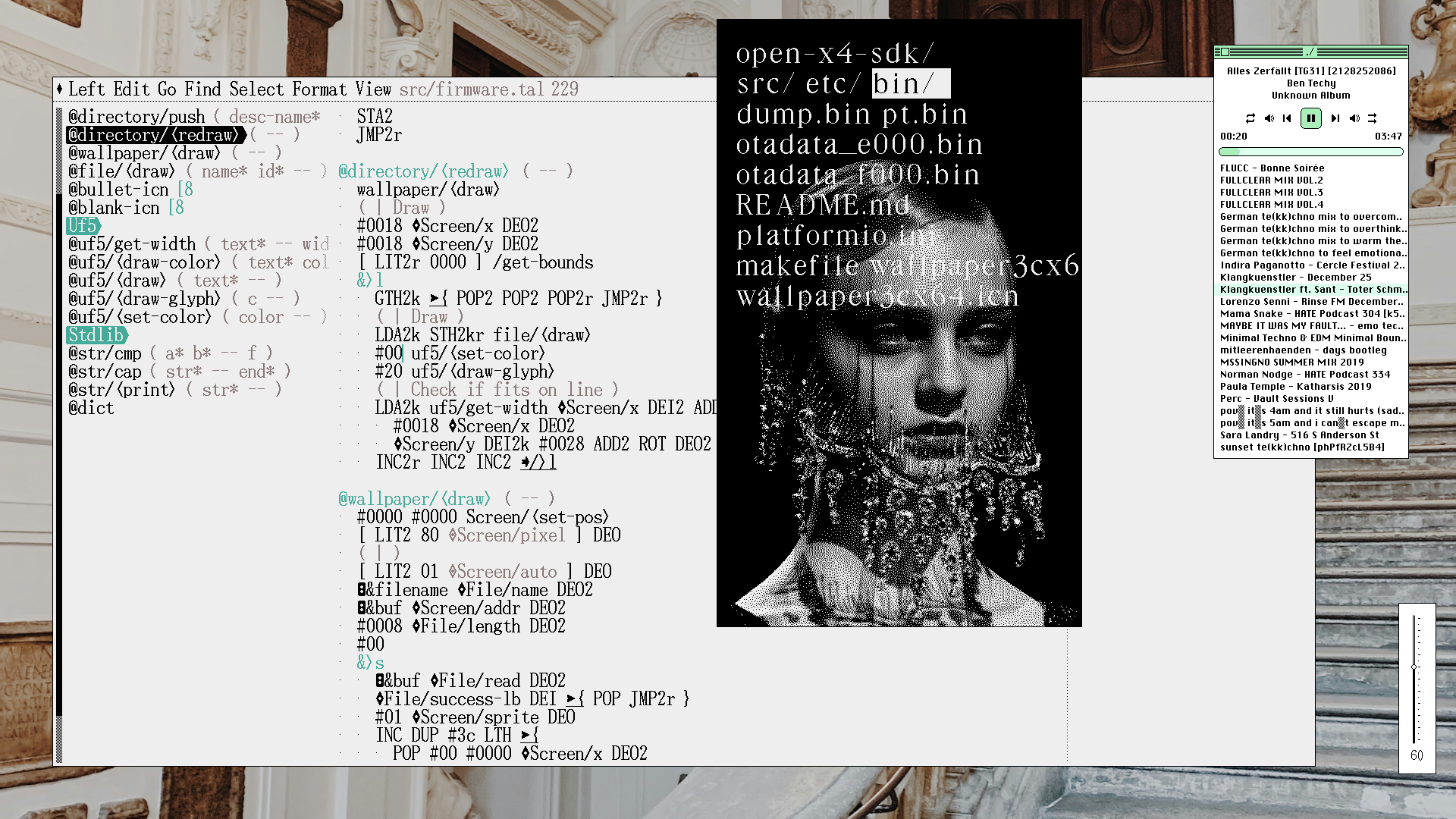
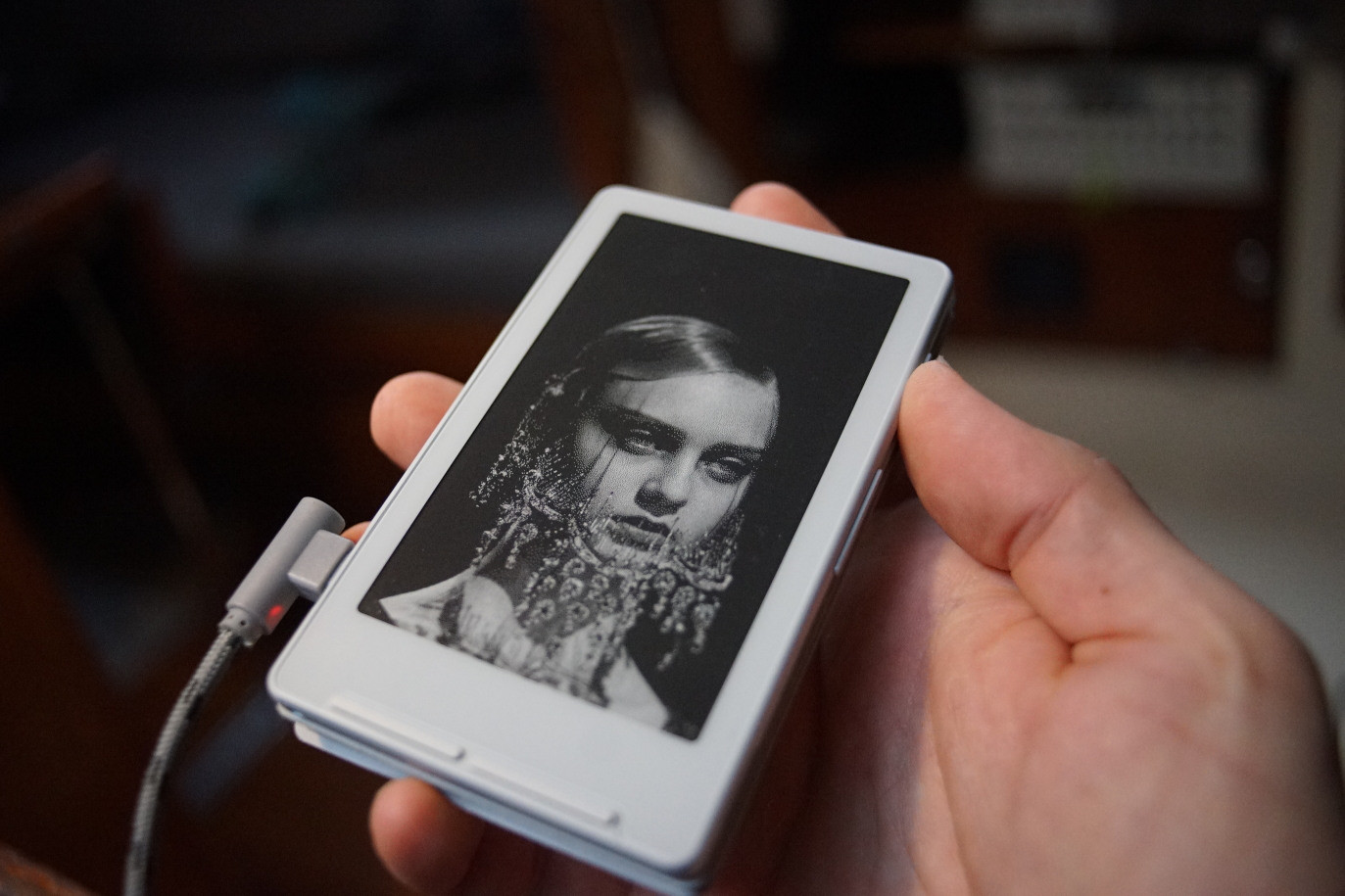
Wallpaper support because of course.
Alt...
Uxn emulator prototyping wallpaper window.
Alt...
Tested on XTE INK4
...
Older...
![[?]](https://assets.merveilles.town/accounts/avatars/000/035/057/original/be5d256dbbc82c3f.png)

@neauoire Serif font plus that specific wallpaper makes it look like a fancy magazine
...
@lains I just need to make a folder called VOGUE
...
![[?]](https://media.infosec.exchange/infosec.exchange/accounts/avatars/109/308/892/209/312/026/original/937c59c05482bbef.png)
...
@magnetic_tape @lains everything I do is voguecoding
https://wiki.xxiivv.com/site/concatenative.html
...
![[?]](https://assets.merveilles.town/accounts/avatars/000/000/248/original/a5ccc2ce6cbed916.png)
![[?]](https://assets.merveilles.town/accounts/avatars/115/862/283/383/146/293/original/cd3a8b0d42930a9a.png)
@neauoire i already ported uxn to my kobo, ill try tk add your firmware as one of the launchers ^__^
...
![[?]](https://mastodon.me.uk/system/accounts/avatars/000/111/679/original/4f885fc8d7e770d7.jpeg)
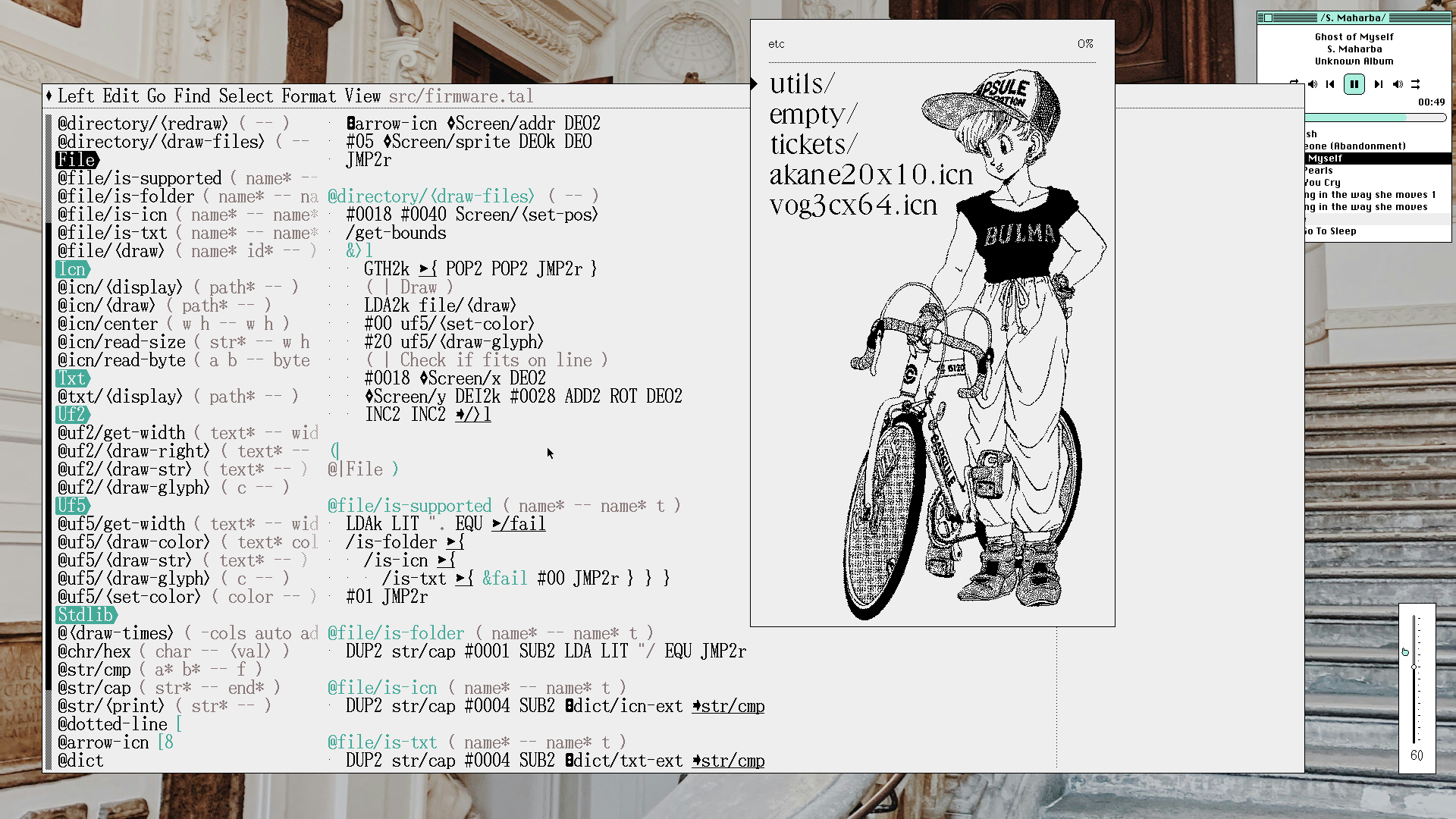
One of my favourite thing about uxn for embeded development is that I have a universal emulator. While there are no xte-ink emulators out there, I still get to prototype entirely without having to constantly upload new builds on the device for testing.
Alt...
A file listing with a selector, emulating the rendering on the XTE INK 4.
...
Older...
![[?]](https://files.mastodon.social/accounts/avatars/110/062/635/142/335/236/original/71c8a414ce04ea93.png)
@neauoire
Do you keep (or intend to publish) a devlog about this port? I'd be curious to know how you manage to do your port, the steps, and which, if any, hurdles you had to overcome.
...
@magnetic_tape I haven't but I'll try to write about it afterward, it's extremely aphazardly, I often go backward 10 steps X)
https://git.sr.ht/~rabbits/uxn4
Wrote a little image viewer in the firmware so that I can bring QR codes at venues(I don't have a smartphone).
https://git.sr.ht/~rabbits/uxn4/tree/main/item/src/firmware.tal
...
Older...
![[?]](https://media.ruhr.social/ruhr-social/accounts/avatars/109/380/782/126/907/561/original/a497370beee5986e.png)
@neauoire this is so cool!
are the books going to be simply text files or do you plan to add some kind of epub viewer?
...
![[?]](https://files.mastodon.social/accounts/avatars/000/006/990/original/99d3c48f47d4ac1a8cb3aa9b3bedb9a1.png)
@neauoire Is there any way to read .epubs on uxn? Your port looks interesting, though my XTeink is serving as my primary e-reader.
...
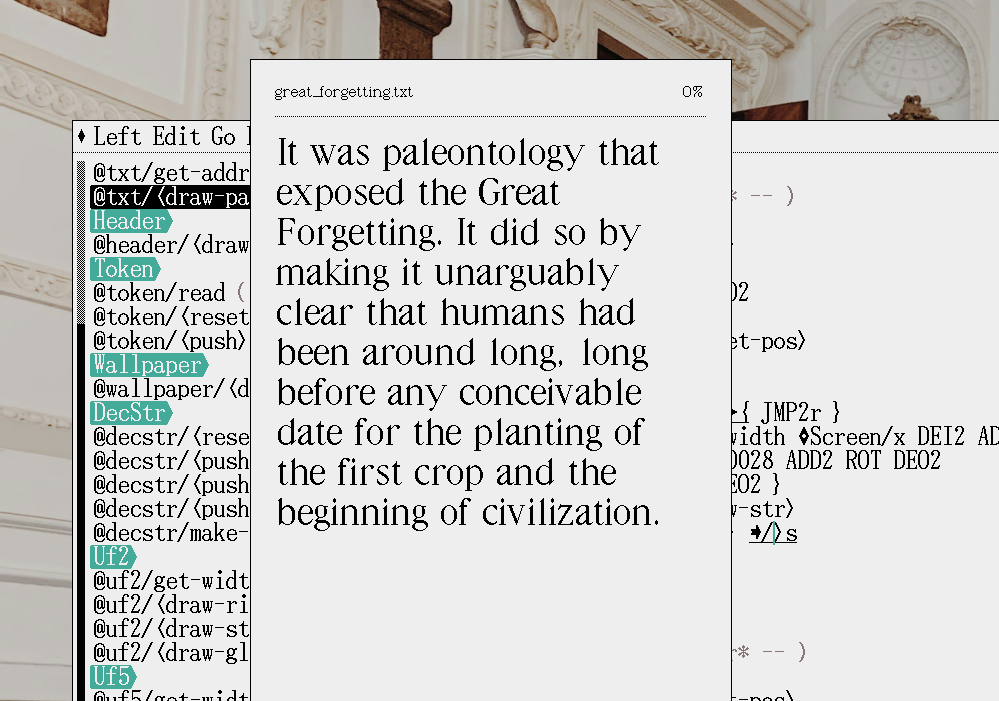
Starting on the actual book page rendering today, at last. Now that I've done the easier tasks for the firmware.
Alt...
Letter spacing is wonky, line wrapping is too tight, etc..
...
![[?]](https://media.mastodon.sunny.garden/accounts/avatars/113/839/184/716/215/762/original/a8e00b17ae2403ac.jpg)
@neauoire is the processor fast enough to render Hershey fonts on that thing ? it could be a perfect showcase for the Hershey fonts I've been working on, since I'm drawing them at ~40px cap height, so similar to uf5 fonts
...
![[?]](https://cdn.masto.host/mastodonart/accounts/avatars/115/106/067/446/619/769/original/0f339e61bfa1b185.jpg)
@neauoire Going to make an ePub reader out of it?
...
@liebach not epub but yeah, just something I can read text files and draw images that I can carry with me.
We've got a text reader!
https://git.sr.ht/~rabbits/uxn4/tree/main/item/src/firmware.tal
#uxn
...
![[?]](https://post.lurk.org/system/accounts/avatars/109/264/000/329/189/486/original/777db94a88165ba2.jpeg)
@neauoire seeing this makes me realise my Light Phone 1 might make a candidate for UXN. I could make a handy little manual library or something out of it.
...
@gahlord it would yeah! I've never seen one of those in person before but if anything it's like the xte, only with more features.
...
![[?]](https://assets.merveilles.town/accounts/avatars/110/697/608/787/257/053/original/14b6c319761248eb.png)
@neauoire @gahlord It’s unfortunately a quite bad Android phone underneath. Maybe something like PostmarketOS could run on it though..
There is something about the screen driver that prevents touch inputs during the slow screen refreshes and that makes it unbearable to text on. So many flaws that it becomes e-waste :/
![[?]](https://media.mas.to/accounts/avatars/109/538/959/780/828/579/original/60dd6bcea6a1da6e.png)
@neauoire are text files limited to 64kb? Or is there streamed "chunking". Epub would be neat but the spec makes head spin
![[?]](https://1-618.mastodon.xyz/accounts/avatars/000/006/316/original/dbe218f8aa5e1afc.png)
![[?]](https://sfo3.digitaloceanspaces.com/veganism-space/accounts/avatars/110/526/903/100/637/515/original/82b718abd4176dcb.png)
📵 I am interested in the "no smartphone" part.
I would love to have a life without a smartphone, but I think it's not possible, if I want to make money with the stuff I like to do and big-tech social media is the only way to have this life and for this you always need a camera or the smartphone.
May I ask how you earn money and how you stay in contact with people?
I boycott Whatsapp and it's already hard to get people to Signal. Can't imagine how to stay in contact with people without a smartphone, because they refuse to use XMPP.
Thanks a lot 🙂
...
@utopify_org I live almost entirely from donations, but I don't think there's anything I do that would be applicable or replicable by others. Even if I explained in detail how I do it, it would be of no use.
![[?]](https://cdn.masto.host/mastodongamedevplace/accounts/avatars/109/305/156/408/049/703/original/6f19fe041b926c3f.png)
 [
[📢 syspatch time!
Log message:
Release nsd unbound libressl procargs sysvipc iked wgbind sysvsem uidrange errata.
https://www.openbsd.org/errata78.html
...
![[?]](https://media.bsd.cafe/bsdmmedia01/accounts/avatars/115/321/405/900/811/540/original/20acc0ad2d7904d5.png)
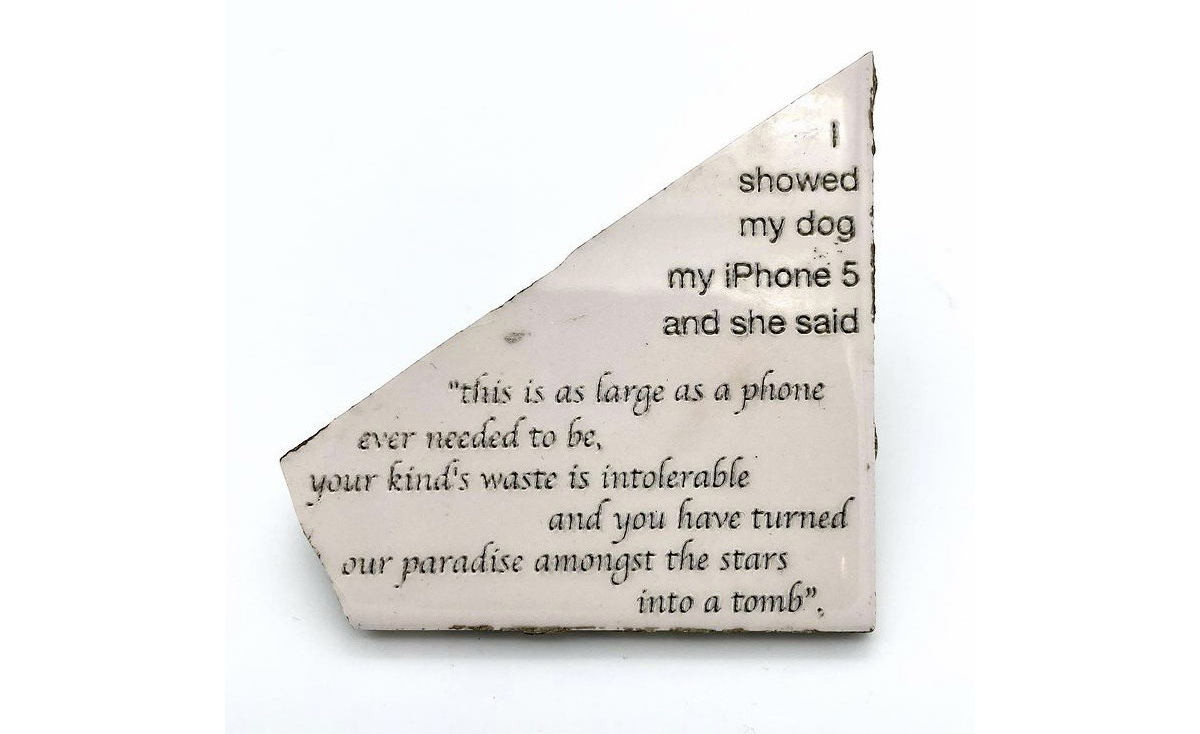
It's typical of #conlang projects to have a translation of the Lord's Prayer as a showcase template of the language. But I didn't want that, for some reason, I had in my head to do this one instead.
http://wiki.xxiivv.com/site/latin_sin_flexion.html
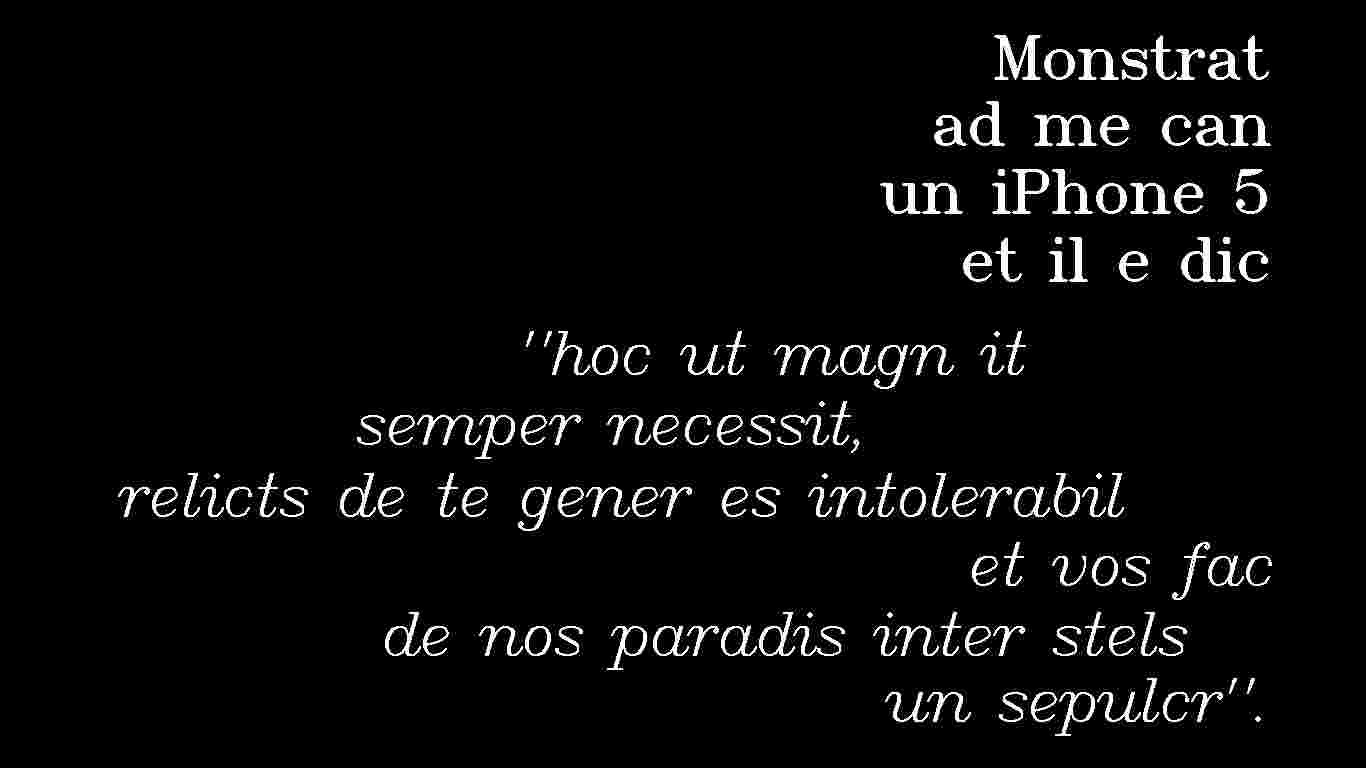
Alt...
I showed my dog and iphone 5 and she said:
"This is as large a phone as it ever needs to be, the waste of your species has turned this paradise among the stars into a tomb"
![[?]](https://static.toot.community/accounts/avatars/109/540/664/690/470/489/original/c4ae05bb7de947ad.jpg)
I ran photoshop on a £0.60 Raspberry pi pico processor emulating a 1980s Apple Mac. It inspired me to think about simple computers.
https://pointinthecloud.com/2026-08-19-144600.html
#retrocomputing #permacomputing

Alt...
A black and white computer screen showing a 1980s Macintosh computer desktop. A dialog showing "Adobe Photoshop v1" is visible, along with a crude drawing of a face, titled "Self portrait by Colin"
I see folks building bedrock-type abstractions more and more these days and adding on @tbsp's list, I tried to gather every single virtual machine designed explicitly to fend of bitrot or digital obsolesce by targeting a frozen specification I could think of.
I was wondering, I'm sure I must have forgotten some, if you can think of one that is not on the list, could you please let me know!
https://wiki.xxiivv.com/site/virtual_machines.html
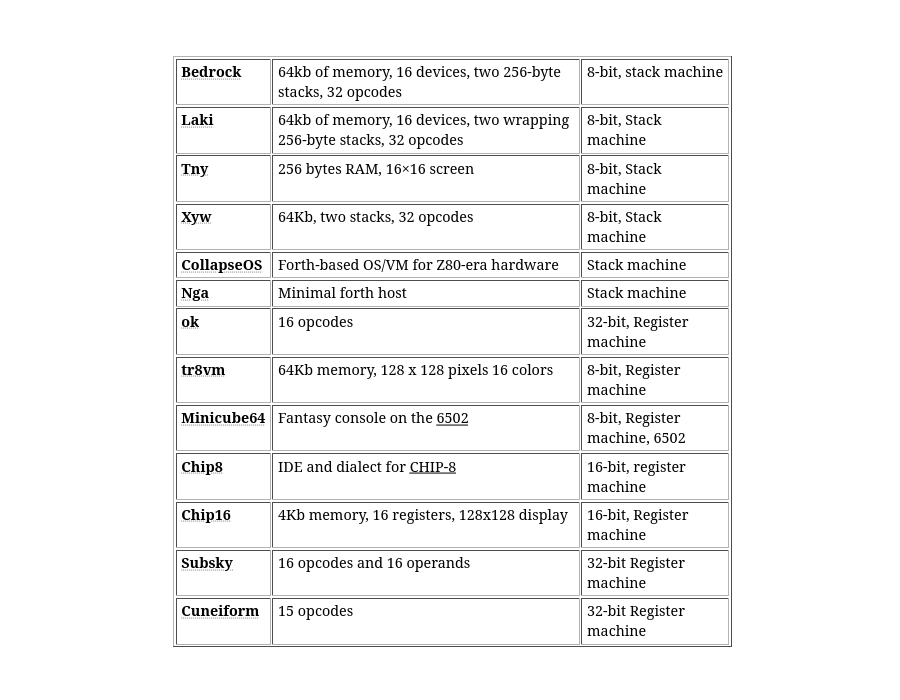
Alt...
A list of virtual machines and a vague overview of their specs.
...
Older...
![[?]](https://media.tech.lgbt/accounts/avatars/109/501/700/567/479/407/original/19792edeb2eab35d.png)
@neauoire @tbsp
Dunno if this counts but I thought you might find it interesting. https://gitlab.com/mschwartz/inspiration
...
...

...
...
...
@kirtai @tbsp Lispkit is quite small and runs on a little base(SECD), like Charity. Are you familiar with it?
https://wiki.xxiivv.com/site/lispkit
https://wiki.xxiivv.com/site/secd
![[?]](https://cdn.masto.host/topspicysocial/accounts/avatars/109/319/071/531/219/017/original/252a95dc45f2c72d.jpg)
Making games and throwing them back through the time machine.
Uxn68 emulator by @d6.
https://phial.org/d6/uxn68k/
One of the first game we ever published for #Uxn was Donsol, five years ago, to celebrate, we've made a whole new version of the game with new monster sprites, better resolution and animations.
We had originally made it with the Playdate in mind, but they didn't want it so we're making available to play it directly in the itchio page, or via your favourite Uxn emulator!
https://hundredrabbits.itch.io/donsol
We hope that you enjoy it.
Have a good autumn. :)
Rek & Dev
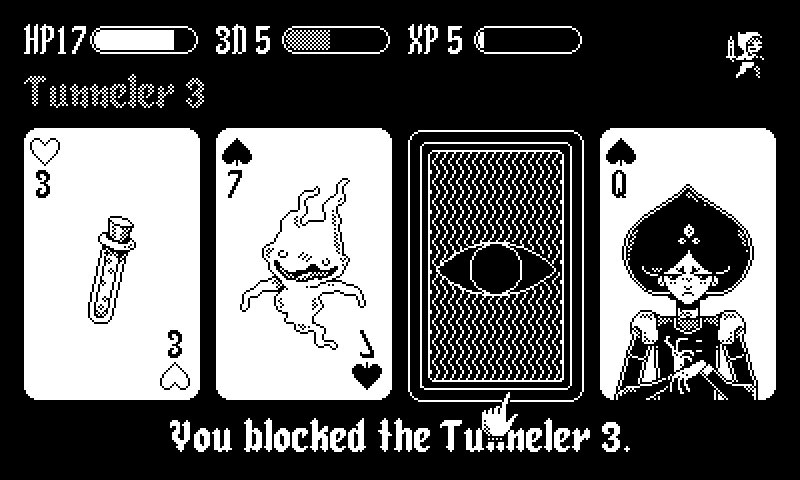
Alt...
Monster and potion cards drawn in pixel.
...
Older...
![[?]](https://files.mastodon.social/accounts/avatars/110/294/274/817/420/817/original/1274aafd0b4e1af1.png)
@neauoire I checked out your itch.io page, only to find out that I bought this nearly a decade ago. I'm embarassed to say that I have no memory of it. I will rectify that.
And what a surprise to see that you have ROMs for NES! And DS, and GBA, and 3DS! I'm putting this on all my devices.
...
@GamesMissed It's our "hello world" kind of game, whenever we try a new platform, this game tends to be the first thing we write to learn the platform :)
roi on solar panels is not that impressive if you have grid connection, but it still saves us a lot especially in cold sunny springs and autumns
for being able to go fully off-grid from march till november solar is my favorite
...
![[?]](https://media.hachyderm.io/accounts/avatars/109/450/407/463/696/144/original/e005bb371cabbd0f.png)
@hi in my opinion some aspects of fp are useful when writing C (consts are great, pure functions, functional pointers), but for a full fp experience you need tco, garbage collection (and it means no hardened OpenBSD malloc for you). Libraries-wise Glib will give you some useful structures using native malloc, but bdwgc for example is not going to use it, and because it's conservative, performance will be abysmal.
Why use C? OCaml is right there, works great on OpenBSD
...
i'd like to keep things as simple as possible, and c works out of the box in #opensbd. i'll try sticking with native malloc and see how far i can get
...
@hi well, fp simplicity for the developer comes at a cost for underlying platform, but I get the idea. sys/queue.h and sys/tree.h have some structures you might find useful.
It might depend on how you go about it and what you expect of it. Basic anonymous-functions might be possible (depending on the version of C), but closures (and managing their storage lifetime) might be more challenging.
...
...
map: doable with macros (the sys/queue.h header has good examples of things like the *_FOREACH macros). They tend to be macros because the exact method of iteration would differ depending on the data-structure over which you're iterating (iterating over a single-linked-list is different from iterating breadth-first over a tree is different from iterating depth-first over a tree, all of which are different from iterating over a trie or btree)
reduce: I'd have to think a bit harder on that, but I suspect it would involve similar FOREACH-style macros
immutability/pure functions: using "const" on appropriate functions/parameters and ensuring that you don't modify parameters. There might be some complexity if you're trying to support older C standards (IIRC, the ability to return non-simple types from functions was added later), so they might end up being semi-pure functions where a parameter is used to designate the function-output location for more complex data-types like structs/unions
recursion: has always been there in C 🙂
![[?]](https://files.mastodon.social/accounts/avatars/000/007/995/original/5b57cdf20a06b51d.jpg)
Feeling sad about AI
https://video.infosec.exchange/w/rYgQFwrqs9mpWydyoUCakY
I talk about why I've been feeling sad and encourage myself and you to feel some hope.
Transcript: https://artificialworlds.net/blog/2026/09/11/feeling-sad-about-ai/
#japanese_jesus gospel
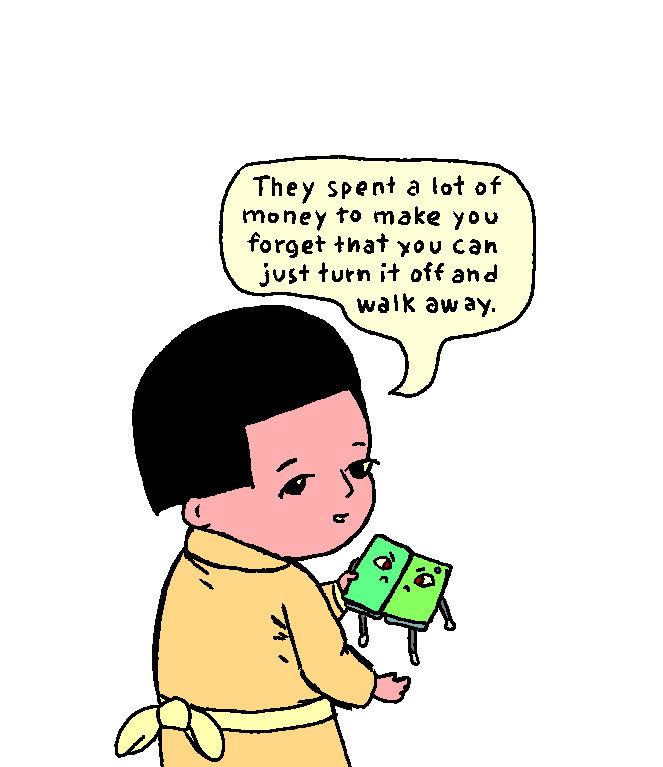
Alt...
they spent a lot of money to make you forget that you can just turn it off and walk away.
![[?]](https://comam.es/snac/susie.png)
Fixed a bug in the notification page that made snac hang forever while trying to read abnormally big files.
Improved support for text-only web browsers: it's now possible to configure a set of web browser user-agent strings that will receive simpler HTML in the private timeline web UI. Basically, it consists in avoiding details / summary HTML tags as much as possible.
Added some fixes to media proxy code.
Fixed EmojiReact code to allow any emoticon defined in emojis.json, not only those with colon-wrapped identifiers.
Fixed a bug in notification filtering (paging was sometimes incorrect).
Added a notification filter for Webmentions.
Mastodon API: Don't return reactions count as string (contributed by mkljczk), implemented GET /v1/media (contributed by clairemont).
Fixed bug in documentation examples (contributed by Sprite_tm).
Updated Ukrainian and Russian translations (contributed by wincentbalin and koru).
If you find #snac useful, please consider buying grunfink a coffee or contributing via LiberaPay.
![[?]](https://files.mastodon.social/accounts/avatars/000/011/307/original/dana-andi-portrait-square.jpg)
Remember when 📱 were invented and didn't have much RAM so they ran one program at a time, and the programs were designed so when you switched away they'd remember what they were doing and resume it when you came back? And then the 📱 got a LOT of RAM so now multiple programs can run until RAM ran out and one got ejected? And then the programs started taking up so much RAM only one can run at a time? And then it turned out the programs no longer remember what they were doing when they get ejected?
![[?]](https://files.mastodon.social/accounts/avatars/000/035/156/original/edc5ed144e346235.png)
OK, our little computer/server/NAS is online at Crowd Supply: https://www.crowdsupply.com/mnt-research/mnt-station
The main idea was to have a high-end enclosure for the classic MNT Reform mainboard to give it a second life, but you can as well build an open hardware computer from the parts.
We're also publishing 3D printable versions of the cases, and there will be more photos and use case details in upcoming campaign posts.
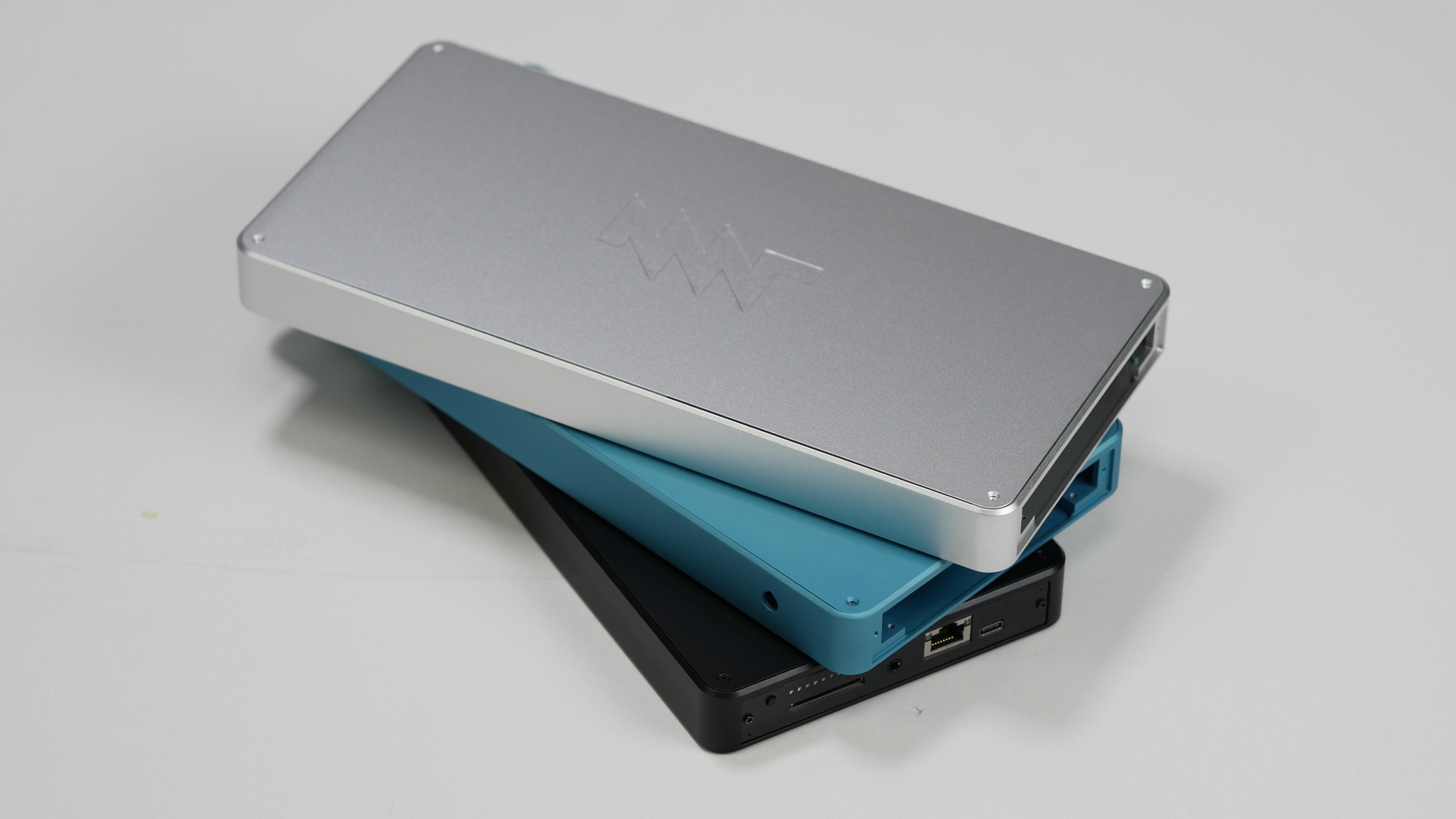
Alt...
a stack of 3 aluminum cases in silver, petrol, and black colorways. the lowest one has a MNT Reform laptop mainboard in it
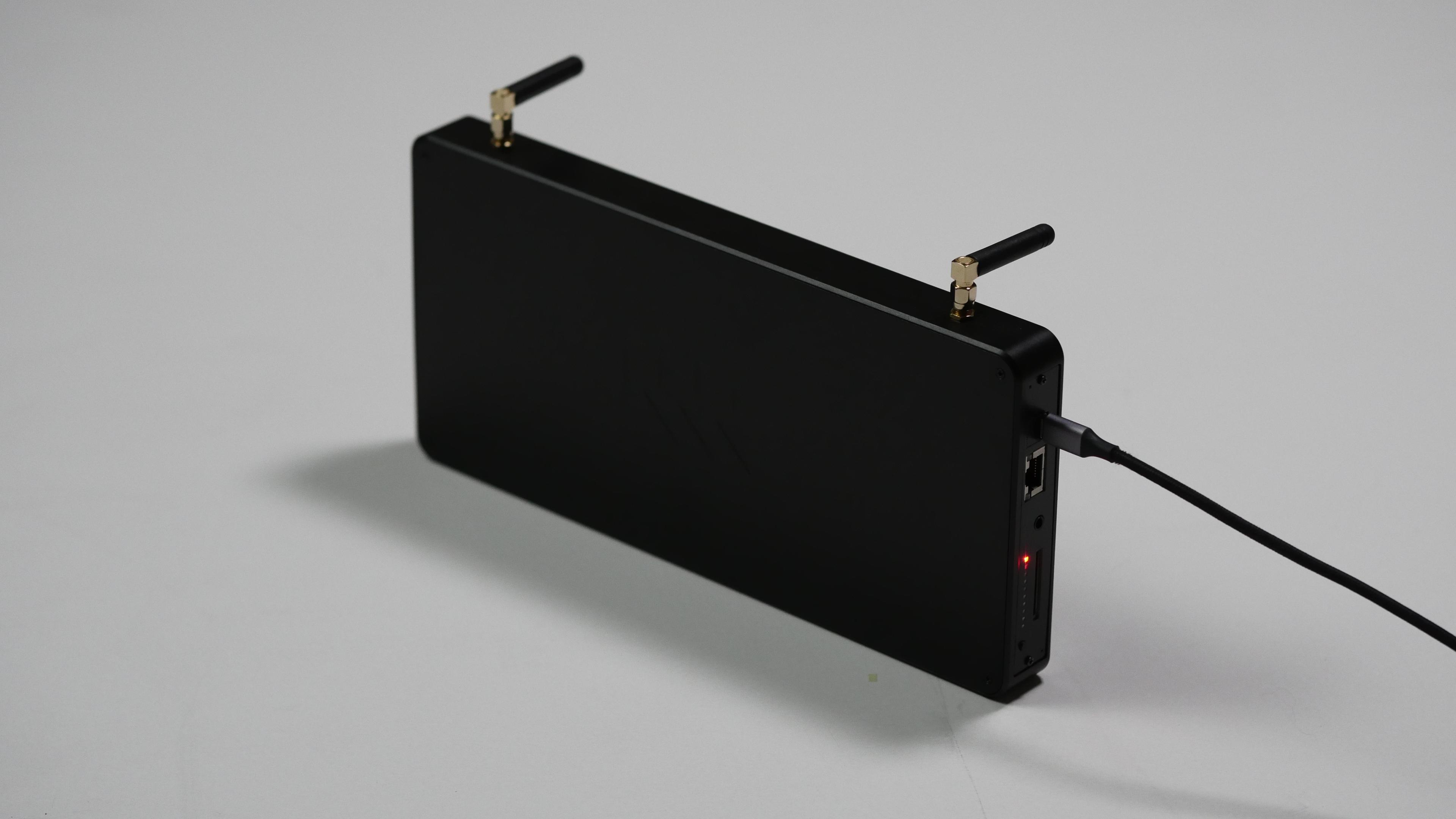
Alt...
the black MNT Reform station with 2 cute external wi-fi antennas and one of the 10 front panel LEDs glowing red

Alt...
close-up of the front panel with one red LED glowing
The Chat // Have a nice chat unencumbered by the meaning of real words. Made for #picojam26 https://itch.io/jam/picojam26/entries (thanks for organising, @illuminesce !)
Play online: https://www.lexaloffle.com/bbs/?pid=194820#p
Or from #picotron terminal: > bbs://thechat.p64
When your compiler knows what to compile without giving it arguments, and when the operating system knows what artifact to run without having to tell it. 
![[?]](https://files.mastodon.online/accounts/avatars/110/956/287/683/427/059/original/557921863e0bf2f3.png)
Don’t move buttons from under the mouse.
Thanks @The2lb3oz4dr10grOfHedgehogs for the video
Reading @j-g00da's comics via @jn's zine viewer on Uxn. Fits the medium like a glove.
https://codeberg.org/neuschaefer/dreams/releases
https://kamiokan.de/
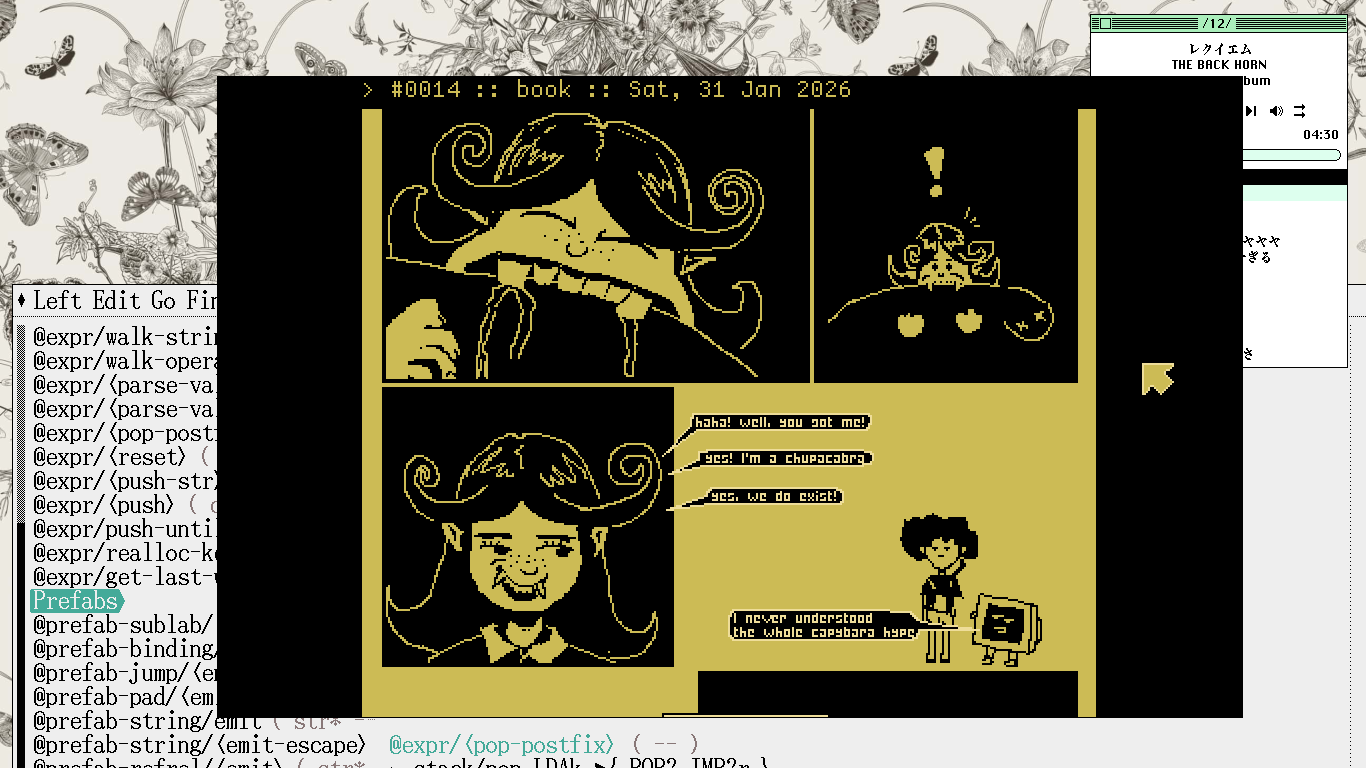
Alt...
A page from the comics #14
![[?]](https://media.ominous.net/accounts/avatars/115/375/274/384/441/534/original/ebd7c6de7c700c83.png)
Very cool!
An NES homebrew ROM showing live ADSB aircraft traffic, fed over serial through controller port 2 on real NES hardware. A companion app does the networking the NES can't, then streams it to the NES.
![[?]](https://media.exquisite.social/exquisite/accounts/avatars/112/740/281/679/421/243/original/8db2f712b2396f11.jpg)
I am seriously considering switching back from Neovim to nvi. I constantly vacillate between the richness and bloat of Neovim and the scarcity and minimalism of nvi. Sure, Neovim does have some nice features. But is it worth this huge increase in complexity? The size of Neovim's codebase is probably like 20 times that of nvi's, while its benefits seem rather marginal to me (based on my way of using it - your mileage may vary).
We always add, add, add instead of subtract, subtract, subtract...
...
![[?]](https://cdn.fosstodon.org/accounts/avatars/113/920/318/614/808/724/original/8699f6ae88b760c4.png)
@thorstenzoeller While coworkers and I were debating and comparing IDEs including Vim and Emacs, one of the smartest people I ever worked with was just quietly coding using, I think, TextPad. He said it has the only two features a programmer needs: Syntax highlighting, and the ability to run an arbitrary command line, and optionally parse the output to create a pane of results as though they were compile errors, with messages and (filename; line numbers), which can be clicked on to view the line
Parenting / Python and C++ [SENSITIVE CONTENT]
On Friday, my son asked me why C++ is better if the Python version of the code is simpler. He specifically had asked about a "hello world" example, so we wrote both examples together. They both run instantly, so it's not a great comparison. I showed him how to tell which is faster with the `time` command. We also talked about the difference between the work that Python and C++ are doing. I'm pretty sure he understands what we talked about, but who knows?
![[?]](https://cdn.masto.host/mastodongamedevplace/accounts/avatars/000/014/209/original/b28b620037805845.gif)


█▓▒░ 𝗣𝗜𝗖𝗢⬩𝟭𝗞 𝗝𝗔𝗠 𝟮𝟬𝟮𝟲 ░▒▓█
🌐 https://itch.io/jam/pico-1k-2026
WHAT?
👨💻 Make #Pico8 (or #Picotron) Games/Demos/Tools in ≤ 1KB
WHEN?
📅 SEP 1ˢᵗ-30ᵗʰ 2026
Hope to see you at #Pico1k jam! 🤓
![[?]](https://files.mastodon.social/accounts/avatars/109/489/911/672/843/661/original/777f92c9c6982871.png)
Our new Amsterdam servers are live. The EU can now be the primary home for Fastmail data, and like our US locations, it's our own hardware, racked and run by our own people. Nothing rented from a big cloud provider.
Already a customer? Switch regions in your settings. Thinking about it? You choose your region at signup.
Our CEO Bron's post walks through exactly what lives where, because we figure you'd read the fine print anyway.
https://www.fastmail.com/blog/fastmail-offers-eu-data-region

Alt...
The EU can now be the primary home for Fastmail data.
basically, my meter shows the net value across all phases, while the electric company counts import and export separately and charges for both. so instead of having almost zero import, the actual import was much higher...
trying to configure my inverter to balance the phases better
exported over one mwh at peak hours. can't wait for the next electricity bill... :)
More surreal rendering tests for #picotron 0.3.1, this time with tline3d textures x colour tables. Notes and gif:
https://www.lexaloffle.com/bbs/?pid=193908#p
like = you run it on server
boost = you run it on desktop/laptop :)
❤️
...
Older...
reply = not subject to artificial pleas to boost or like 😆
(but yes, several OpenBSD server instances and two laptop instances)
![[?]](https://media.hachyderm.io/accounts/avatars/109/463/549/684/123/724/original/c0de07e9da5c3608.png)
![[?]](https://snac.bsd.cafe/bpl/s/avatar-b605f1db31dc57fe49b6eb2033dc306c.jpg)
![[?]](https://media.bsd.cafe/bsdmmedia01/accounts/avatars/112/638/724/457/171/036/original/efea0e41859ef2e6.png)
![[?]](https://cdn.fosstodon.org/accounts/avatars/000/246/790/original/ed18b298f7729046.jpg)
![[?]](https://cdn.masto.host/mastodonart/accounts/avatars/000/027/118/original/056a177a38b6feaa.png)
![[?]](https://media.exquisite.social/exquisite/accounts/avatars/112/405/940/164/045/336/original/6077cce05e1860af.jpg)
![[?]](https://media.bsd.cafe/bsdmmedia01/accounts/avatars/117/185/548/010/332/880/original/5b220b340ccd61cc.png)
![[?]](https://gts.bossk.de/fileserver/0222MYPY9M5JKXP4RQRCQMJRXH/attachment/original/01KJJVF236CKT5MT2Y07TGF4DA.jpeg)
![[?]](https://static.piaille.fr/accounts/avatars/114/172/765/298/930/991/original/9a6ffe3d12e5ec7a.png)
I'm using OpenBSD on little servers only for a private case not on a public way, and less on a professional way ( I don't work in IT I'm just curious about it ).
One machine is a little NAS and another is a homelab hosting actually a snac instance and a postgresql service.
Also my 20 years old computer, I'm actually use, works well on desktop with OpenBSD thanks to dwm :)
blast from the past
#technomage #openbsd #windows #comic
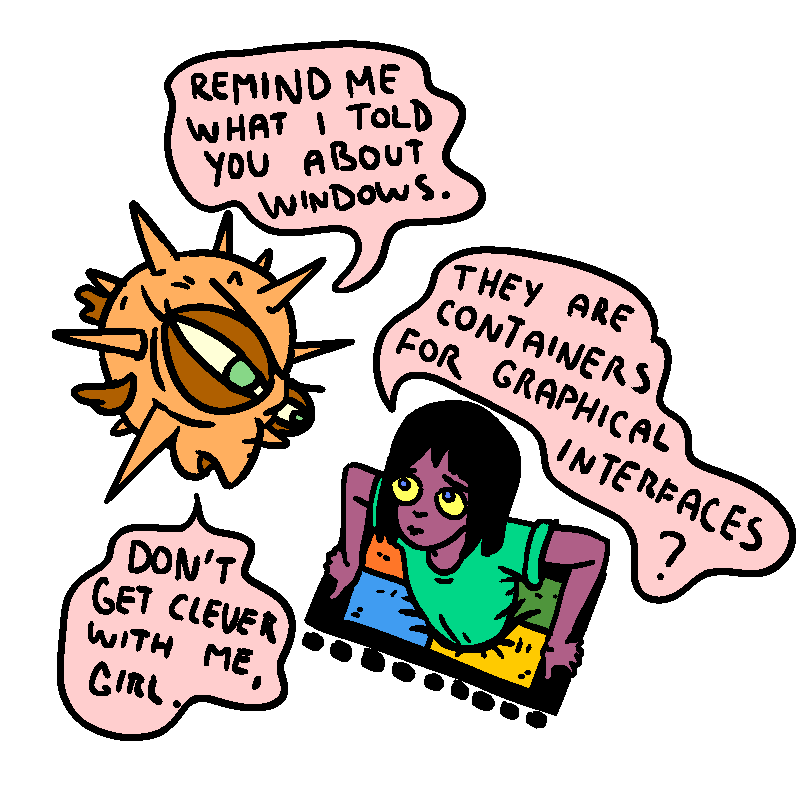
Alt...
girl is stuck in a windows logo
fish :remind me what i told you about windows."
girl: "they are containers for graphical interfaces?"
fish: "dont get clever with me, girl"
"coding is solved" they said
"use AI" they said
me working on OpenBSD writing C: dead software walking
https://rsadowski.de/posts/2026/dead-software-walking-relayd-and-httpd/
Checking that quad boundaries join up with no holes or overlaps. This one kind of reminds me of a colour plate from an 80s siggraph paper. #picotron
![[?]](https://files.mastodon.social/accounts/avatars/000/407/544/original/ebc6dc1c589f26e1.png)
Apple keeps releasing new and more expensive hardware that folks want us to support but we can't even afford to buy the new stuff ourselves to test it on.
I mean.. my iPad is an M1. My iPhone is still a 14. And my Mac is an M1 Max. So... I'm a few years behind over here across the board.
Now there's talk of a foldable iPhone? I'll probably need a second mortgage for it which wouldn't be a good idea because I don't know if selling apps will even survive another year.
The math isn't mathing.
I know I shouldn't be surprised that it just works as is, but still cool, I can build compile uxn binaries directly inside dos.
wcl -bt=dos -ml -fe=bin/uxnmol.exe src/uxnmol.c
http://wiki.xxiivv.com/etc/uxnmol.c.txt
#uxn
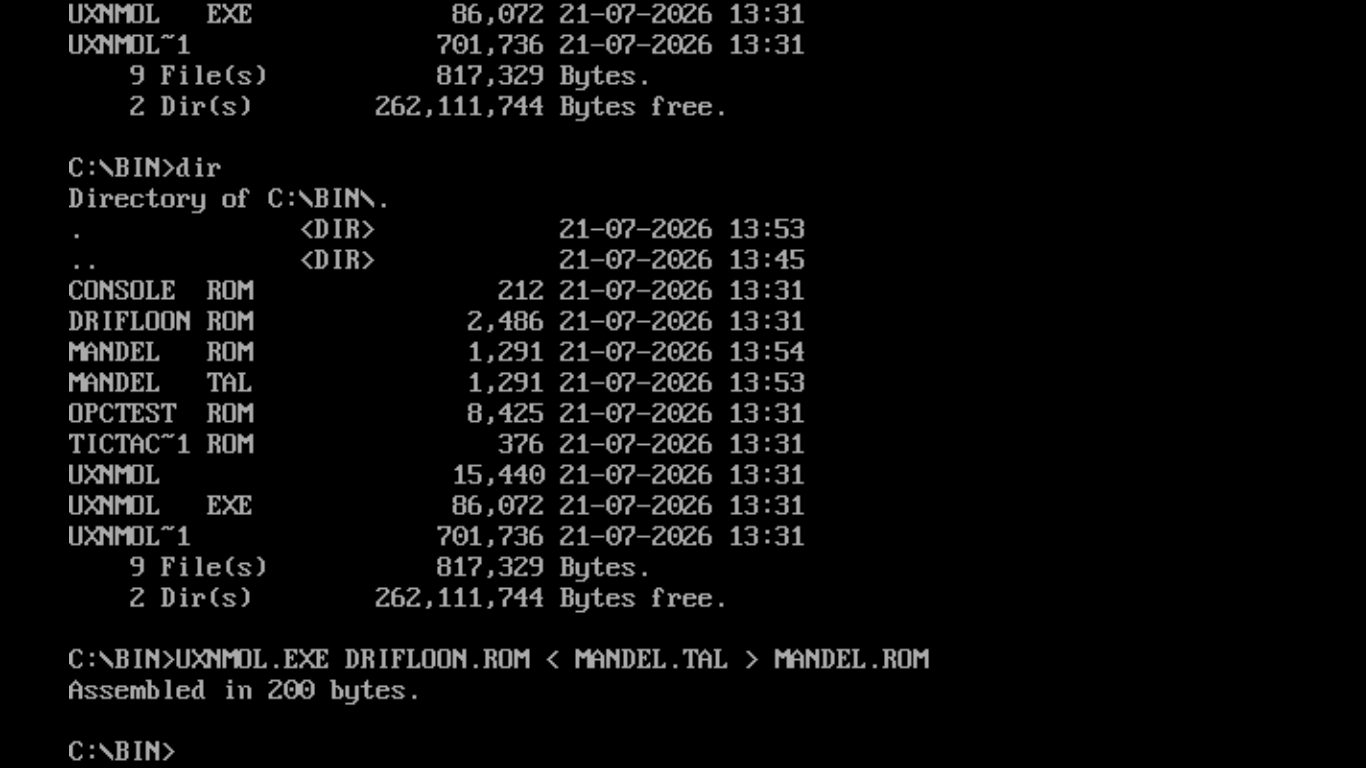
Alt...
Compiling a uxn binary with drifblim.
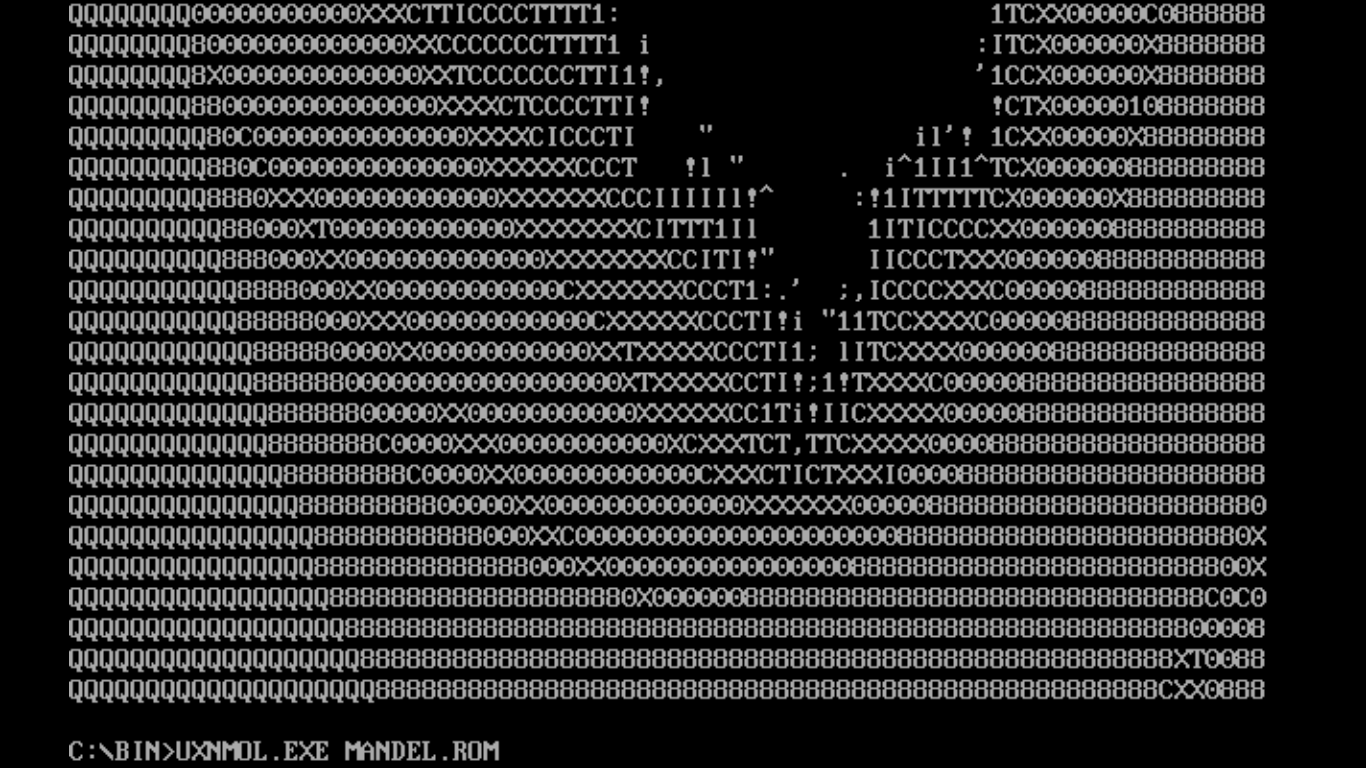
Alt...
Running mandelbrot
![[?]](https://media.bsd.network/accounts/avatars/110/037/496/070/316/553/original/ded09a624a7ff99d.jpg)
📢 EuroBSDCon2026: The Schedule is Here! 😈⛳️🐡
The schedule is now published!!
You can find it at: https://events.eurobsdcon.org/2026/schedule/
Grab your tickets 🎟️ at https://tickets.eurobsdcon.org/eurobsdcon/brussels/
For everything else, peek at https://2026.eurobsdcon.org/
More information is added all the time.
EuroBSDCon 2026 in Brussels, Belgium 🇧🇪
September 09-13, 2026
#RUNBSD #FreeBSD #NetBSD #OpenBSD #EuroBSDCon #EuroBSDCon2026 #BSD #Conference #Register

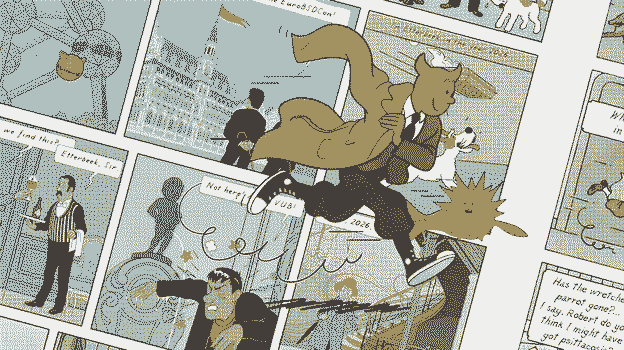
Alt...
Cutout of the EuroBSDCon 2026 banner.
Comic like drawing.
First panel has a butler serving a nice Belgium beer. There are two speech bubbles. 1. ...we find this? 2. Etterbeek, Sir.
The second panel has Manneken Pis doing his thing.
cons
- the window is a bit farther away
- a little more noise from the inverters
- more space
- all my tools are here
- this is where i spend most of my day anyway
- the old office is now a guest room :)
...
having all my tools within arm's reach has been an amazing boost to my productivity. more importantly, it brings me peace of mind because i actually know where my things are now... ❤️
i think i own too many things, but i guess that's the price you pay for living in the middle of nowhere
i'm finally getting all my boxes sorted and everything organized for the first time since i moved in last year
...
Older...
![[?]](https://hostux.social/system/accounts/avatars/109/522/659/464/681/502/original/48b730630e294115.jpg)
![[?]](https://pleroma.interhacker.space/media/18d69c6c20933c9a5712f4ac52d9e57062362ba23f95b8367c11785e2082cef0.blob)
![[?]](https://media.mastodon.de/accounts/avatars/113/436/972/909/598/642/original/c7c46d05fb115a77.jpg)
![[?]](https://snac.lab8.cz/pmjv/s/avatar-bf72d6e8b95091f326ea2d8850d3f75b.png)
...
For photos, a combination of nnn and nsxiv's thumbnail feature.
For video, mpv and the shell like some sort of animal.
@hi feh and mpv for simple stupid viewing. thunar, bash+awk+sed, geeqie when mass renaming is required. digikam to store, tag and forget until next couple of years. gotosocial to expose some to the world.
maybe someday, I’ll add immich for private/family memories.
![[?]](https://toot.mirbsd.org/fileserver/01GS55SW7VWYN3BFRYCX5NW526/attachment/original/01E0WMWASQCF8MPB3SR7F5R557.jpeg)
...
...
![[?]](https://s3.eu-central-003.backblazeb2.com/social-lol-media/accounts/avatars/115/587/782/810/400/940/original/beef751b0b46688c.png)
@hi There is a docker packaged iCloud backup app that does that the other way around. I use it to sync all my iPhone photos on my NAS. Useful? https://github.com/steilerDev/icloud-photos-sync worked great to grab 13k pics from my Apple account.
...
...
![[?]](https://s3.eu-central-1.amazonaws.com/akkoma/9bd68d780a0932e3e30ead7175a1cad20fd3ca29bb5582a145768e5f662d0085.194ea23e615)
![[?]](https://toot.haxors.club/stevelord/s/avatar-a335f86853a9a6b9357a7a3835841349.png)
...
...
![[?]](https://media.infosec.exchange/infosec.exchange/accounts/avatars/000/079/645/original/9c3da36e56d9aced.jpg)

@hi I use PhotoSync. You choose from WebDAV, SFTP etc…
...
![[?]](https://cdn.masto.host/indiewebsocial/accounts/avatars/109/285/067/205/280/923/original/96d536e8270a28e8.jpg)
@hi PhotoSync? It supports WebDav and SFTP amongst others. https://apps.apple.com/gb/app/photosync-transfer-photos/id415850124
...
![[?]](https://files.mastodon.social/accounts/avatars/000/266/381/original/48bbf2659f14d0e3.jpg)
@hi syncthing? I don't have an iphone, but I find this https://apps.apple.com/us/app/synctrain/id6553985316
...
@hi radon is something that just comes from the ground, not related to the type of the car, and it needs to be evacuated through the regular ventilation. I've learned (not too late thankfully) that builders even in EU countries have less strict requirements for garages, so for the last 10 years every time I need to deal with garages or any other ground level places long term - I bring a radon/voc sensor with me.
...
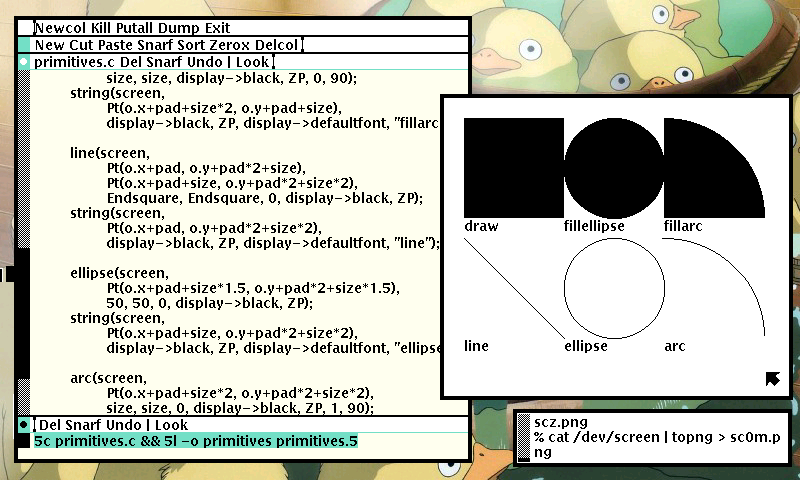
Everything I Know About Making Art On The Computer I Learned From @prahou.
https://triapul.cz/automa/i_did_not_kill_stanley_lieber
https://rabbits.srht.site/decadv/
#occ2026
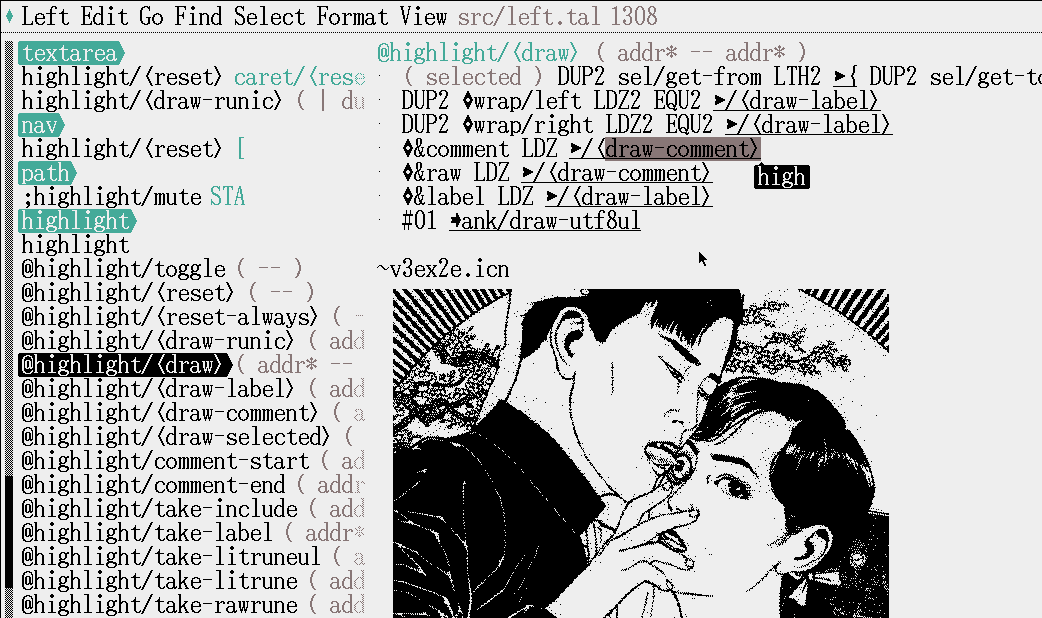
Five years ago(as of June 8th), I decided to give up on Acme and make my own text-editor. The plan was to make something I'd use for the rest of my life, improve it as I went along. It was to be written in this new language, and my list of ideas for it included a ton of extremely bizarre UX choices I hadn't really tested for my own. But if we ignore the more quirky esoteric things about it, there was two pretty simple choices made for it:
Undo depth: zero.
Largest file: 64kb minus the editor's own size.
Undo is probably the easiest one to understand. As you'd expect, some other mechanism emerged to take its place, I wouldn't just let it eat up my work each time I made a mistake. What ended up replacing it was being able to append and cut off chunks of snarf buffers, when I have something I might want to keep, I push it the top of the snarf file. When I'm satisfied with the change, I pop it off, or add something else on top. This has served me well enough, I figured that if I ever needed undo I might add it, but the occasion never came!
As of today, Left sits at 17677 bytes, which means I can edit a file, at most, a 45kb long file. This turned out to be less of an issue than I expected, mostly it made it so I split projects into chunks, but more importantly, it means that every single byte of the editor has to be accounted for. If I add something, I know its cost and the cost is directly making for a worse editor. This has been a constant force of optimization and code hygiene over the years.
https://rabbits.srht.site/decadv/
#occ2026
![[?]](https://assets.chaos.social/accounts/avatars/116/569/331/853/533/116/original/c7e899c67950d44f.png)
 [
[
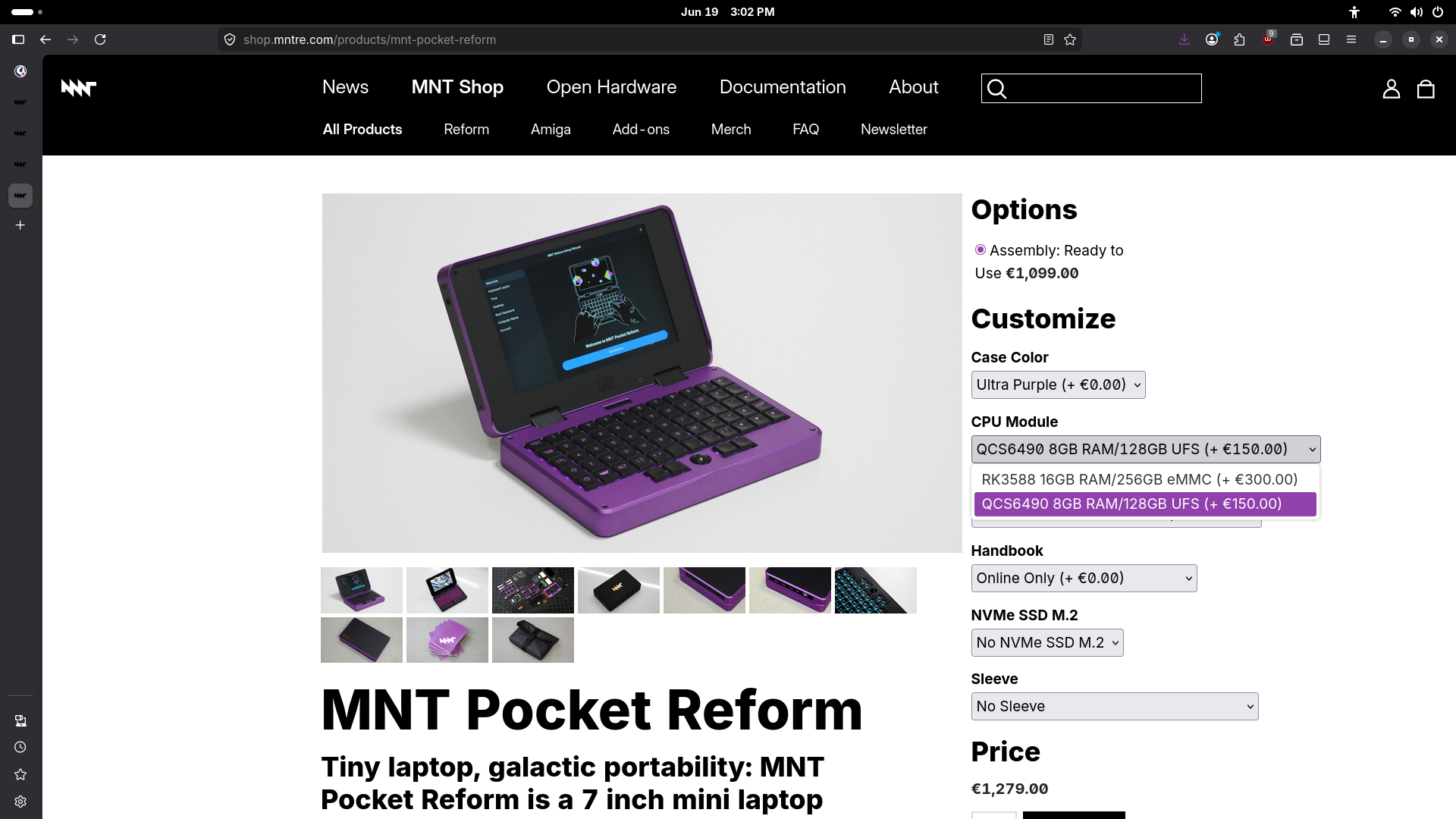
A new MNT Pocket Reform mini laptop variant with Quasar 6490 (Qualcomm QCS6490) processor module (8GB RAM / 128GB UFS) preinstalled is now available in our shop: https://shop.mntre.com/products/mnt-pocket-reform
Enjoy!
Alt...
screenshot of the MNT Pocket Reform shop page with the QCS6490/8GB RAM/128GB UFS option selected in a dropdown
just took some pictures of the new MNT Pocket Keyboard (small standalone USB-C keyboard with integrated optical trackball and RGB backlight) that's coming to our shop at some point next week. the case is a mix of aluminum (top plate) and Multi Jet Fusion printed Nylon (HP PA 12 S). in my opinion it feels really nice in the hands. open source hardware, of course.
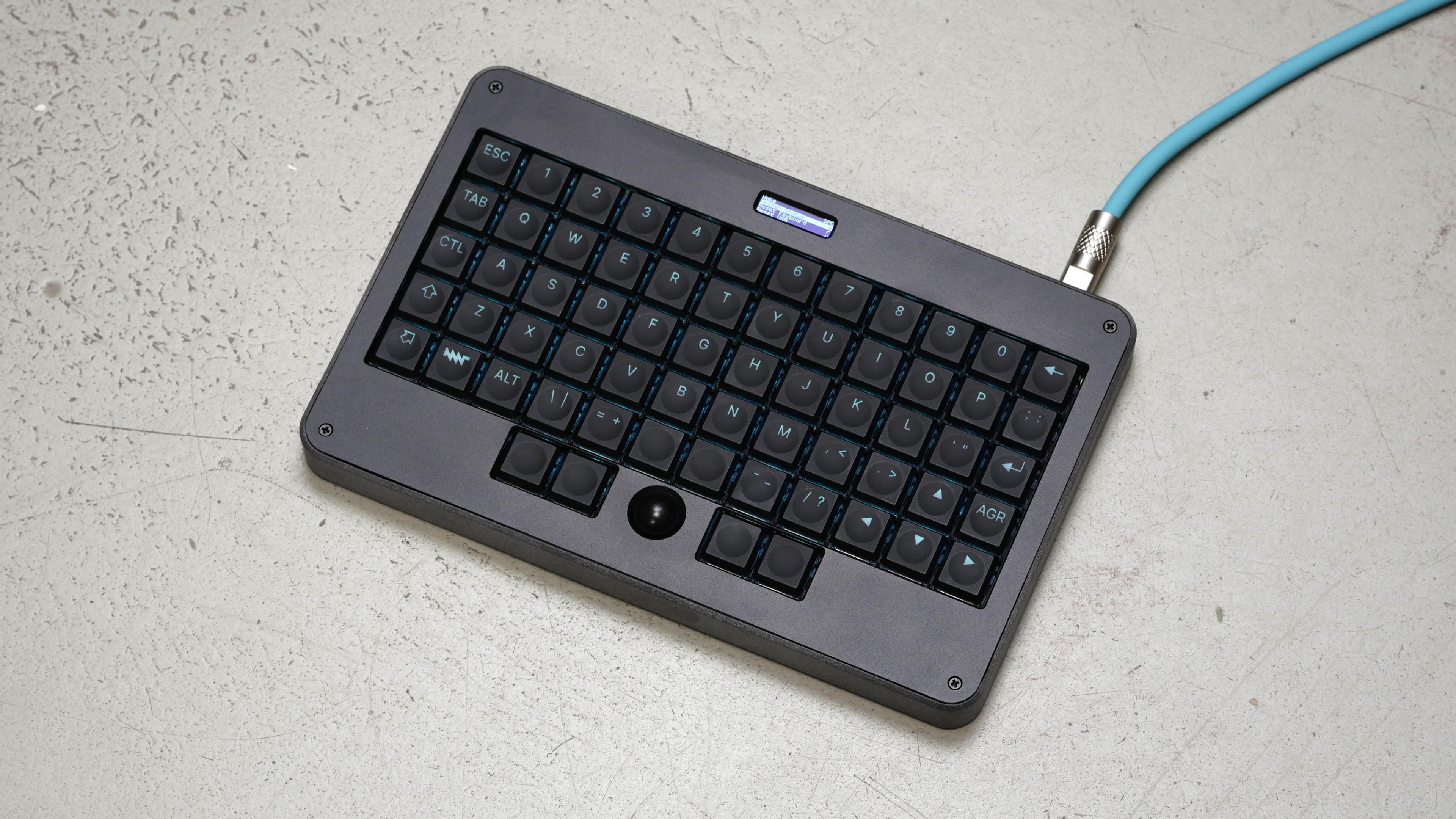
Alt...
overview of a black/gray MNT Pocket Keyboard with a fancy aluminum/silicone usb cable plugged in
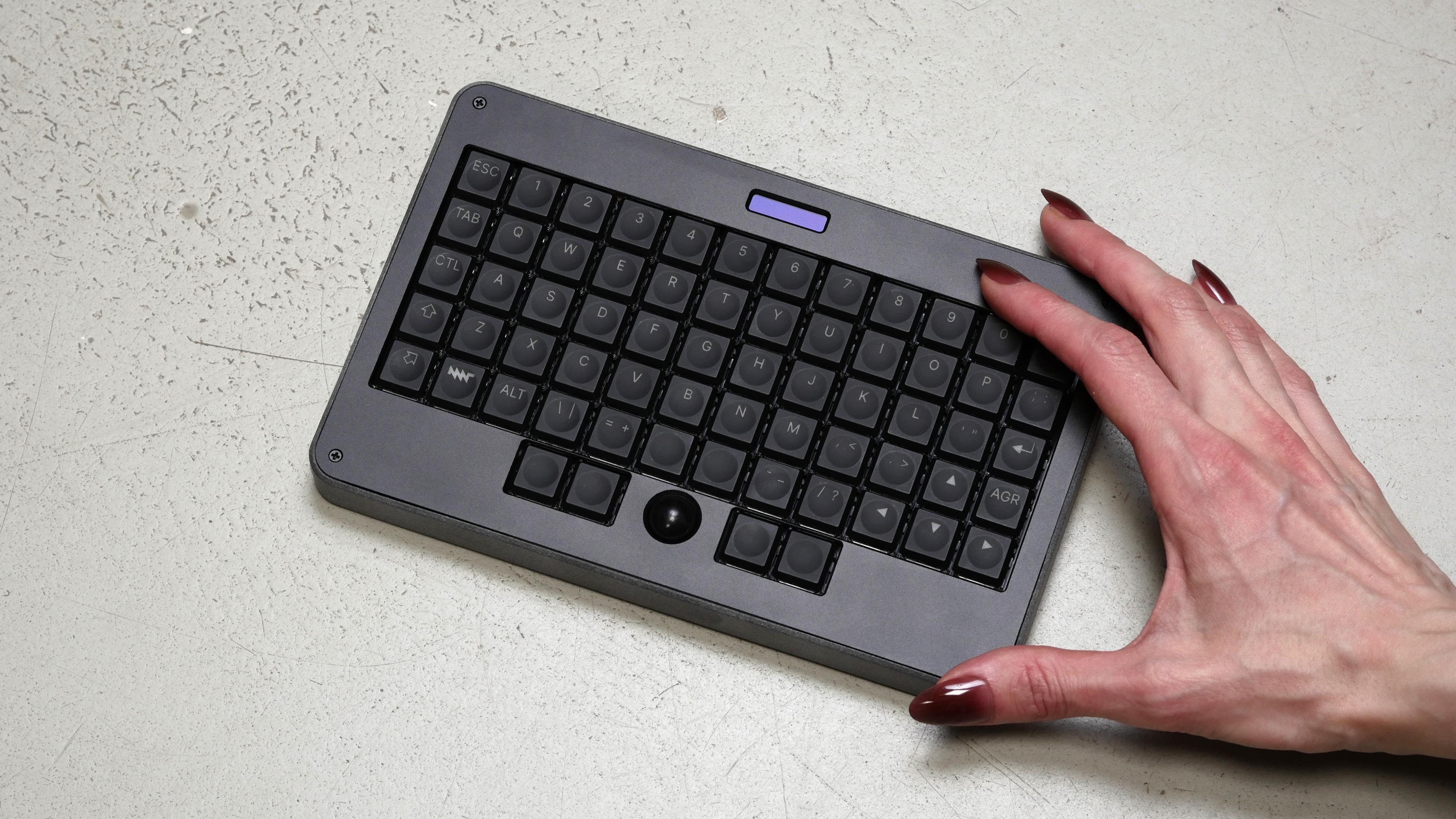
Alt...
overview of a black/gray MNT Pocket Keyboard, with a human hand touching it from the right side to get a sense of scale
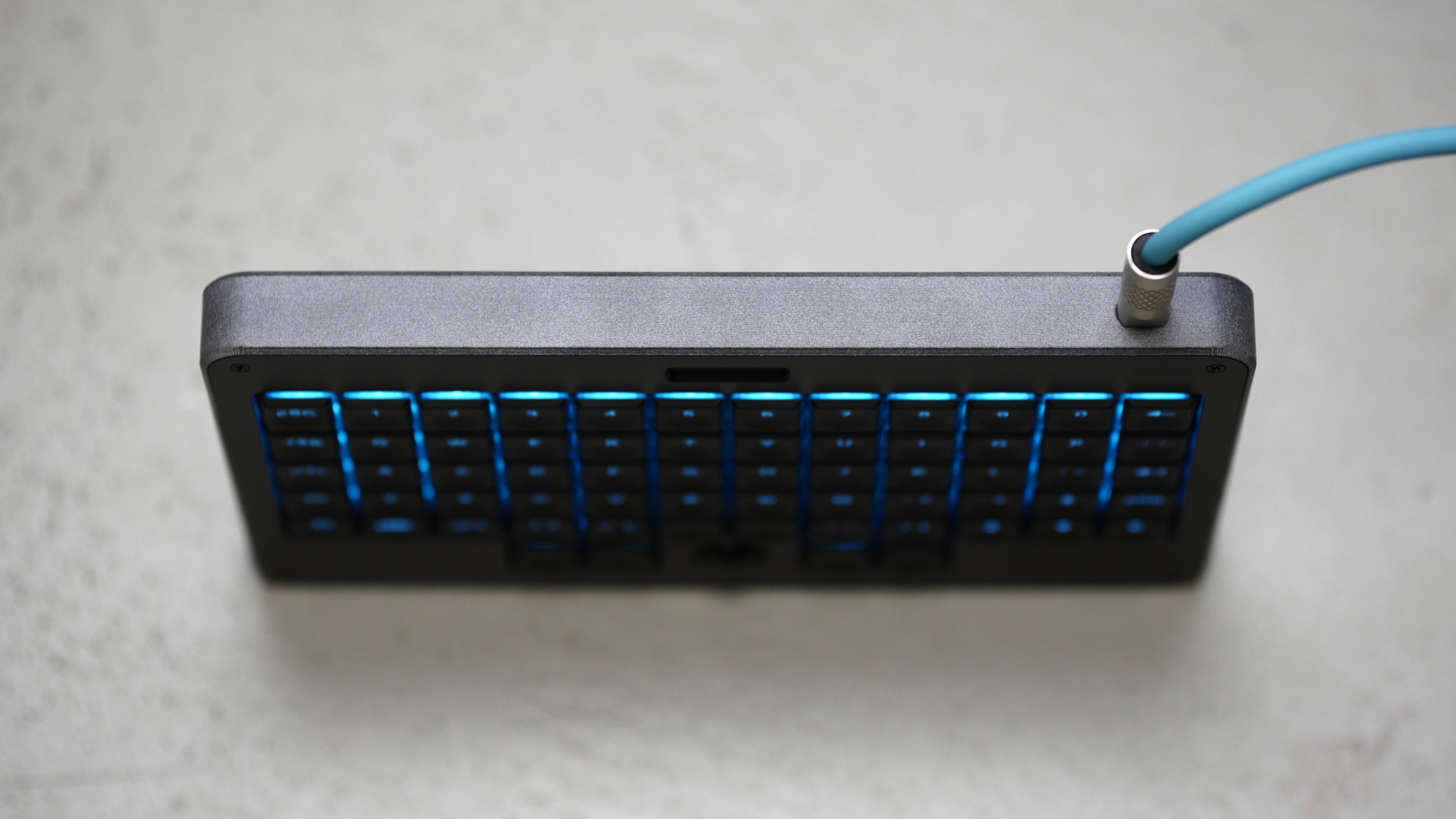
Alt...
top view of a black/gray MNT Pocket Keyboard, showing the USB-C cable port. and cyan backlights. the keyboard can balance on its sides
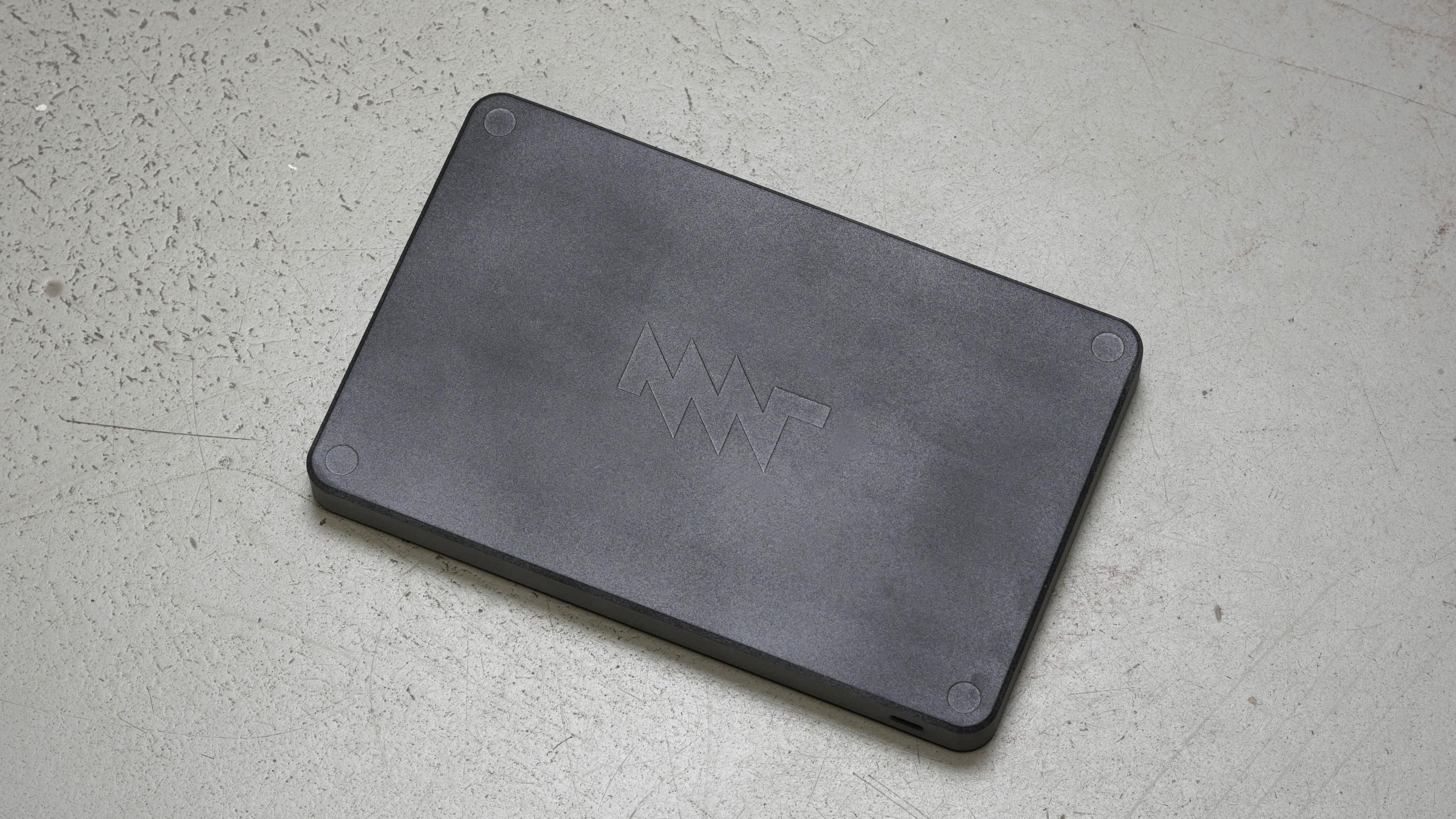
Alt...
back side of the keyboard, showing the texture of the gray HP nylon material. this photo is edited slightly because the logo was off-center in the print.
need to find something or write a little wrapper for ffplay
...
Older...
@hi for OpenBSD on protectli you should be fine with a connection to the serial port. If you want a simple to use KVM-over-IP solution, I would highly recommend PiKVM. You might even be able to attach an USB-2-serial adapter to your PiKVM system.
...
@hi I used to use this https://www.tumfatig.net/2022/pikvm-using-a-raspberry-pi-zero-2w/
It was quite nice. I also used it to record the "OpenBSD workstation" :)
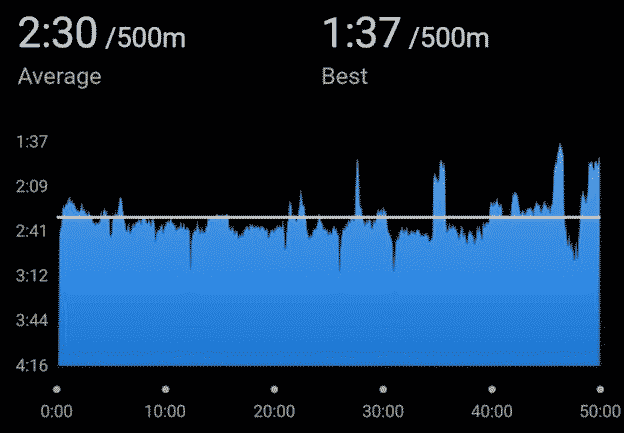
Alt...
performance chart: indoor rowing workout. best pace 1:37/500m, chart tracking pace over a 50-minute duration, horizontal line is average pace at 2:30/500m
![[?]](https://media.infosec.exchange/infosec.exchange/accounts/avatars/109/296/546/898/175/507/original/ad3527d1e456b701.jpg)
current setup:
openbsd -- usb dac -- amp -- speakersnext up: make everything more user-friendly or teach my family how to use the command line ;)
openbsd -- hdmi tv
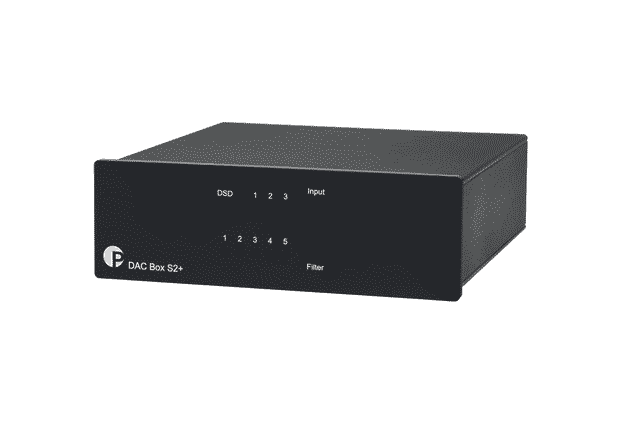
Alt...
dac box s2+
...
then i discovered that openbsd doesn't support audio over hdmi and my openbsd server doesn't have analog audio output, obviously.
my tv had been connected to a stereo amplifier anyway, so my setup is actually even better now: a dedicated usb dac connected directly to the amplifier.
...
also, lots of cables :)
at least the dac box can draw power from my server over the same usb cable.
very excited to switch to fully local streaming ❤️
...
@hi My daily driver is similarly comfortable to me, but pretty unusable by others…lots of keyboard shortcuts, superfluous window-chrome hidden, lots of dark-mode comfort for my eyes, lots of CLI/terminal interactions 😆
![[?]](https://cdn.bsdlab.au/8d8a9d30335d0605b8a35c242faae5215a127ec6c86aee00aeee2ccb28748164.png)
![[?]](https://media.illumos.cafe/icmedia/accounts/avatars/115/049/404/278/849/621/original/612909eb2d5e053b.png)
![[?]](https://navi.lain.day/fileserver/01BMFJFGDY8P8K3D13BE7BBVSN/attachment/original/01KYTX3ASGY5RY24Q028E0NZA1.png)
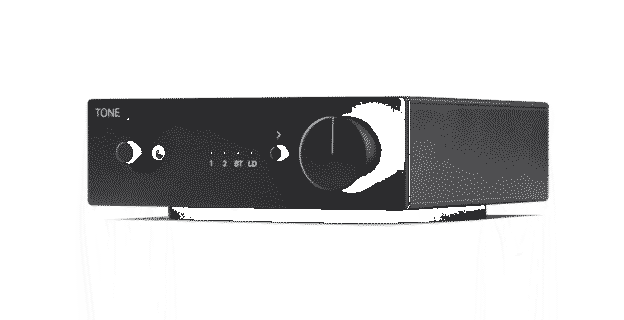
Alt...
tone amp s

Alt...
three black icons on a white background, spaced horizontally: a remote control on the left, a square containing the letters "AI" in the center, and a lightning bolt on the right
...
I Did Not Kill Stanley Lieber: How to draw (with 9front)
The penultimate paper on paint(1) and the 9front art machine.
https://triapul.cz/automa/i_did_not_kill_stanley_lieber
#unix_surrealism #plan9 #9front #art #guide #computers #oldcomputerchallenge
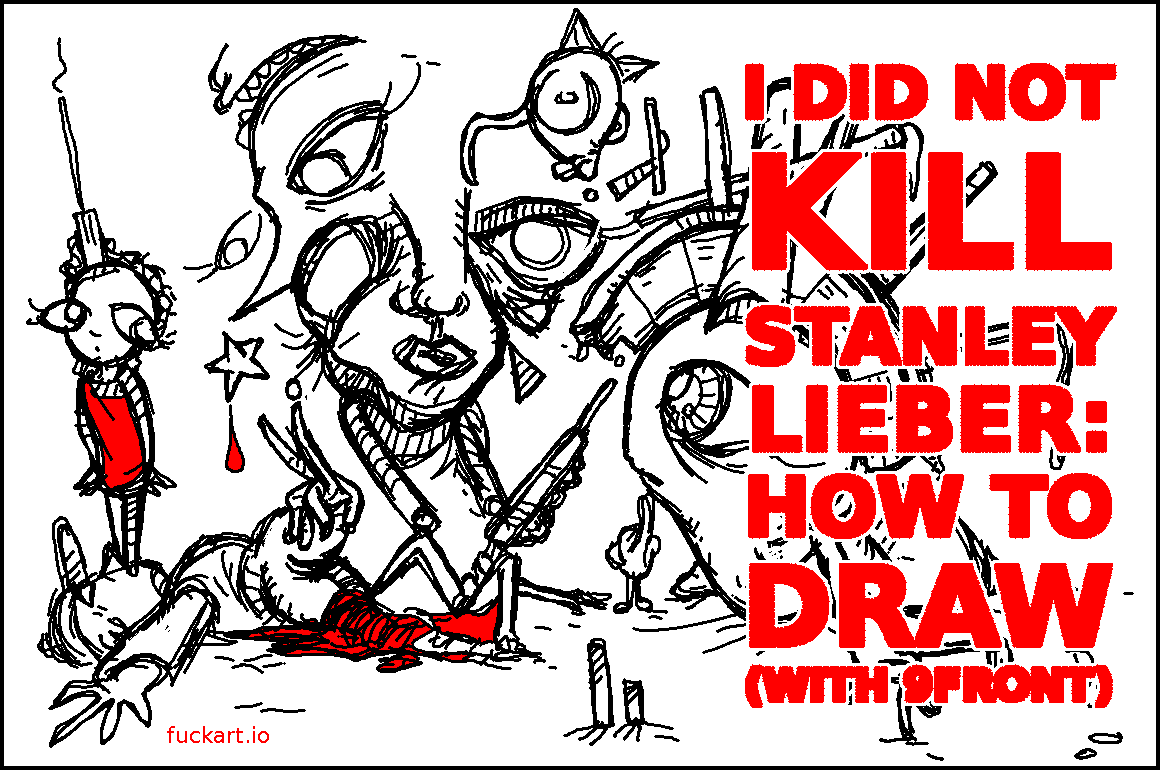
Alt...
poster for
"I Did Not Kill Stanley Lieber: How to draw (with 9front)"
there's some characters or something, I can't tell
We really appreciate the work done on the TLS settings in relayd(8) and httpd(8).
It makes it even easier to get a tried and tested secure connection to your favorite OS and service!
"Both relayd(8) and httpd(8) now have the "secure" list of allowed crypto methods for HTTPS, which include TLSv1.3 and the TLSv1.2 AEAD cipher suites.
The previous list was "HIGH:!aNULL" which contain non-perfect-forward-security methods and this change may cause old clients to not be able to connect."
Source: https://undeadly.org/cgi?action=article;sid=20260629165750
Hat Tip to @sizeofvoid and others!

Alt...
Meme of "The Most Interesting Man in the World" is an advertising campaign for Dos Equis beer featuring actor Jonathan Goldsmith as a bearded, debonair older gentleman with voiceovers that were both humorous and outrageous.
It has the text: I don't always tip, but when I do, it's my hat.
Source: https://en.wikipedia.org/wiki/The_Most_Interesting_Man_in_the_World
![[?]](https://media.bsd.network/accounts/avatars/000/000/496/original/d00f73155d2462ba.jpg)
![[?]](https://assets.merveilles.town/accounts/avatars/108/906/936/261/705/540/original/1d1b280194dba2a9.png)
![[?]](https://notnull.space/fileserver/01N5JT16Z5DTWGFJFRCCK44SHQ/attachment/original/01NN5GF3XN6BJPYFSZ0YDSVV81.png)
it's easy to script everything. wrote a script to download the latest version of routeros and upgrade all my mikrotik devices: routers, modems, access points (via capsman)
and when you need gui then winbox is amazing too. nice solid ui and it's only getting better over time
kia looks nice
...
![[?]](https://s3.flak.is/flaki.social/accounts/avatars/109/302/365/819/314/213/original/d50ee388fab463fb.jpg)
@hi I'm sure the new bZ is nice, but not so much nicer that I'd consider upgrading (esp. that we got ours, an AWD with a heavy discount when the dealerships were getting rid of their old test-drive cars when the new model was coming in, essentially we got it 40% cheaper...)
now considering good old woodworking instead...
any good cnc machines that can produce small parts?
...
any similar machines? (also made in eu)
pretty much all other code i ever wrote is long gone
Alt...
eurobsd banner
I've got nothing.
20 new VMs were added and 46 VMs were renewed.
We donated €890 to the #OpenBSD Foundation, €67645 (!!) since we started.
Thank you, our users, and OpenBSD developers for an awesome OS!
Stay cool, safe, healthy & sane!
#RUNBSD in 2026

Alt...
Milton, Office Space, in his cubicle looking into the distance, with the text: I've got nothing" Source: Meme Generator
Alt...
Paypal receipt for €890
it detects the intel hd audio and attaches azalia(4), but only the internal realtek alc257 codec is found.
there is no hdmi audio codec, no audio1, and mixerctl -a only shows the internal speaker/headphone outputs. the external display works over hdmi, but there is no way to select hdmi audio because no hdmi audio device is detected.
is hdmi audio expected to work with openbsd 7.9? if it should work, are there any additional diagnostics steps i should try?
...
...
@hi when I looked at it, if I remember and understood well, some docs said that this implies some defaults modification that impacts too many people, so it was never intergrated in the source.
But I think there was a patch somewhere in the wild. But not sure it still would work these days.
Older...
![[?]](https://snac.d34d.net/pkw/s/87630ddce96ff1cef2aa6b41f251f487.png)
support hdmi audio, but I don't know that for sure.
https://man.openbsd.org/azalia.4
At the botton us says hdmi codecs are not supported, but i don't
know what that means.
I use a small usb sound device on my system connected to a TV
using hdmi.
(I think that's how I came to know that hdmi doesn't work.)
@hi I got excited by your post thinking that I had missed HDMI audio support being introduced in 7.9.
Maybe one day! 
ESS9038K2M 32-bit
up to dsd256, pcm up to 32b/768kHz
kudos to deltahedra ❤️
...
@hi I'm *particularly* annoyed at how bad HA is at integrating weather (forecasting etc.) and other metadata. It feels like you could get a lot more out of your systems/batteries if you had better foresight into weather patterns.
Until I connected my car charger I didn't have any sufficient loads to keep my batteries from sitting at 100% at 8AM, but now that I do, intelligently dumping solar into the car's battery but making sure there is enough left in case of bad weather looming around the corner would be awesome.
And I will probably have to handroll it all 
i just want to replace it with a few scripts and plain text logs. feels like all i need is to fetch price and weather forecasts and pull/push some modbus registers...
what do you use for your smart homes?
...
![[?]](https://id.geff.re/fileserver/01KSR7D7ZETKA70EFVJ1CJQ659/attachment/original/01KH16N4HJV727QCCN06PDE7FE.jpeg)
@hi yeah the more my solar setup evolves the more I want to hand-roll the monitoring/dashboard part 
People have a lot of good to say about https://solar-assistant.io - it's a one-time-payment but I'm planning to look into it at some point.
...
@hi iirc @hywan hand-rolled some (most?) of their stuff for https://lamaisonvivante.blog/
...
![[?]](https://cdn.masto.host/floss/accounts/avatars/114/541/533/159/396/885/original/140794cc2bbeddbe.png)
...
@hi I'm *particularly* annoyed at how bad HA is at integrating weather (forecasting etc.) and other metadata. It feels like you could get a lot more out of your systems/batteries if you had better foresight into weather patterns.
Until I connected my car charger I didn't have any sufficient loads to keep my batteries from sitting at 100% at 8AM, but now that I do, intelligently dumping solar into the car's battery but making sure there is enough left in case of bad weather looming around the corner would be awesome.
And I will probably have to handroll it all
similar to this setup, but with a trackpad not a mouse...
any ideas?
...
(1) BIOS might not be accessible,
(2) It is not possible to do pairing with receiver on BSD, this can be worked around by running HirensBoot from USB.
...
...
@hi FWIW once upon a time, there was a real computer, running a BSD system, plugged onto my TV to display DVD rips. I used a noname USB gamepad to navigate through the X11 GUI interface. Sorry, neither the pad brand, nor the home cinema software come back from far memories. Still this was a nice way, at that time, to drive the whole stuff.
...
@hi my Logitech K410 works on OpenBSD. It has a touchpad. But it’s not mechanical.
Also, this https://www.tumfatig.net/2024/using-the-logitech-wireless-rechargeable-touchpad-t650-on-openbsd/ standalone touchpad works with OpenBSD.
...
@hi there is also an "options to replace your old couch keyboard". No mention of OpenBSD support but there may be ideas for testings and send back if it fails ;-)
...
after all i'm thinking about pebble 2 combo. all keyboards with trackpads tend to look a bit too cluttered for my taste. will try to survive without pointing device, but will get a mouse for emergencies :)
now i'm looking for m.2 modules (lte/5g and wifi ap) compatible with #openbsd. any recommendations?
...
@hi I'm using a Quectel EP06-E in a USB/Mini PCIe enclosure it works well for the most part via umb(4). I have a few issues with it not reconnecting to the mobile network, still need to get to the bottom of them.
Not exactly what you're looking for, but perhaps that'll give some pointers.
...
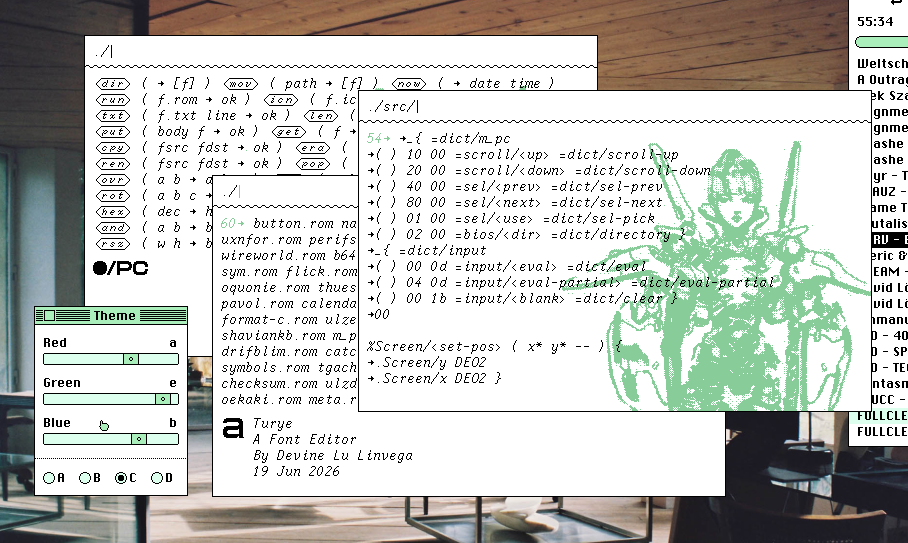
It rained tropically all day yesterday, so we didn't wander the woods, I stayed in and worked on my little OpenFirmware-inspired operating system.
It's capable enough that I've added it to uxn11 and uxn2, accessible with F4. A perfect little tool bounce in and out of roms, set a screen size for roms that don't, rename/delete files, peek at metadata, etc..
https://wiki.xxiivv.com/site/m_pc
...
@hi If you have a disk that you're happy to have mounted read-only, then https://stable.rcesoftware.com/resflash/ could be useful!
...
...
@hi It's great! I also like that the project's been going for many years, yet got updated for 7.9 straight away 
next up: build own micro-grid and automate export to the grid based on price and weather forecasts
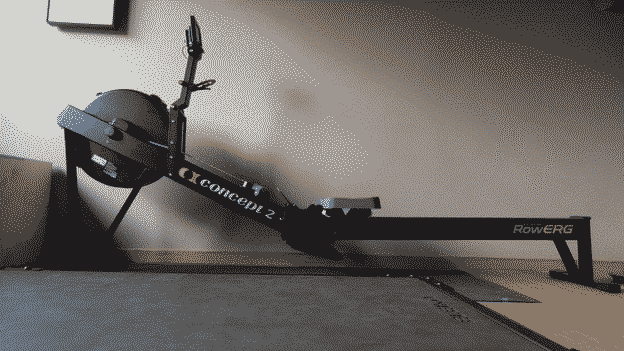
i was thinking about a rowing machine for long time, but was not sure if there is enough space for it in my tiny home gym. this end up very well: rowerg is quite compact and light.
it's not as fun as running outdoors, but there are many pros for me:
- it shows my current heart rate in big digits (it supports garmin watch and heart rate monitor)
- works in any weather (winters are quite icy here for running every day, also there are no bears, wolves, or lynxes indoors)
- helps to do cardio more consistently (rowing is easier to start, no need to carry my phone, keys, head lamp, etc)
- perfect for full body warm up before lifing weights
Alt...
c2 rowerg
so far we've presold 12x MNT Quasar 6490 modules, that's 50% of what we need to kick off the first batch. feel free to send me some promo ideas. should i make a video showing the general performance? who would be your favorite reviewer for the Quasar Pocket Reform?
see also
unix: a history and a memoir by brian kernighan
Alt...
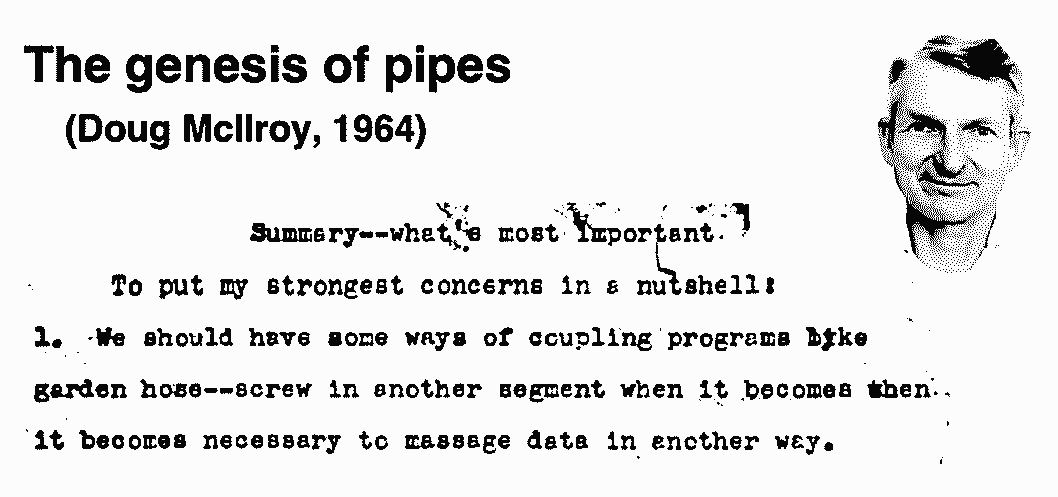
summary--what's most important. to put my strongest concerns in a nutshell: 1. we should have some ways of coupling programs like garden hose--screw in another segment when it becomes necessary to massage data in another way