

![[?]](https://romanzolotarev.com/logo.png)
https://romanzolotarev.com/about/

Alt...
a gravel road winds through the forest. on the right, a "private road" sign reads "eratee" (est.)
![[?]](https://media.exquisite.social/exquisite/accounts/avatars/110/326/591/179/948/352/original/99fcf794b9e7ae00.jpg)
![[?]](https://media.mathstodon.xyz/accounts/avatars/000/075/792/original/c2b4b048cd0afbaa.jpg)
![[?]](https://media.exquisite.social/exquisite/accounts/avatars/112/740/281/679/421/243/original/8db2f712b2396f11.jpg)
![[?]](https://media.toot.pouyan.net/media/94f2e9df18a60aab564b4318ce628ca924c7defe5afa3317aba90e7e80e175b8.png)
![[?]](https://files.shakedown.social/accounts/avatars/110/316/047/682/316/952/original/b2797e83811476ef.png)
![[?]](https://files.mastodon.social/accounts/avatars/108/221/293/645/539/654/original/eca7783b562922ef.gif)
![[?]](https://digipres.club/system/accounts/avatars/110/971/330/089/895/642/original/3cf9b8d98b085c1f.png)
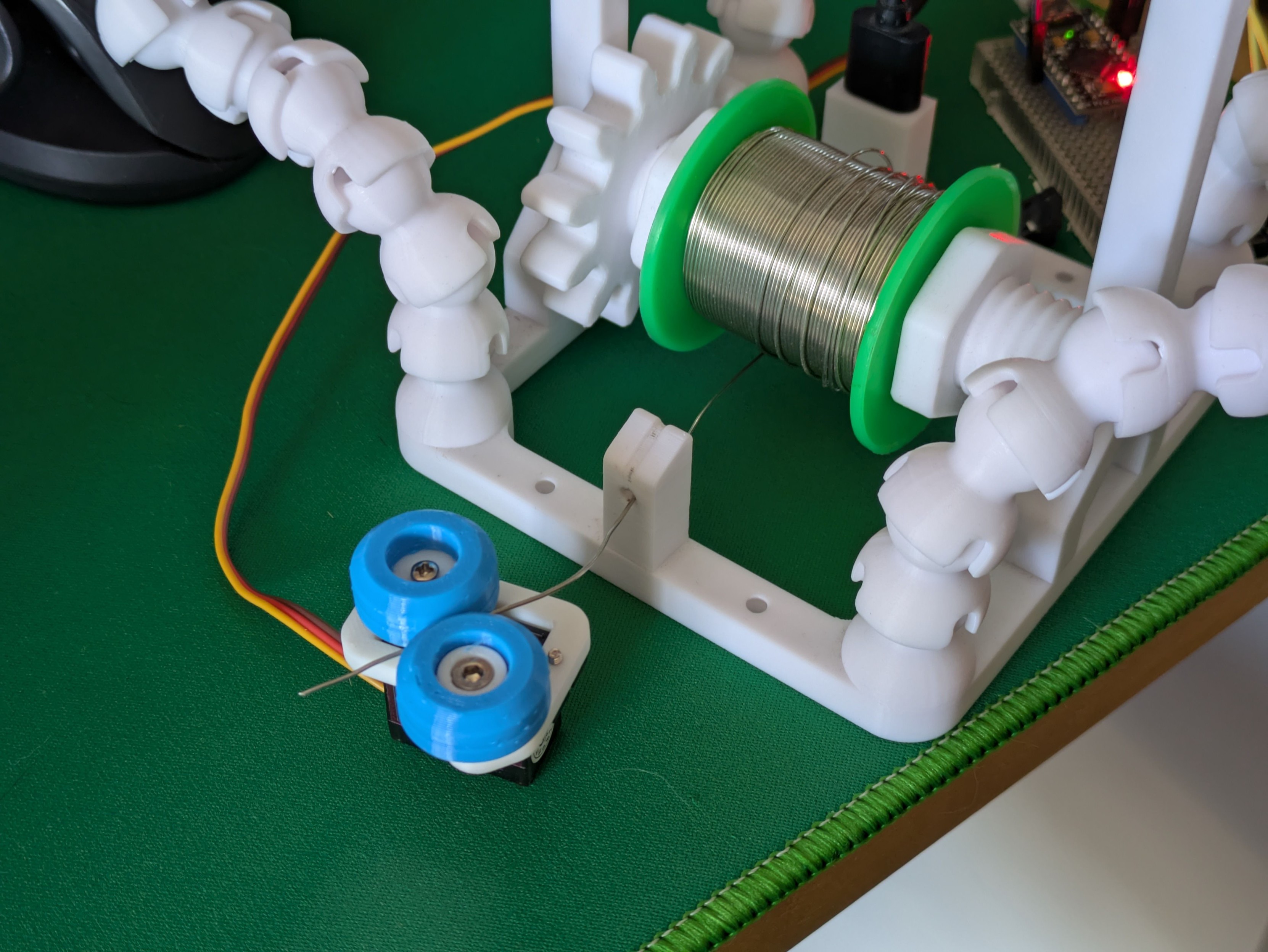
Proof of concept: A servo motor, a little platform with an opposing wheel, and two TPU tyres with a tiny groove down the middle will very capably grab a length of solder and push/pull it.
This is part 1 of the next addition to my soldering station: a pen that precisely pays out solder wire as it's needed.
I have some continuous rotation servos and some 1mm ID PTFE tubing in the mail. This should be a quick, fruitful project. #3DPrinting #Arduino #maker #SolderingStation
Alt...
A photo of mostly 3D printed parts on a desk. A small servo motor with two blue rubber wheels has gripped a length of soldering wire which has been dispensed from a larger roll of it.
...
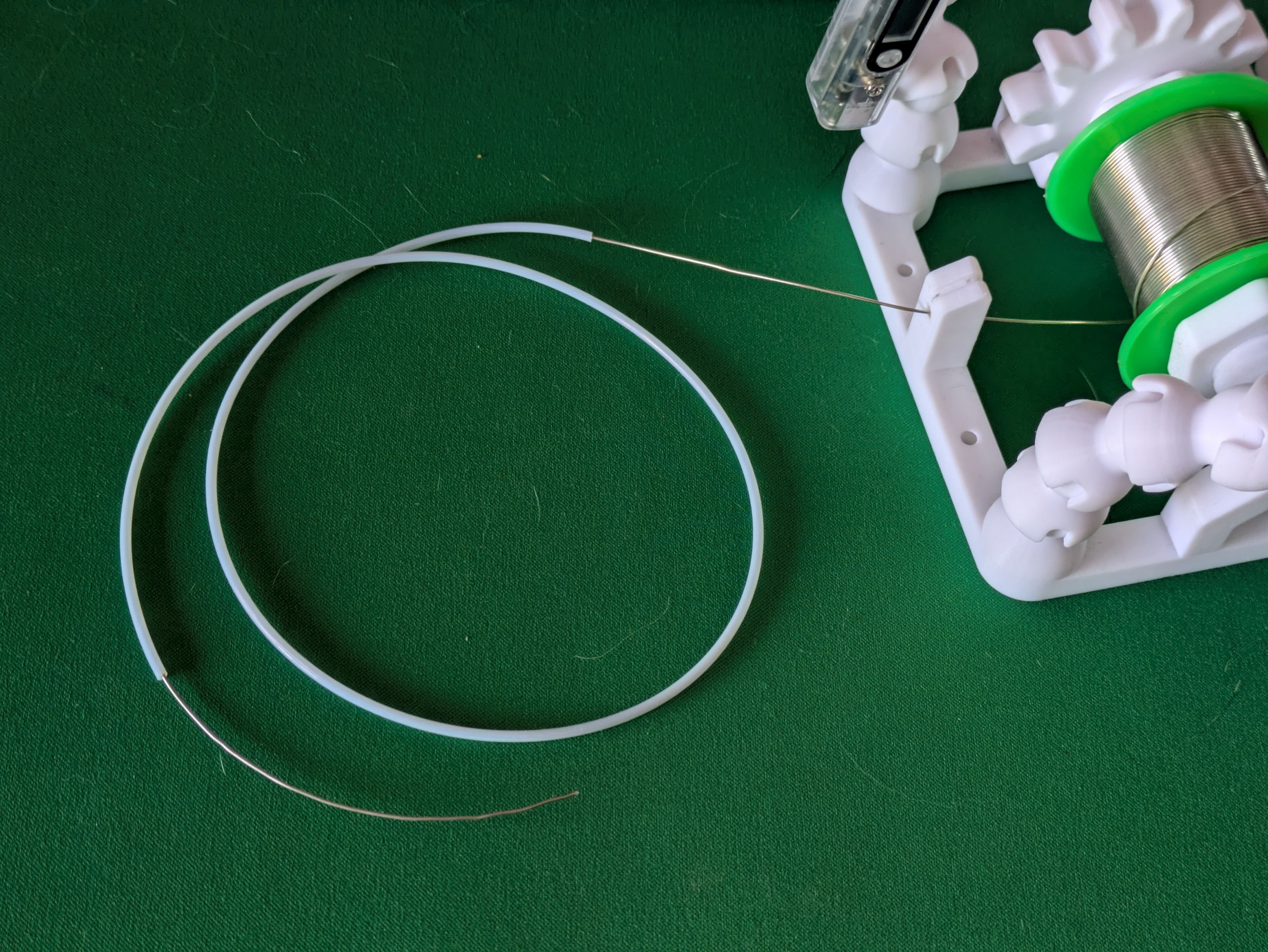
Using the same principle as a bowden tube on a 3D printer, I can easily push 0.8mm solder through a PTFE tube with an inner diameter of 1mm. This is super flexible and movable and should flawlessly transport solder from the reel to the solder pen at the other end of the tube.
Alt...
A photo of a thin solder wire that's been threaded through a thin white plastic tube.
...
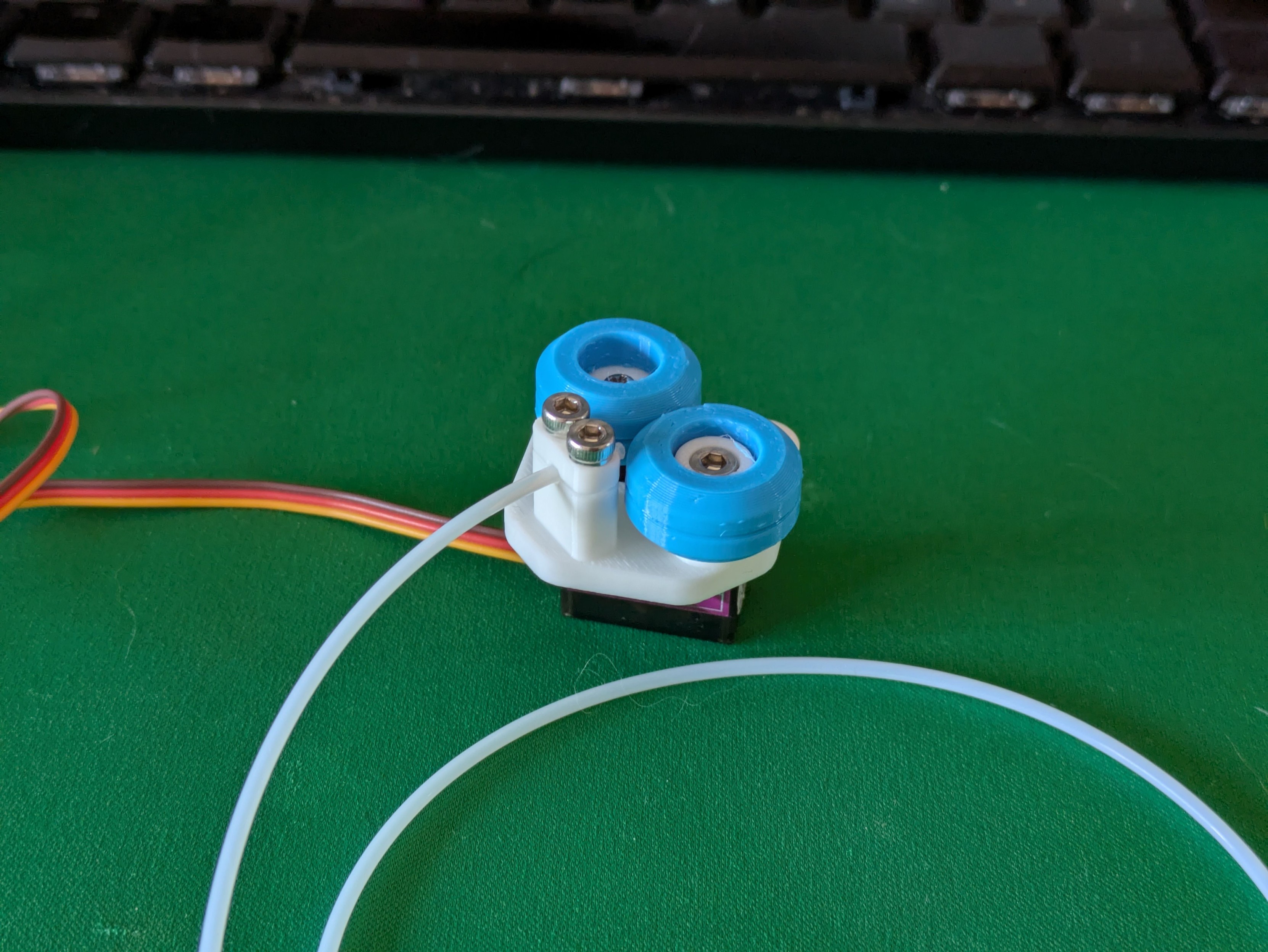
And a first go at lining up the tube with the rollers on the platform to help me think about the best way to do that bit. I won't go any further on this iteration since the continuous servos are actually due to arrive today and I expect them to have slightly different proportions so I will need to remake the whole platform soon anyway.
Alt...
A photo of a small 3D printed object attached to the top of an electronic servo motor. There's two blue horizontal wheels which are designed to feed a wire sideways into a thin tube.
...
Tiny robot makes a whining sound and smoothly extrudes a length of solder wire (and then falls over because it doesn't have enough weight to pull on the spool and just pulls itself over instead).
That I think is the proof-of-concept for the base done - there are tweaks to make and some more electronics to stuff inside but those are details.
Should I design a little cover to snap/screw on top of this or should the wheels stay visible like this?
...
Continuous rotation servo + a 608 size bearing and TPU wheels + PTFE tubing + fewer 3D printed parts than you'd think + actually securing this contraption to my soldering station = a computer-controlled power feed for solder wire, for those long electronics assembly sessions.
Even before starting on the second part (the actual pen with buttons you hold at the other end of the tube) this is a serious project milestone and I'm very happy with it. #maker #3DPrinting #SolderingStation
...
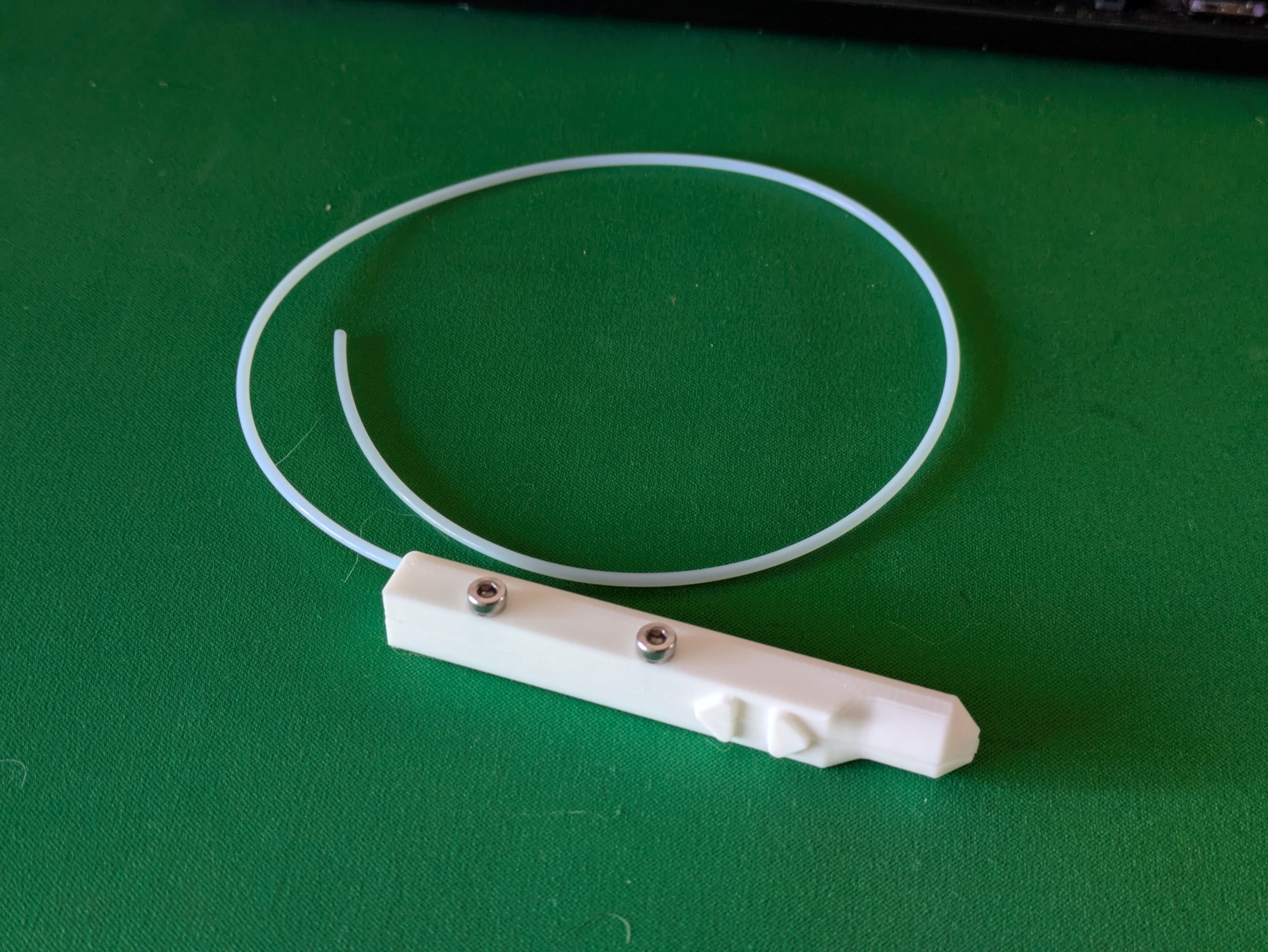
A first pass at the shape of the solder pen itself. A 1.25mm diameter pipe through the body of the pen allows for the PTFE tube to be threaded in easily.
A cutout for a very slim PCB with two tactile buttons and a 3-pin header will also run through most of the pen - currently the buttons are just solid to get a feel for it in the hand.
Alt...
A photo of a prototype 3D printed tool on a desk. It's roughly pen shaped with a long rectangular body, a rounded nose, and two arrow shaped buttons on one side. A long, thin plastic tube extends from the back.
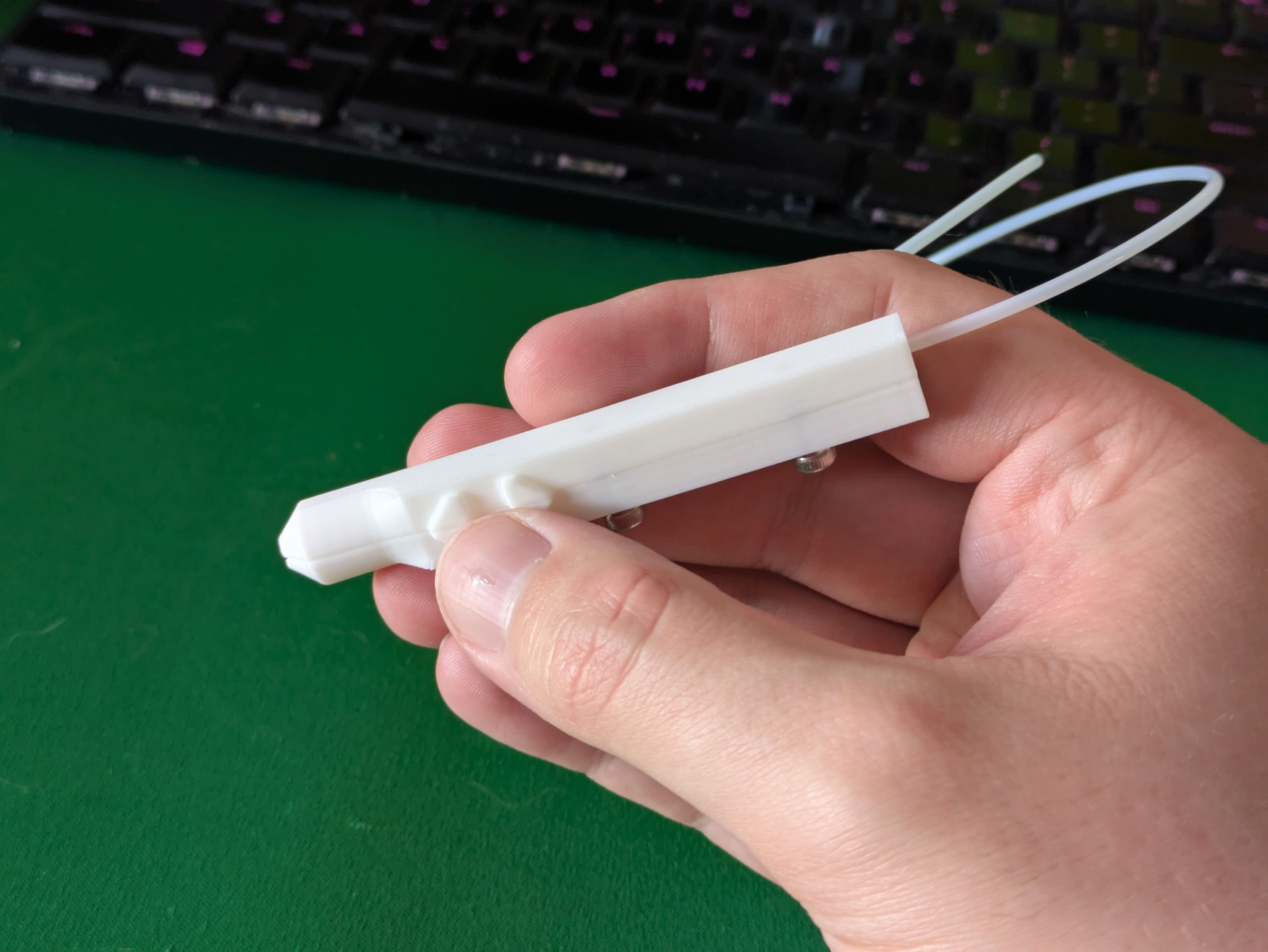
Alt...
A photo of the same prototype held in hand, showing the two buttons falling naturally under a thumb.
...
Behold: the prototype solder feeder pen, and the parts it's made up of. The grey bit is a facsimile of the circuit board I've designed to slot in here - it just routes two tactile buttons to a three pin socket (one to each button with a pullup resistor in the microcontroller, and a common ground).
The thinnest PCB that JLC will sell me without charging me more is 0.8mm, so there's a 1mm clearance in the print for it to slot in securely.
Time to order some electronics!
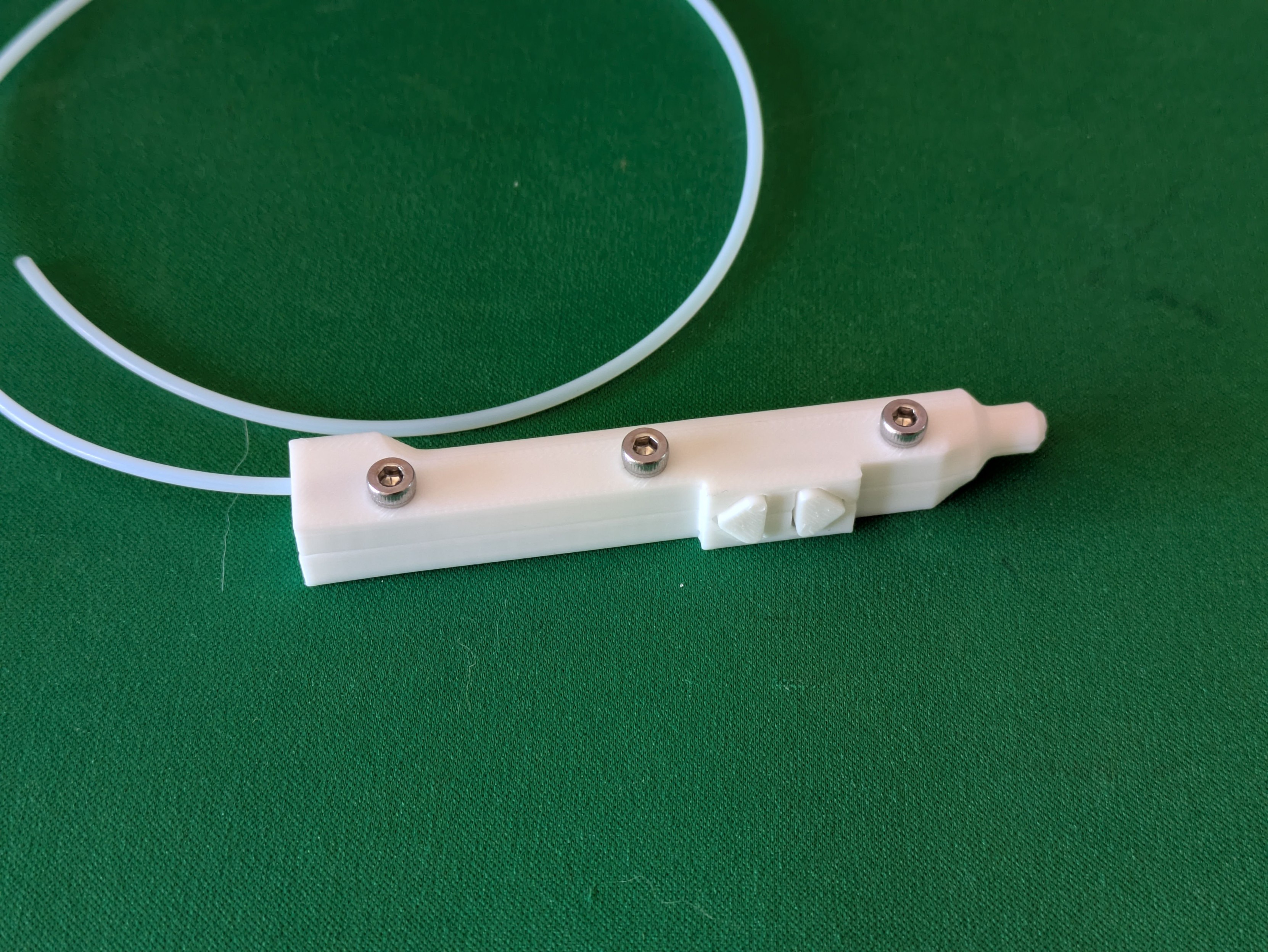
Alt...
A photo of a 3D printed tool. It's a stubby, boxy pen shape with a thin plastic tube running out the back and two arrow buttons on one side. It is held together with three short screws.
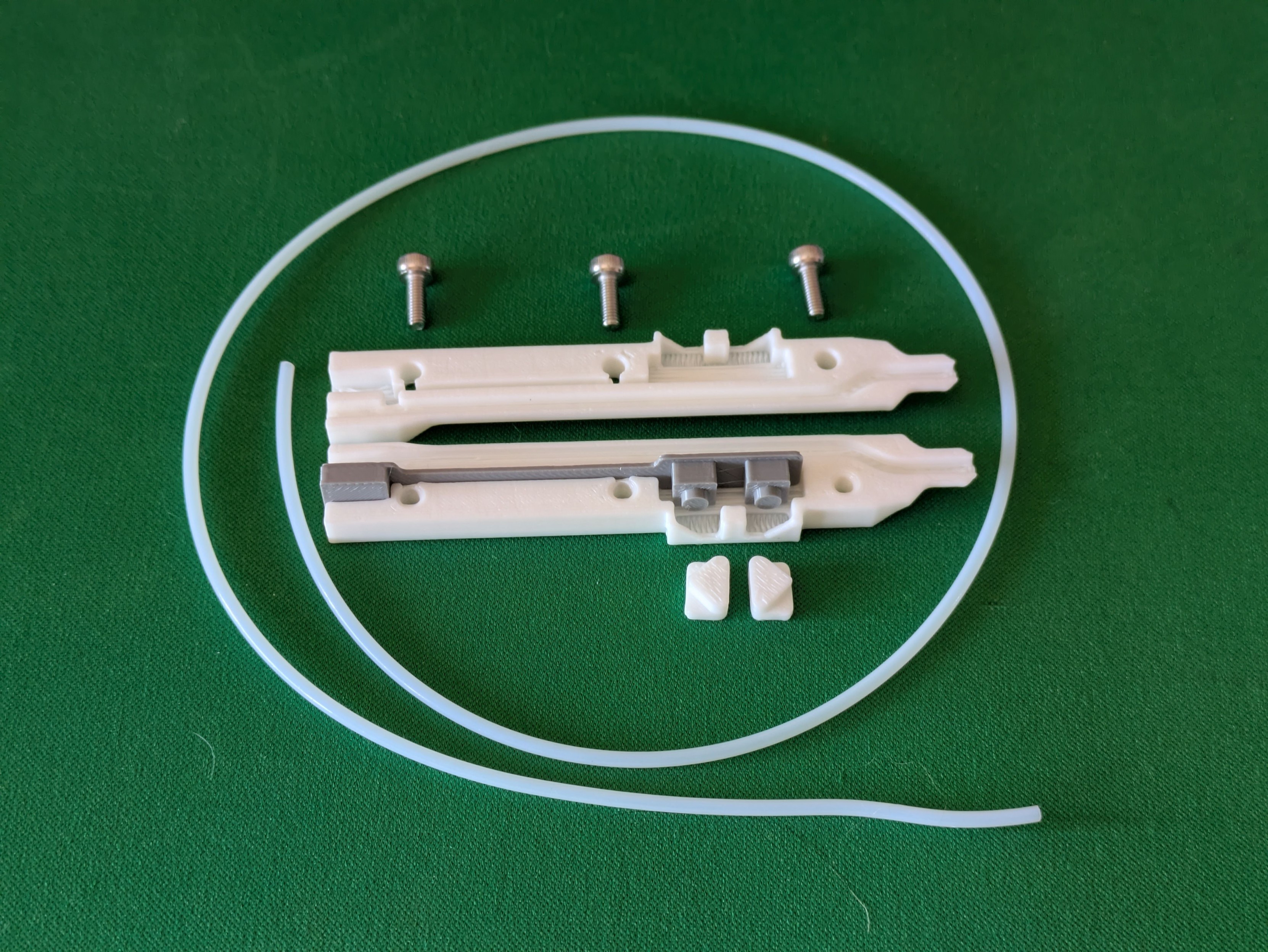
Alt...
A photo of the same part disassembled. It's made up of two halves, with two separate button pieces that slot in, and a printed simulation of a circuit board that will also slot into the inside of the part.
...
Printed another simulacra, this time of what I think the mainboard in my solder feeder will look like, and test-fitted it in an experimental base.
I need to squish a Pro Micro clone, two tactile buttons, a connector for the pen electronics and another one internally for the servo into one half of the base (the other half is mostly servo body) - I'm pretty happy with how this prototype slots and locks in.
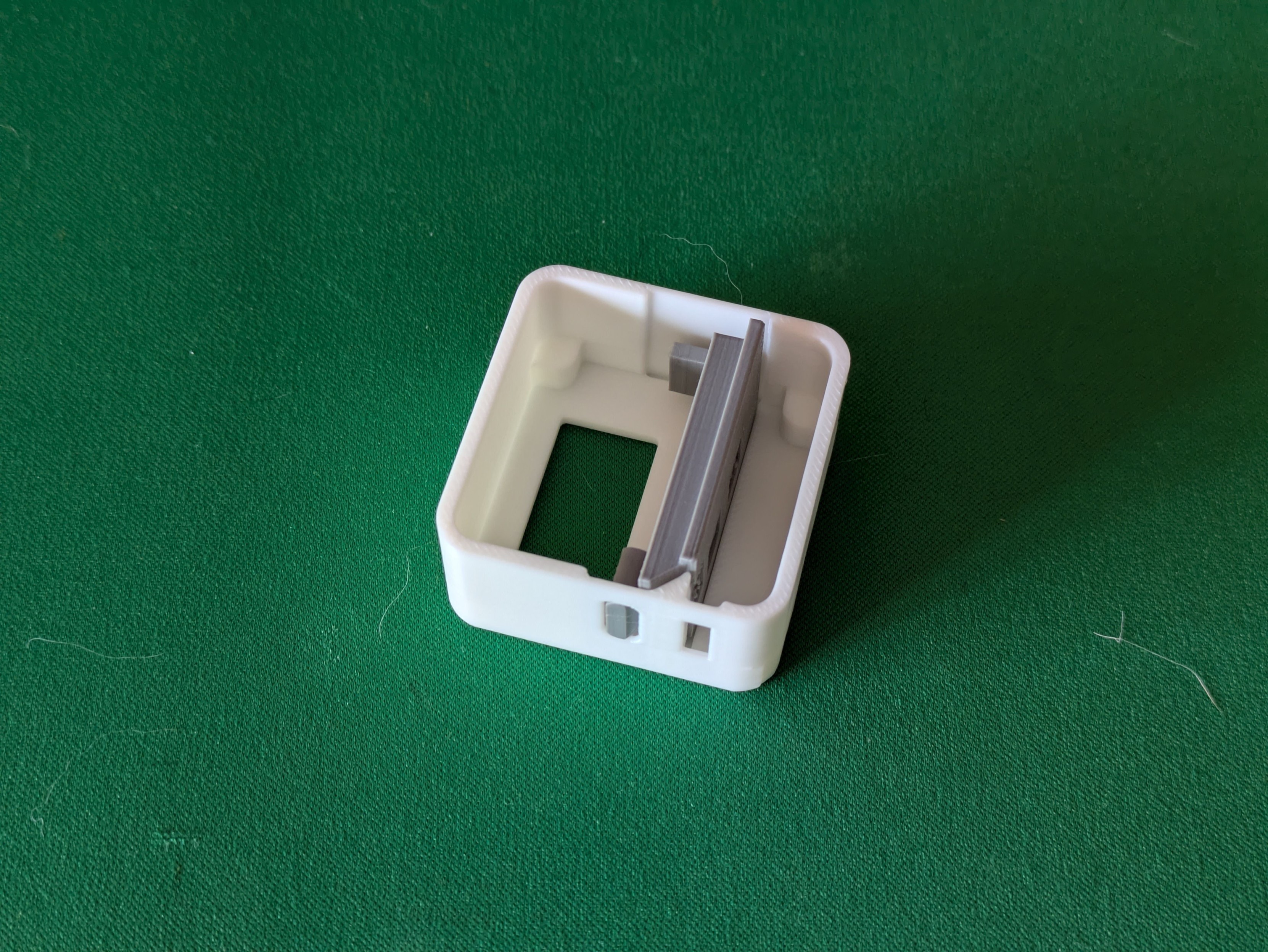
Alt...
A photo of a small, squareish 3D printed case for a project. Inside the case is another 3D print which roughly resembles some electronics soldered together. The purpose is to check the fit of the electronic part inside the case.
...
Have now designed and ordered the main PCB for my solder feeder. It's entirely unlabeled because my SVG outline didn't appear for some reason but that won't stop this prototype from happening.
This PCB layout looks chaotic as hell, but it'll make sense once stuff's been soldered to it - it's double-sided and has to situate stuff in precise places in a very small box.
For my own benefit in a couple of weeks: Pen buttons are pins 2/3, main buttons are pins 4/5, servo is on pin 6.
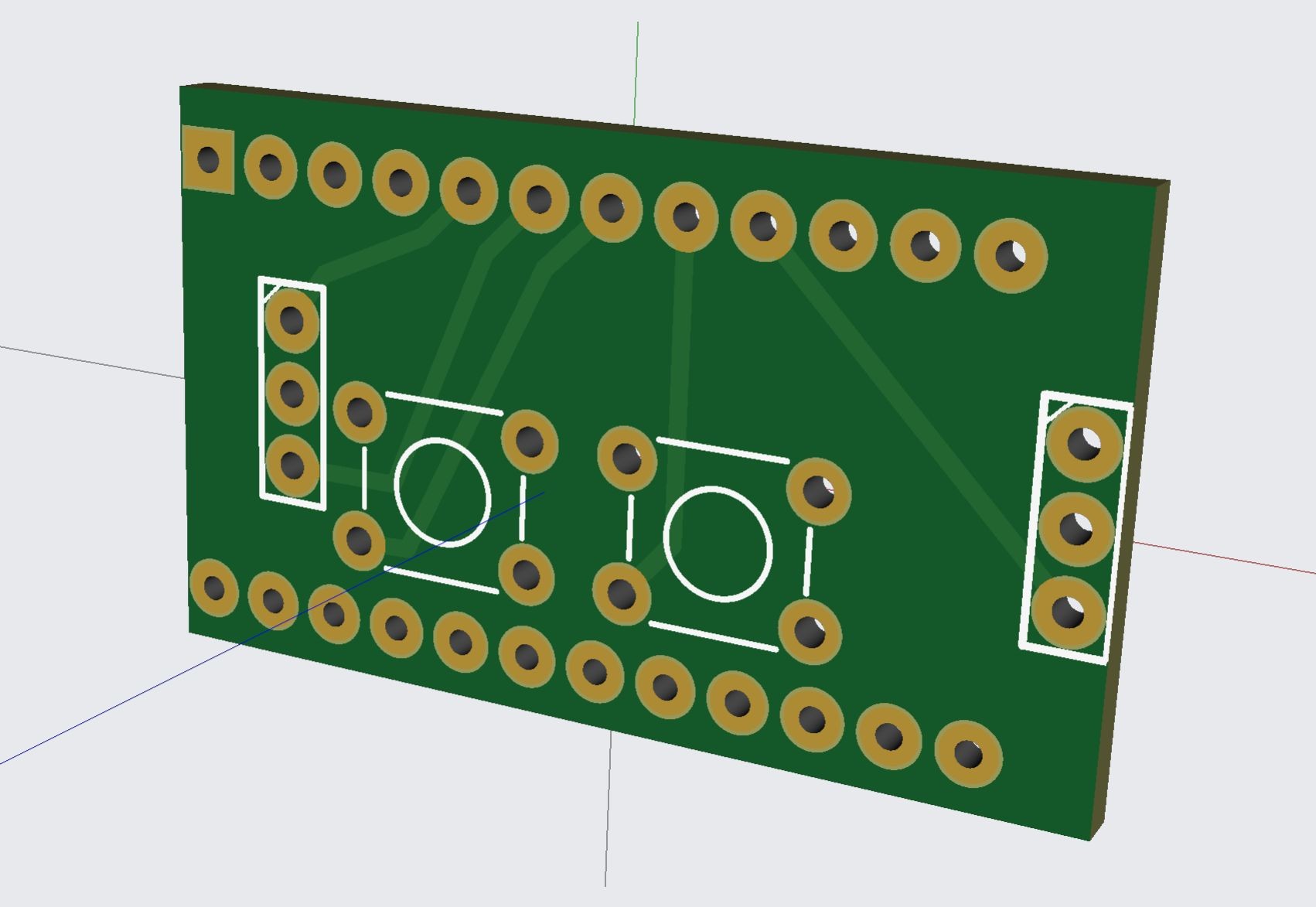
Alt...
A screenshot of a 3D model of a small circuit board. Lots of small holes are in rows but in strange unaligned places.
...
I appear to have ordered some PCBs exactly at Chinese new year. I absolutely cannot begrudge them that so I guess this project gets shelved for a while longer than planned.
...
Both sets of PCBs for this project are now in the mail. Might have to remember not to have any bright project ideas in February in future to avoid getting stymied by the Spring Festival.
...
Success! Very small PCBs have arrived.
The long ones are 0.8mm thick - I think I could snap one if I wanted, but it's not going to happen by accident.
Also there are five of each and I bought plenty of everything else, so if anyone else in Australia thinks they might like a solder feeder pen, sing out.
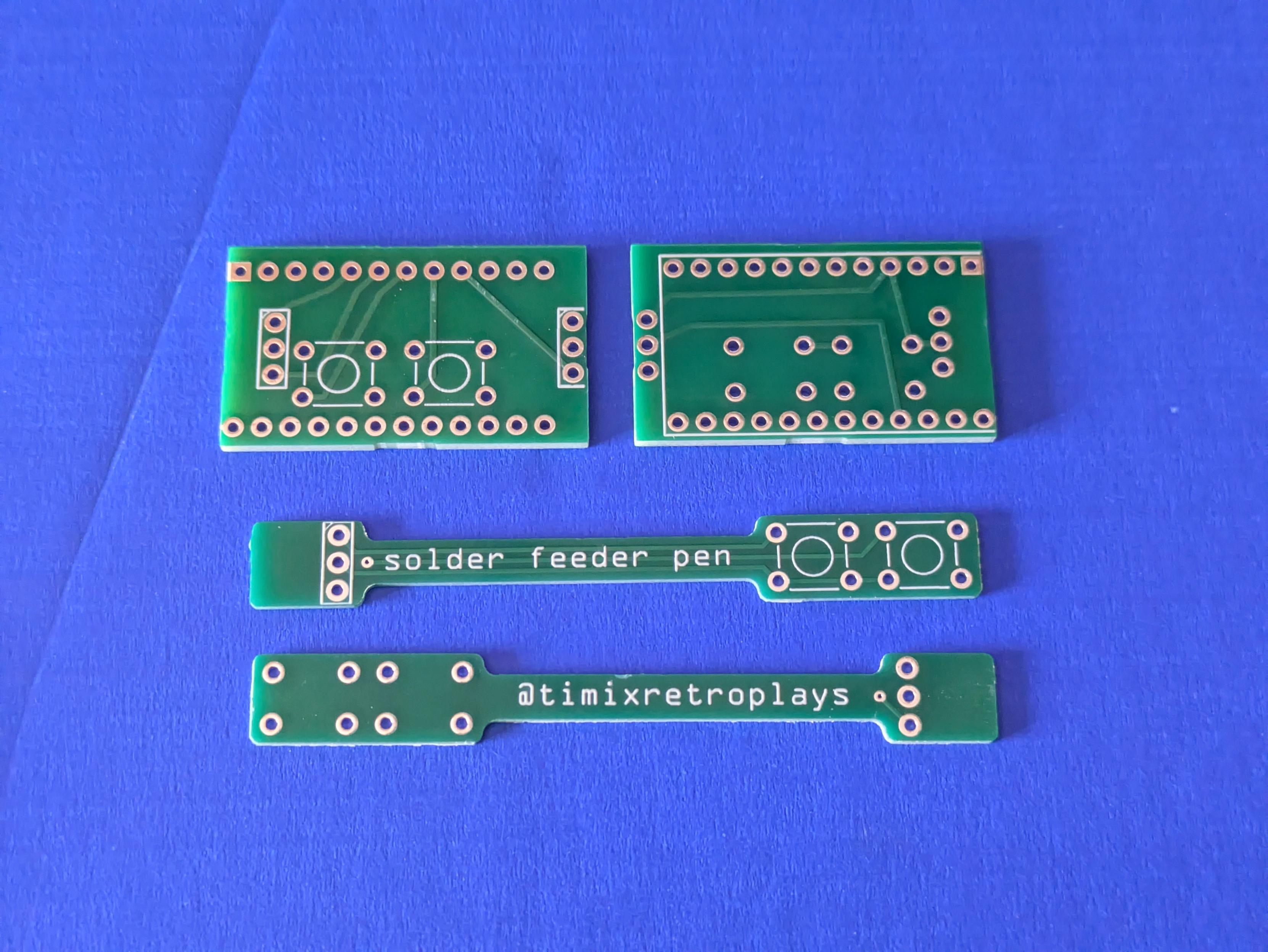
Alt...
A photo of some very small circuit boards on a desk. There are two different designs, a rectangular one and then a long skinny one. The long ones say "solder feeder pen" and "@timixretroplays".
...
That moment you realise, just as the solder is cooling down on the very last component, that you made a mistake weeks ago and put the pad for a component on the wrong side of the board and prototype #1 is garbage without rework
...
Not my best, not my worst - but for a V1.000 of something that is unreasonably crammed into as tiny a space as I could imagine, it's come together pretty well.
This is the mainboard for my solder feeder - the 3-pin socket near the Pro Micro's USB port is the connection out to the pen itself, the 3 pins at the back end go to the continuous rotation servo that actually moves stuff, and there are four buttons - the two on the main body will be for fast feeding, the two on the pen for slow.
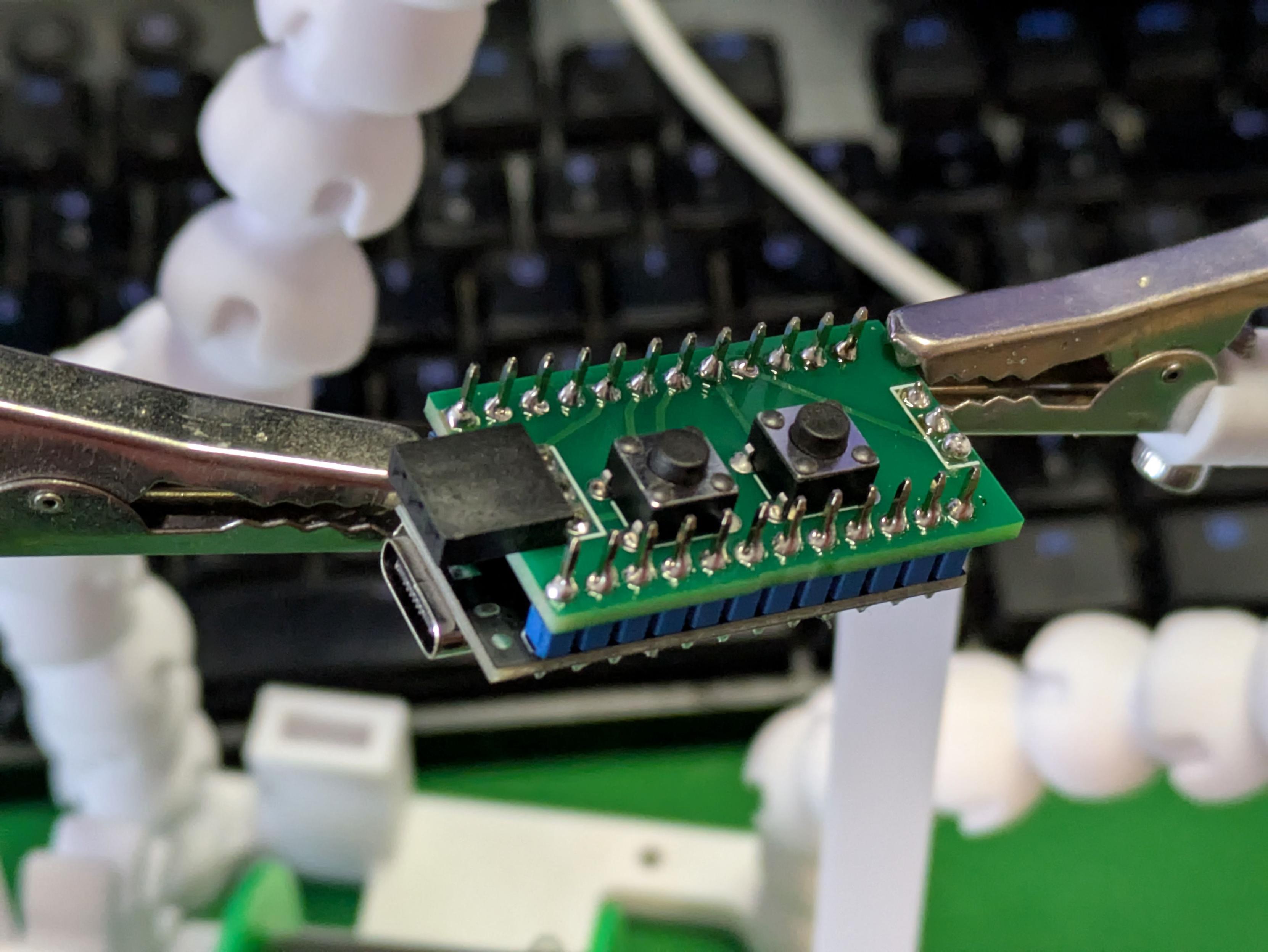
Alt...
A close-up photo of a small circuit board with some components soldered to it. There's a 3 pin connector at both ends, two buttons in the middle, and a microcontroller with a USB port is soldered to the opposite side.
...
Well, the electronics seem to work correctly - all four buttons can make the servo run back and forth - but now there is a new problem: the servo suddenly looks and sounds underpowered, moving much more slowly than it did when everything was on the breadboard.
No code changes, and the extra electronics are just input-pullup buttons. Not sure why it'd behave differently now. A new spare servo acts exactly the same, and it's the same whether powered from VCC or RAW.
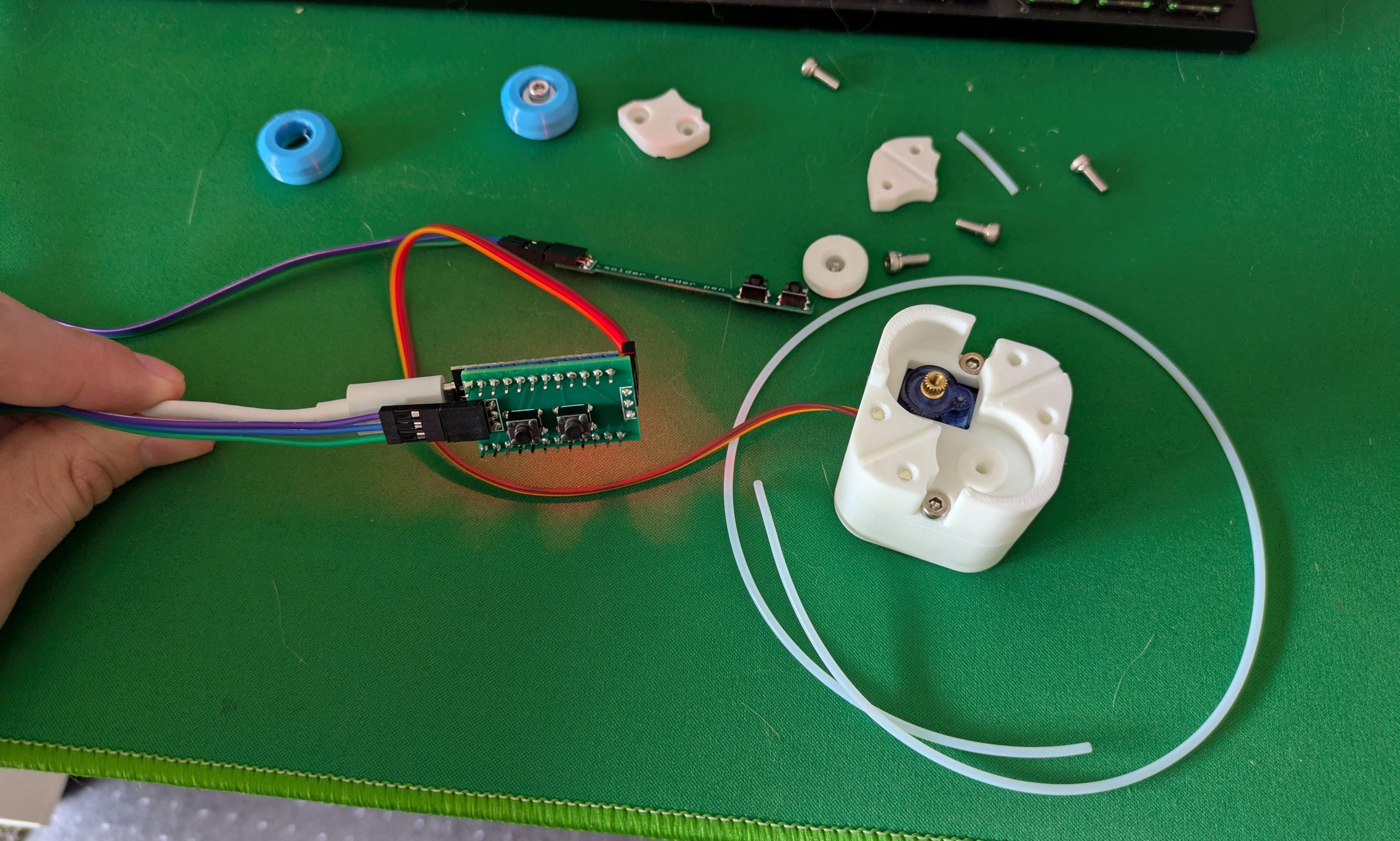
Alt...
A photo of some electronics and 3D printed parts on a desk. A hand is holding the USB cable for a microcontroller with an extra board and some push buttons on it, and a cable runs to a 3D printed mount for a servo motor.
...
Now witness the power of this fully armed and operational solder feeder!
The power issue I think came down to a crappy Pro Micro clone board - another successfully flashed once and then permanently died, so the one in this short clip is actually the third one I've tried. It also sometimes cuts out until it's power cycled - I think it's overloading a cheap 5V regulator, version 2 will be powered from RAW rather than VCC.
This Works. Time to finish the enclosure. #3DPrinting #Electronics
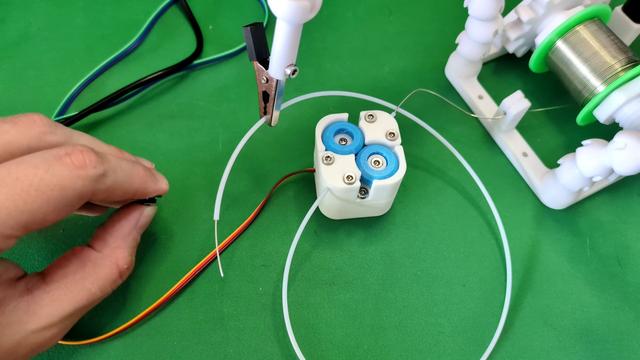
Alt...
A short video of an electronics project on a desk. A hand picks up a small control board and presses and holds a button; a mechanism spins and a thin solder wire slowly extends from a plastic pipe. The hand presses a second button, the mechanism spins in the opposite direction and the solder retracts out of view.
...
The code for this thing is dead simple - it reads from four buttons, then an if-then-else tree says what the servo does.
A regular servo gets commanded to positions expressed in degrees - 0 is fully one way, 90 centred, 180 fully the other. A continuous rotation servo like this one takes the same commands, but those values become relative speeds - so zero and 180 are full speed one way or the other, and 98 and 85 are the closest values I could get working for the slow feed option. #Arduino
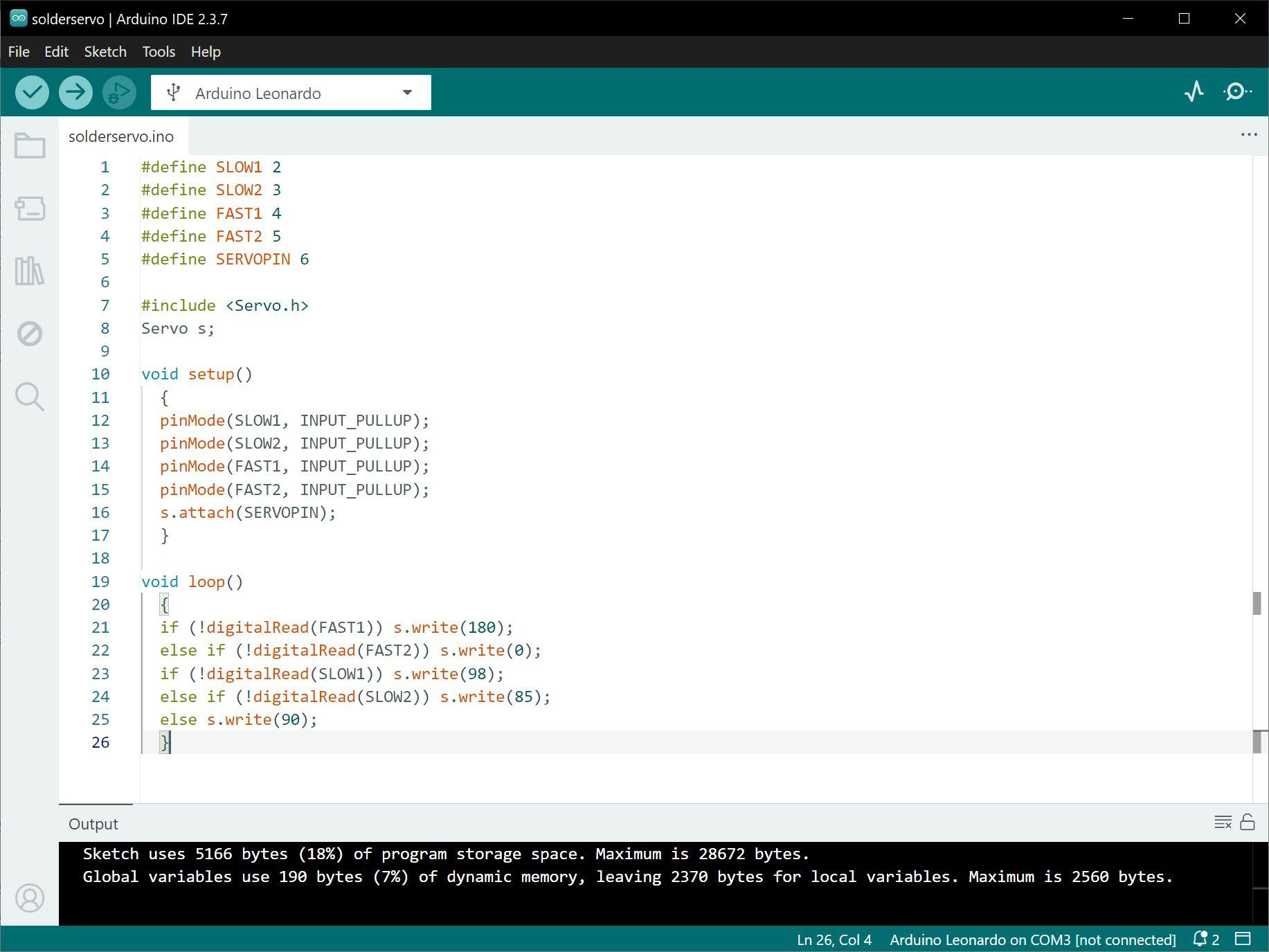
Alt...
A screenshot of some computer code for the solder feeder being developed in this thread. There are three main sections - one defining the pins for the four buttons and the servo, a second setting the button pins to input and setting up the servo library, and then a decision tree commanding the servo to different directions and speeds based on which button is being pushed.
tl;dr: charge your battery before bios update. keep connected to ac power, don't turn off, don't unplug the usb drive during bios update.
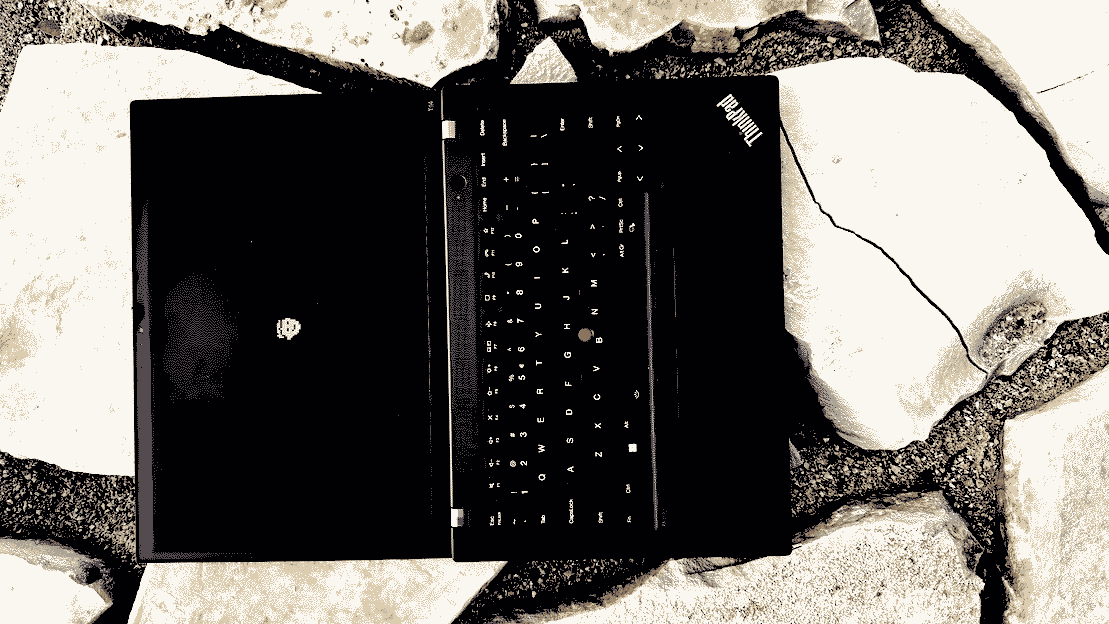
warning! this may brick your thinkpad:
https://romanzolotarev.com/tp/boot.sh
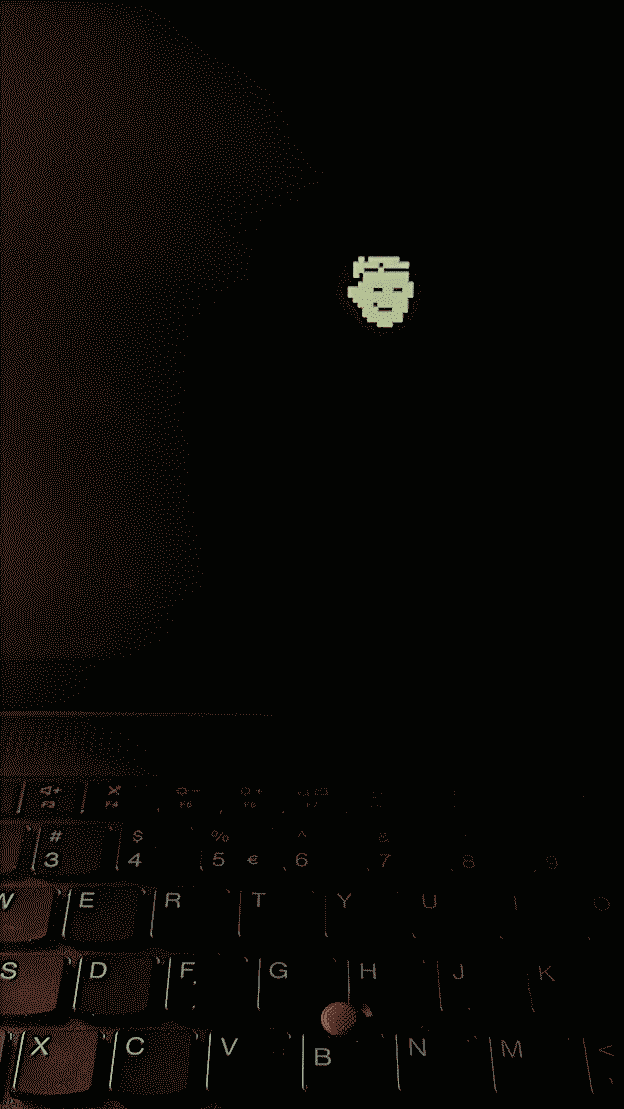
https://sites.google.com/a/bostic.com/keithbostic/the-berkeley-vi-editor-home-page
snac stats [SENSITIVE CONTENT]
snac version: 2.91-devdisk: 90 mb, 24170 files
ram snac: 16 mb
ram total: 162 mb
following: 176
relays: 0
openbsd version: 7.8-stable
core dumps since last update: 0
![[?]](https://files.mastodon.online/accounts/avatars/109/300/712/501/360/170/original/87f83532bca1801b.jpg)
Do we need yet another person crashing out about Apple’s design decisions? Am I doing it only because it’s fashionable to be on Apple Design Hate Train these days? I’ll be honest: I don’t know. But I have been bothered by Apple’s approach to some of its keyboard design for a while.
Even if you don’t care about any of this, it might be a fun visual history of the most tricky of modern modifier keys: the [Fn] key. Hope you like it!
ssh -C is quite much faster... (time in seconds, smaller is better)2.006 ssh -C s1 find /
2.672 ssh s1 find /
gsettings set org.gnome.desktop.interface cursor-size 24doesn't help :(
4.32 vimb
7.36 qutebrowser
7.96 firefox
9.76 iridium
9.78 ungoogled-chromium
notes: when i re-run the tests scores are changing (just slightly); at some point openbsd frozen during vimb test (just once, couldn't reproduce, worked well after reboot)
o_O
i'm trying to switch from #neovim to vi, but feel sad missing some awesome plugins... :(
and most of all the best file manager for vim ever
...
Older...
![[?]](https://media.bsd.cafe/bsdmmedia01/accounts/avatars/113/407/688/140/177/903/original/de6c43fbc2be3c55.jpg)
I find that a lot of things people try to wedge into vim have perfectly cromulent alternatives outside vim. If you want a file-manager, there's mc, nnn, ranger, and likely a dozen others…that said, most of the time I just use the classic Unix commands like mv/cp/cd/ls/etc to manipulate files.
I find it's more a mindset thing (vi/vim is for editing, let other tools do other specialized tasks rather than wedge them into vim) than anything else.
![[?]](https://assets.merveilles.town/accounts/avatars/000/000/005/original/edce181033892827.jpg)
/dev/mouse...i prefer using computers via command line and text files (sed, cut, grep, vi). i like typing and i avoid pointing devices or touch screens for two reasons:
(1) moving my fingers away from home row feels like too much work (can be addressed by svalboard or some other ergonomic devices).
(2) i can easily automate what i type and it's much harder to automate graphical interfaces.
of course for drawing or 3d modeling i use a mouse and on my phone i use touch screen, but if i can produce svg or png file by editing a text file i do just that...
![[?]](https://comam.es/snac/susie.png)
spent most time changing settings in bios, configuring new hardware and new software.
once configured my shell script deploys everything in a few minutes.
![[?]](https://mammothcirc.us/fileserver/01PESQ1H7D21CE2G9PZ6H0ASP5/attachment/original/01EYK16D0ZZYS9C2FKVYB488PD.png)
![[?]](https://yeg.bike/system/accounts/avatars/110/517/023/545/945/527/original/e0f58cd88058987d.jpeg)
Ok so. Been using #RSS readers for a long time. Mostly #Thunderbird and some #FOSS Android apps.
Annoying to me has always been that the two don't talk to each other, and some QoL features missing. So now I am exploring #NewsBlur and #InoReader after reading that Pluralistic article. So far so good.
WHICH IS YOUR RSS READER OF CHOICE? Must work on Android & sync to an interface I can access through a browser.
Update, thank you all for the slew of responses and suggestions!! 🙏🏼
| NewsBlur: | 0 |
| InoReader: | 1 |
| a different one! I'll comment: | 2 |
Closed
windows and linux.iirc switching to
linux s3 didn't help.i disabled something else and it helped.
i disabled everything i could :)
will reset bios to default settings and change it one by one to see what it is.
I took some old pixel fonts, turned them into vector fonts, but normalized their cap height… so the original pixel size is now serving as this new strange property – kind of like “pixel resolution.”
It’s kind of interesting to play with! I made a little playground and you can also download all the fonts I made there: https://aresluna.org/pixel-fonts/
this time around i feel like i'm ready. don't have a mouse nowadays
ᘛ⁐̤ᕐᐷ
network also comes back on by itself after hibernation and after resume.
everything what i need is tested and working.
(haven't tested: fingerprint sensor)
(work in progress: microphone)
\o/
...
Older...
- camera(ok)
- audio(ok) --- can play youtube
- microphone(not ok) --- aucat -o file.wav records no sound, can't figure out yet...
sysctl kern.audio.record=1then
rcctl start sndiod
# cat > /dev/audio0 < /dev/zero &all inputs and outputs are not muted...
[1] 9926
# audioctl play.{bytes,errors}
play.bytes=3312000
play.errors=0
# audioctl play.{bytes,errors}
play.bytes=7065600
play.errors=0
# audioctl play.{bytes,errors}
play.bytes=9379200
play.errors=0
# kill %1
# fg %1
cat > /dev/audio0 < /dev/zero
Terminated
(if you are ok with some fan noise)
one day i'm going to try x13s (iirc it's fanless)