![[?]](https://romanzolotarev.com/logo.png)
gave all permissions to android auto and play services. disabled vpn. forgot all bluetooth wifi connections. nothing helps...
...
![[?]](https://media.infosec.exchange/infosec.exchange/accounts/avatars/109/254/757/762/300/038/original/949f8efc67c07e7c.png)
@hi Welcome! I can tell.you that it works, but on a fresh install it took some fidgeting. It's been a while, but here are a few things I remember.
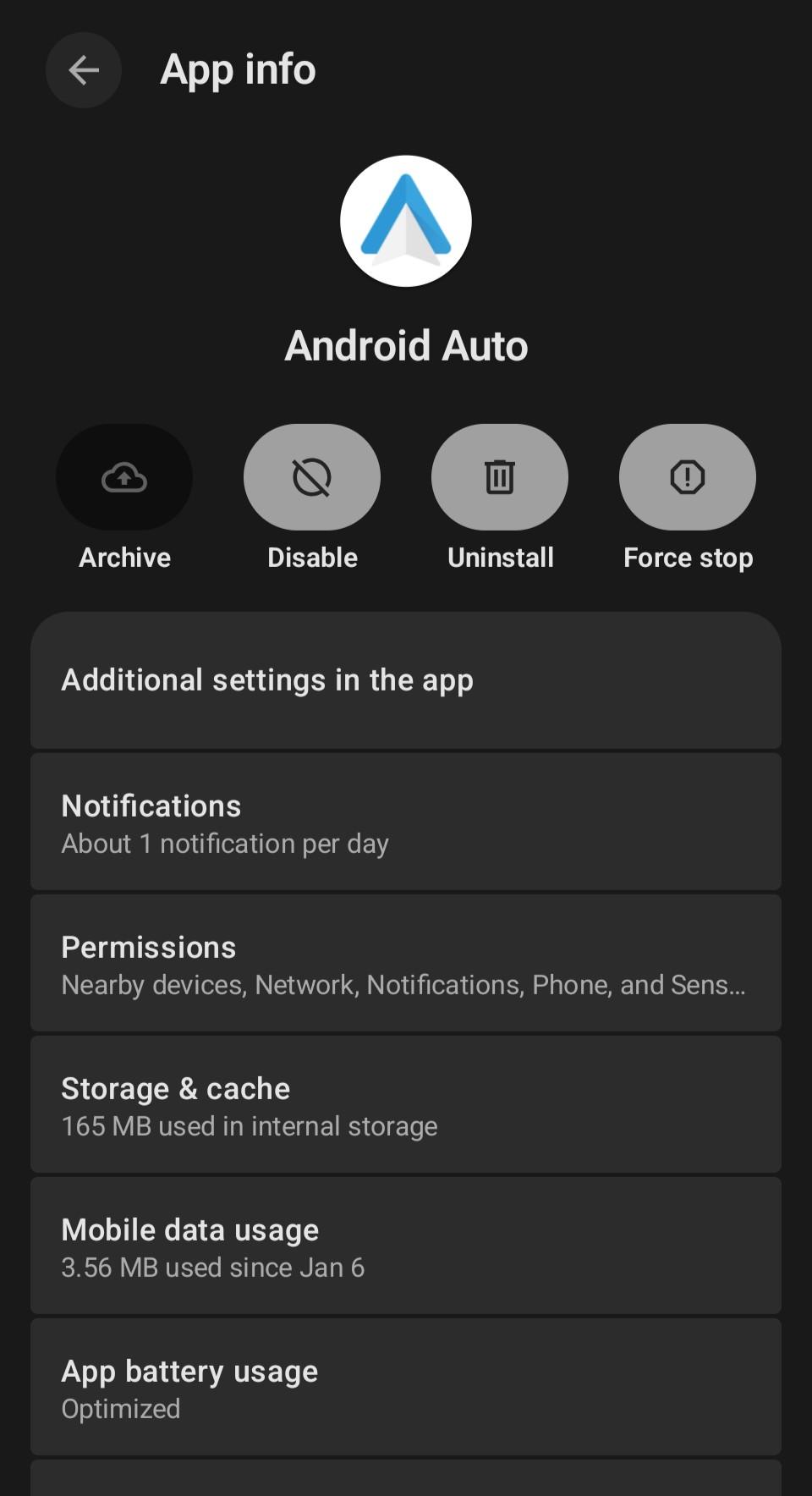
You can get to AA-specific configuration by opening the Settings app, going to "Apps", finding Android Auto, and clicking "Additional Settings in the App" (see screenshot)
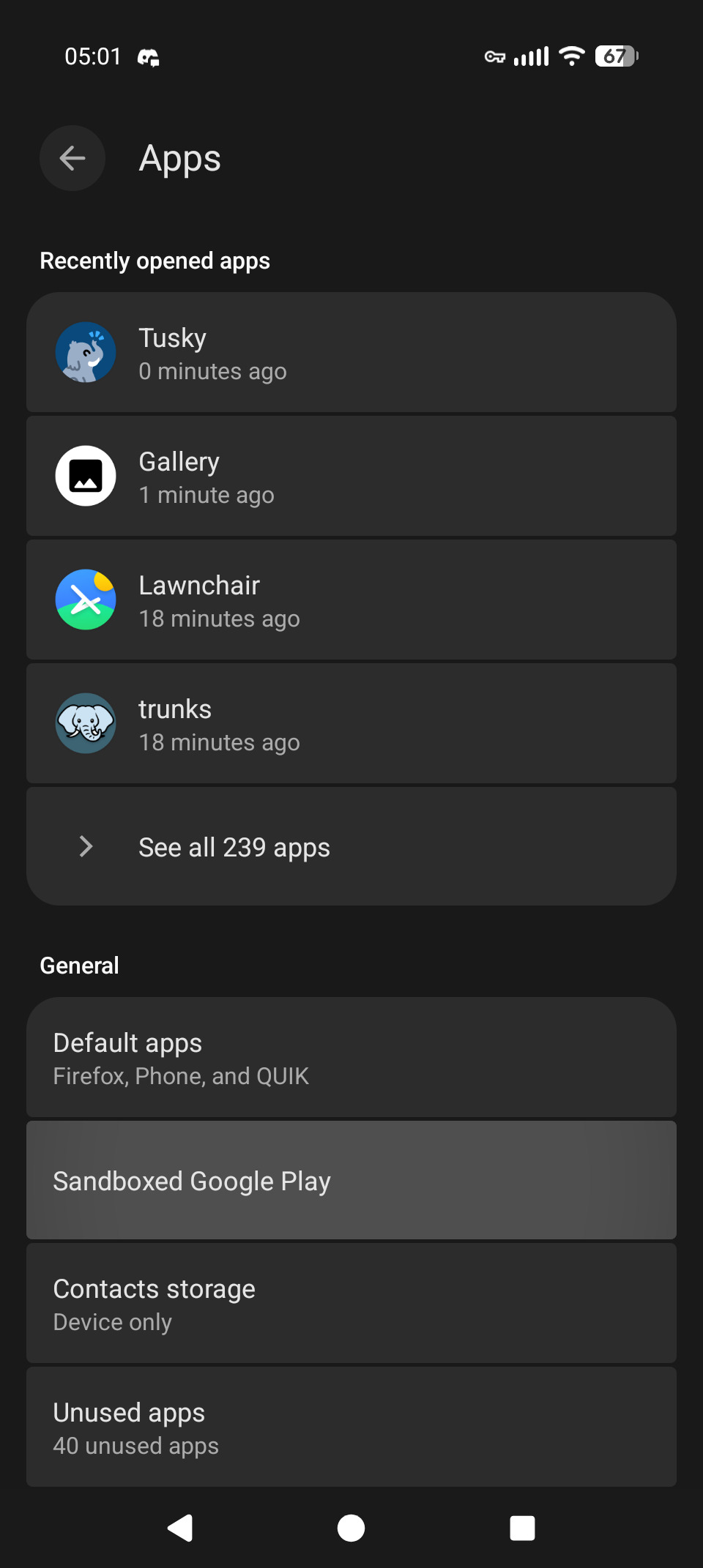
Back in the Settings, go to "Apps", then "Sandboxed Google Play" and "Android Auto". Depending on how you're connecting, you might need to grant Google Play more access.
Generally, AA is more reliable using a USB than using Wif and BT. Some cars don't support wireless AA (including a handful of new ones).
If you're running an active VPN, AA gets very angry. Usually it'll give a big red popup, but I suggest disconnecting from the VPN before pairing/plugging to the car. (I use a #Tasker automation to do this automatically.)
Hope that helps!
Alt...
Android Settings screenshot for the "Android Auto" app. At the top of the menu, above "Permissions" is a unique option titled "Additional settings in the app"
Alt...
Android screenshot of Settings > Apps menu. Toward the bottom is a unique option: "Sandboxed Google Play"
...
...
@hi No worries, I get it.
The good news is that it's continually improving. I probably tried and gave up on GrapheneOS twice, but it was better each time. Now, I wouldn't go back, but I also don't recommend it to most folks.
![[?]](https://s3.flak.is/flaki.social/accounts/avatars/109/302/365/819/314/213/original/d50ee388fab463fb.jpg)
@hi I've given up on it on my Pixel 5 running Calyx OS. You basically have to give so many permissions and install apps and services to a point where it "re-googlifies" your phone, so I gave up on it entirely.
(I have a secondary iPhone if I *really* need to use Carplay/Android auto but I honestly rarely needed it)