Search results for tag #netbsd
![[?]](https://hj.9fs.net/p/s/avatar-dea0df353fcc369128b6bd7ae161bec5.jpg) p » 🌐
p » 🌐
@p@hj.9fs.net
They made the computer speak to divide us! It's time to love each other again!
hj.9fs.net is presenting: THE NEW UNIVERSAL LOVE/HATE AI LOGO! It doesn't matter what side you're on!!!
❤️
#unix_surrealism #neverslop #claude #programming #linux #runbsd #openbsd #netbsd #chatgpt

Alt...
I FREE AI FREE AI FREE AI FREE AI FREE A
![[?]](https://drive.nya.social/files12/webpublic-a2647278-0bb5-442b-9b98-743a825b8510.png)
i can help!
the long and short of it is that you need a boot image built with the LEGACY kernel instead of the GENERIC config. which i can point you to on demand
![[?]](https://media.hachyderm.io/accounts/avatars/112/675/591/398/918/893/original/3f530b45903d3837.jpg)
#Tech #Mastodon I have a question, does #NetBSD have binary forward compatibility (or whatever that would be called)?
Like, if I build something using a shared libc and generally using dlopen() or other careful methods for external libraries, will that binary typicall continue to work on future releases of NetBSD as-is?
I've heard FreeBSD tends to have that, OpenBSD apparently less so...
Asking since I'm tempted to try #NetBSD due to the general #Linux #ensloppification situation  stop the #slop etc. by putting my money where my mouth is, at least if this turns out to be feasible...
![[?]](https://cdn.masto.host/mastodongamedevplace/accounts/avatars/109/468/716/907/475/199/original/a972069d81771dea.jpeg)
Okay, you switch to #netbsd … but what about Python, Rust, Ruby, Godot, VS Codium, most other software one uses???
![[?]](https://media.mstdn.social/accounts/avatars/109/696/860/885/494/817/original/835eb175bbf72dc8.png)
Contributing code to the BSDs.
OpenBSD uses CVS. Like git but from yestercentury. You type out diffs by hand & when they hear the noise of your typewriter they send someone around to check. It better be good this time.
With NetBSD it’s the same but different. You have to join a telephone tree first, but not on a Thursday because Martha leaves early to pick up the kids then.
Oh, & C only. But K&R C, not that modern Borland stuff.
![[?]](https://media.mastodon.sunny.garden/accounts/avatars/110/657/712/351/170/121/original/7f0c7a7bf1eddc2e.png)
got my distraction-free netbsd laptop set up nicely. posting this from the terminal using toot #netbsd

Alt...
screenshot of netbsd running on my laptop, spectrwm window manager
![[?]](https://media.meemu.org/accounts/avatars/112/695/325/384/048/933/original/53df8135055fa40e.gif)
 FAG WOLF SIPH
Are there any blog posts or anything that gives you a guide/recommendations on how to set up a daily-driver desktop environment on #NetBSD?
Sure I could just install it and go pkgin install xfce4 and just stumble around and figure out something that works for me, it’s very much within my abilities (I've done it before), but if somebody has done that legwork I’ll happily take it, especially if it can help me avoid getting into pitfalls and bad habits and practices without knowing and having people ask "what the fuck are you even doing" when I need to ask for help for something
boosts wecome 
![[?]](https://media.bsd.cafe/bsdmmedia01/accounts/avatars/110/740/169/477/916/693/original/dfa8f1b9beefa405.png)
Many of you are starting to explore NetBSD, and it's a great idea.
Why don't you also consider to use it for your online presence?
Make Your Own Internet Presence with NetBSD and a 1 euro VPS - Part 1: Your Blog
![[?]](https://cannot.understand.computer/kunev/s/avatar-65999931a6a066390559fd4274303df5.png)

#netbsd #analognowhere #unix_surrealism

NetBSD 11.0 runs about equally as well on my Sega Dreamcast or a 30 year old Pentium II PC as it does on any modern computer that i have. this goes both ways.
to know whether your modern gaming pc will be able to do something, you should first ask yourself: "could i do this on a Sega Dreamcast or a 30 year old Pentium II PC?". if the answer is yes, you will probably succeed! if the answer is no, it still might be possible, but here be daemons.
for example:
- can i ssh into it and edit files and compile little programs?
yes! absolutely! definitely.
- can i run a webserver?
indeed you can.
- can i install Steam?
hahahahaha no.
- can i run X11?
yep! may need to do some tweaking depending on your hardware though.
- can i run KDE plasma?
outlook not so good.
![[?]](https://cdn2.miau.pub/accounts/avatars/111/077/294/997/712/881/original/e466d91ac7b69254.png)
![[?]](https://cdn.masto.host/helvedenet/accounts/avatars/109/188/961/346/919/471/original/9137ab5154ef10ab.png)
![[?]](https://triptico.com/social/angel/s/4489c37d896224fc004b7759f2960515.jpg)

![[?]](https://mastodon.clitheroe.ca/system/accounts/avatars/114/441/807/466/803/214/original/94ade8d5ba444135.jpg)
NetBSD sea trials day 1 - learned how to install NetBSD to a RAID-1 raidframe array following this guide: https://wiki.netbsd.org/tutorials/how_to_install_netbsd_on_raid1_using_raidframe/
Setting up the partitions themselves can be done in the extended partitioning menu in sysinst, but I _think_ you would still need to mark the partitions active, and also run installboot from that guide manually, so it's just as easy to do it all at the command line ahead of time - that cost me a few attempts before the guide.
Regardless, it works :)
NetBSD sea trials day 2 - currently doing work to free up my secondary machine for a bare metal NetBSD install now that a root-on-RAID config is understood (and documented in my wiki). This mostly consists of migrating a couple VMs back over to my primary machine, writing out a NetBSD USB stick image, and I ordered a cheap KVM as a quality of life item (the second machine ran headless)
Also tried running sysupgrade in the NetBSD sea trial VM
While I'm waiting for stuff to shuffle around and also get another backup cycle in, I'm reading up on the overlap and interaction between pkgin (binary package manager) and using pkgsrc to build and install software in the pkgsrc tree.
I'm leaning towards using pkgsrc as primary, because ultimately, I'd like to actively support NetBSD packages in the amateur radio space - there's no linbpq, nor xastir package, and those are things I could try and contribute as an example.
re: pkgsrc, the idea of building everything is appealing, but also maybe daunting; I wonder how long building firefox would take.
This machine will have a 1 TB root disk, so I should have plenty of space for pkgsrc to do its thing, and I'm in no rush, so we'll see!
![[?]](https://retro-pizza.s3.de.io.cloud.ovh.net/accounts/avatars/114/373/336/434/504/367/original/2c6e9b33eaf6a08b.png)
So… where's that #Linux kernel fork?
Or maybe better yet, how's Linux emulation on #NetBSD? Can I run #Steam on it yet? What's the gaming situation over there?
What's the gaming situation on #HaikuOS, for that matter? Does the Steam version of Terraria run?
@nixCraft https://mastodon.social/@nixCraft/117451805824031590
Edit: Fixed a typo. "Linux emulsion" is what you use to keep your kernel and your userland from separating…
![[?]](https://media.tech.lgbt/accounts/avatars/116/115/244/974/045/364/original/387986d9db12f4d4.png)
![[?]](https://f2.tchncs.de/accounts/avatars/000/216/707/original/59002558c4a752fe.jpg)
#netbsd #netbsd11
...use support for...
How can I setup a graphical login with xfce4?
I have setup:
rc.conf with xdm&dbus
.xsession & .xinitrc
Without .xsession I can login at the prompt, type startxfce4 ... ok but not my goal...
When I initiate .xsession with xdm I can login but the login process redirect direktly to idm login again...and agian...and again...
Any idea?
![[?]](https://media.tech.lgbt/accounts/avatars/109/093/165/028/047/640/original/7463f84b80dc117a.jpg)
#netbsd adventure continues: orca installed from pkgsrc now builds correctly, and doesn't crash on start (probably should report to the package maintainer), but still can't find the Gst plugin. Thinking...
It is regrettable, but Orca shipped with binary packages does not work out of the box. First, the /usr/pkg/bin/orca has a bogus shebang that points to the wrong Python. Second, it tries to find autoaudiosink GStreamer plugin, and can't, it was not installed by dependencies. I think I might have good chances at making it work by building it from #netbsd pkgsrc, though.
This really sucks, though, because blind users can't even just type in some commands in, keep their fingers crossed that things will be installed okay, and then run their OS; they'd have to be in a position to fix things. :( It's not an un-fixable situation, it's just something that needs to be worked on.
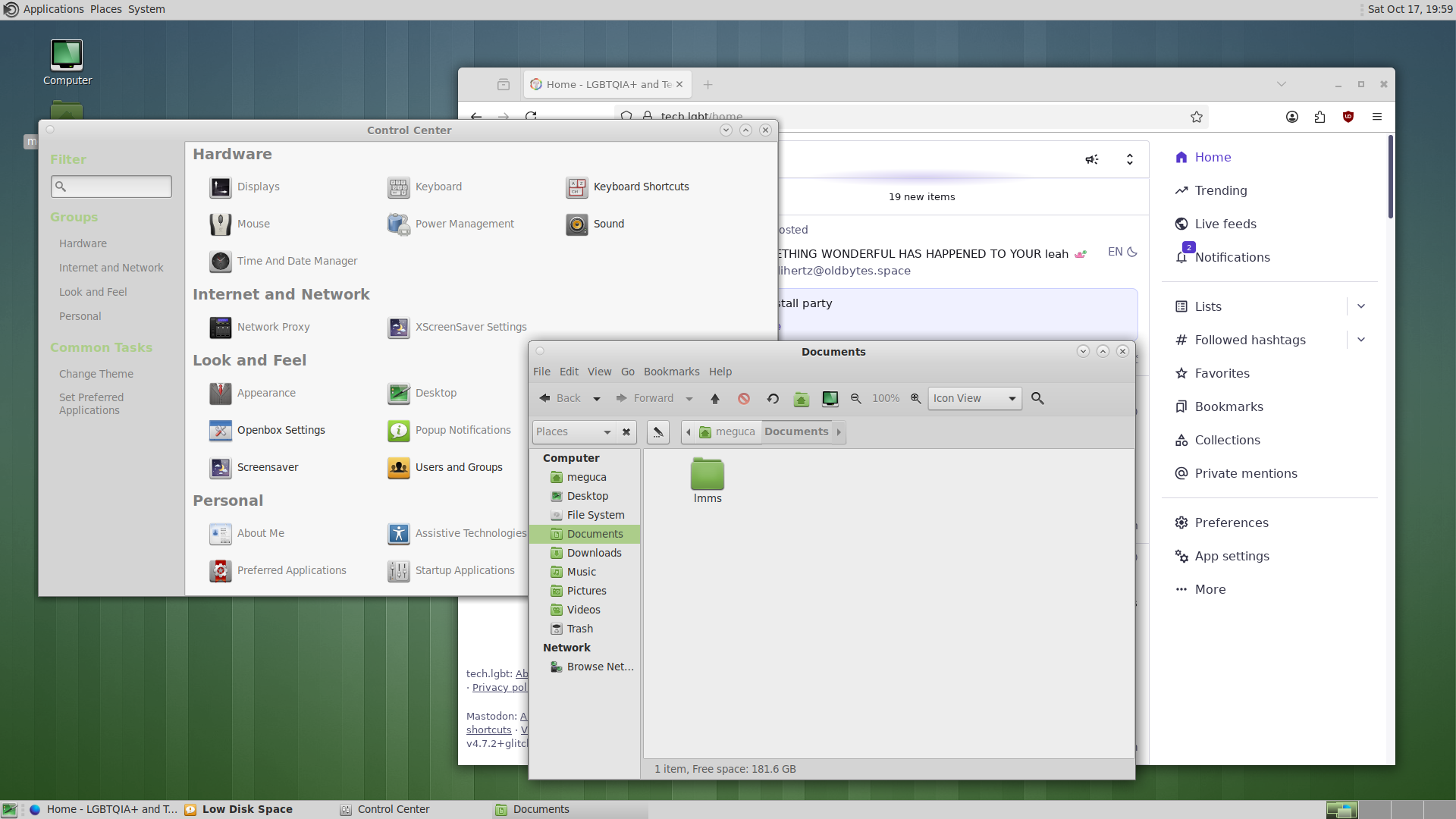
#netbsd install party continues. Much better luck with MATE. I just pkgin in mate, then added a line exec mate-session in .xinitrc, and now startx starts this lovely desktop.
I've heard that MATE has best accessibility, so I'll install Orca and will try to see how it works.
Alt...
A colourful screenshot of a desktop environment, showing a file manager, a configuration panel, and a Firefox web browser
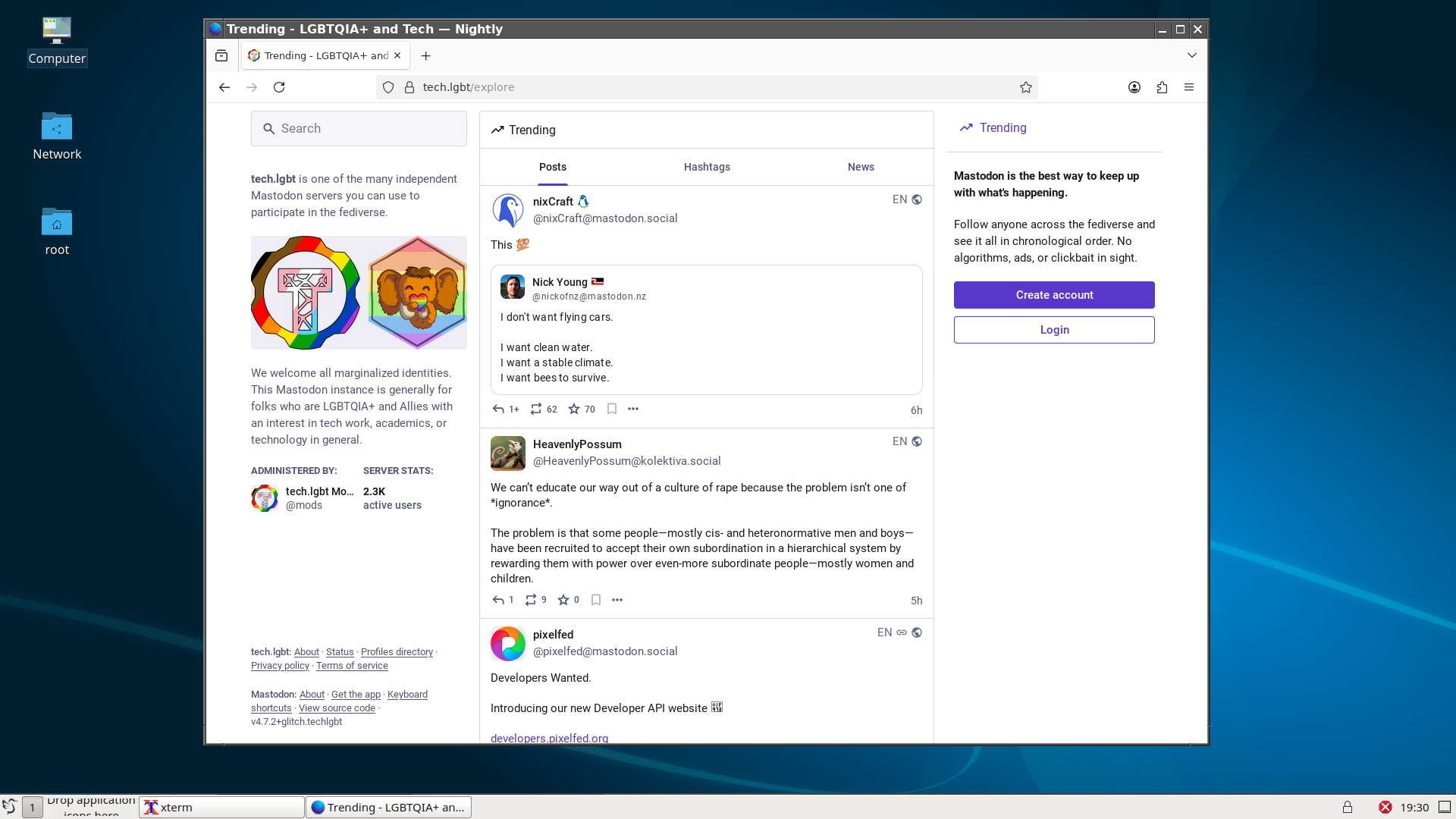
Okay, so LXQt installs, and it is as simple as pkgin in lxqt (that's #netbsd ).
I can't start it from the command line with startlxqt as it fails to start X, complaining about some Qt modules, but I can add startlxqt after I have X running. And then it works. Basic things like PCManFM work, too. That's a progress.
Most KDE apps work; Dolphin, notably, crashes on any interaction. Sus.
Time to take another break.
Alt...
A screenshot of a basic LXQt desktop (windows-style desktop) and a browser showing tech.lgbt home page with some feed in
Okay, so, kdm isn't installed, and so are many other parts of kde. Libbluray is installed but it seems like the library is not where it should be. Next step: find the library, symlink to the back expected location, restart the package installation.
:thread: (install kde on #netbsd continues)
![[?]](https://media.tech.lgbt/accounts/avatars/115/667/046/035/383/149/original/8aba4b412016af05.png)


#netbsd weekend installation party for me has three goals:
- get KDE working (there's quite a few people out there who like it more than the alternatives),
- get screen reader working (I want to try it out),
- try AlpineBSD in Qemu
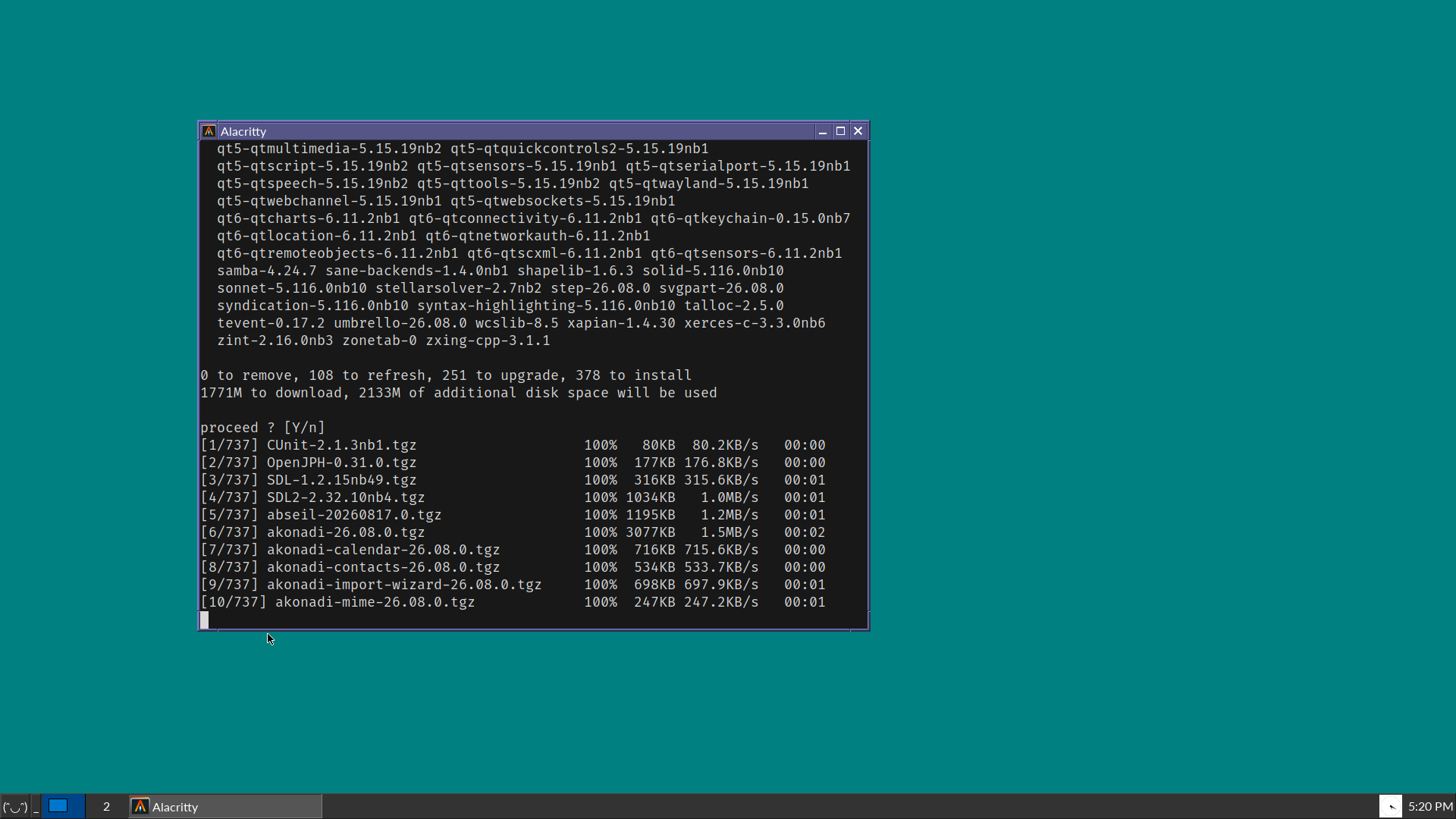
I start with my experimental install of NetBSD (running jwm, alacritty and rox), and proceed with installing kde (pkgin in kde). There are lots of things to download, and I think the NetBSD CDN might be experiencing more load than usual due to, well, news.
I'll report in this very 🧵 thread with updates when I'll have them.
Alt...
A vintage-looking screenshot of a desktop OS, showing blue-green background, a Windows 95-style taskbar in dark grey, and a terminal window that is about to install many packages for KDE.

Alt...
initial NetBSD install screen on a Thinkpad T460s with a "never slop kito" holo sticker propped on the monitor
![[?]](https://media.bsd.cafe/bsdmmedia01/accounts/avatars/117/006/199/875/207/359/original/dfd5a542d6917324.jpeg)
With the help from some great folks here in the Fediverse, I was finally able to get @netbsd installed on both my desktop (Dell Optiplex) and laptop (Lenovo ThinkPad T14). I'm posting this from the desktop! Still unable to to get wireless working on the laptop but I am sure a USB wireless adapter will resolve this. I'm going to give this a try later today.
My move away from my beloved Linux is moving forward. Thank you to Torvalds and other projects who have ruined it for me after 30+ years. It's sad that I'm moving away, but I know it's the right decision (for me, anyway).
Updates coming, and will probably bore you to death.
![[?]](https://assets.chaos.social/accounts/avatars/108/198/383/090/213/558/original/92bec86704400a34.jpg)
@the_wub @nina_kali_nina @davidgerard With more attention to #NetBSD recently, donations went up, yay. But instead of immediately saying "let's get more hardware or software help," they said, let's pay some human artists for some new #art.
https://mastodon.sdf.org/@netbsd/117412882408519343
Anyone with open commissions who wants to do some #art for NetBSD?
We've got a budget for paying for some concept art and can later talk about working with you on some merch. DM us!
Naturally, we cannot accept contributions using generative AI.
![[?]](https://mastodon.sdf.org/system/accounts/avatars/108/233/134/134/174/252/original/75cf6c02b16edbb2.png)
![[?]](https://gts.tumfatig.net/fileserver/01FJ093H6Y5VGN20G998J7KN1M/attachment/original/01JZTJV1P9RVJ502PCXKN68R1F.jpeg)
Somebody in my TL asked for #NetBSD Mint. That reminded me I once covered #OpenBSD with Mint sauce.
https://www.tumfatig.net/2019/openbsd-with-mint-sauce/
This can probably apply to any other OS where #Xfce runs.
![[?]](https://media.bsd.cafe/bsdmmedia01/accounts/avatars/113/033/293/822/670/571/original/436dcf170cc75fdc.png)


Some #NetBSD questions that keep coming up.
We don't use modules for HW drivers in the default install. All baked into the kernel. If you're curious about desktop hardware, for x86 there are lists https://wiki.netbsd.org/laptops/ https://wiki.netbsd.org/gpus/ (and the pci/usb manual pages)
x86 virtual machines. https://www.netbsd.org/docs/guide/en/chap-virt.html#chap-virt-guest
For disk encryption there's different options, such as creating a small root with the installer, then adding encrypted partitions later (see man cgdconfig). Also: cgdroot.
![[?]](https://f2.tchncs.de/accounts/avatars/000/060/333/original/527445a125dd706f.png)
Is there a port of Librewolf for NetBSD? It's available for OpenBSD but i don't find a binary repo (...) for NetBSD.
![[?]](https://avatastic.uk/system/accounts/avatars/108/194/831/036/199/410/original/34f179c3d195a682.png)
 [
[@nina_kali_nina I think I'll give myself a challenge and pop it on my ThinkPad Yoga, which current has kubuntu on it.
![[?]](https://media.infosec.exchange/infosec.exchange/accounts/avatars/109/365/972/105/890/683/original/06220558c1082093.png)
I'm really struggling to get @netbsd installed on my ThinkPad T14 laptop. I can't get the install to even start. I've included a photo of what I'm seeing right after I start the install. I know that I'm doing something wrong, but just can't figure out what that might be. So, NetBSD is a bit different than Linux, huh? 😂
Thanks for any help you can give. I didn't seem this issue when installing on the desktop.
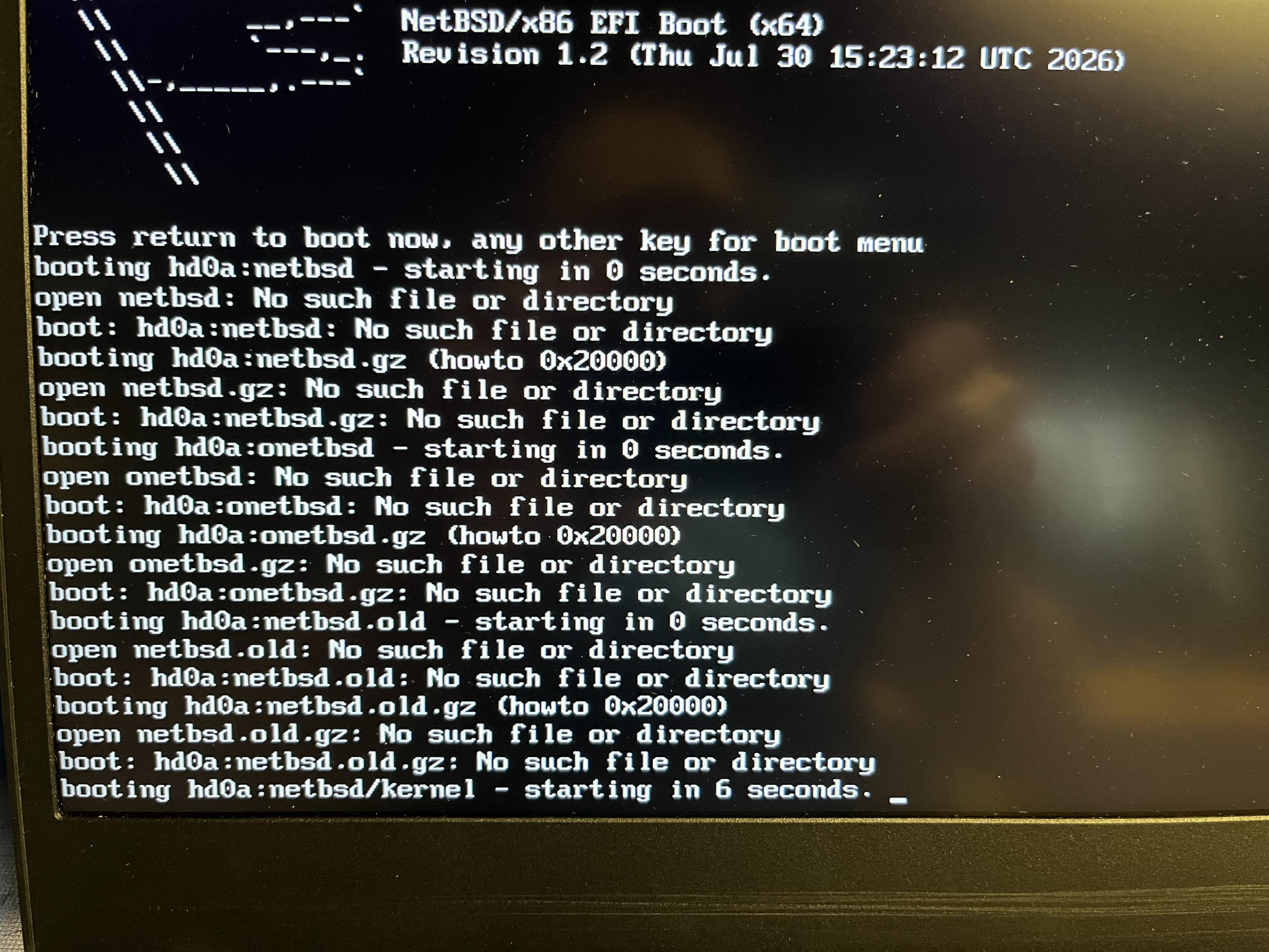
Alt...
Picture of the NetBSD install process with errors.
@maxime_andre yeah, for unknown (by me) reasons, installing #NetBSD over an existing UEFI installed system always failed at the makefs step. I always have to use the "wipe all and start from scratch" installer option.
![[?]](https://6-28.mastodon.xyz/accounts/avatars/000/001/258/original/4ebc15b16a9159d0.png)
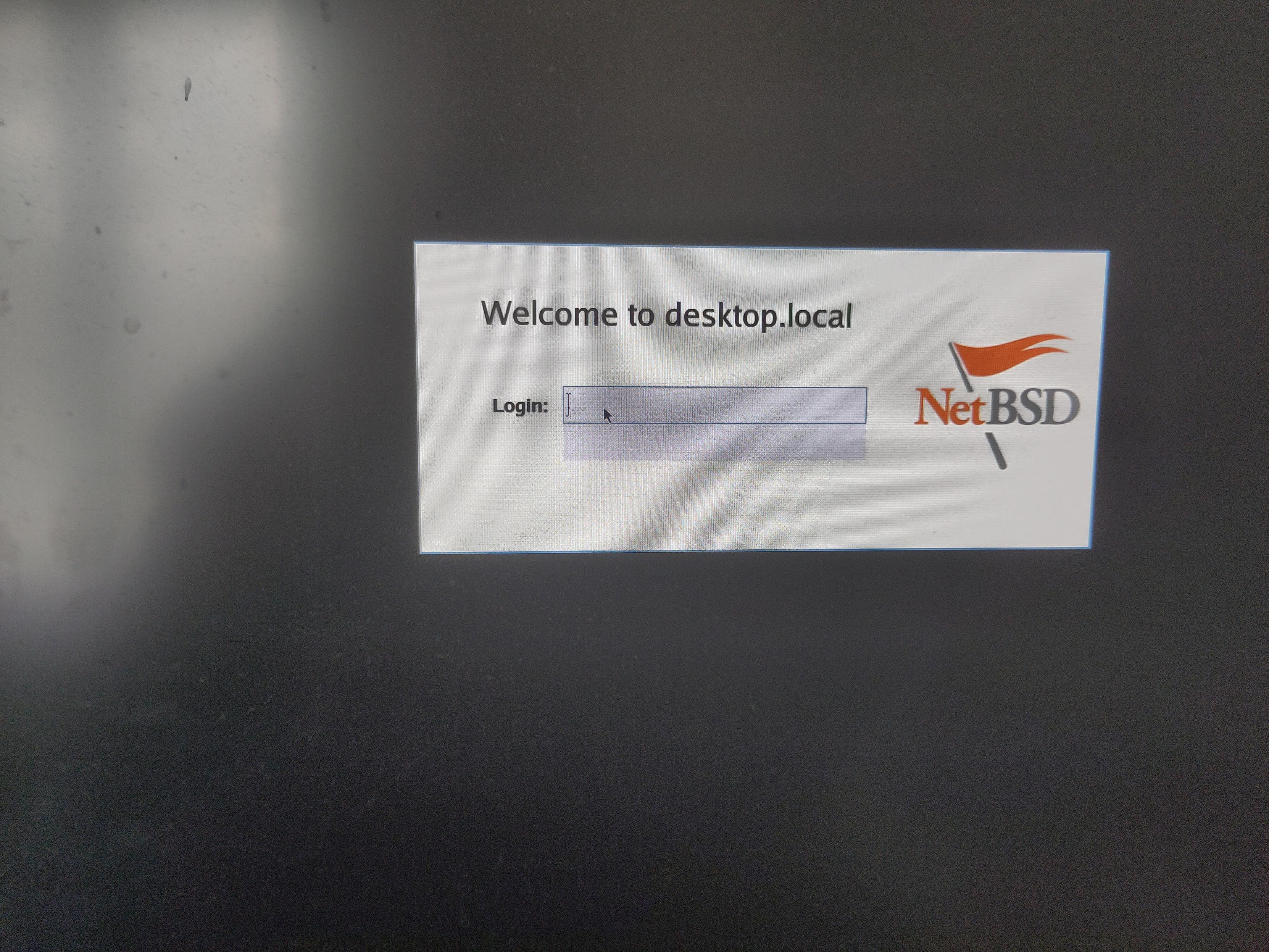
![[?]](https://polymaths.social/fileserver/01HCMX6M1CZNEVJ4F5H58TT5XJ/attachment/original/01M4GVVZSEWT13KC280GWBJSF8.png)


 🍵
🍵  [
[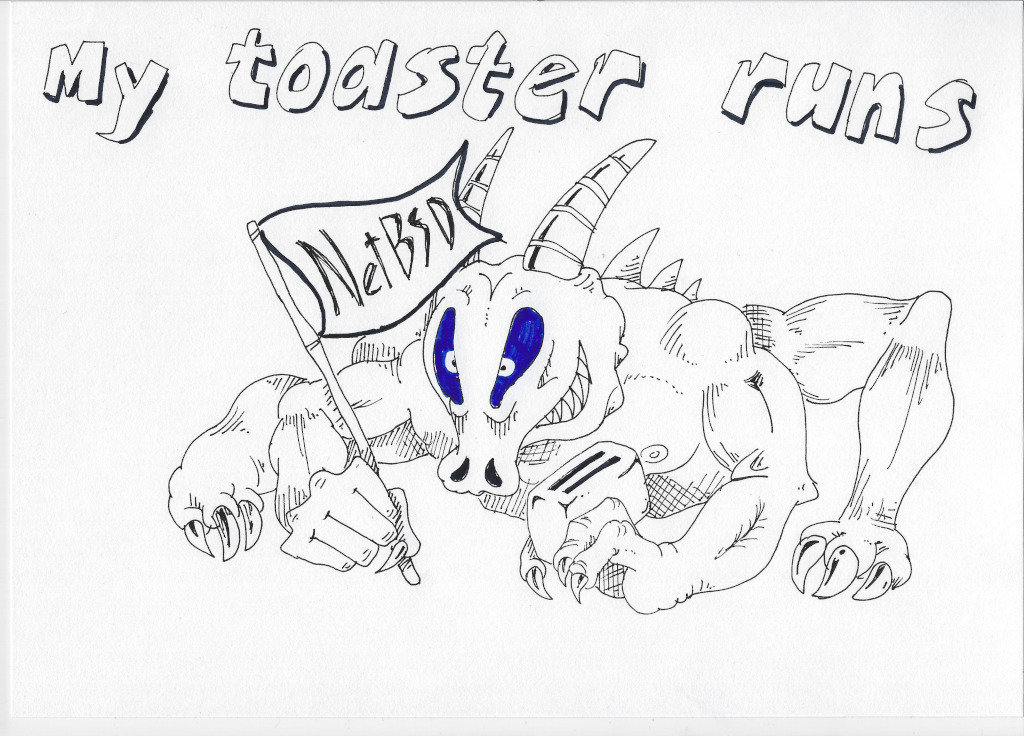
This morning, I have successfully installed #NetBSD on the newish laptop. After 30 years of running Linux exclusively in this house, today is the beginning of a new era. #RUNBSD

Alt...
Full screenshot of the XFCE4 Desktop with the Motif theme running on NetBSD, with Firefox and a few terminals open, not shown is the desktop wallpaper with the void kitty
![[?]](https://pouet.chapril.org/system/accounts/avatars/115/101/992/778/034/423/original/26a7d857522e91a0.webp)
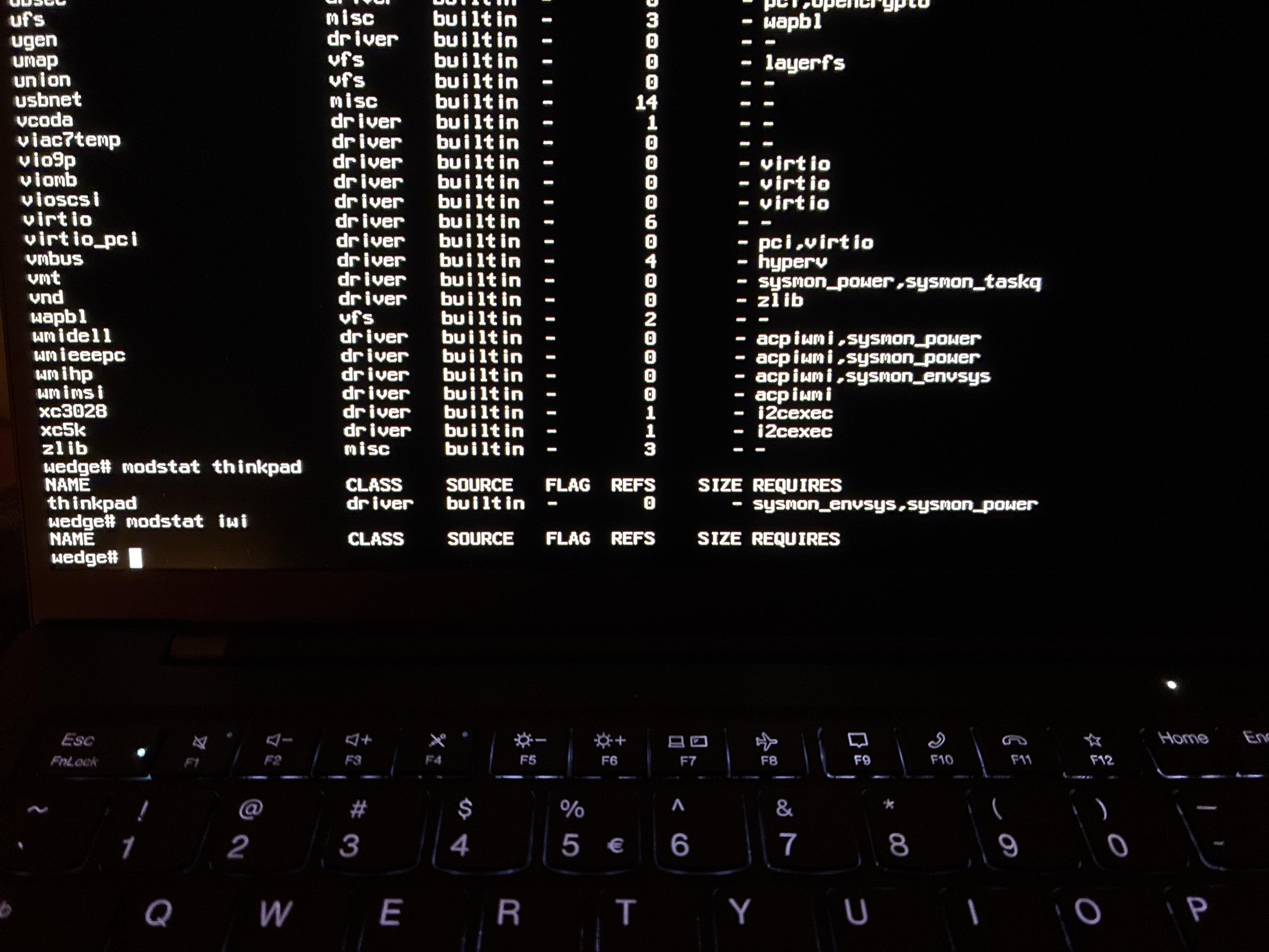
@nina_kali_nina Let's try #NetBSD, virtual machine. Installation in progress. I knew Linux for 30 years, I never tried a BSD.
![[?]](https://icosahedron.website/system/accounts/avatars/000/002/041/original/6fbf379e9cc89471.jpeg)
![[?]](https://files.mastodon.social/accounts/avatars/116/335/848/990/417/633/original/7c5c78738d847045.png)
@nina_kali_nina
I'll say as someone who got #netbsd running on an older laptop recently, I'm very pleased. Was it the easiest install? No. But I learned a lot by troubleshooting the issues that I ran into myself. Getting the config files all setup, making ctwm feel like I actually wanted, not just picking a DE.
It does have a surprising amount of packages availabe and does what I need. I'll probably have to keep a Linux install for my gaming PC but it's now my go to for everyday tasks.
![[?]](https://corteximplant.com/system/accounts/avatars/114/776/252/296/330/772/original/21635a8ea99a9d29.jpeg)
When it comes to BSD, I've only ever really used OpenBSD on servers, and the occasional time I'd fire up NetBSD on the Dreamcast.
If I were to dive into trying desktop BSD, which way would you go or have you gone? I haven't kept up, and honestly, from a desktop perspective, have zero idea of where to start, and it's high time I started expanding my knowledge to user-facing parts.
(Target machine, if viable, is a Dell XPS 13 9370 Developer Edition; the ones that shipped with Ubuntu by default.)
Thoughts, suggestions, guides, opinions welcome.
| OpenBSD: | 6 |
| NetBSD: | 6 |
| Some other BSD: | 4 |
RE: https://tech.lgbt/@nina_kali_nina/117441043503225633
The new policies for the Linux kernel make it more or less impossible to support a slop-free fork of Linux, so if you're worried about the reliability of your system level software, or have ethical concerns about LLM usage on your computer, the time to act is, well, now.
If you have time this weekend, I recommend you to try one of the slop-free systems: NetBSD, 9front, Haiku, or OpenBSD. If you're adventurous, you could try new AlpineBSD, or research smaller systems, like RedoxOS or FreeDOS. If you don't feel adventurous, you might want to check out anti-AI Linux distributions, like Elementary or Gentoo.
There's no "one solution that fits all". But there's a solution that I chose for myself, and that's NetBSD: it gives me the most freedom, it supports most of my hardware, and can run a great deal of software I need. It's not easy to run, but it's a great learning opportunity. There's quite a few folks around using BSD and capable of giving hints and advice, so if you feel stuck, toot about #netbsd.
1/2
![[?]](https://mastodon.decentralised.social/system/accounts/avatars/109/746/747/948/074/448/original/529e0cbe414cde9d.png)
Neat. NetBSD 11.0 in `qemu-system-riscv64`. Apparently the RISC-V port supports the Mango Pi MQ Pro that I have. I should try it out. #NetBSD #riscv
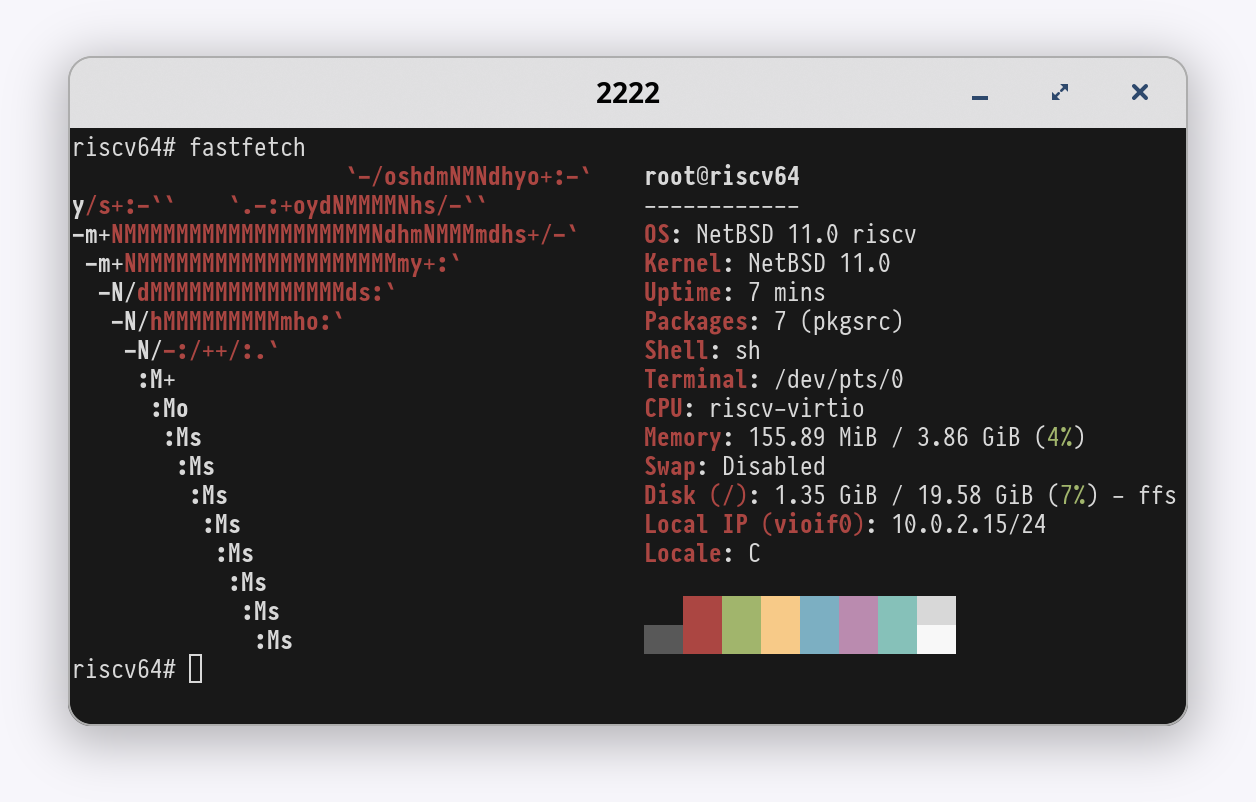
Alt...
fastfetch on NetBSD in qemu:
root@riscv64
------------
OS: NetBSD 11.0 riscv
Kernel: NetBSD 11.0
Uptime: 7 mins
Packages: 7 (pkgsrc)
Shell: sh
Terminal: /dev/pts/0
CPU: riscv-virtio
Memory: 155.89 MiB / 3.86 GiB (4%)
Swap: Disabled
Disk (/): 1.35 GiB / 19.58 GiB (7%) - ffs
Local IP (vioif0): 10.0.2.15/24
Locale: C
![[?]](https://gra4kyd3ea7c.compat.objectstorage.sa-saopaulo-1.oraclecloud.com/bucket-20221125-1906-burnthistown/accounts/avatars/109/338/279/385/896/203/original/62c71ef2d5f55203.png)
![[?]](https://media.bsd.cafe/bsdmmedia01/accounts/avatars/117/230/143/862/280/275/original/a62dee3e69e032a8.jpg)
Let's settle this once and for all! 👻
Linux vs. BSD! 😈
Which side are you on? 🐧🐡
#Linux #Debian #Arch #ArchLinux #Fedora #FedoraLinux #BSD #OpenBSD #FreeBSD #NetBSD
| Linux (Debian, Arch, Fedora, etc.): | 202 |
| BSD (OpenBSD, FreeBSD, NetBSD, etc.): | 127 |


![[?]](https://cdn.woof.tech/accounts/avatars/114/292/355/165/761/420/original/e7e352dbb5d6470f.jpg)
![[?]](https://media.bsd.cafe/bsdmmedia01/accounts/avatars/113/669/805/004/044/990/original/1d8537dc414c57ea.png)
My 2027 UNIX wishlist.
-NetBSD gets ZFS on root, and in the installer.
-NetBSD gets FreeBSD's jails, including VNET support.
<or>
-FreeBSD fully and finally declares a no AI policy.
As much as I like OpenBSD, neither of those things have ANY chance of making it into their source.
Also, has anyone forked a slop free tmux, yet?
![[?]](https://cdn.masto.host/rubysocial/accounts/avatars/000/093/360/original/920f5a8782200f9b.jpg)
NetBSD may have found a new role: The AI-free FOSS OS https://www.theregister.com/os-platforms/2026/10/13/netbsd-may-have-found-a-new-role-the-ai-free-foss-os/5302818
![[?]](https://assets.merveilles.town/accounts/avatars/110/618/037/889/897/311/original/7685c244dff08111.png)

PARADE STRUGGLES TO VICTORY DESPITE DISGRACEFUL SCENES
#content_review #netbsd @netbsd #art #comic #runbsd #unix_surrealism
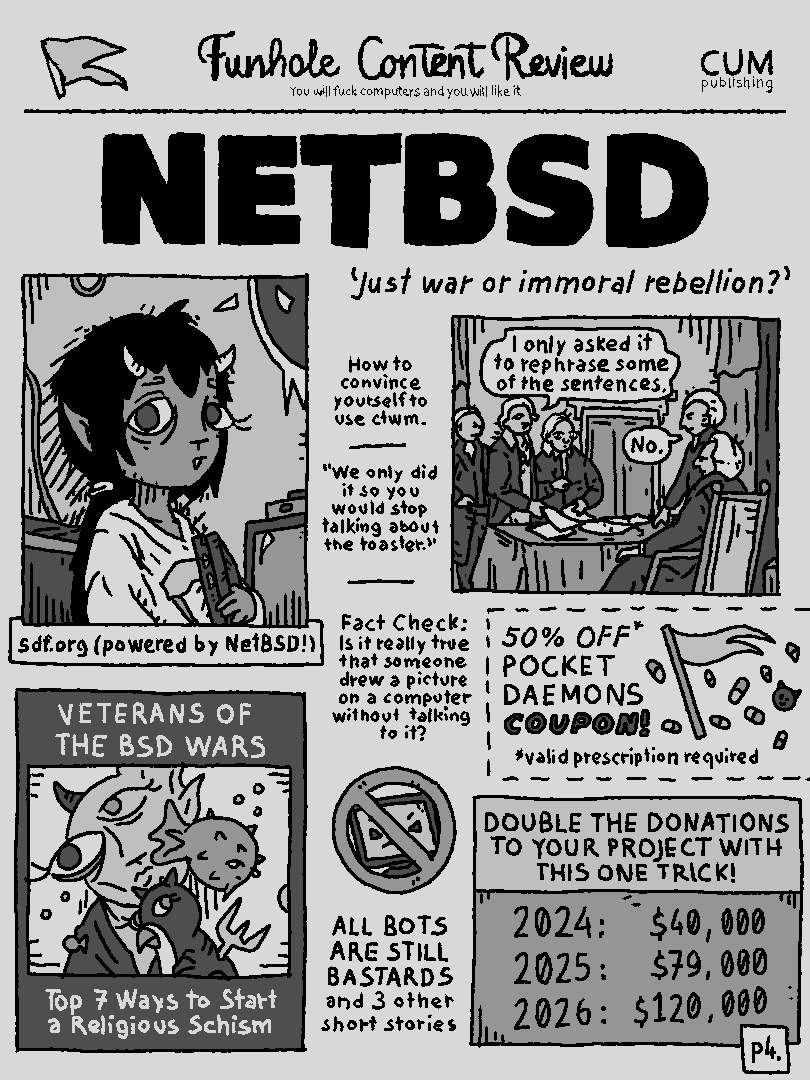
Alt...
Funhole Content Review
NETBSD
'Just war or immoral rebellion?'
a: "I only asked it to rephrase some of the sentences."
b: "No."
How to convince yourself to use ctwm?
"We only did it so you would stop talking about the toaster!"
Fact Check: Is it really true that someone drew a picture on a computer without talking to it?
ALL BOTS ARE STILL BASTARDS and 3 other short stories
VETERANS OF THE BSD WARS: Top 7 ways to start a religious schism
50% OFF POCKET DAEMONS COUPON (valid prescription required)
DOUBLE THE DONATIONS TO YOUR PROJECT WITH THIS ONE TRICK!
Following some naughty (not) remarks from here, I went to another gallery of the #ThinkCentre rabbit hole.
Quick and dirty look at #FreeBSD, #NetBSD and #OpenBSD power usage on the AMD powered M715q.
#RunBSD
https://www.tumfatig.net/2026/m715q-power-usage-and-the-bsdes/
![[?]](https://media.exquisite.social/exquisite/accounts/avatars/109/491/199/486/260/631/original/fd8523256a635901.png)
BSD Conference 
Hey folks! Are you a BSD aficionado? On Saturday 7 November we will be having a one-day BSD conference in Utrecht, The Netherlands  For those whom don't speak Dutch, no worries - the main language is English
It will be a day full of fun, hacking, a talk or two and if you are up for: beers afterwards, downstairs 
Sounds like a good day that you want to join? Well, love to have you over! 
You will need to get your ticket before November, due to the lunch orders (vegetarian and vegan options are there!).
Checkout the website, get your ticket and perhaps submit a talk. And don't forget to follow BSD-NL on Mastodon!
See you there!?
#OpenBSD #SecBSD #HardenedBSD #FreeBSD #NetBSD #DragonflyBSD #RUNBSD #EvenMyMotherRunsBSD
![[?]](https://media.bsd.cafe/bsdmmedia01/accounts/avatars/113/311/272/554/458/614/original/4ee66d78a6bbc131.png)
🚨 Monday PSA 🚨
We will be bringing a selection of books, booklets and stickers, which are looking for a new home.
If you are interested, and in of course the Late Autumn BSD-NL Conference Day in November, grab your tickets!
If you want to talk out the event you can drop your abstract at: https://events.bsdnl.nl/late2026/
All the other details:
📅 2026-11-07 @ 09:30-end
📍 Utrecht, NL
🌐 https://bsdnl.nl/
🎫 https://tickets.bsdnl.nl/bsdnl/late26/
#RUNBSD #BSDNL #OpenBSD #FreeBSD #NetBSD #HardenedBSD
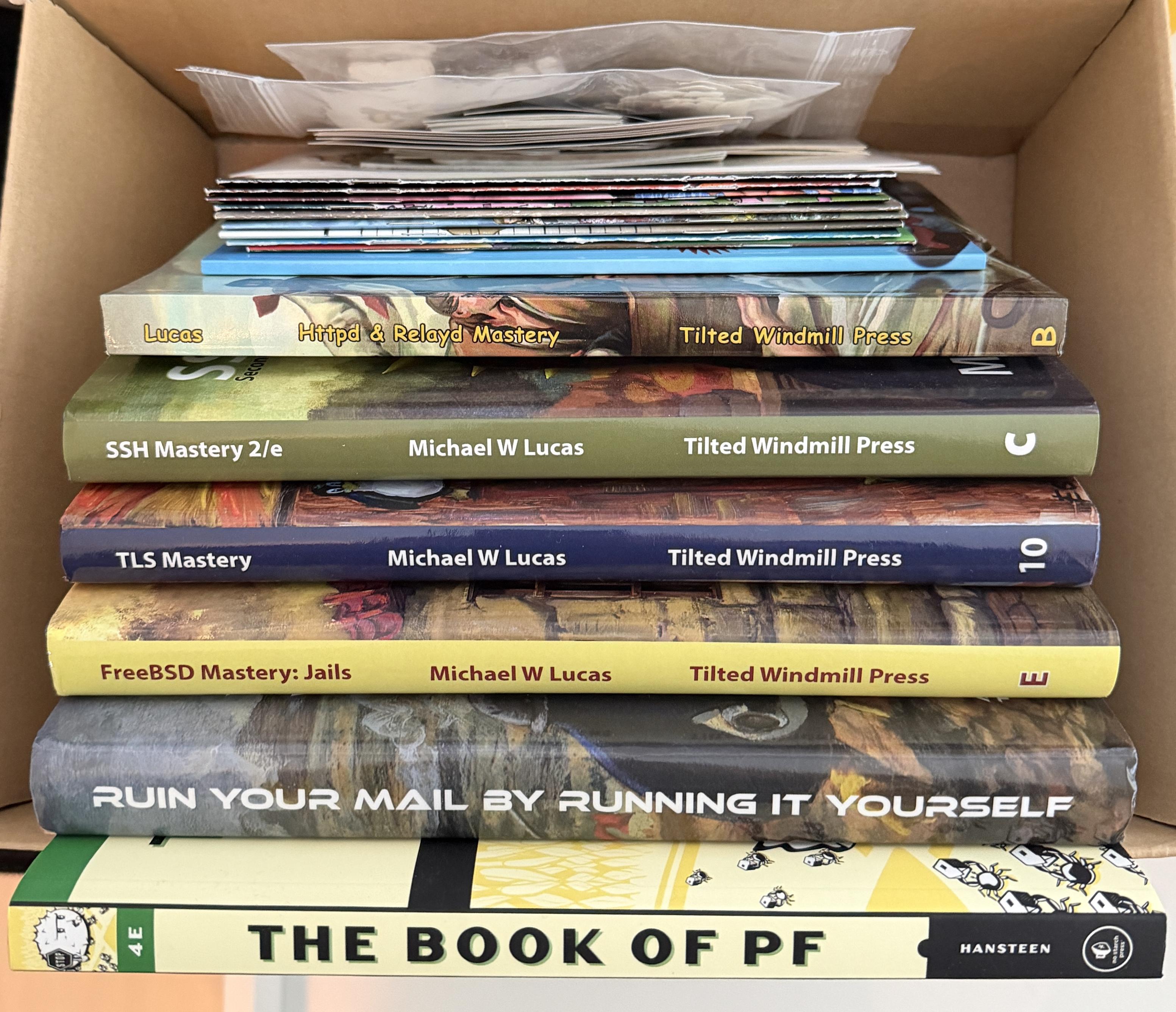
Alt...
Selection of books by Michael W Lucas and The Book of PF by Peter Hansteen in a cardboard box.
![[?]](https://snac.smithies.me.uk/justine/s/avatar-270304302821a87b50026a5768a00c56.png)
sysupgrade ? 😉Today I tried to install #NetBSD 11 on an old Acer E15 laptop that I had been using as a #Debian CLI-only system.
The install was a little dicey. First one failed, but the second time I was able to go all the way through and configure WiFi on the Edimax N150 USB. I kept getting errors in the console about the BIOS (likely related to the battery, which is pretty dodgy).
X started but really didn't run. I could try messing with it, but I'll probably go to #OpenBSD next.
It's just a basic config whilst I iron out stuff on my test NetBSD setup. More to come!

Alt...
Photo of a foot terminal showing the output of fastfetch on NetBSD
Boring Teams’ meeting happening so let’s play cool kid.
#NetBSD 11.0 on the #ThinkPad P14s Gen 5 AMD. Unfortunately, this fairly recent machine seems to not be well supported: no DRM (1024x768 in vesa mode), no WiFi, no Touchpad, no suspend/resume (needs the S0ix thing). Looks like a no-go on this particular one 🤷♂️
Full dmesg is there https://dmesgd.nycbug.org/dmesgd?do=view&id=9184. Bad news are still news.

Alt...
A fastfetch output from NetBSD on the laptop
![[?]](https://assets.oldbytes.space/assets.oldbytes.space/accounts/avatars/115/228/646/834/196/517/original/2989224c402b5ca1.png)
![[?]](https://cdn.woof.tech/accounts/avatars/110/845/362/143/356/321/original/c901c046c550f1b3.png)
WELP, I attempted to install #NetBSD today, but I ran into some serious problems. Namely, after following the instructions on the official website to write the installer image to my USB thumbdrive (which keep changing what the block size should be!), the resulting drive fails to find the kernel and won't go further than the boot prompt. I'm trying some other dd flags and am about to try again, but if this doesn't work SOMEBODY is going to need to step up. Tagging @netbsd because you're the most obvious person here to ask for help with installing NetBSD
![[?]](https://media.mstdn.social/accounts/avatars/110/258/549/476/859/116/original/1b3ad77a5596c355.png)
Ok, #netbsd installed totally fine on the x280. WiFi runs out of the box as well.
I'm afraid i'll need to open firefox occasionally, since some sites won't work without javascript. But i'll use this experiment also to focus more on alternatives like #links2 and dillo.
Will also have a look on replacements with less dependencies. Like giving #got a run instead of git.
CTWM is fun so far, might switch to something else later on though.
Slow and steady wins the race though. I'll get there eventually.
Hello speakers!
What's happening... I gonna need you to go ahead and submit that abstract.
So if you could do that, that would be great. Okay...
CfP: https://events.bsdnl.nl/late2026/
#RUNBSD #BSDNL #OpenBSD #FreeBSD #NetBSD #HardenedBSD

Alt...
Image of the "That Would Be Great" meme featuring the character Bill Lumbergh from the 1999 comedy film Office Space. It has the text: "That'd be great"
![[?]](https://mastodon.sdf.org/system/accounts/avatars/113/901/805/312/566/231/original/5fd582ede8052819.jpg)
Hey folks!
I have written some travel notes from EuroBSDCon 2026, Brussels, Belgium:
https://blog.NetBSD.org/tnf/entry/eurobsdcon_2026_in_brussels_belgium
The conference was amazing and I had a lot of fun and learned a bunch!
Thanks to everyone who made it possible!
#EuroBSDCon2026 #EuroBSDCon #NetBSD #pkgsrc #FreeBSD #OpenBSD

Alt...
Photograph showing a diagonal light over my EuroBSDCon 2026 badge. Near the badge there are a lot of BSD-related stickers. BSD-NL, NetBSD, pkgsrc, BSDCan, BSD, BSD Cafe, Run BSD and Run BSD Stop Fascism.
![[?]](https://files.defcon.social/dcsocial-s3/accounts/avatars/113/362/915/391/962/302/original/00cb568e8f2ceaaa.jpg)
Does anyone know if there's a WIP driver for Intel AX200 wireless NICs on #NetBSD? I have a laptop I'm tempted to install it on but I don't see any compatible drivers in the wireless driver matrix https://wiki.netbsd.org/wifi_driver_state_matrix/.
If not, does anyone have any idea how difficult it is to port drivers from #OpenBSD? I'd be tempted to try porting `iwx(4)` but have never done something like that before.
In today’s episode of "You can’t pronounce the hostname but you can hopefully read the content", an overview of the two #ThinkCentre that I recently got, centered towards power consumption when running #FreeBSD, #NetBSD and #OpenBSD.
TL;DR:  not bad at all!
https://www.tumfatig.net/2026/what-about-thinkcentre-m710q-m720q-and-bsd/
![[?]](https://media.bsd.cafe/bsdmmedia01/accounts/avatars/113/407/688/140/177/903/original/de6c43fbc2be3c55.jpg)
Okay, while I've stubbed my toes on a few corners, this attempt at installing and using #NetBSD has gone a lot better than the last time I tried this.
GUI is up and running X with the default window-manager (#ctwm though I'll replace that with #Fluxbox).
A few common packages installed so it's time to go kick the tires on the install.
![[?]](https://media.hachyderm.io/accounts/avatars/110/492/347/627/948/632/original/f0c7816f2364a2e3.jpg)


Watching #EuroBSDCon 2026 on YouTube. I'll be commenting on a few points soon.
https://www.youtube.com/watch?v=yPoU4QEv_u8&list=PLH7c4r_PrD7U
Post your #NeverSlop tech stack!
I'm thinking...
- OS: #NetBSD, #Illumos, #Haiku, #RedoxOS or #9front
- Editor: #ed, #nvi, or #VimClassic
- eBooks: #clbre??? (Doesn't seem to have any downloads yet); #arcalibre?
- Social: (egad, #Mastodon is already sloppified?!?) #GoToSocial, #snac2, hopefully #LittleFedi
- Audio editing: #Tenacity
- Browser: #KonformBrowser
- Image editing: libvips
- Data/file encryption: #LibreSSL, ccrypt
- Email: #aerc, #clawsMail
(I haven't tried all of these yet)
![[?]](https://files.ohai.social/accounts/avatars/114/456/967/863/618/736/original/f647d10235954580.png)
This normie had a BSD workstation in 2006! But that was thanks to PC-BSD.
https://en.wikipedia.org/wiki/TrueOS
I've never tried a "straight" BSD.
Hoping someone comes up with a PC-BSD-style normie-friendly version of NetBSD (preferably Xfce)
KDE, Gnome, Xfce, Mate, Lumina etc all available for #BSD
Most #FreeLibre software than runs on Linux also available for BSD as they share Unix roots.
(Anyone please correct me if I'm wrong.)
When you say ‘I use Linux’ and accidentally summon the entire BSD family.
#FreeBSD #OpenBSD #NetBSD #Unix #Linux #BSD #Meme #Memes #Humor #SpongeBob
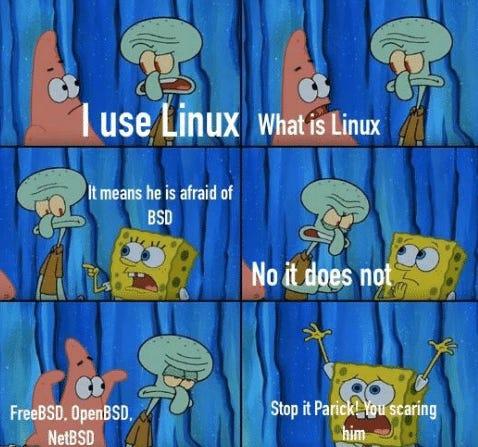
Alt...
Six-panel cartoon featuring SpongeBob, Patrick, and Squidward. Patrick says, “I use Linux.” Squidward asks, “What is Linux?” SpongeBob replies, “It means he is afraid of BSD.” Squidward responds, “No it does not.” The next panel lists “FreeBSD, OpenBSD, NetBSD,” while Patrick looks funny. In the final panel, SpongeBob raises his hands in panic and says, “Stop it Patrick! You’re scaring him.”
As many of you know, I've been getting back into running BSD after 20 or so years away from it. I'm wanting to get NetBSD running, mainly because of the no-AI policy, but I've been struggling and its frustrated me a bit. Well, to be honest, quite a lot. To get BSD running on my desktop, laptop, and small server, and so I can move away form Linux, I'm going to go ahead and get FreeBSD up and running on my hardware. I know that they have a questionable AI policy but this will get me over to BSD and then I can move from there. Plus, FreeBSD has some really, really good documentation to get me started.
![[?]](https://media.bsd.network/accounts/avatars/110/037/496/070/316/553/original/ded09a624a7ff99d.jpg)
📢 EuroBSDCon2026: The Schedule is Here! 😈⛳️🐡
The schedule is now published!!
You can find it at: https://events.eurobsdcon.org/2026/schedule/
Grab your tickets 🎟️ at https://tickets.eurobsdcon.org/eurobsdcon/brussels/
For everything else, peek at https://2026.eurobsdcon.org/
More information is added all the time.
EuroBSDCon 2026 in Brussels, Belgium 🇧🇪
September 09-13, 2026
#RUNBSD #FreeBSD #NetBSD #OpenBSD #EuroBSDCon #EuroBSDCon2026 #BSD #Conference #Register

Alt...
Cutout of the EuroBSDCon 2026 banner.
Comic like drawing.
First panel has a butler serving a nice Belgium beer. There are two speech bubbles. 1. ...we find this? 2. Etterbeek, Sir.
The second panel has Manneken Pis doing his thing.